
On this page
Start here
Quick answer
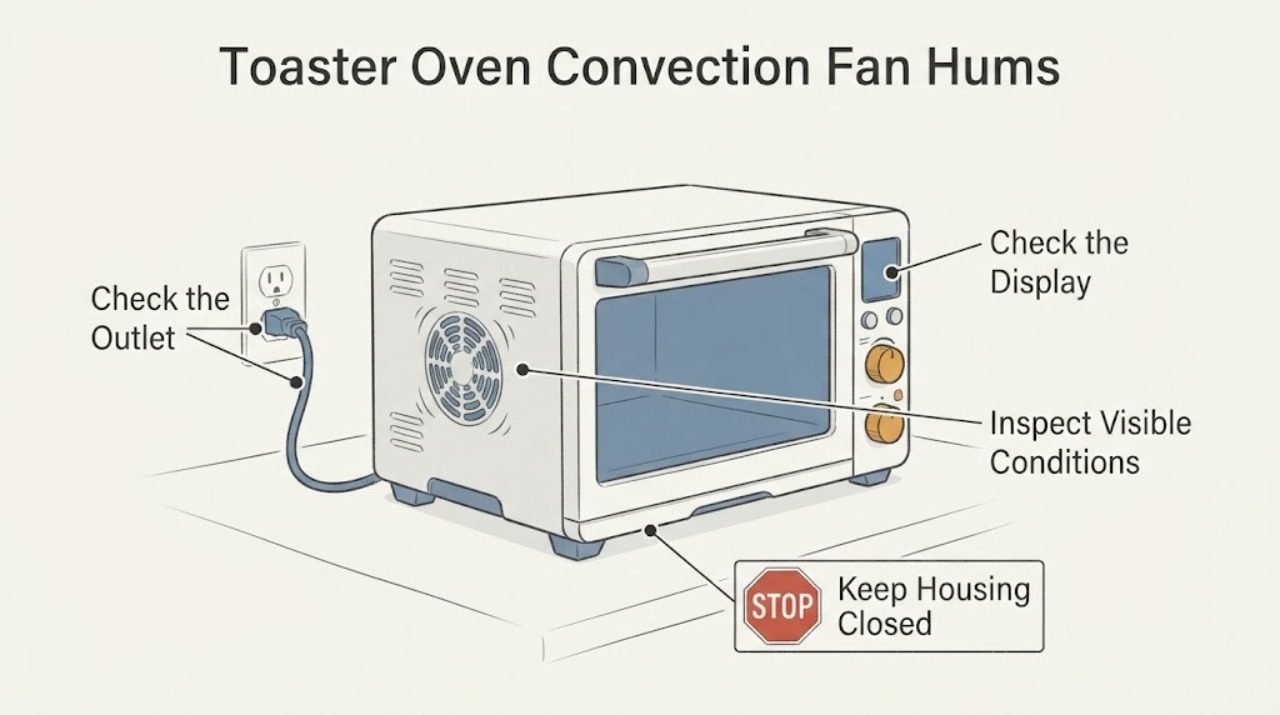
A convection fan that hums without moving air can be a mode or door-state behavior, a visible obstruction, or a model-specific fan fault; the sound alone does not identify a motor, capacitor or replacement part. First stop cooking if the fan is scraping, the oven smells burnt, smokes, or the housing is unusually hot. After the toaster oven has been turned off, unplugged safely and allowed to cool, confirm that the selected programme actually calls for convection and that the door is fully closed. Inspect only the accessible rack, crumb tray and cavity for loose food or foil; do not poke the fan, remove the housing or run the fan with a cover open. If the correct mode is selected and the fan still hums without airflow, stop using convection and arrange model-specific service.
Work through in order
Diagnostic checks
Use only checks that match the exact appliance or system and its official guide.
-
Check 1
Stop the cooking cycle if the fan hums, scrapes, stalls, or the oven has a burning smell, smoke or unusual heat. Press the appliance’s normal cancel/off control, unplug it only from a dry and accessible outlet after stopping, and wait for it to cool before looking inside.
Expected result: The sound is accompanied by smoke, burning odor, metal scraping, damaged cord or abnormal heat, or it is only a quiet hum with no hazard sign.
Next step: For smoke, burning, damaged wiring or scraping, keep the oven unplugged and arrange qualified service. For a quiet hum, continue only with the cooled, unplugged external checks below.
Why this matters
Why: A hazard sign makes continued cooking or a live fan test inappropriate. A quiet hum without a hazard still leaves the fan behavior unresolved and should be checked against the selected mode and exact manual.
-
Check 2
Identify the selected function and confirm that the door is fully closed. Compare the controls with the exact model manual; on some ovens, convection is optional or limited to particular functions, and the fan may stop when the door is opened.
Expected result: The oven is in a function that does not call for convection, the convection setting is disabled, or the door is open; alternatively, the exact manual calls for convection and the closed-door setting is correct.
Next step: Select only the documented convection function and close the door normally when the appliance is cool and safe to operate. If the correct mode still produces a hum without airflow, stop testing and use the service branch.
Why this matters
Why: Whirlpool documents door-state and cycle-dependent fan behavior, and the Breville BOV670 manual says convection can be selected or deselected and is the default for listed functions. A no-fan observation in a non-convection state is not a fan failure.
-
Check 3
With the oven unplugged and completely cool, remove only the user-accessible rack and crumb tray as described by the manual. Look for loose foil, a food fragment or a displaced accessory near the fan opening; do not insert a utensil, brush, finger or probe into the fan guard.
Expected result: A loose item is visible and can be removed without touching the fan or heating elements, or nothing accessible is found.
Next step: Remove only the loose item after it is cool and safe, reinstall the tray, and stop if the hum returns. If an object is trapped, the fan is damaged, or removal would require a panel, request service.
Why this matters
Why: An accessible loose item can interfere with airflow, but the absence of an item does not identify an internal motor or bearing fault. Breville’s manual requires the oven to be off, unplugged and cool for crumb-tray cleaning and warns against contact with electrical or heating parts.
-
Check 4
After the external checks, note whether the fan produces airflow in the documented convection mode and whether the food cooks differently, while avoiding repeated long cycles. Do not run the appliance with the housing removed or try to push the fan by hand.
Expected result: Airflow is restored after an accessible obstruction or correct mode selection, or the hum persists with no airflow and the cooking result is abnormal.
Next step: Stop using convection when the hum persists, record the model, function and symptom, and arrange service. Do not order a generic fan motor, capacitor or blade based on the sound.
Why this matters
Why: Restored airflow supports a mode or accessible-obstruction explanation but does not validate an internal repair. Persistent hum/no airflow in the correct mode remains a model-specific fan or control symptom.
-
Check 5
Check the rating label for the complete brand, model and serial information before seeking a part or repair. Do not substitute another toaster oven’s fan procedure or part number.
Expected result: The complete model information is available, or only a generic product description is available.
Next step: Use the exact model manual and manufacturer service route. If the model remains unknown, provide photos and the symptom to a qualified service provider and keep the oven unplugged when the fan fault is accompanied by scraping, smoke or burning smell.
Why this matters
Why: Fan controls, guards, parts and service instructions vary by toaster-oven model. Breville’s official support and parts pages route users through product-specific manuals and machine-specific parts rather than a universal fan listing.
Use your observations
Decision map
Find the observation that best matches what you see, then follow the next safe action.
-
PATH 01Next step
What you see
The oven was in a non-convection function, the convection option was off, or the door was open when the hum was heard.
Do this next
Follow the exact model manual, close the door normally, and select a documented convection function only when the oven is safe to operate. Do not treat this observation as proof of a failed fan.
Why this path and its safety boundary
Why it matters: The fan may be responding to the selected mode or door state. Whirlpool documents cycle and door-dependent behavior, and Breville documents an optional convection setting on its BOV670 example.
-
PATH 02Next step
What you see
The correct convection mode is selected with the door closed, but the fan hums without airflow after the accessible cavity check.
Do this next
Stop using the convection function, keep the oven unplugged when not needed, and request model-specific service. Do not run the fan with the cover removed or order a generic part.
Why this path and its safety boundary
Why it matters: The symptom remains a model-specific fan or control fault, but no opened source supports naming a motor, capacitor, bearing or blade as the cause for an unknown toaster oven.
-
PATH 03Next step
What you see
A loose food fragment or foil piece is visible and removable without touching the fan or heating elements.
Do this next
Remove only the cool, accessible item with the appliance unplugged, reinstall the crumb tray, and stop if humming or scraping returns.
Why this path and its safety boundary
Why it matters: The accessible item may be interfering with airflow, but removing it does not establish that an internal fan fault is absent.
-
PATH 04Next step
What you see
There is smoke, a burning smell, a damaged cord, exposed wiring, metal-on-metal scraping, or a fan guard that appears damaged.
Do this next
Stop cooking, isolate power only from a dry safe position, keep the toaster oven unplugged, and arrange qualified appliance service. Do not open the housing or attempt an energized test.
Why this path and its safety boundary
Why it matters: This is a safety stop rather than an ordinary convection setting question.
Helpful context
Understand the symptom
Confirm that the fan should be running
Convection is not implemented the same way on every countertop oven. Whirlpool’s oven guidance says the fan can stop when the door opens and that the selected cycle determines when it runs. The Breville BOV670 manual describes convection as an optional setting that is enabled for several functions and can be deselected. Because the task has no brand or model, use these as examples of why a mode check comes before a part diagnosis.
Keep the inspection outside the fan assembly
A hum with no visible airflow can be caused by an obstruction or an internal fault, but the supplied symptom does not prove which. The accessible checks are limited to turning the oven off, unplugging it safely after it cools, checking the door, rack and crumb tray, and looking for loose foil or food. Do not reach through the fan guard, bend the fan, remove the housing, or test energized wiring.
Use the exact model before ordering parts
The Breville support hub links the BOV670 instruction manual, repair route and parts, while Breville’s parts page describes machine-specific accessories. That does not make a BOV670 fan part compatible with another toaster oven. Record the rating-label model and serial information and use the manufacturer’s manual before requesting service or considering a replacement.
Common questions
FAQ
Is a humming convection fan always broken?
No. Fan behavior depends on the function and door state. Whirlpool says the fan can stop when the door opens and may run or cycle in different functions; the Breville BOV670 manual makes convection an optional setting for several functions. A persistent hum with no airflow in the correct mode needs service, but the sound alone does not identify the failed part.
Can I reach in and spin the fan or remove its cover?
No. Unplug the cooled oven before user-level cleaning and limit inspection to accessible loose material. Do not reach through the fan guard, remove the housing or run the oven with a cover open.
Which convection fan or motor should I order?
Do not order from the symptom alone. Breville’s support and parts pages route users through the exact product and machine-specific parts, and the assigned task has no brand or model. Obtain the rating-label model and use the manufacturer’s manual or service route before considering a part.
Read the exact guide
Official sources
- the Smart Oven® Compact Convection - OVENS Support & FAQs | Breville USBreville US · Official Breville product hub identifies the BOV670 Smart Oven Compact Convection and links its instruction manual, repair and parts paths; it does not prove compatibility with an unknown toaster oven.
- Toaster Ovens • Smart Ovens • Convection Ovens Parts | BrevilleBreville · Official Breville parts page says to find the product and browse parts that fit, and lists multiple distinct oven families. It supports withholding a generic fan part claim when the task provides no model.
- Convection Fan Not Running - Product Help | WhirlpoolWhirlpool Product Help · Official Whirlpool guidance for convection ovens/ranges, used here only to establish why fan behavior must be checked against the exact cycle and door state; it is not a toaster-oven model manual and does not establish a part diagnosis for this task.
- the Smart OvenBreville · Official Breville BOV670 manual. It supports the exact model’s convection selection, cool/unplugged cleaning and no-contact safety boundary; it is an example model and cannot be generalized to an unknown toaster oven’s fan hardware or part fit.
Community feedback
Share a repair observation
Share a plain-text repair observation. Accepted observations are published automatically; this page may take a moment to update.