
On this page
Start here
Quick answer
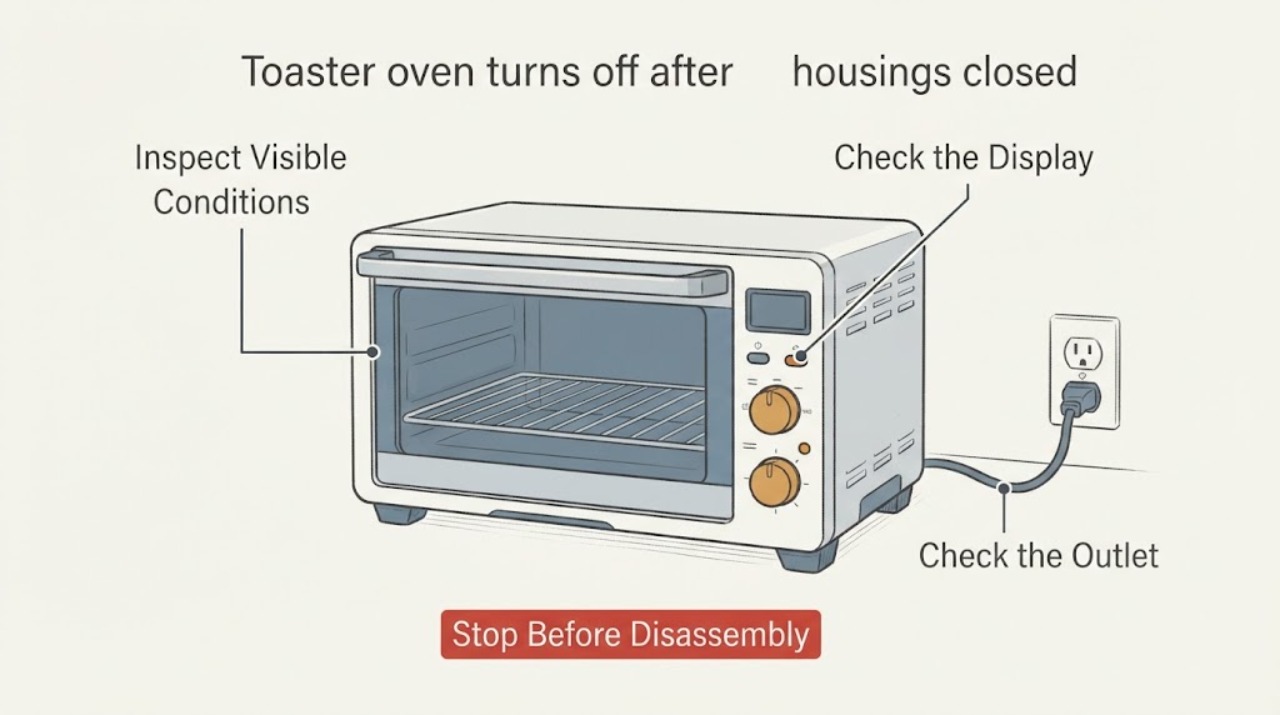
First distinguish heating elements switching off from the whole toaster oven shutting down. Elements normally cycle to maintain temperature, but a full shutdown can be an intentional model-specific preheat sequence, a timer or Start-button step, an automatic time limit, or a fault. Check the exact manual, mode, timer, Start/ON control, outlet, ventilation and crumb tray with the oven cool and unplugged. If the display goes dead, a light stays on after cancel, the unit overheats, the cord is damaged, or it will not resume the documented cooking cycle, stop using it and obtain manufacturer or qualified service.
Work through in order
Diagnostic checks
Use only checks that match the exact appliance or system and its official guide.
-
Check 1
Observe the next preheat from a safe distance and note whether only the heating tubes go dark or the display, timer, and power indicator also shut off.
Expected result: The elements cycle off while the controls remain active, or the entire appliance becomes inactive.
Next step: If the controls remain active, check the cooking-cycle instructions. If the display goes dead or the oven cannot respond, turn the controls off, unplug after it cools, and stop using it until the model is checked.
Why this matters
Why: GE identifies element cycling as normal temperature control; a complete control shutdown is a different condition that may be a programmed sequence or a fault.
-
Check 2
Read the exact model's preheat and cooking-cycle instructions, then check that the selected mode, temperature, timer, and Start or ON control are set as required before preheating.
Expected result: The manual requires a second Start press after preheat, a timer or ON button, or another mode-specific step; alternatively, the documented sequence was already followed.
Next step: Follow only the exact model's sequence. Do not infer that a generic ten-minute or two-hour rule applies to this toaster oven.
Why this matters
Why: GE's digital instructions intentionally shut off after preheat if Start is not pressed within its documented hold period, while other models use a timer or ON/OFF control.
-
Check 3
With the oven unplugged and fully cool, check that the plug and outlet are secure, the crumb tray and accessories are correctly installed, and the unit has the clear space required by its manual.
Expected result: The outlet or cord is questionable, the crumb tray is full or mispositioned, or the oven is crowded against a wall or covered on top.
Next step: Do not operate with a damaged cord or plug. Correct only the accessible placement or cleaning issue described by the manual; if the oven still shuts down, stop and seek service.
Why this matters
Why: GE requires a grounded outlet, stable placement, clearance around the unit, and no stored items on top; Hamilton Beach identifies overload, damaged cords, and improper use as safety concerns.
-
Check 4
Check whether the shutdown occurs only in one cooking mode or at the end of the documented timer, and record any display code, alarm, smell, smoke, or light that remains on.
Expected result: The oven stops only after a programmed preheat/timer event, or it stops early with an error, burning smell, smoke, or persistent indicator.
Next step: Use the exact manual if the stop matches its documented sequence. For an early stop, error, smell, smoke, or persistent light, unplug after cooling and arrange qualified service.
Why this matters
Why: A programmed end-of-preheat or end-of-cycle stop can be normal for a supported mode; GE treats error codes and failure to get hot as support issues, while Hamilton Beach treats a persistent indicator after cancel as a reason to unplug and call service.
-
Check 5
Do not open the cabinet, bypass a thermostat or thermal fuse, probe energized terminals, or replace an internal component based on the shutdown symptom alone.
Expected result: The oven recovers only after unplugging, shuts down repeatedly, or the suspected protection device tests good or bad without model-specific service instructions.
Next step: Keep the oven unplugged, record the model and the exact shutdown behavior, and contact the manufacturer or a qualified appliance technician.
Why this matters
Why: The symptom does not identify the failing component, and manufacturer guidance limits repair of a malfunctioning or damaged toaster oven to appropriate service support.
Use your observations
Decision map
Find the observation that best matches what you see, then follow the next safe action.
-
PATH 01Next step
What you see
Only the heating elements turn off while the display and timer remain active, and the oven maintains or resumes the selected temperature.
Do this next
Continue using the exact model's documented cooking cycle while observing normal safety precautions; escalate if the appliance loses control power or fails to heat.
Why this path and its safety boundary
Why it matters: The element cycling is consistent with normal thermostat control described by GE.
-
PATH 02Next step
What you see
The display remains on after preheat but the model manual requires another Start, ON, or timer action.
Do this next
Press or set that control exactly as the model manual describes; do not apply another model's timing rule.
Why this path and its safety boundary
Why it matters: The appliance may be waiting for the user step that begins the cooking cycle, rather than failing.
-
PATH 03Next step
What you see
The complete toaster oven shuts off before the documented cycle, the display goes blank, or it will not respond after cooling and the correct controls are used.
Do this next
Unplug it after it is cool and request manufacturer or qualified service; do not continue repeated tests.
Why this path and its safety boundary
Why it matters: This is not explained by normal element cycling alone and may indicate a unit or control fault.
-
PATH 04Next step
What you see
The oven has a burning smell, smoke beyond the documented first-use behavior, a hot or damaged cord, a persistent indicator after cancel, or visible damage.
Do this next
Turn controls off, unplug when safe, keep the oven out of service, and contact qualified service; do not open or bypass protection.
Why this path and its safety boundary
Why it matters: The condition carries fire or electrical risk and is outside a safe user adjustment.
-
PATH 05Next step
What you see
The exact model and manual cannot be identified, and the user wants to change a timer, thermostat, or internal safety device to prevent the shutdown.
Do this next
Leave the appliance unplugged and identify the rating label or obtain professional diagnosis before further use.
Why this path and its safety boundary
Why it matters: The model-specific operating rule and safe repair boundary are unknown, so a generic adjustment could defeat a protective function.
Helpful context
Understand the symptom
The heater cycling may be normal
GE's toaster-oven troubleshooting guidance says heater tubes turn on and off to control temperature and that this is not a malfunction. That describes the heating elements, not necessarily a dead display, canceled timer, or appliance that loses all power. Watch the control display or indicator from a safe distance and identify which of those two behaviors is occurring.
Preheat completion can require another user step
Preheat behavior is model-specific. On the opened GE digital toaster-oven instructions, the oven maintains the target temperature for 10 minutes and shuts off if Start is not pressed within that window. The Hamilton Beach Toastation manual gives a different automatic shutoff rule. Do not copy either timing rule to an unidentified appliance; use the exact model's manual to learn whether preheat ends in standby, a cooking cycle, or an intentional shutoff.
When the shutdown is a service symptom
A toaster oven that becomes completely unresponsive, repeatedly stops before the documented cycle, emits a burning smell, or has a damaged cord needs a safety decision rather than a guessed thermostat or fuse repair. GE directs an oven that fails to get hot to customer support, and Hamilton Beach says not to operate an appliance that malfunctions or has been damaged.
When checks do not resolve it
Need a professional?
Stop using the toaster oven and seek manufacturer or qualified service if it shuts down before the documented cycle, the display goes blank, it will not resume after the correct Start/ON step, it emits burning odor or abnormal smoke, the cord is damaged or hot, an indicator remains on after cancel, or internal testing or a safety-device change would be required.
Common questions
FAQ
Is it normal for a toaster oven to turn its heating elements off after preheating?
Yes, elements can cycle off and on to maintain temperature. That is different from the entire appliance losing power or ending the cooking cycle unexpectedly.
Why does my toaster oven shut off right after preheat?
Some digital models require a second Start action after preheat and can shut off if it is not pressed within the model's documented window. Other models use a timer or ON/OFF control, so check the exact manual before treating the stop as a fault.
Can I bypass the thermostat or thermal fuse so the toaster oven stays on?
No. A shutdown symptom does not identify a safe bypass, and defeating thermal or electrical protection can create fire or shock risk. Keep the unit unplugged and have the model diagnosed.
Read the exact guide
Official sources
- Toastation - Use and Care GuideHamilton Beach · Model-specific example of timer/ON controls, automatic shutoff, outlet and mode checks, and repair safety; not a universal rule for unidentified toaster ovens.
- Calrod and Quartz Toaster Ovens - How to OperateGE Appliances · GE model-family preheat and Start behavior; the ten-minute hold and automatic shutoff are not a universal toaster-oven rule.
- Calrod and Quartz Toaster Ovens - Getting StartedGE Appliances · GE toaster-oven placement, clearance, outlet, cooling, and electrical-safety guidance; exact model remains required for operating details.
- Digital Air Fry Toaster Oven - TroubleshootingGE Appliances · GE digital toaster-oven troubleshooting: heater cycling, no-heat support, power/display, smoke and error-code boundaries; not a universal behavior for all toaster ovens.
Community feedback
Share a repair observation
Share a plain-text repair observation. Accepted observations are published automatically; this page may take a moment to update.