
On this page
Start here
Quick answer
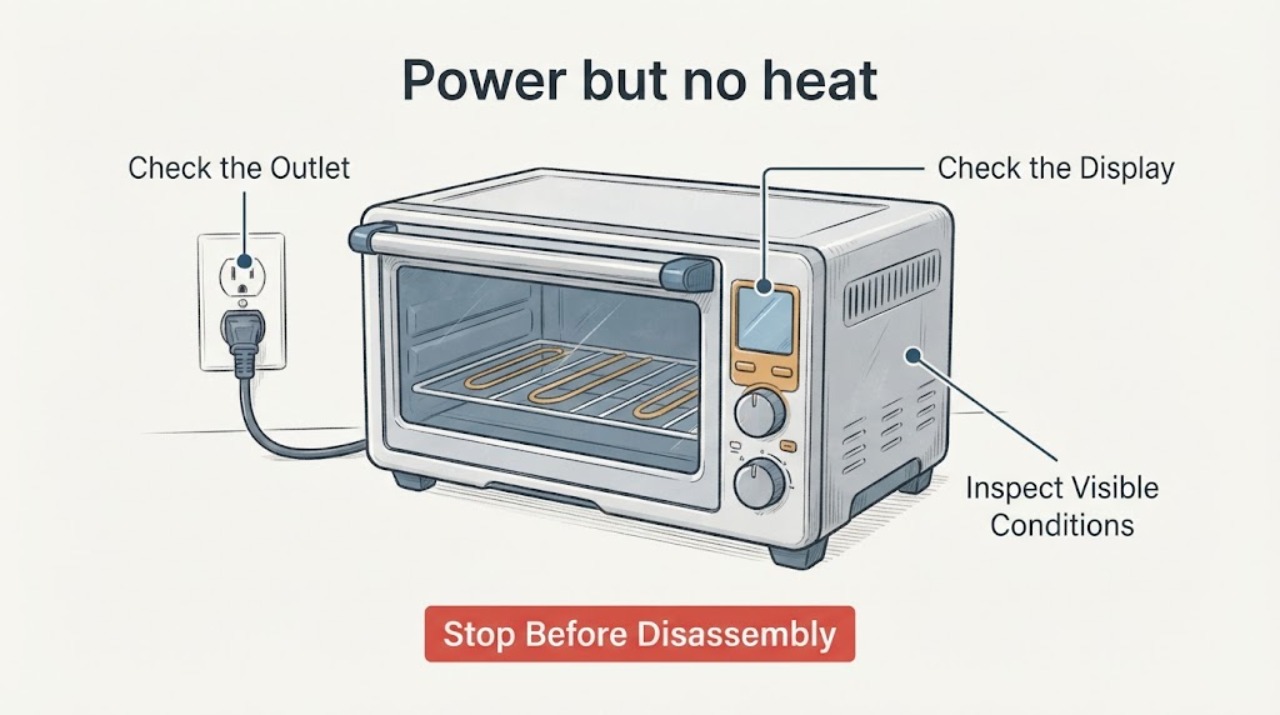
A toaster oven can have a lit indicator or display and still fail to heat. First verify the outlet, plug, cooking mode, temperature setting, and timer using the instructions for the exact model. Manufacturer guidance treats a correctly powered oven that still produces no heat as a service issue; a thermal fuse that appears to test good does not justify bypassing protection or guessing at an element, thermostat, selector, or wiring repair.
Work through in order
Diagnostic checks
Use only checks that match the exact appliance or system and its official guide.
-
Check 1
Unplug the toaster oven, let it cool, and verify the wall outlet with another suitable appliance or tester. Check that the toaster-oven plug is fully seated and that the cord and plug are not damaged.
Expected result: The outlet is dead, the plug is loose, or the cord/plug shows damage; alternatively, the outlet works and the toaster oven powers up.
Next step: Do not use a damaged cord or plug. If the outlet repeatedly trips or remains dead, use an electrician; if the outlet works, continue only with the external control checks below.
Why this matters
Why: Manufacturer troubleshooting starts with the outlet and plug. A damaged cord or plug is a safety issue, while a powered unit moves the investigation to settings or a model-specific fault.
-
Check 2
With the oven empty and cool, set the function and temperature controls exactly as the model manual describes for Bake or another heating mode, and set the timer or continuous-run control as required by that model.
Expected result: The control sequence was incomplete or the timer is at Off; after correcting it, the indicator or display responds and the heater begins to warm.
Next step: Use the exact manual for the appliance's model and region. If the correct sequence is already in use and there is still no heat, stop repeating the cycle and move to service rather than opening the unit.
Why this matters
Why: A toaster oven may have separate function, temperature, and timer controls; a wrong mode or timer can look like a heater failure. The exact dial sequence is model-specific.
-
Check 3
If the model manual permits a normal supervised test, observe the heating tubes without touching the oven or opening its housing. Note whether any tube warms and whether it cycles off after warming.
Expected result: The elements cycle on and off after warming, one mode heats while another does not, or no element warms at all.
Next step: Do not touch, probe, or bridge an element or safety device. If no element warms, or the result is inconsistent across modes, unplug the oven and give the model and symptom to the manufacturer's service channel.
Why this matters
Why: GE states that heater tubes turning on and off during cooking can be normal temperature control. No heat in the selected mode after correct power and settings indicates a technical fault; the observation alone does not identify a part.
-
Check 4
Treat the thermal-fuse result as one service diagnostic observation, not as a repair authorization. Keep the appliance unplugged and do not bypass the fuse, substitute an unverified fuse, or continue energized testing inside the cabinet.
Expected result: The fuse appears intact or passed a continuity check, but the oven still has power and no heat.
Next step: Stop internal troubleshooting and obtain the exact service documentation or a qualified appliance technician. Do not use the oven until the no-heat fault is resolved safely.
Why this matters
Why: The supplied fuse result does not verify the model's heating circuit, controls, or wiring, and the opened manufacturer guidance does not provide a universal internal repair procedure for an unidentified toaster oven.
-
Check 5
Photograph the rating label and record the brand, full model number, serial or type information, region, and whether the failure affects Bake, Toast, Broil, or every heating mode.
Expected result: The identification label is readable and the failed mode is known, or the label is missing and the mode history is uncertain.
Next step: Send the identification and symptom to the manufacturer or a qualified servicer. If the label is missing, do not order an internal part based only on the appliance's appearance.
Why this matters
Why: Support and repair instructions are product-specific. Hamilton Beach asks customers to locate model, type, and series numbers for service, and Danby provides product manuals and service routes for identified products.
Use your observations
Decision map
Find the observation that best matches what you see, then follow the next safe action.
-
PATH 01Next step
What you see
The outlet or plug fails the external check, or the power cord or plug is visibly damaged.
Do this next
Stop using the oven; have the outlet checked by an electrician and have a damaged cord repaired only by the manufacturer, service agent, or similarly qualified person.
Why this path and its safety boundary
Why it matters: The power path or cord is unsafe or unverified, so the lack of heat cannot be diagnosed as an internal toaster-oven heater fault.
-
PATH 02Next step
What you see
The outlet works, but the function, temperature, or timer was not set according to the exact model instructions.
Do this next
Correct the settings from the model manual and make only a supervised normal-use check; if it still does not heat, unplug it and escalate.
Why this path and its safety boundary
Why it matters: The oven may not have been commanded to heat, and a generic dial sequence cannot safely replace the model manual.
-
PATH 03Next step
What you see
The elements glow and cycle off after warming, but the food is not heating as expected.
Do this next
Check the exact model's cooking instructions and settings. If the oven never reaches its expected condition or only one mode fails, provide the model and mode to service.
Why this path and its safety boundary
Why it matters: GE identifies heater cycling during cooking as normal temperature control; the complaint may involve the selected mode, loading, temperature, or cooking time rather than a dead heater.
-
PATH 04Next step
What you see
The controls are correct and no heating element warms, even though the indicator or display has power.
Do this next
Unplug the oven and request model-specific service or replacement guidance; do not bypass the thermal fuse or open the cabinet for a generic repair.
Why this path and its safety boundary
Why it matters: The manufacturer guidance treats a powered toaster oven that fails to get hot as a problem with the main unit, without naming a universal component.
-
PATH 05Next step
What you see
The thermal fuse seems good but the model, region, circuit design, or failed heating mode is unknown.
Do this next
Keep the appliance unplugged, identify the rating label, and use the manufacturer's manual/service channel or a qualified technician before any further internal work.
Why this path and its safety boundary
Why it matters: The test result is too narrow to establish a safe repair path or compatible replacement part.
Helpful context
Understand the symptom
Why power does not prove that the heater circuit is working
An indicator light or display only tells you that some part of the appliance is receiving power. The exact control sequence and internal protection vary by model. The opened Hamilton Beach manual gives one model-specific example of checking the outlet, temperature, function, and timer, while GE's toaster-oven chart sends a unit that is powered but fails to get hot to customer support. Use those sources for their named product families and use your own manual for the exact controls.
What the thermal-fuse result does and does not tell you
A thermal fuse that appears intact or passes a test does not identify the remaining fault and does not authorize a bypass. A toaster oven contains hot surfaces and mains-voltage wiring; manufacturer instructions direct qualified persons to handle cord replacement and repairs. Keep the unit unplugged for any inspection beyond the user controls, and do not operate it after damage or a malfunction while waiting for a model-specific service decision.
When checks do not resolve it
Need a professional?
Stop and seek qualified service if the cord or plug is damaged, the outlet trips, the correct external settings produce no heat, the unit has been opened for fuse testing, the appliance has been dropped or otherwise damaged, or the model-specific manual does not authorize the next repair step.
Common questions
FAQ
Does a good thermal fuse prove that the toaster oven's heater is good?
No. It only describes that one test result. It does not establish the rest of the model-specific heating or control path, and it is not a reason to bypass a safety device or keep testing an opened appliance while energized.
Why does the toaster oven have power but no heat?
First rule out the outlet, plug, function, temperature, and timer settings. If those are correct and no element warms, manufacturer guidance treats the appliance as needing model-specific service rather than a universal fuse or element replacement.
Is it normal for toaster-oven heating elements to turn off?
GE says heater tubes can turn on and off during cooking to control temperature. That is different from an oven that never warms after the correct settings and power checks.
Read the exact guide
Official sources
- Hamilton Beach Toaster Oven (31523) - Use & CareHamilton Beach · Model-specific example of outlet, function, temperature and timer checks; electrical and repair safety boundaries. It is not a universal control sequence for unidentified toaster ovens.
- The toaster oven is not heating up. What should I do?Danby · Danby FAQ for checking plug, outlet, temperature settings and timer before professional repair or replacement; not a universal internal repair instruction.
- Calrod and Quartz Toaster Ovens - TroubleshootingGE Appliances · GE product-family troubleshooting: powered oven that fails to get hot, heater cycling, smoke and support escalation; not a cross-brand repair procedure.
Community feedback
Share a repair observation
Share a plain-text repair observation. Accepted observations are published automatically; this page may take a moment to update.