
On this page
Start here
Quick answer
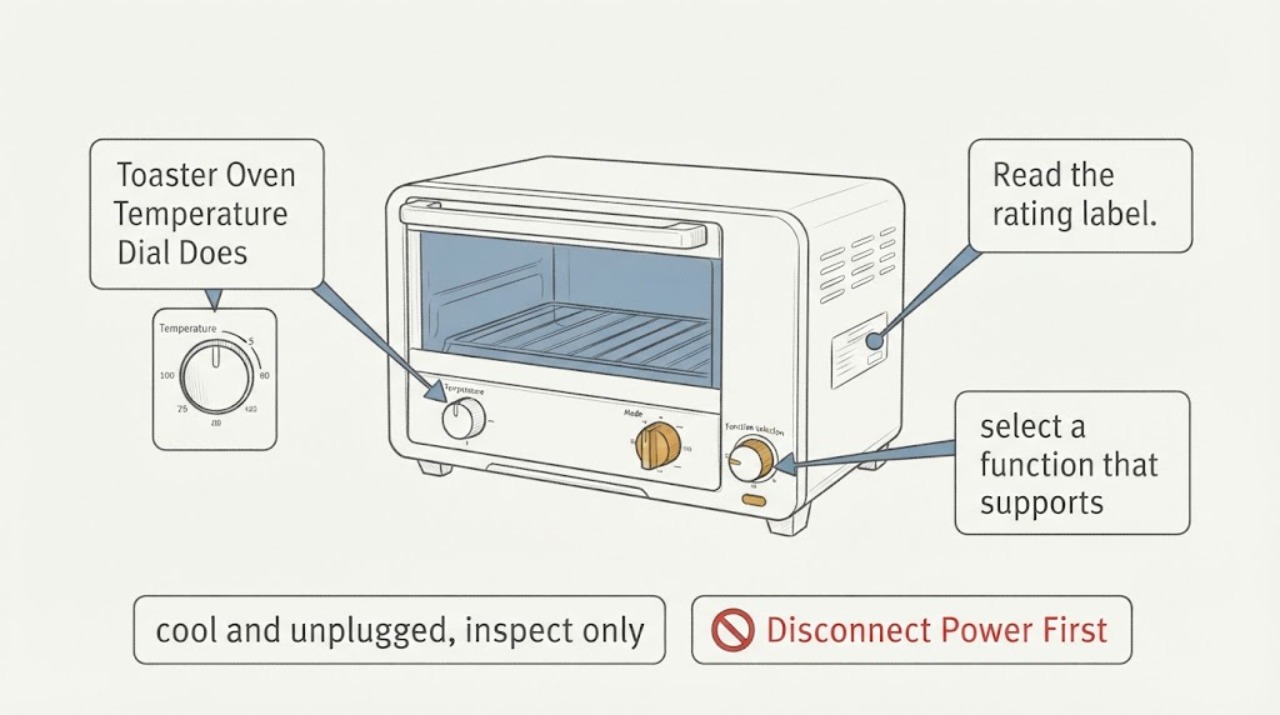
A toaster-oven temperature knob is model- and mode-specific. First read the rating label and use the exact manual; do not assume that every dial is a simple thermostat or that a similar-looking knob has the same function. For the Breville BOV800XL Smart Oven, the opened official manual says the TEMPERATURE dial changes the top LCD figure in the selected cooking function, while Toast and Bagel use that dial for browning. If the display does not change in a supported mode, the dial turns freely, the knob is cracked/loose, or other controls also fail, switch the oven off, unplug it after it is safe to handle, and arrange manufacturer service. Do not remove the control panel, solder a rotary encoder, bridge wiring or test a hot oven with the cover open.
Work through in order
Diagnostic checks
Use only checks that match the exact appliance or system and its official guide.
-
Check 1
Read the rating label and compare the front-panel layout with the exact owner manual. If it is the Breville BOV800XL, identify the FUNCTION, TEMPERATURE and TIME dials and LCD; if it is another model, stop before using BOV800XL mode assumptions.
Expected result: The model and control layout match BOV800XL, or the model/brand is different or cannot be confirmed.
Next step: Use the BOV800XL checks only for a confirmed BOV800XL. Otherwise obtain the exact manual or manufacturer support and do not guess the control function.
Why this matters
Why: Temperature-control behavior is model-specific. A mechanical thermostat, digital dial, push-turn control or touch interface can require different handling.
-
Check 2
With the oven cool and the door closed, select a function that supports a temperature setting on the exact model. On a confirmed BOV800XL, turn the TEMPERATURE dial left or right and watch the top LCD figure rather than judging only by the physical knob.
Expected result: The displayed temperature changes in the expected increments, the LCD does not change, or the selected mode uses the dial for browning rather than temperature.
Next step: If the display responds, use the exact mode instructions. If it does not respond in a supported mode, stop repeated testing, switch off, let the oven cool and unplug it before inspection or service.
Why this matters
Why: A changing LCD confirms that the control input is being received. A mode such as Toast or Bagel can intentionally use the same dial for browning; an unchanged display in a temperature-setting mode is abnormal but does not identify the failed component.
-
Check 3
Once the appliance is switched off, cool and unplugged, inspect only the accessible knob and panel surface for a cracked cap, missing pointer, loose fit, liquid residue or impact damage. Do not remove the knob, front panel or screws unless the exact manual explicitly provides that owner procedure.
Expected result: The knob is visibly cracked/loose or the panel is contaminated/damaged, or the exterior looks intact while the display previously ignored the dial.
Next step: Document the model and condition for service. Do not glue the knob, spray cleaner into the control, solder a component or operate with a damaged control.
Why this matters
Why: Visible external damage can explain lost mechanical engagement, but an intact exterior does not prove the internal control is sound or identify a replacement part.
-
Check 4
Record whether the FUNCTION and TIME controls, LCD, START/CANCEL button and heating cycle respond normally, without opening the hot oven or touching energized parts. Note the exact mode in which temperature adjustment fails.
Expected result: Only temperature adjustment fails, several controls fail together, the LCD is blank, or the oven shows a documented error such as E01/E02/E05 on a confirmed BOV800XL.
Next step: If a documented non-resettable error appears, unplug as the manual directs and contact Breville. For any persistent control failure, provide the model, serial/batch information, mode and display behavior to service.
Why this matters
Why: A single unresponsive input and a broader display/control failure are different service descriptions. The BOV800XL manual treats E01, E02 and E05 as non-resettable issues requiring Breville contact; the observation does not establish an encoder or board diagnosis.
-
Check 5
Keep the oven out of service if the knob cannot select a safe temperature, the control behaves unpredictably, the cord or panel is damaged, or the oven continues heating after a normal stop. Allow it to cool fully and preserve the model label and symptom notes.
Expected result: The oven stops normally and the issue is limited to an unresponsive setting, or heat/control behavior remains abnormal after stopping.
Next step: Do not continue cooking or bypass the control. Unplug only when safe and arrange manufacturer or qualified service; never open the enclosure while hot or energized.
Why this matters
Why: A setting problem may be a control-input fault; continued heat or unpredictable controls create a burn/fire risk that cannot be resolved by owner knob adjustment.
Use your observations
Decision map
Find the observation that best matches what you see, then follow the next safe action.
-
PATH 01Next step
What you see
The rating label confirms Breville BOV800XL and the LCD temperature value changes when a supported temperature-setting mode is selected.
Do this next
Follow the BOV800XL manual for the selected function and monitor normal operation. Do not alter internal controls.
Why this path and its safety boundary
Why it matters: The dial input is being received; a previous mode selection or misunderstanding of Toast/Bagel browning behavior may explain the report.
-
PATH 02Next step
What you see
BOV800XL is confirmed, a temperature-setting mode is selected, and turning the dial leaves the top LCD figure unchanged.
Do this next
Stop repeated tests, switch off and unplug after cooling, and arrange Breville service. Do not solder, bridge, probe or replace a guessed component.
Why this path and its safety boundary
Why it matters: The control input is not being reflected by the display, but this does not distinguish a dial, encoder, board, wiring or firmware fault.
-
PATH 03Next step
What you see
The selected mode is Toast or Bagel, where the BOV800XL manual uses the temperature dial for browning control rather than a numeric cooking temperature.
Do this next
Read the mode-specific instructions and observe the browning indicator. If the indicator also fails to respond, stop and request service.
Why this path and its safety boundary
Why it matters: The dial may be working as designed even though the user expects a temperature value.
-
PATH 04Next step
What you see
The model is unknown/different, the knob is visibly damaged, several controls fail, or the oven shows a non-resettable error or continues heating after stop.
Do this next
Keep the toaster oven unplugged and cool, obtain the exact manual or manufacturer support, and arrange qualified service. Do not disassemble a hot or energized appliance.
Why this path and its safety boundary
Why it matters: The BOV800XL branch is not applicable or the appliance has exceeded safe external diagnosis; the symptom does not identify a repair part.
Helpful context
Understand the symptom
The same knob can have different meanings
The task supplies no brand or model. An indexed exact-title record points to a Breville BOV800XL Smart Oven, but the third-party page is not used as a public source. Breville's opened BOV800XL manual confirms that the temperature control is a digital dial whose effect is shown on the LCD, and that the same dial changes browning on Toast and Bagel. If the rating label does not confirm BOV800XL or the control layout differs, use the exact model manual instead of applying these mode rules.
When an external check ends
A display that does not respond to a correctly selected mode can indicate a control or feedback problem, but it does not identify a particular encoder, board, wiring fault or part. Toaster ovens contain hot surfaces and mains-connected controls. Once the oven is cool and unplugged, record the model, mode, display behavior and whether the knob feels mechanically loose; leave internal access and electrical testing to the manufacturer or a qualified appliance technician.
When checks do not resolve it
Need a professional?
Stop use and arrange service for an unresponsive temperature input in a supported mode, unpredictable heating, a damaged control, multiple control failures or any documented non-resettable error. Do not attempt internal control repair.
Common questions
FAQ
Does a temperature knob that turns prove the control is working?
No. On a digital model such as the Breville BOV800XL, the selected value should also change on the LCD in a temperature-setting mode. A freely turning knob with no display response needs service; it does not prove which internal part failed.
Why does the knob not show a temperature in Toast or Bagel mode?
On the BOV800XL, the TEMPERATURE dial controls toast or bagel browning in those modes rather than the numeric cooking temperature. Confirm the function before deciding that the dial is broken.
Can I replace the rotary encoder or open the front panel?
Do not infer or replace an internal component from the symptom. A toaster oven has hot and mains-connected parts; keep it unplugged and use the manufacturer or qualified service path for control-panel diagnosis.
What if my toaster oven is not a Breville BOV800XL?
Use the rating label and that model's manual. Dial direction, mode behavior and safe service boundaries vary across toaster ovens, so do not apply the BOV800XL LCD or temperature ranges to another model.
Read the exact guide
Official sources
- the Smart Oven® BOV800XL Instruction ManualBreville · Opened Breville-hosted PDF; document footer identifies the BOV800XL series. Used conditionally for a confirmed BOV800XL, not as a generic toaster-oven manual.
- the Smart Oven® - OVENS Support & FAQsBreville Support · Opened Breville product hub used to verify the official BOV800 support/manual/service path; technical dial behavior is taken from the opened manual.
Community feedback
Share a repair observation
Share a plain-text repair observation. Accepted observations are published automatically; this page may take a moment to update.