
On this page
Start here
Quick answer
The Breville BOV800XL temperature dial should change the value shown on the LCD in the cooking functions that use temperature. First confirm that the oven is in a temperature-controlled function rather than Toast or Bagel, where the same dial is used as the browning control. Then stop the cycle, let the oven cool, disconnect it briefly as the Breville guide directs for restoring defaults, and retest while watching the LCD. If the temperature value still moves only a few degrees, moves in the wrong direction, or does not follow the dial, treat that as a control-input fault requiring Breville service; do not open the control panel or test live wiring. A displayed value at preheat is a separate issue because Breville says the preheat alert occurs before the target temperature is reached.
Before you begin
Safety first
- Do not open the control panel, pull off the knob to reach internal wiring, solder, bypass a control, or measure live circuits. Unplug the oven for E01/E02/E05, smoke, burning odor, damaged cord, abnormal heat, liquid exposure, or any other electrical warning, and allow hot surfaces to cool before handling.
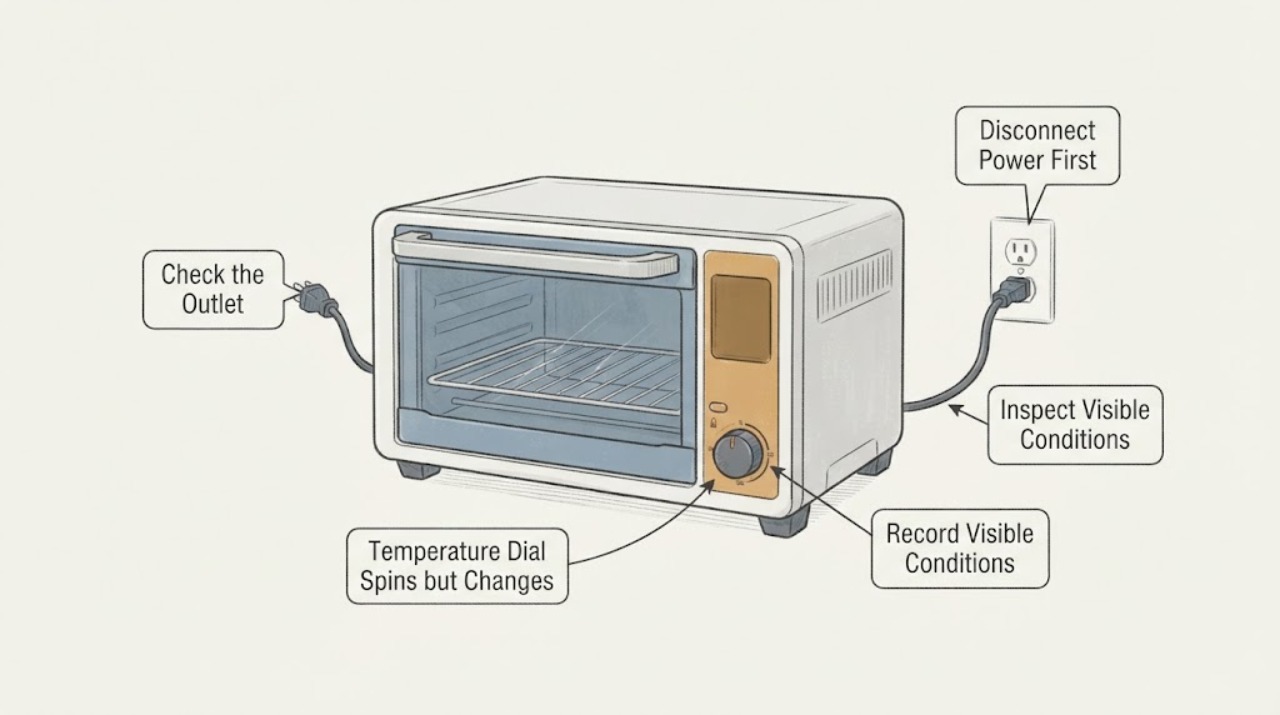
Work through in order
Diagnostic checks
Use only checks that match the exact appliance or system and its official guide.
-
Check 1
Select BAKE, ROAST, BROIL, PIZZA, COOKIES, REHEAT, or WARM with the FUNCTION dial and look at the top LCD value. Turn the TEMPERATURE dial slowly left and right without starting a hot cycle; do not judge it in TOAST or BAGEL, where Breville assigns this control to browning.
Expected result: The top LCD value changes in the expected direction, the value changes only about 10–15 degrees or reverses while the dial continues in one direction, or the test was performed in Toast/Bagel.
Next step: If the test was in Toast/Bagel, repeat it in Bake with the oven cool. If the LCD still fails to track the dial in Bake or another temperature function, continue with the safe reset and service record rather than removing the knob or panel.
Why this matters
Why: A normal temperature-controlled function should use the dial to reduce or increase the displayed cooking temperature. Small or reversing changes in that mode are different from the expected Toast/Bagel browning behavior; a Toast/Bagel test alone cannot establish a temperature-dial failure.
-
Check 2
With the oven cool and no food inside, make a short record of the exact dial movement and LCD response: direction, number of clicks or turns, smallest and largest displayed change, and whether the value jumps, stalls, or reverses. Stop if the control feels loose, binds, or the LCD flickers.
Expected result: The LCD follows the direction and gives a stable setting, or it remains nearly fixed, changes only in small jumps, changes in the opposite direction, or flickers.
Next step: Save the record and a photo of the display for Breville service. Do not spray cleaner into the dial, pull the control knob off, open the console, solder, or take live measurements.
Why this matters
Why: A stable LCD response supports normal user operation. A repeatable mismatch between the dial movement and the displayed setting is evidence that the control input is not being registered normally, but it does not identify whether the dial, its sensing circuit, or another control component is responsible.
-
Check 3
Press START/CANCEL to stop the oven, allow all hot surfaces to cool, and remove the power plug from the wall outlet. Wait at least the guide's documented five seconds before reconnecting, then retest the temperature setting in Bake; use the oven's own grounded outlet rather than an overloaded strip or extension arrangement.
Expected result: The temperature control works after the power reset, or the same small-change/reversal symptom returns immediately.
Next step: If the control recovers, monitor it in one normal cycle. If the symptom returns, stop testing and arrange Breville service; do not repeat power cycling while there is a burning odor, smoke, abnormal heat, damaged cord, or an error display.
Why this matters
Why: Breville says removing the plug restores the default settings for each function, so a temporary state or retained setting can be separated from a repeatable control-input problem. A reset that does not change the symptom is not proof of a failed board or dial.
-
Check 4
If the dial changes the target value normally but the oven seems to be the wrong temperature, separate the selected LCD value from the preheat indication. Use the documented Toast-position calibration context for any comparison and do not open the door repeatedly during preheat; record whether the concern is the setpoint, the preheat alert, or cooking performance after the cycle.
Expected result: The LCD target changes normally but the preheat alert sounds before the displayed target, the LCD reading differs from an internal measurement, or the target itself fails to change.
Next step: Treat a normal early preheat alert as expected and use the manual's calibration context. If the target value itself does not follow the dial, return to the control-input service branch instead of adjusting an internal thermostat.
Why this matters
Why: Breville says the preheat alert occurs at about 75% of the target and that the oven recovers after the door is opened; it also says its temperature comparison is standardized in Toast with the middle rack and no tray. Those expected display behaviors are distinct from a dial that cannot change the target value.
-
Check 5
Read the LCD for an error code and inspect only the accessible cord, plug, outlet, and cool exterior. If E01, E02, or E05 appears, or if there is a burning smell, smoke, damaged cord, abnormal heat, or liquid exposure, disconnect power from a safe location and do not run another cycle.
Expected result: The display shows E01, E02, E05, or another persistent fault, or the oven has an electrical, heat, smoke, cord, or liquid warning; otherwise the only issue is the dial/LCD mismatch.
Next step: Keep the oven unplugged and contact Breville or qualified appliance service. For an isolated dial/LCD mismatch without a safety warning, provide the function, dial direction, LCD response, and model BOV800XL rather than attempting internal repair.
Why this matters
Why: The Breville guide treats E01, E02, and E05 as non-resettable issues and directs the owner to remove power and call customer service. Electrical or heat warning signs make a control-panel experiment unsafe even if the oven still lights up.
Use your observations
Decision map
Find the observation that best matches what you see, then follow the next safe action.
-
PATH 01Next step
What you see
The dial was tested in Toast or Bagel, or the LCD is showing a browning setting instead of a cooking temperature.
Do this next
Repeat the test in Bake or another temperature-controlled function with the oven cool and the LCD visible.
Why this path and its safety boundary
Why it matters: Breville assigns the same front dial to toast/bagel browning in those functions, so that observation does not test temperature control.
-
PATH 02Next step
What you see
The selected temperature changes normally, but the preheat alert sounds while the LCD is still below the target or the elements appear to pulse.
Do this next
Do not replace a dial or control based on that behavior; follow the guide's cooking sequence and assess the actual setpoint only in the documented calibration context.
Why this path and its safety boundary
Why it matters: The guide says the alert is intentionally triggered at about 75% of the target and that Element IQ pulses the elements to control heat.
-
PATH 03Next step
What you see
In Bake or another temperature function, the temperature dial turns but the LCD value barely changes, reverses direction, stalls, or does not respond after the documented power reset.
Do this next
Stop at external observation, record the exact model and symptom, and request Breville service. Do not pull off the knob, open the control panel, solder, or take live measurements.
Why this path and its safety boundary
Why it matters: The user control input is not behaving as the manual describes, but the public guide does not identify which internal control component is responsible.
-
PATH 04Next step
What you see
E01, E02, or E05 remains on the LCD, or the oven shows smoke, burning odor, damaged cord, abnormal heat, or liquid exposure.
Do this next
Leave the oven unplugged and arrange Breville or qualified appliance service. Do not continue heating food to test it.
Why this path and its safety boundary
Why it matters: Breville classifies those codes as non-resettable and directs the owner to remove power and contact customer service; visible electrical or heat damage is also outside safe user testing.
Helpful context
Understand the symptom
Separate a dial-input problem from a normal temperature display
The opened BOV800XL instruction book identifies the front control as a TEMPERATURE dial and says turning it left reduces the temperature while turning it right increases it. The same control has a different job in Toast and Bagel: it is the browning control. Breville also says the preheat alert sounds at 75% of the target temperature and that the elements may pulse as Element IQ controls heat. Therefore, test the LCD setting in a temperature-controlled function before treating a small displayed change as a failed dial.
Keep the control-panel diagnosis at the service boundary
Breville's guide directs non-cleaning maintenance and adjustment to Breville Customer Service, and it instructs the owner to remove power and call service for non-resettable E01, E02, and E05 faults. The guide does not provide a user procedure for opening the panel or replacing a dial sensor, so the article uses the LCD response and operating mode as observations rather than naming an internal part.
When checks do not resolve it
Need a professional?
Safety scope: Do not open the control panel, pull off the knob to reach internal wiring, solder, bypass a control, or measure live circuits. Unplug the oven for E01/E02/E05, smoke, burning odor, damaged cord, abnormal heat, liquid exposure, or any other electrical warning, and allow hot surfaces to cool before handling.
Common questions
FAQ
Is the temperature dial the same control as the Toast or Bagel browning dial?
It is the same front dial, but the function changes. In temperature-controlled functions it adjusts the cooking temperature; in Toast and Bagel the guide identifies it as the browning control. Test the problem in Bake before diagnosing a temperature-control fault.
Why can the preheat temperature look lower than the setting?
Breville says the preheat alert occurs at about 75% of the target so the oven can recover after the door is opened. That expected alert behavior is different from an LCD target that fails to follow the temperature dial.
Will unplugging the BOV800XL fix a dial that only changes a few degrees?
A power reset can restore default function settings, and the guide documents removing the plug for five seconds before reconnecting. If the same dial/LCD mismatch returns in Bake, treat it as a repeatable service symptom rather than proof that a reset fixed or identified an internal part.
Can I replace the encoder or control board myself?
The opened Breville guide does not provide a user replacement procedure for those controls. It directs maintenance other than cleaning to Breville Customer Service, so keep the panel closed and provide the model and recorded LCD behavior to qualified service.
Read the exact guide
Official sources
- the Smart Oven® Instruction Book - BOV800XLBreville · Opened the official Breville-hosted PDF and verified the cover identifies BOV800XL. The article uses the BOV800XL sections for control behavior and user-level safety only; it does not infer an internal component failure or provide a panel repair procedure.
- the Smart Oven®Breville · Opened the official Breville US product page for the BOV800 Smart Oven family. It confirms this is a countertop oven with nine cooking functions, an LCD, and an official instruction-manual link; the exact BOV800XL model scope comes from the opened manual.
- the Smart Oven® - OVENS Support & FAQsBreville · Opened the official Breville product hub. It supports the BOV800 support/documentation route and Breville repair boundary; it is not used to identify a particular failed control component.
Community feedback
Share a repair observation
Share a plain-text repair observation. Accepted observations are published automatically; this page may take a moment to update.