
On this page
Start here
Quick answer
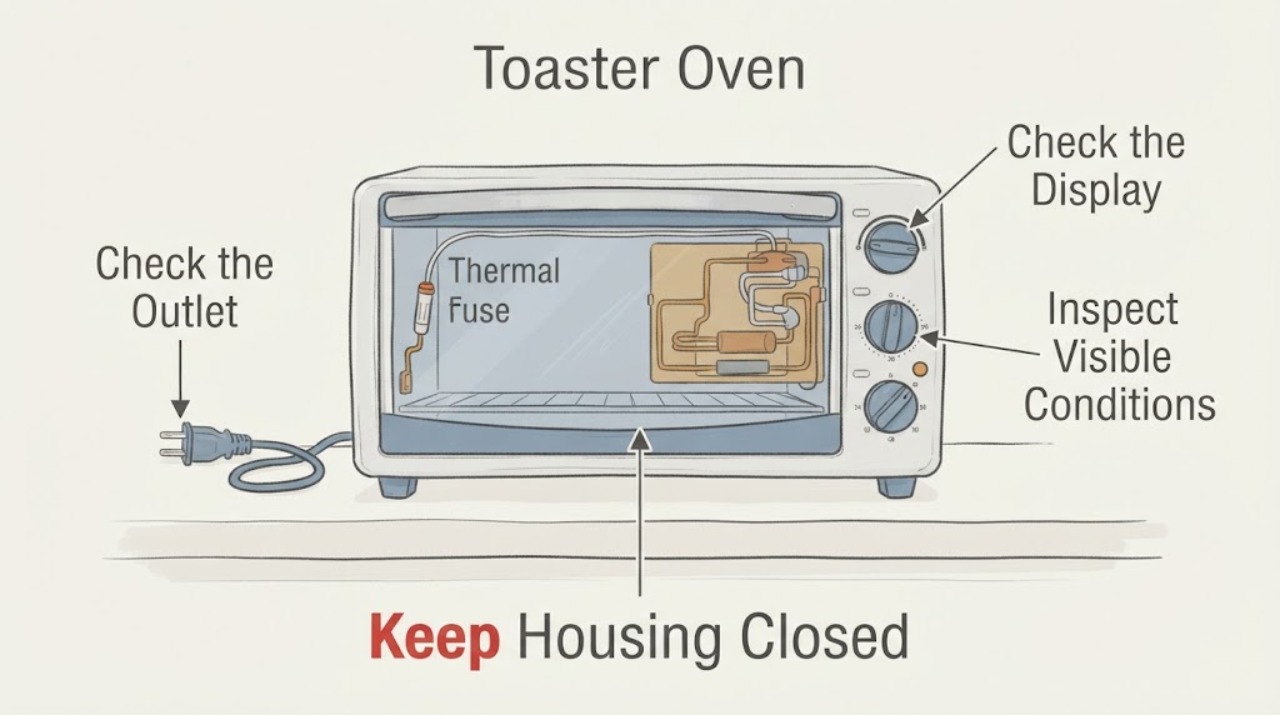
On the Breville BOV800XL, a display that powers up while the elements do not heat does not prove that the thermal fuse is the failed part. Start with the safe external checks in the Breville manual: confirm the plug and independent outlet, confirm the oven is actually started and preheating, allow the oven to reach its preheat indication, and distinguish normal element pulsing from no element activity. Check the exact error-code response if one appears. Do not open the housing, test live wiring, bypass a fuse or thermostat, or replace a component from a photo; if the display works but no heat develops, or if the board/cord shows damage, unplug the oven and use Breville service.
Work through in order
Diagnostic checks
Use only checks that match the exact appliance or system and its official guide.
-
Check 1
Turn the oven off with START/CANCEL, unplug it, and inspect the plug and cord for damage. From outside, confirm that the plug is fully seated in an independent wall outlet and that the breaker has not tripped; do not open the outlet or oven housing.
Expected result: The cord or plug is damaged, the outlet is dead or shared with a heavy load, the breaker is tripped, or the outlet and cord appear normal.
Next step: If the cord, plug, outlet, or breaker shows a problem, stop and use a qualified electrician or service provider. If external power is normal, continue with the control and preheat observation without opening the oven.
Why this matters
Why: Breville lists a secure plug, an independent outlet, and a reset circuit breaker as the first checks for an oven that will not switch on. These checks cannot distinguish a thermal fuse from another internal component when the LCD still works.
-
Check 2
With the oven on a stable, clear surface and the crumb tray inserted, select a normal heating function, press START/CANCEL, and watch the display for the preheating indication and alert. Keep the door closed during the preheat interval; do not reach toward the elements.
Expected result: The START/CANCEL surround turns red and preheating proceeds, the display remains on but preheating never starts, or the oven starts and completes preheat without the expected heat.
Next step: If the control will not enter preheat, record the display state and use the error-code/service branch. If preheat starts but no heat develops, stop repeating tests and arrange Breville service rather than naming a fuse.
Why this matters
Why: Breville describes the red START/CANCEL surround and preheating indication as the normal cooking state. A lit LCD alone means the controls have power; it does not prove that the heating circuit is energized.
-
Check 3
From a safe distance through the closed door, observe the heating elements only during a normal preheat cycle. Do not touch the quartz tubes, insert tools, remove the rear cover, or use a meter on a powered oven.
Expected result: The elements cycle in short bursts, no element shows activity after a normal preheat attempt, or there is arcing, smoke, a burning odor, a blackened area, or abnormal heat.
Next step: For normal pulsing, use the manual's temperature/preheat guidance. For no heat, arcing, smoke, odor, or visible damage, turn the oven off, unplug it when safe, let it cool, and contact Breville service.
Why this matters
Why: Breville says Element IQ may pulse heating-element power in short bursts, so pulsing is normal for this model. No element activity together with a working display is an internal service symptom, not proof of a thermal fuse; visible damage or smoke is an immediate safety stop.
-
Check 4
If the LCD shows an error, record it exactly and stop using the oven while following the BOV800XL manual's response. Do not clear a persistent code by repeatedly reconnecting power or by opening the control area.
Expected result: The display shows E01, E02, E03, E04, E05, or no code appears.
Next step: For E01, E02, or E05, unplug and contact Breville. For E03, allow the manual's cooling period and call service if it continues. For E04, relocate only as the manual directs; any persistent no-heat condition still needs model-specific support.
Why this matters
Why: Breville classifies E01, E02, and E05 as non-resettable issues requiring the cord to be removed and customer service. E03 indicates an over-temperature condition and calls for unplugging and cooling; E04 indicates a room-temperature condition and relocation to a warmer area.
-
Check 5
Confirm the rating label reads BOV800XL and prepare the model, serial/batch information, symptom timing, error code, and photographs taken only from outside the unplugged, cool oven. Use Breville's product hub or customer support for internal examination, repair, or adjustment.
Expected result: The model matches BOV800XL and the issue remains no heat or an internal-looking fault, or the label identifies a different Smart Oven model.
Next step: Use only the matching manual and support channel. Keep the oven unplugged if no heat persists, the board appears scorched, the cord is damaged, or the appliance has malfunctioned; do not bypass a safety component or fit an unverified part.
Why this matters
Why: Breville publishes model-specific manuals and support paths; a different BOV/SOV model can use different controls, safety devices, and service parts. The public BOV800XL manual does not support a user thermal-fuse continuity test or a component swap.
Use your observations
Decision map
Find the observation that best matches what you see, then follow the next safe action.
-
PATH 01Next step
What you see
The plug, outlet, breaker, START/CANCEL state, and preheating indication are normal, but the elements show no heat after a normal preheat attempt.
Do this next
Turn the oven off, unplug it, let it cool, and arrange Breville service. Do not open the housing or replace the suspected fuse from a visual guess.
Why this path and its safety boundary
Why it matters: The controls have power but the heating path still has an unresolved fault; the observation does not identify a thermal fuse, relay, element, sensor, or board.
-
PATH 02Next step
What you see
The elements pulse during preheat and the oven reaches the expected cooking state, but a user interprets the pulsing as a failed element.
Do this next
Use the manual's temperature and preheat procedure. If the oven never reaches temperature or an error appears, stop and use the corresponding service branch.
Why this path and its safety boundary
Why it matters: Breville says Element IQ controls heat by pulsing the elements in short bursts; that pattern is normal for this model.
-
PATH 03Next step
What you see
The LCD shows E01, E02, or E05, or the oven has smoke, burning odor, arcing, a blackened area, damaged cord, or abnormal heat.
Do this next
Turn the oven off and unplug it when safe, keep it out of service, and contact Breville or qualified service. Do not reset, bypass, or continue operating to see whether the fuse clears.
Why this path and its safety boundary
Why it matters: Breville treats those codes as non-resettable issues, and physical damage or abnormal heat creates an electrical/fire hazard.
-
PATH 04Next step
What you see
The display is blank or the oven will not start, with no visible cord or outlet issue.
Do this next
Keep the unit unplugged and give Breville the exact model and display behavior. Do not remove panels or perform live electrical tests.
Why this path and its safety boundary
Why it matters: This is a power/control symptom rather than evidence that the thermal fuse alone failed; the model manual's external checks have not resolved it.
Helpful context
Understand the symptom
A no-heat symptom does not identify a thermal fuse
The original question concerns a Breville BOV800XL whose display accepts settings while the heating elements do not come on, with a suspected thermal fuse and visible darkening near the control area. That symptom can involve more than one internal circuit. Breville's public manual provides user checks for power, start/preheat behavior, ventilation, and error messages, then directs maintenance and abnormal operation to Breville service; it does not authorize identifying an internal part from a photograph or replacing a fuse without a model-specific repair procedure.
Treat scorch marks, smoke, or abnormal heat as a stop condition
The BOV800XL manual says to stop using a damaged or malfunctioning appliance and contact Breville for examination, repair, or adjustment. Disconnect the oven after turning it off, let it cool, and keep the housing closed. A thermal fuse is a safety device, so bypassing it or repeatedly powering a visibly damaged oven can remove protection while the underlying fault remains.
When checks do not resolve it
Need a professional?
Arrange Breville service when the BOV800XL display works but the elements do not heat, an E01/E02/E05 code appears, no-heat persists after external power and start checks, or there is smoke, burning odor, arcing, a blackened area, damaged cord, or abnormal heat. Do not open the housing, test live wiring, bypass a fuse, or install an unverified component.
Have this ready
- Provide the exact BOV800XL model, serial or batch information, whether the display and START/CANCEL respond, whether preheating starts, which elements show activity, any error code, and photos of external damage taken with the oven unplugged and cool.
Common questions
FAQ
Does a Breville BOV800XL with a working display and no heat definitely have a blown thermal fuse?
No. The display confirms control power but does not identify the failed heating component. Breville's public manual provides external power, start, preheat, and error-code checks and directs persistent internal faults to service.
Is it normal for the BOV800XL heating elements to pulse?
Yes. Breville says Element IQ controls heat by pulsing power to the heating elements in short bursts. Pulsing is different from no element activity after a normal preheat attempt.
Can I open the toaster oven and replace the thermal fuse myself?
The public BOV800XL manual does not provide a thermal-fuse replacement procedure. It says to stop using a damaged or malfunctioning appliance and contact Breville for examination, repair, or adjustment; keep the oven unplugged instead of bypassing a safety device.
Read the exact guide
Official sources
- the Smart Oven® - OVENS Support & FAQsBreville · Breville's exact BOV800 product hub links the instruction manual, warranty/repair, parts, registration, and support for this Smart Oven family.
- the Smart Oven™ Instruction Book - BOV800XLBreville · Exact Breville BOV800XL manual covering external power/start/preheat behavior, normal Element IQ pulsing, error codes E01-E05, cooling/ventilation, electrical safety, and service boundaries.
Community feedback
Share a repair observation
Share a plain-text repair observation. Accepted observations are published automatically; this page may take a moment to update.