
On this page
Start here
Quick answer
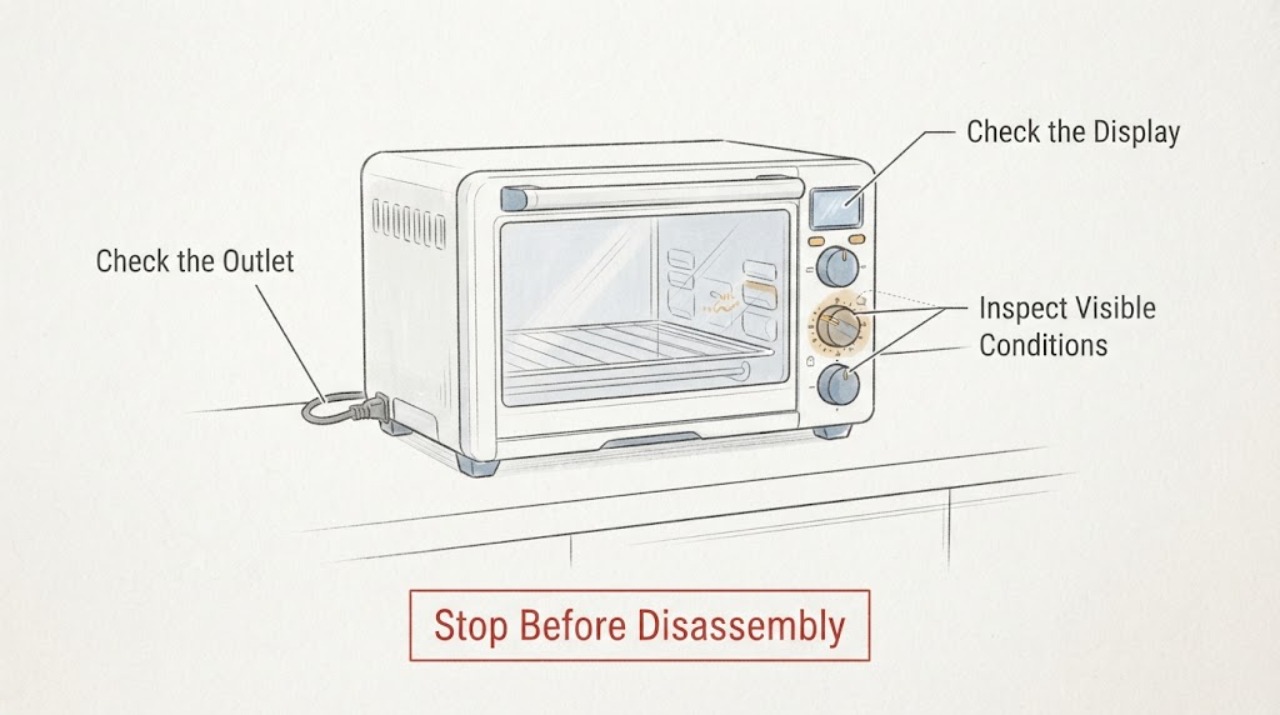
Stop using a toaster oven when its toast or timer dial stalls, slips, binds, or fails to return to OFF. Hamilton Beach manuals for specific mechanical-dial toaster-oven models describe rotating the timer past a marked point to set time, using a separate STAY ON position on some models, turning the timer to OFF when finished, unplugging the oven, and never leaving it unattended. Those controls differ by model, so first unplug the cool appliance, record the full model, and inspect only the accessible knob and faceplate for a cracked knob, rubbing, or debris. Do not force the dial, spray lubricant, bypass the timer, or open the housing. If heat remains on at zero/OFF, the dial will not turn normally, or the control continues to stall, keep the oven unplugged and arrange model-matched service.
Work through in order
Diagnostic checks
Use only checks that match the exact appliance or system and its official guide.
-
Check 1
Stop the toaster oven, unplug it from the outlet if it is safe to reach, and let it cool fully. Do not leave food or a heating cycle running while the timer is unreliable.
Expected result: The oven is disconnected and cooling, or it is still heating, smoking, or otherwise unsafe to approach.
Next step: If there is smoke, flame, a burning electrical smell, or an outlet/cord that is hot or damaged, move away and use the appropriate household electrical/fire emergency procedure. Otherwise keep the oven unplugged and continue only when it is cool.
Why this matters
Why: A stalled dial cannot be relied on to limit heating; the opened manuals warn against unattended operation and direct the user to unplug the oven in fire situations or after use.
-
Check 2
With the appliance unplugged and cool, identify the full brand and model from its rating label and compare the physical dial with that model’s owner manual. Note whether it has a timed range, OFF, STAY ON, toast-shade control, or a digital timer.
Expected result: The manual matches the appliance and explains the dial positions, or the model/manual remains unknown or describes different controls.
Next step: Use only the exact manual for any control-position check. If the model cannot be matched, give the label photo and the dial symptom to qualified appliance service rather than guessing a setting.
Why this matters
Why: Timer ranges and start/stop controls are model-specific: the opened Hamilton Beach manuals use different “rotate past” points and layouts, so an adjacent model’s sequence cannot validate this dial.
-
Check 3
Inspect the knob, dial markings, and accessible faceplate by sight and gentle finger movement only while the oven is unplugged and cool; look for a cracked or loose knob, a knob that free-spins, visible crumbs, or rubbing at one spot.
Expected result: The knob is cracked/loose, turns without moving the pointer, catches, or the accessible area is visibly obstructed; or the exterior looks normal but the timer still stalls.
Next step: Remove only loose debris that is plainly accessible from the cool exterior using the exact manual’s cleaning method. Do not force the shaft, lubricate the control, remove covers, or keep using the oven if the dial remains unreliable.
Why this matters
Why: An external knob or obstruction may explain the symptom, but a normal-looking exterior does not rule out an internal timer or switch problem, and the observation does not identify a replacement part.
-
Check 4
If the exact manual says the dial should return the oven to OFF, compare the reported symptom with that documented position without performing a new powered cycle: record whether the user observed heat, the power indicator, or the fan continuing after the dial reached zero/OFF.
Expected result: Heat or an indicator remained on at the documented OFF position, the dial never reached OFF, or the observation is unavailable because the appliance was safely unplugged before checking.
Next step: Keep the oven unplugged and arrange model-matched service. Do not repeatedly plug it in to see whether it shuts off, bypass the timer, or test exposed wiring.
Why this matters
Why: Failure to reach or hold the documented stop position means the timer/control cannot be trusted; the official manuals’ shutoff instructions do not make a stalled control safe to operate.
-
Check 5
Give the service technician the full model, serial/date information if available, a photo of the control panel, and a short log of whether the dial binds, slips, stalls during countdown, or leaves heat on.
Expected result: The technician has a reproducible symptom and the exact control layout, or the identity and behavior remain uncertain.
Next step: Request model-matched diagnosis. Do not order a timer, knob, switch, or control by appearance or from another toaster-oven model.
Why this matters
Why: The manuals show that timer positions and operation vary by model; those details are more useful for a safe parts and control decision than the symptom label alone.
Use your observations
Decision map
Find the observation that best matches what you see, then follow the next safe action.
-
PATH 01Next step
What you see
The dial is physically stuck, cracked, free-spinning, or rubbing the faceplate while the oven is unplugged and cool.
Do this next
Leave the oven unplugged, do not force or lubricate the dial, and arrange service using the exact model information.
Why this path and its safety boundary
Why it matters: The accessible control cannot be trusted, but the observation does not distinguish a knob problem from an internal shaft or timer mechanism.
-
PATH 02Next step
What you see
The timer reaches the documented OFF/zero position but heat, a power light, or another operating indication remains on.
Do this next
If safe, unplug it and keep it out of service; do not repeat powered tests or bypass the timer. Have qualified service inspect the model-specific control.
Why this path and its safety boundary
Why it matters: The appliance is not demonstrating a reliable stop condition, so continued operation creates an unattended-heating risk.
-
PATH 03Next step
What you see
Only loose debris is visible around the cool, unplugged exterior and the knob is not damaged.
Do this next
Remove only the plainly accessible debris using the exact owner manual’s cool/unplugged cleaning procedure, then stop if the dial still catches or slips. Do not spray into the control.
Why this path and its safety boundary
Why it matters: An accessible obstruction may be contributing, but cleaning it does not prove the timer mechanism is sound.
-
PATH 04Next step
What you see
The model cannot be identified, the manual uses a different control layout, or the symptom is only that toast timing is inconsistent without knowing the dial position.
Do this next
Do not copy another model’s timer sequence. Provide the rating-label details and a description/photo to qualified service or the manufacturer’s support channel.
Why this path and its safety boundary
Why it matters: The generic symptom is insufficient to assign a timer range, shutoff behavior, or replacement part across toaster-oven families.
Helpful context
Understand the symptom
Treat a stalled timer as an unsafe control until proven otherwise
A timer dial that stops, slips, binds, or does not return to OFF is not a reliable way to limit heat. The opened Hamilton Beach manuals show why the control position matters: their mechanical-dial models use a timed setting or a distinct STAY ON position, and they tell the user to turn the timer to OFF and unplug the oven when finished. Because the task has no brand or model, these examples define a safety boundary rather than a universal dial sequence. Keep the appliance unplugged until its exact manual and the control behavior are known.
Make only a cool, unplugged external inspection
After the oven is unplugged and completely cool, look at the knob, the dial markings, and the gap around the faceplate. A cracked knob, a knob that turns without moving the markings, visible crumbs rubbing the knob, or a dial that catches at one position helps a technician distinguish an external control problem from an internal one. Do not use pliers, force the shaft, spray cleaner or lubricant into the control, remove the housing, or insert tools into the heater area. Hamilton Beach directs owners to unplug and cool before cleaning and warns about electrical-shock and fire hazards.
Do not copy another model’s timer test
Mechanical toaster ovens vary in timer range, OFF/STAY ON behavior, and which control starts heating. For example, one opened manual uses a timer past 10 minutes, while another uses past 40 minutes; both are model-specific instructions. Find the rating label and use the exact owner manual to identify the timer positions. If the dial still stalls or the heater does not stop at the documented OFF position, the next useful decision is service—not repeated powered tests.
What the symptom does and does not prove
A stalled toast dial can involve the removable knob, the shaft or faceplate, the timer mechanism, or an electrical control inside the oven. The official sources opened here do not support naming one of those parts from the symptom alone or selecting a replacement part without a model. Record whether the knob is physically stuck, free-spinning, or simply stops counting down; note whether heat or the power light remains on at OFF; then provide that information to model-matched service.
When checks do not resolve it
Need a professional?
Arrange qualified appliance service before further use when the timer dial stalls, will not return to OFF, leaves heat or an indicator on at zero, binds after the external check, or the model-specific manual cannot be located. Stop immediately for smoke, flame, a burning electrical smell, a hot/damaged cord or plug, or a hot outlet; keep clear and use the appropriate emergency or electrical-safety response. Do not open the housing, bypass the timer, probe live wiring, or order an internal control from a different model.
Common questions
FAQ
Can I keep using the toaster oven if the toast timer eventually finishes?
No. A dial that stalls or slips is not a dependable heat limit, even if one cycle eventually ends. Keep the oven unplugged until the exact model’s control can be checked by qualified service.
Should I turn the dial hard, use pliers, or spray lubricant?
No. The safe user boundary is a cool, unplugged visual and gentle external check. Do not force the shaft, spray into the control, remove the housing, or bypass the timer; report the model and symptom to service.
Does a stalled toast dial prove the timer switch is bad?
No. The symptom could involve the removable knob, shaft/faceplate, timer mechanism, or an internal control, and the opened official sources do not identify one component without model-specific diagnosis.
Why can’t I copy the timer steps from another toaster oven?
The opened manuals use different timer ranges and “rotate past” points, and toaster-oven control layouts vary. Use the full model number and its own owner manual before interpreting any dial position.
Read the exact guide
Official sources
- Hamilton Beach Toaster Oven (31106) Use & CareHamilton Beach · Opened official manual for a different mechanical-dial toaster-oven model; used to show that timer ranges and control instructions vary by model, and for unplugging/fire/unattended-operation and cool-before-cleaning warnings. It is not used to assign a control sequence to the unknown task appliance.
- 4 Slice Toaster Oven 31148FGHamilton Beach · Opened official Hamilton Beach product page for model 31148FG; used only for its listed 30-minute cooking timer with auto shutoff and stay-on setting, explicitly as a model-specific example rather than a universal claim.
- Hamilton Beach 2-in-1 Oven & Toaster (31156-CN) Use & CareHamilton Beach · Opened official manual for a specific mechanical-dial toaster-oven model; used for the timer/STAY ON/OFF procedure, unattended-operation warning, fire response, unplugging and cool-before-cleaning boundary. It is not treated as a universal manual for unidentified toaster ovens.
Community feedback
Share a repair observation
Share a plain-text repair observation. Accepted observations are published automatically; this page may take a moment to update.