
On this page
Start here
Quick answer
A toaster oven cannot normally unplug itself: the plug must be moved, the receptacle must release it, or someone must remove it. If the oven is still physically plugged in but stopped heating, an expired timer or control setting can look like an unplugged appliance. With the toaster oven off, cool, and disconnected, inspect the plug and cord for looseness, heat, melting, cracks, or pulled strain relief, and check whether the plug slips out of the outlet without force. Do not bend the plug blades, wedge the plug, open the receptacle, or change the outlet yourself. CPSC says a plug that slips out easily can indicate a worn appliance cord or receptacle and that the appropriate repair is by a qualified electrician or repairer; stop using the toaster oven immediately for a hot plug, arcing, smoke, burning odor, or damaged cord.
Before you begin
Safety first
- Do not bend plug blades, wedge or tape a loose plug, open or replace the receptacle, use an adapter to defeat grounding/polarization, bypass a timer or safety control, or open the toaster-oven housing. Do not operate with a damaged cord or plug.
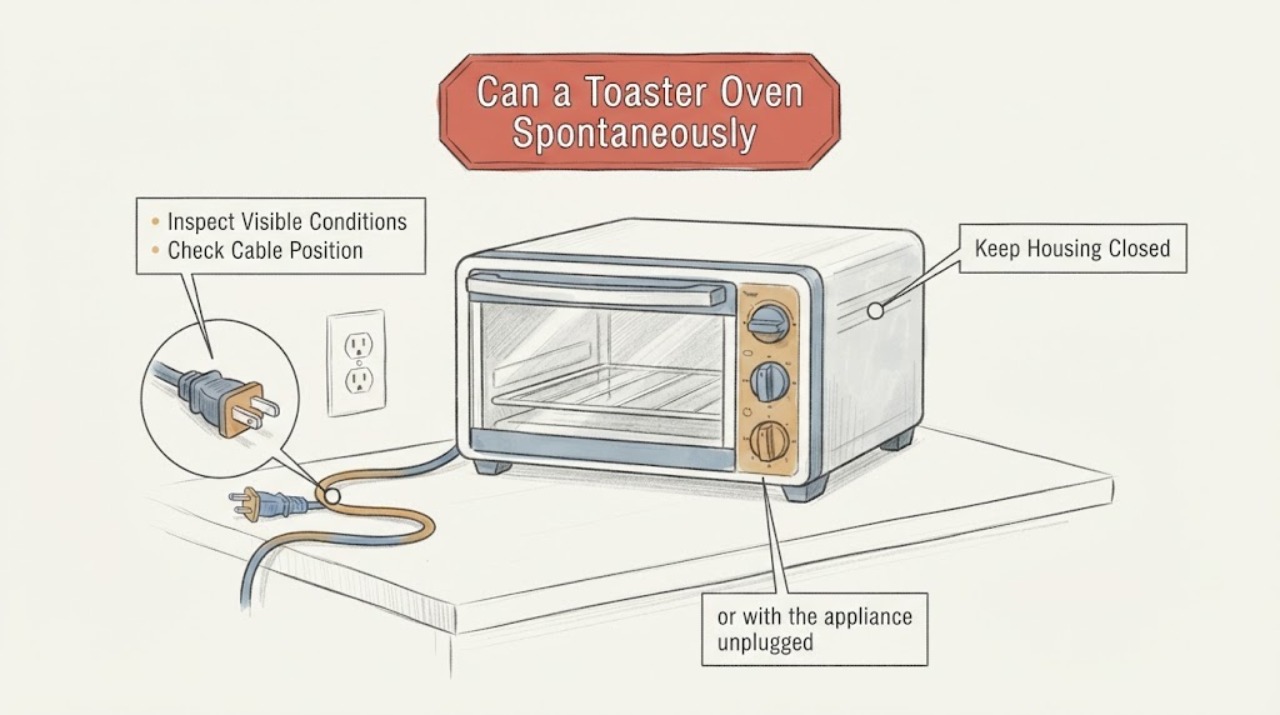
Work through in order
Diagnostic checks
Use only checks that match the exact appliance or system and its official guide.
-
Check 1
Do not reach behind a hot oven. Once all controls are OFF and the toaster oven has cooled, look at the plug and cord from the outside and record whether the plug is fully seated, partly out, or on the counter. Do not pull the cord or push a loose plug back in while the outlet or plug is hot, wet, smoking, or arcing.
Expected result: The plug is out or partly out, or it is seated but the oven stopped operating.
Next step: Leave the oven off while you inspect fit and controls. For a hot, smoking, arcing, melted, or damaged plug or cord, disconnect power only if safe and arrange qualified service; do not retry it.
Why this matters
Why: A physically displaced plug requires an external movement or fit explanation. A seated plug with no heat can instead reflect a timer/control state or loss of supply elsewhere; it is not evidence that the appliance unplugged itself.
-
Check 2
With the appliance cool and disconnected, inspect the cord along its accessible length and both ends for cuts, crushed insulation, melted areas, exposed wire, a loose strain-relief point, or discoloration. Do not remove the housing or attempt a cord repair.
Expected result: The cord or plug has visible damage, or it looks intact and the suspected unplugging is unexplained.
Next step: Do not use a damaged cord or plug; arrange manufacturer or qualified repair. If the exterior looks intact, continue only with the unpowered fit and control observations, not an internal diagnosis.
Why this matters
Why: CPSC and the manufacturer treat damaged or overheated cords/plugs as shock or fire hazards. An intact exterior does not prove that an internal switch, cord connection, or receptacle is sound.
-
Check 3
With the outlet de-energized only if a qualified person has made it safe, or with the appliance unplugged and no load applied, note whether the plug fits firmly or slips out with light movement. Do not insert tools, bend blades, wedge the plug, or alter the receptacle.
Expected result: The plug fits firmly, or it slips out easily / the outlet faceplate is hot, loose, cracked, or discolored.
Next step: Stop using the outlet and have a qualified electrician assess it if the fit is loose, hot, cracked, discolored, or sparking. Do not change or tighten the outlet yourself.
Why this matters
Why: CPSC says an appliance plug that slips out easily can indicate a worn appliance plug or receptacle likely to overheat; a hot faceplate or visible damage is a potential fire hazard. A firm fit makes receptacle looseness less likely but does not explain a timer shutdown.
-
Check 4
If the plug remains firmly seated and there is no cord, plug, or outlet damage, identify the oven's exact model and read its no-start instructions. Check only the documented timer or continuous-on control and temperature selection with the oven cool; do not bypass a thermostat, interlock, or timer.
Expected result: The timer ended or a required control was OFF, or the controls were set correctly and the oven still does not operate.
Next step: Use the exact manual for any reset or control procedure. If the documented settings are correct and the oven remains dead, stop using it and contact the manufacturer or qualified repair; do not open the casing.
Why this matters
Why: Oster lists the outlet, timer/continuous-on knob, and temperature dial as separate no-start checks. A control stopping the heating cycle is different from the plug leaving the receptacle.
-
Check 5
Record external conditions around the occasional-use appliance: whether the cord was pulled by moving the oven, caught on an object, touching a hot surface, routed over a counter edge, or connected through an extension cord or adapter. Compare the setup with the exact manual without changing the outlet or adding a workaround.
Expected result: A cord route or movement could have pulled the plug, or no external movement is apparent.
Next step: Correct only the external cord placement described by the exact manual after the plug/outlet has passed the safety check. If the plug repeatedly moves or the cause remains unexplained, keep the oven out of service until qualified repair or electrical inspection.
Why this matters
Why: A physical pull can explain a displaced plug, but no visible pull does not prove an internal failure or a safe outlet. Manufacturer instructions warn against hot surfaces, damaged cords, adapters, and unsafe cord routing.
Use your observations
Decision map
Find the observation that best matches what you see, then follow the next safe action.
-
PATH 01Next step
What you see
The plug slips out easily, the receptacle feels hot or loose, the faceplate is damaged, or there is arcing, smoke, or a burning odor.
Do this next
Stop using the outlet and toaster oven. Have a qualified electrician or repair professional assess the receptacle and appliance; do not bend blades or modify the outlet.
Why this path and its safety boundary
Why it matters: The connection may be loose or overheated and presents an electrical or fire hazard; this is not a normal occasional-use behavior.
-
PATH 02Next step
What you see
The plug is still seated, the cord and outlet are cool and intact, and the timer or continuous-on control has ended or was not enabled.
Do this next
Use the exact manual's timer/control instructions and keep the oven attended while heating. If it stops with correct settings, arrange manufacturer or qualified service.
Why this path and its safety boundary
Why it matters: The oven likely stopped through its control state rather than unplugging; the exact behavior depends on the model.
-
PATH 03Next step
What you see
The plug is fully out and there is a visible cord snag, movement, or pull path, while the plug, cord, and outlet are otherwise undamaged and firm.
Do this next
After the oven is cool, correct only the documented external cord route and monitor whether the plug remains seated. Repeated displacement without an obvious force needs qualified inspection.
Why this path and its safety boundary
Why it matters: A physical force can account for the plug's displacement; the oven has not demonstrated that it can unplug itself.
-
PATH 04Next step
What you see
The plug fits firmly and the documented controls are set correctly, but the toaster oven still loses power or stops heating.
Do this next
Stop using it and contact the manufacturer or qualified repair. Do not open the casing, bypass a safety device, or change the receptacle as a user workaround.
Why this path and its safety boundary
Why it matters: The problem may be in the appliance, supply circuit, or a model-specific control, but an external observation cannot identify which one.
Helpful context
Understand the symptom
Separate a moved plug from an oven that simply stopped
If the plug is visibly out of the outlet, the oven did not unplug without a physical cause: cord tension, a snag, movement of the countertop, a loose receptacle, or someone removing it must be investigated externally. If the plug is still seated, check the timer and control settings before treating the event as an electrical disconnection. Oster's countertop-oven support lists the working outlet, timer/continuous-on control, and temperature selection as separate no-start checks.
A loose outlet is a stop-use condition
CPSC guidance says that an appliance plug that slips in and out of a receptacle easily can indicate a worn plug or a loose receptacle connection that may overheat. It specifically warns against bending the plug blades and directs the repair to a qualified electrician or repair professional. The user check ends at observing fit, heat, damage, or visible arcing; it does not include tightening, replacing, or opening the outlet.
Use the exact manual for a model-specific control
Toaster ovens differ in whether a timer, continuous-on control, or thermostat setting determines operation. A Proctor Silex toaster-oven manual says to turn the controls off before removing the plug and warns against operating with a damaged cord or plug. That manufacturer instruction is useful for the safety boundary, but it does not establish the controls or behavior of an unidentified toaster oven.
When checks do not resolve it
Need a professional?
Arrange manufacturer or qualified service for a damaged cord or plug, a toaster oven that stops with correct controls, repeated unexplained plug displacement, or any hot, loose, discolored, sparking, smoking, or burning-smelling connection. Use a qualified electrician for a loose, hot, cracked, or otherwise suspect receptacle.
Safety scope: Do not bend plug blades, wedge or tape a loose plug, open or replace the receptacle, use an adapter to defeat grounding/polarization, bypass a timer or safety control, or open the toaster-oven housing. Do not operate with a damaged cord or plug.
Common questions
FAQ
Can a toaster oven physically unplug itself?
Not under normal operation. If the plug is out, look for external cord movement or a receptacle that does not grip it; if the plug is still seated, check the timer and controls before calling it unplugged.
What if the plug falls out of the outlet easily?
Stop using that outlet and do not bend the plug blades or wedge the plug. CPSC says an easy-slipping plug can indicate a worn plug or receptacle connection that may overheat, so have the appliance or outlet assessed by a qualified professional.
Could the toaster oven simply have turned itself off?
Yes, a timer or continuous-on control can end operation while the plug remains seated. Oster lists the timer/continuous-on control, temperature selection, and working outlet as separate checks. If the controls are correct and it still stops, keep it out of service for model-specific repair.
Read the exact guide
Official sources
- Countertop OvensOster · Official Oster support page used as a manufacturer-specific example of separate outlet and control checks. It does not establish controls or behavior for an unidentified toaster oven.
- Proctor Silex Toaster Oven [31122PS] - Use & CareHamilton Beach Brands · Official manufacturer manual used only as a toaster-oven safety example. It does not identify the assigned appliance's model, timer behavior, or repair cause.
- CPSC Guide to Home Wiring HazardsU.S. Consumer Product Safety Commission · Official government safety guidance used for external plug/receptacle observations and the stop-use boundary. It does not diagnose the unidentified toaster oven or authorize outlet modification.
Community feedback
Share a repair observation
Share a plain-text repair observation. Accepted observations are published automatically; this page may take a moment to update.