
On this page
Start here
Quick answer
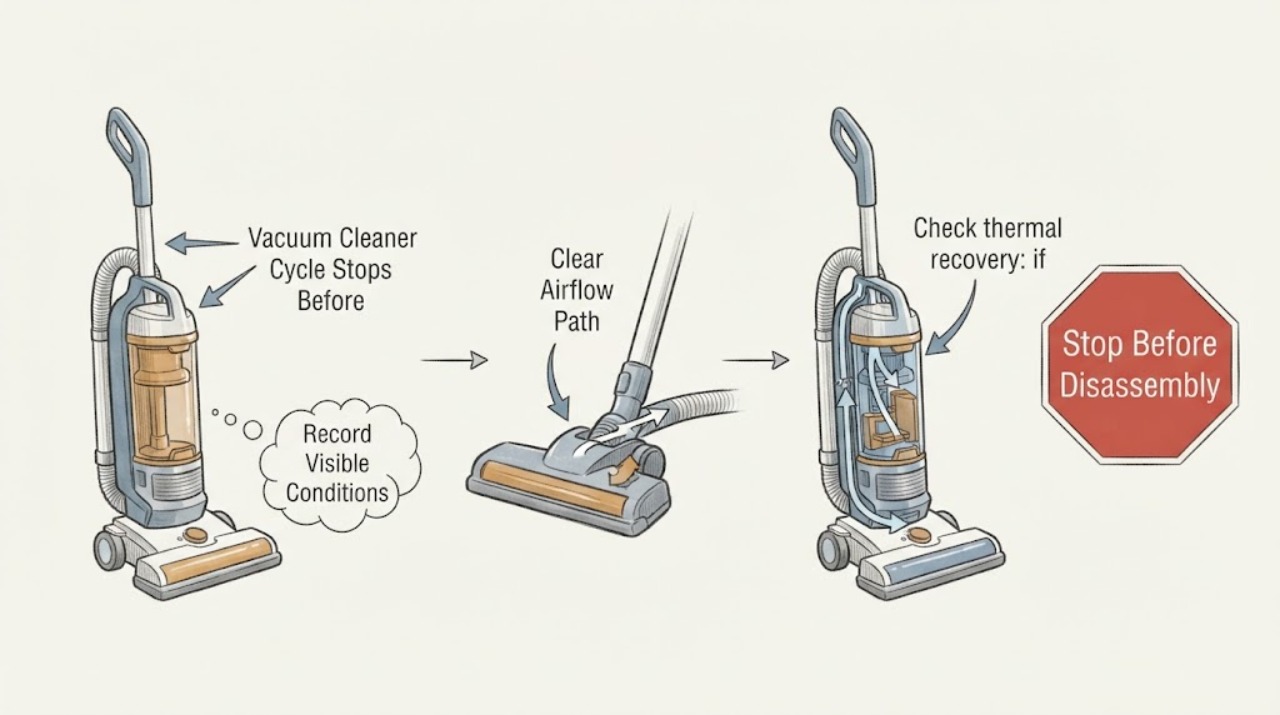
A vacuum cleaner that stops before its cleaning cycle finishes is commonly separated by timing: an immediate stop suggests a blockage, brush obstruction, battery or control issue, while a stop after warming points toward thermal protection. Empty the bin, clear accessible airflow and brush obstructions with power isolated, clean the model-approved filter, and retest only after cooling.
Work through in order
Diagnostic checks
Use only checks that match the exact appliance or system and its official guide.
-
Check 1
Record the stop pattern: note whether suction fades, the brush stops, lights pulse, the machine cuts out under load, or it stops only after several minutes.
Expected result: Record the visible result of this check and whether the reported symptom changes.
Next step: If the result is normal, continue to the next check; if it is abnormal, correct only the documented condition or stop for service.
Why this matters
Why: This result separates an accessible operating condition from a fault that requires model-specific diagnosis.
-
Check 2
Isolate and inspect airflow: switch off and unplug, or remove the battery where the model permits, then check the floor head, wand, hose, bin inlet, and filter for visible blockage.
Expected result: Record the visible result of this check and whether the reported symptom changes.
Next step: If the result is normal, continue to the next check; if it is abnormal, correct only the documented condition or stop for service.
Why this matters
Why: This result separates an accessible operating condition from a fault that requires model-specific diagnosis.
-
Check 3
Check thermal recovery: if the cleaner is warm or stopped after sustained use, leave it disconnected for the model’s cooling interval before trying again.
Expected result: Record the visible result of this check and whether the reported symptom changes.
Next step: If the result is normal, continue to the next check; if it is abnormal, correct only the documented condition or stop for service.
Why this matters
Why: This result separates an accessible operating condition from a fault that requires model-specific diagnosis.
-
Check 4
Run one short controlled retest on a clear floor and record whether the same stage stops; do not operate a partly dismantled cleaner.
Expected result: Record the visible result of this check and whether the reported symptom changes.
Next step: If the result is normal, continue to the next check; if it is abnormal, correct only the documented condition or stop for service.
Why this matters
Why: This result separates an accessible operating condition from a fault that requires model-specific diagnosis.
Use your observations
Decision map
Find the observation that best matches what you see, then follow the next safe action.
-
PATH 01Next step
What you see
The cleaner stops quickly and airflow or brush movement is visibly restricted.
Do this next
Clear only accessible debris with power isolated, refit all parts, and retest once.
Why this path and its safety boundary
Why it matters: A blockage, brush obstruction, or filter condition is more likely than a failed motor.
-
PATH 02Next step
What you see
It runs normally when cold but stops after warming, then works again after cooling.
Do this next
Correct the airflow or filter condition and use the model’s cooling guidance; seek service if cutout returns.
Why this path and its safety boundary
Why it matters: Thermal cutout is more likely; Dyson describes overheating protection when filters need washing or the machine is blocked.
-
PATH 03Next step
What you see
Air path is clear, the filter is maintained, and the same cycle stage still stops.
Do this next
Stop repeated cycling and provide the stop pattern and model number to qualified service.
Why this path and its safety boundary
Why it matters: A battery, sensor, motor, or control fault becomes more likely and cannot be identified safely from the symptom alone.
Helpful context
Understand the symptom
A safe diagnosis uses the stop timing and the vacuum’s accessible airflow or control state to choose the next step. Keep hands and tools away from moving parts until power is isolated.
When checks do not resolve it
Need a professional?
Stop for smoke, burning odor, hot or damaged wiring, water exposure, an uncontrolled motor, or repeated thermal cutout; isolate power and use qualified service.
Common questions
FAQ
Is a thermal stop the same as a completed cycle?
No. A stop before the expected work is complete, especially with heat or a warning light, is a protection event or fault until the manual confirms otherwise.
Can I keep trying the vacuum until it finishes?
No. Repeated restarts can keep an airflow or overheating problem active. Isolate power, clear only accessible restrictions, cool it, and retest once.
When is a filter replacement justified?
Only when the model’s care guidance identifies the filter as serviceable and cleaning or inspection shows it is damaged or no longer effective.
Read the exact guide
Official sources
- Support | Dyson V15 Detect™ vacuumDyson · cordless vacuum no-power, blockage, filter, and service troubleshooting
- Dyson DC40 Animal Complete vacuum thermal cut outDyson · vacuum thermal cut-out after blockage or overheating
Community feedback
Share a repair observation
Share a plain-text repair observation. Accepted observations are published automatically; this page may take a moment to update.