
On this page
Start here
Quick answer
A Dyson that runs for only a few seconds may be cutting out because its airflow is blocked, its battery is not supplying power normally, or a model-specific control or motor fault is present. Dyson says a blocked airway can trigger a safety cutout on cordless vacuums. Turn the machine off before checking accessible airflow paths, confirm the battery casing is intact and charged if it is cordless, and use the exact model guide before washing or refitting a filter. Do not keep testing a machine with a damaged battery casing, damaged cord, burning odor, smoke, or abnormal heat.
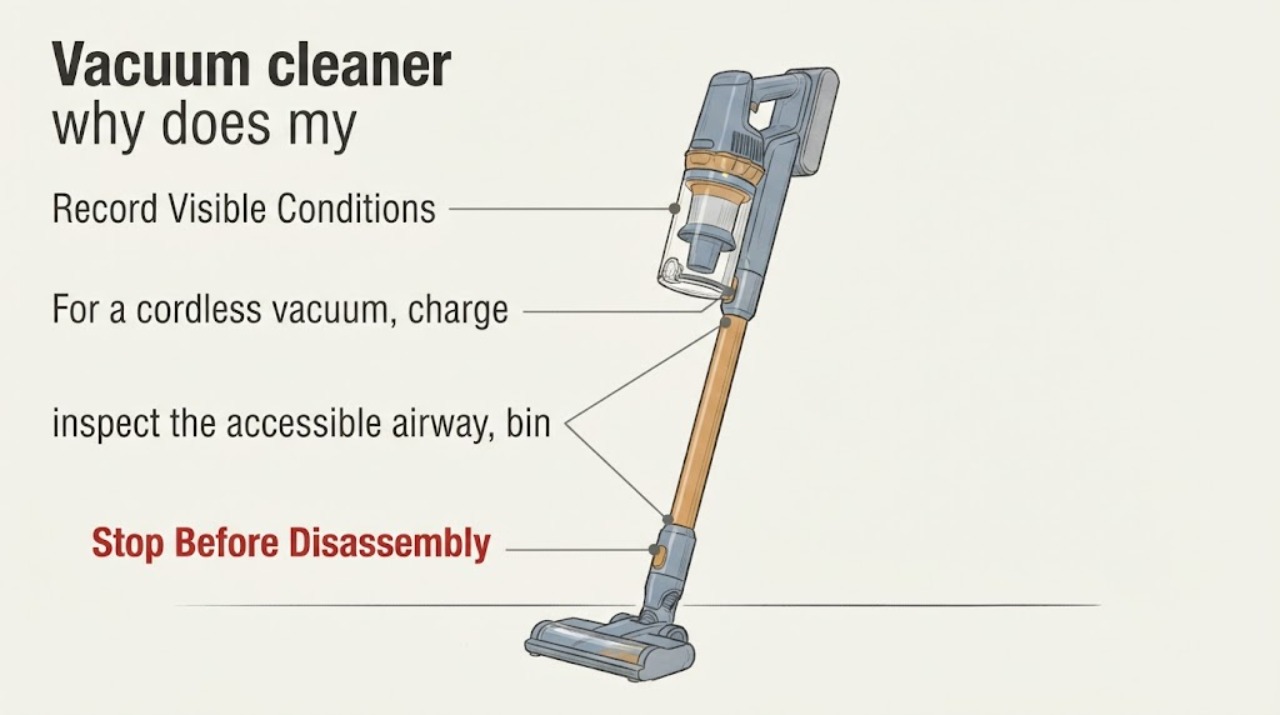
Work through in order
Diagnostic checks
Use only checks that match the exact appliance or system and its official guide.
-
Check 1
Record the complete Dyson model or serial number and classify the machine as cordless, upright, or cylinder before changing settings or parts.
Expected result: The identity is readable and the machine is clearly cordless or corded, or only the Dyson name is known.
Next step: Open the exact Dyson support guide for the recorded machine. If the identity cannot be found, keep checks to the general external and safety steps below and do not order a model-specific part.
Why this matters
Why: Dyson's support is organized by machine range and serial/model identity; the brand name alone does not select a filter, battery, head, or procedure.
-
Check 2
For a cordless vacuum, charge it using its normal Dyson charger and inspect the battery casing from outside for cracks, swelling, or other damage before starting it.
Expected result: The battery charges and its casing is intact, or the casing is damaged or the vacuum still stops immediately after a normal charge.
Next step: If the casing is damaged, stop using the vacuum and contact Dyson or qualified service. If it is intact, continue with the airway check; do not substitute a battery based only on the symptom.
Why this matters
Why: Dyson directs owners to check charge and says a damaged battery casing is a reason not to use the machine. An intact, charged battery does not by itself identify the cause of a three-to-five-second cutoff.
-
Check 3
With the vacuum switched off and the charger disconnected, inspect the accessible airway, bin inlet, wand, cleaner head, and brush area for a visible blockage, following only the disassembly allowed by the exact model guide.
Expected result: A visible obstruction is present, or the accessible path is clear but the machine still stops after a few seconds.
Next step: Remove only the visible obstruction using the model instructions, refit every part, and retest once. If the path is clear or the cutoff returns, stop repeating tests and move to the filter and service boundary.
Why this matters
Why: Dyson says blocked airflow can trigger a safety cutout on cordless vacuums. A clear accessible path does not prove that a hidden passage, motor, battery, or control is faulty.
-
Check 4
If the exact model has a washable filter, remove and clean it only as Dyson specifies: use water and no detergent, then leave it in airflow for at least 24 hours before refitting.
Expected result: The filter is visibly loaded, or it is clean but not completely dry; the exact model does not confirm that the filter is washable.
Next step: Do not run the vacuum with a damp or unverified filter. Use the exact model guide, refit only when fully dry and correctly seated, and arrange service if the three-to-five-second stop remains.
Why this matters
Why: Dyson says debris can reduce cordless-vacuum performance and warns that reinstalling a wet filter can damage the motor. The general page does not authorize washing every filter or define another model's removal sequence.
-
Check 5
For a corded Dyson upright or cylinder, inspect the power cord and plug for damage and try the machine only from a known-working wall socket with the correct fuse arrangement described by its model guide.
Expected result: The cord or plug is damaged, the socket/fuse check fails, or the machine still stops on a sound supply.
Next step: Do not use a damaged cord or plug. If the supply is sound but the cutoff returns, stop and arrange Dyson or qualified service; do not open the motor or electrical housing.
Why this matters
Why: Dyson's no-power guidance treats cable damage as a reason not to plug in or use the machine. A sound supply with a recurring cutoff needs model-specific diagnosis rather than a cordless battery remedy.
Use your observations
Decision map
Find the observation that best matches what you see, then follow the next safe action.
-
PATH 01Next step
What you see
The cordless vacuum stops only when the wand, cleaner head, or bin inlet is attached, and a visible blockage is found.
Do this next
Clear only the accessible obstruction under the exact model instructions, refit the parts, and retest once. Arrange service if the stop returns.
Why this path and its safety boundary
Why it matters: The pattern is consistent with Dyson's documented blocked-airway safety cutout, but it does not identify a hidden internal component.
-
PATH 02Next step
What you see
The filter was washed recently and is not fully dry, or the model does not confirm that the installed filter is washable.
Do this next
Leave the filter out to dry for at least 24 hours when the exact model permits washing, or consult the exact guide before reinstalling it. Do not substitute another model's filter procedure.
Why this path and its safety boundary
Why it matters: The vacuum should not be run with a damp or incorrectly handled filter; Dyson warns that moisture can damage the motor.
-
PATH 03Next step
What you see
The cordless battery casing is intact, the machine is charged, accessible airflow is clear, and it still stops every few seconds.
Do this next
Stop repeated start attempts, record the mode and attached tool, and use the exact model troubleshooting route or qualified Dyson service. Do not buy an unverified battery or open the housing.
Why this path and its safety boundary
Why it matters: The general Dyson pages do not distinguish a battery, motor, electronic control, or model-specific protection fault from this symptom alone.
-
PATH 04Next step
What you see
A corded vacuum has a damaged cord or plug, smoke, burning odor, abnormal heat, sparks, or repeated breaker trips.
Do this next
Stop using it and disconnect power only if that can be done safely. Do not plug it in again; arrange qualified service.
Why this path and its safety boundary
Why it matters: The power fault presents an electrical or fire risk that cannot be resolved by a filter or battery check.
Helpful context
Understand the symptom
Start with the machine identity and symptom pattern
Dyson sells several cordless ranges as well as upright and cylinder vacuums. Record the model or serial number and whether the vacuum is cordless or corded before following a model-specific instruction. Note whether the stop happens in every mode, only in Max or Boost, after the machine warms up, or when a particular head is attached. A three-to-five-second stop is a symptom, not proof of a failed battery, motor, filter, or control board.
A blocked airway is a documented cordless cutout possibility
Dyson's general no-power guidance says a blocked airway can make a cordless vacuum cut out for safety. With the machine switched off and disconnected from its charger, inspect only the accessible bin inlet, wand, cleaner head, and brush area as the exact model guide permits. Do not push tools into a hidden airway or run the vacuum with a cover, filter, or head removed unless that model's instructions specifically allow it.
Treat filter washing as model-specific
Dyson's cordless filter-care instructions say debris can reduce performance and describe cold-water washing without detergent, followed by at least 24 hours of drying. Use that procedure only when the exact Dyson model identifies the filter as washable. A filter that is still damp must not be reinstalled; the official page warns that moisture can damage the motor. Do not infer a filter location or removal method from another Dyson range.
When checks do not resolve it
Need a professional?
Stop immediately for a cracked, swollen, or otherwise damaged battery casing, damaged cord or plug, smoke, sparks, burning odor, abnormal heat, or repeated breaker trips., Arrange Dyson or qualified service when the vacuum still cuts out after the exact model's permitted airflow and filter checks, or when diagnosis would require opening the motor, battery, or electrical housing., Do not keep cycling the machine every few seconds, bypass a protection feature, fit an unverified battery or filter, or wash a filter that the exact model does not identify as washable.
Common questions
FAQ
Does stopping every three to five seconds prove the Dyson battery is bad?
No. Dyson documents blocked airflow as a possible cordless safety cutout and separately directs owners to check charge and battery-casing damage. The symptom alone does not select a battery or another internal part.
Can I wash the filter to fix the short run time?
Only if the exact model identifies the filter as washable and provides that procedure. Dyson's general cordless guidance says to use water without detergent and dry the filter for at least 24 hours before refitting; never reinstall it damp.
What if the vacuum has no model number?
Use Dyson's machine-identification and serial-number route to find the exact support page. Until the identity is confirmed, limit the response to safe external checks and do not order a model-specific battery, filter, or head.
Should I keep pressing the power trigger to see whether it recovers?
No. After one model-approved check, stop if the cutoff returns. A damaged battery, electrical fault, smoke, burning odor, or abnormal heat requires immediate discontinuation and qualified service.
Read the exact guide
Official sources
- Vacuum filter careDyson · General cordless filter-care guidance. It supports the debris/performance relationship and the cold-water/no-detergent/24-hour drying steps only where the exact model has a washable filter; it does not establish another model's filter location or compatibility.
- Vacuum battery careDyson · General cordless battery-care guidance. It supports the effect of Max/Boost use, temperature, battery degradation, and genuine replacement boundaries; it does not identify the cause of a short cutoff for an unidentified model.
- Support | Cordless vacuum cleaners | DysonDyson · Support entry page used only to establish that Dyson troubleshooting and parts guidance is selected by machine range and serial/model identity. It does not provide a model-specific diagnosis for this topic.
- Support | No Power | DysonDyson · General Dyson support page. It supports charge and casing checks for cordless vacuums, says blocked airflow can cause a safety cutout, and gives cord/plug/socket checks for upright and cylinder vacuums. It does not diagnose an unidentified model's internal fault.
Community feedback
Share a repair observation
Share a plain-text repair observation. Accepted observations are published automatically; this page may take a moment to update.