
On this page
Start here
Quick answer
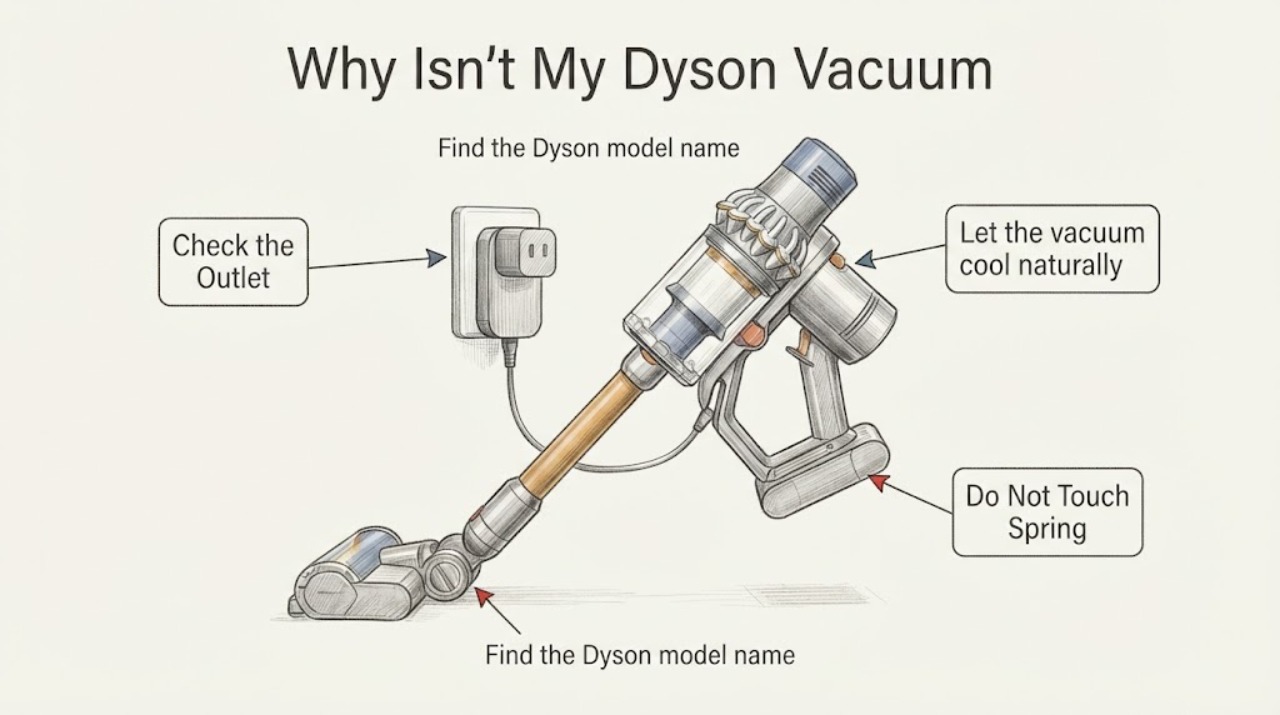
For a Dyson vacuum that will not charge, first identify the exact machine and check the charger or dock connection and wall power from the outside. Let the vacuum cool to room temperature before charging, and stop if the cable, plug, dock, or battery area is damaged or unusually hot. Dyson's support guidance groups charging failures around the connection, power supply, or battery, but the correct indicator meaning and battery fit depend on the exact model; do not buy a battery or open the machine based only on the word Dyson.
Work through in order
Diagnostic checks
Use only checks that match the exact appliance or system and its official guide.
-
Check 1
Find the Dyson model name and serial number on the machine or its original documentation before interpreting the charging light or choosing a charger or battery.
Expected result: The exact range and serial number are readable, or the identity is still unknown.
Next step: Use Dyson's exact-machine support path with the serial number. If the identity cannot be read safely, give the machine to Dyson support or a qualified service provider rather than guessing a replacement.
Why this matters
Why: A Dyson cordless vacuum can use a model-specific charger, dock, battery, and indicator behavior; the word Dyson alone is not enough to identify any of them.
-
Check 2
With the vacuum switched off, reseat the charger plug at the wall and at the machine or dock, then try a different known-good wall outlet without using an extension lead or damaged adapter.
Expected result: The charging indicator or display appears after reseating or using another outlet, or there is still no charging response.
Next step: If the response returns, charge using the exact model's normal procedure. If there is still no response, stop repeated plugging and continue with the temperature and visible-damage checks.
Why this matters
Why: A response after reseating or changing the outlet points to the external connection or supply path; no response leaves the charger, dock, machine connection, or battery unresolved.
-
Check 3
Let the vacuum cool naturally to room temperature after use, away from a radiator, direct sun, or a cold garage, before reconnecting it to the identified charger or dock.
Expected result: Charging begins after the machine reaches room temperature, or it remains unable to charge when cool.
Next step: Keep the machine at the storage and charging conditions in the exact Dyson guide. If it remains unable to charge at room temperature, request model-specific support instead of repeatedly cycling the battery.
Why this matters
Why: Temperature protection can prevent charging or operation outside the machine's supported range; cooling does not prove that the battery is defective.
-
Check 4
Inspect the charger cable, plug, dock, charging socket, and visible battery housing without opening the vacuum or touching internal contacts.
Expected result: There is fraying, a bent or loose connector, cracked plastic, swelling, odor, liquid, scorching, or unusual heat, or the exterior looks intact.
Next step: Unplug and stop using any damaged or unusually hot component. Do not tape a cable, bridge contacts, open the battery pack, or continue charging unattended; arrange Dyson or qualified service.
Why this matters
Why: Visible damage or abnormal heat is a safety issue and can interrupt charging; an intact exterior does not rule out an internal charger or battery fault.
-
Check 5
Separate a no-charge symptom from short runtime: note whether the machine reaches a full-charge indication but runs briefly, or whether no charging indication appears at all.
Expected result: The machine reaches a full-charge state but loses runtime, or it never shows a charge response.
Next step: Do not infer a battery replacement from runtime alone. Use Dyson's exact-machine troubleshooting and genuine-part guidance, or arrange service if no charge response persists.
Why this matters
Why: Reduced runtime after a full charge can indicate battery aging or operating conditions; no charge response points back to the connection, supply, charger, dock, or battery and needs the exact model's diagnostic path.
Use your observations
Decision map
Find the observation that best matches what you see, then follow the next safe action.
-
PATH 01Next step
What you see
The indicator appears after the charger is reseated or a known-good outlet is used.
Do this next
Keep the exact model's charger and dock connection stable and monitor one normal charge cycle. Replace nothing unless Dyson's model-specific guidance identifies it.
Why this path and its safety boundary
Why it matters: The original symptom is consistent with an external connection or wall-supply issue rather than proof of a failed battery.
-
PATH 02Next step
What you see
The vacuum charges only after cooling to room temperature.
Do this next
Store and charge it under the exact Dyson guide's temperature conditions and seek support if the behavior repeats or worsens.
Why this path and its safety boundary
Why it matters: The charging system may be applying temperature protection or responding to heat from recent use; this does not identify a failed cell.
-
PATH 03Next step
What you see
The cable, plug, dock, socket, or battery housing is damaged, swollen, wet, scorched, or unusually hot.
Do this next
Unplug it, keep the damaged component out of service, and arrange Dyson or qualified repair support. Do not open or bridge the battery pack.
Why this path and its safety boundary
Why it matters: The charging path has a safety concern that should not be tested by repeated charging or internal repair.
-
PATH 04Next step
What you see
The vacuum shows full-charge behavior but runtime is much shorter, while the external charger path is intact.
Do this next
Use Dyson's exact-machine battery guidance and genuine-part path; do not assume a battery model or compatibility from the Dyson brand alone.
Why this path and its safety boundary
Why it matters: Battery aging or operating conditions are possible, but a model-specific battery diagnosis is still required.
-
PATH 05Next step
What you see
There is no charge response after the exact connection, outlet, and temperature checks, and no visible damage explains it.
Do this next
Stop repeated charging attempts and provide the serial number, charger/dock type, indicator behavior, and photos of the external components to Dyson support or a qualified repair provider.
Why this path and its safety boundary
Why it matters: The charger, dock, machine connection, or battery remains unresolved and cannot be distinguished safely without the exact model's diagnostic information.
Helpful context
Understand the symptom
Charging behavior depends on the exact Dyson machine
Dyson sells several cordless ranges with different battery, dock, charger, and indicator arrangements. Because no model or serial number is provided here, the checks below deliberately avoid assigning a color code or charger type. Use the model label or serial number to open the matching Dyson support path before interpreting a light or ordering a battery.
Check the external charging path first
A charging failure can be as simple as a loose connection or unavailable wall power, or it can involve the battery. Check only the external path, allow a hot machine to cool at room temperature, and keep the battery and charger out of service if there is damage, swelling, odor, or unusual heat. Internal battery work belongs to Dyson support or a qualified repair provider.
When checks do not resolve it
Need a professional?
Arrange Dyson or qualified service when the exact connection and outlet checks do not restore charging, runtime is severely reduced, or the charger, dock, cable, plug, or battery housing is damaged or unusually hot.
Have this ready
- Provide the exact model or serial number, charger or dock type, indicator behavior, whether the machine was hot or recently used, and clear photos of the external charging path.
Common questions
FAQ
Can I use any Dyson charger on a Dyson vacuum?
No. The exact model and charger or dock arrangement must be confirmed first. Use Dyson's exact-machine support path and do not infer compatibility from the brand name.
Why does my Dyson charge after it cools down?
Dyson's battery-care guidance says a machine may not operate or charge outside its supported temperature conditions. Let it cool naturally at room temperature and seek model-specific support if the behavior repeats.
Does short runtime prove the battery needs replacing?
No. Runtime depends on model and operating mode, and Dyson directs owners to its troubleshooting path before choosing a genuine replacement battery.
What should I do if the charger or battery gets hot?
Unplug it and stop using the damaged or unusually hot component. Do not open the battery or keep repeating the charge test; arrange Dyson or qualified service.
Read the exact guide
Official sources
- My Dyson Support | Official Dyson Help and Customer CareDyson · General Dyson support states that charging problems may involve the connection, power supply, or battery; no model-specific indicator or part meaning is claimed.
- Support | Cordless vacuum cleaners | DysonDyson · Support index for many Dyson cordless ranges; it is used only to establish the need for exact-machine identification, not to transfer a model-specific procedure.
- Vacuum battery careDyson · Brand-level battery-care guidance for Dyson cordless vacuums; exact battery type, indicator behavior, and replacement compatibility remain model-specific.
Community feedback
Share a repair observation
Share a plain-text repair observation. Accepted observations are published automatically; this page may take a moment to update.