
On this page
Start here
Quick answer
If a washer has no display, lights, or response, start with the outside power path and keep the work safe: confirm the plug is seated in the correct grounded wall outlet, test that outlet with a small known-good lamp or charger only when it is dry and safely reachable, and check the washer's breaker or RCD once with dry hands. Check the model's control-lock and door/lid instructions without bypassing the lock. If the outlet works but the washer remains completely dead, or if the cord, plug, outlet, breaker, or area shows heat, burning, water, or damage, stop and arrange qualified appliance service or an electrician. Do not open the control panel, take live measurements, bypass the door/lid lock, or repeatedly reset a tripping breaker.
Before you begin
Safety first
- Do not open the control panel, measure live voltage, bypass the door or lid lock, replace a fuse, repeatedly reset a breaker, work with wet hands or feet, or reconnect a washer with a damaged cord, plug, outlet, or water around the electrical connection.
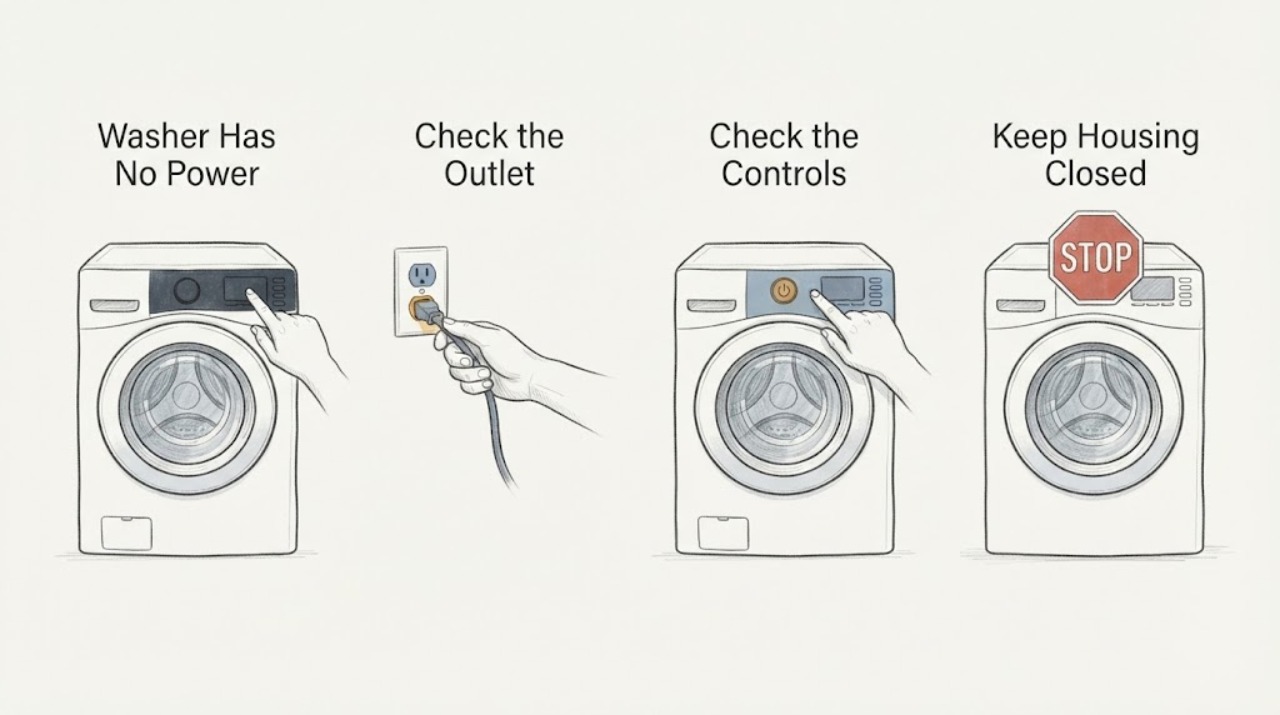
Work through in order
Diagnostic checks
Use only checks that match the exact appliance or system and its official guide.
-
Check 1
With dry hands and a dry floor, check that the washer's plug is fully seated in the intended grounded wall outlet. Do not pull the washer forward alone or use an extension lead or multi-plug to reach it.
Expected result: The plug was loose or disconnected, the outlet is inaccessible or unsafe to reach, or the plug and cord are seated but the control panel remains completely dark.
Next step: If safely reseating the plug restores the display, use the washer only if the cord, plug, and outlet are cool and undamaged. Otherwise leave it disconnected and continue with the outlet and breaker checks only if safe.
Why this matters
Why: A loose connection can explain a dead washer, but an inaccessible outlet or a damaged cord must not be turned into a moving or electrical repair task.
-
Check 2
Test the washer outlet from outside by plugging in a small known-good lamp or phone charger, only when the outlet is dry, cool, and easy to reach; do not use a meter or remove the outlet cover.
Expected result: The test item also does not work, or the test item works while the washer remains completely dark.
Next step: If the outlet is dead, check the relevant breaker or RCD once as described in the next step and arrange an electrician if it will not reset or trips again. If the outlet works but the washer stays dead, keep the washer disconnected and request qualified appliance service.
Why this matters
Why: A nonworking test item points toward the outlet, circuit, or household supply. A working outlet with a dead washer points toward an appliance-side fault without identifying a particular internal part.
-
Check 3
Look at the washer's labeled breaker or RCD with dry hands and reset it only once if it is visibly tripped and there is no water, burning smell, damaged cord, or other hazard; do not keep resetting it.
Expected result: The breaker or RCD stays on, resets once and power returns, will not reset, or trips again when the washer is connected.
Next step: Leave a repeatedly tripping circuit off and arrange qualified electrical or appliance service. If power returns, do not repeatedly cycle the washer; check the model's instructions and stop if the panel goes dark again.
Why this matters
Why: A single reset may restore a circuit interruption, but a refusal to reset or a repeat trip is evidence of an unresolved electrical or appliance fault rather than a normal washer setting.
-
Check 4
With the washer unplugged, cool, and dry, inspect only the visible plug, cord, outlet face, and surrounding floor for heat marks, looseness, cuts, burns, water, or a smell of burning. Separately check the owner's manual for the model's control-lock and door/lid-closure indicators; never bypass the lock.
Expected result: There is visible electrical or water damage, the plug works only when wiggled, a door/lid is not closing as the manual requires, a control-lock indicator is present, or the outside looks normal but the display remains blank.
Next step: Keep the washer disconnected for any damaged, wet, hot, or burning condition and contact service or an electrician as appropriate. If the manual confirms only a control lock or closure condition and there is no hazard, follow that model-specific user instruction; otherwise request service without opening the control panel.
Why this matters
Why: Damage, moisture, or intermittent cord contact is a stop condition. A control lock or an incompletely closed door/lid can block operation on some models, but a completely dark panel on a working outlet still needs model-specific diagnosis.
Use your observations
Decision map
Find the observation that best matches what you see, then follow the next safe action.
-
PATH 01Next step
What you see
A small known-good lamp or charger also fails at the washer outlet.
Do this next
Check the labeled breaker or RCD once with dry hands if there is no moisture or burning sign. If the outlet remains dead or the breaker trips again, leave the circuit alone and call a qualified electrician.
Why this path and its safety boundary
Why it matters: The washer may not be receiving household power; the appliance itself has not yet been isolated as the cause.
-
PATH 02Next step
What you see
The outlet powers the test lamp or charger, but the washer has no display, lights, or response.
Do this next
Keep the washer unplugged and request qualified appliance service with the model and serial number. Do not open the console or take live measurements.
Why this path and its safety boundary
Why it matters: Power is available at the test point, but the washer has an appliance-side fault or a model-specific control condition; the result does not identify a board, fuse, or motor.
-
PATH 03Next step
What you see
The cord or plug is burned, wet, cut, hot, loose, or works only when moved, or the washer has a burning smell, melted part, or water near the electrical connection.
Do this next
Do not reconnect the washer or try another outlet. Keep people away from the hazard and arrange qualified appliance service or electrician assistance; use emergency help if there is smoke or fire.
Why this path and its safety boundary
Why it matters: This is an electrical or moisture hazard, not a reset or door-lock problem.
-
PATH 04Next step
What you see
The model manual shows a control-lock indicator or a door/lid that is not fully closed, while there is no electrical or water hazard.
Do this next
Use only the exact model manual's user-level unlock or closure instruction. Do not bypass or electrically defeat the door/lid lock; if the panel is completely dark despite a working outlet, request service.
Why this path and its safety boundary
Why it matters: Some washers intentionally ignore controls or refuse a cycle under those conditions, but the exact button sequence and lock design vary by model.
Helpful context
Understand the symptom
Separate a dead washer from a no-start cycle
This topic is about a washer with no display or lights. If any light, sound, drain action, or error appears, it is not a complete no-power case and the exact model's not-starting guidance may be different. Whirlpool's opened no-power article makes the same distinction: no power, lights, or water calls for power-source and control-lock checks before service.
Use only external, low-risk checks
Because no brand, model, or door style is supplied, do not infer a failed board, fuse, motor, or door lock. Keep the washer isolated while inspecting the cord and plug from the outside. A working outlet plus a dark control panel is useful evidence for service, not an invitation to remove the console or measure energized wiring.
Treat repeated trips or moisture as a stop condition
A breaker or RCD that trips again, a burning smell, melted plastic, a wet plug or outlet, or power that works only when the cord is moved requires the appliance to stay disconnected. The possible fault may involve the household circuit or the washer, and the next decision belongs to a qualified technician or electrician rather than a reset loop.
When checks do not resolve it
Need a professional?
Request qualified appliance service when a working outlet and one safe breaker check do not restore a completely dark washer, or when the cord, plug, outlet, door/lid lock, or control remains abnormal. Call a qualified electrician for a dead, loose, hot, damaged, or repeatedly tripping outlet or circuit.
Safety scope: Do not open the control panel, measure live voltage, bypass the door or lid lock, replace a fuse, repeatedly reset a breaker, work with wet hands or feet, or reconnect a washer with a damaged cord, plug, outlet, or water around the electrical connection.
Have this ready
- Provide the exact model and serial number, whether the outlet powered a small test item, whether a breaker or RCD tripped, the last time the washer worked, any water or burning signs, and photos of visible unplugged damage.
Common questions
FAQ
What should I check first when a washer has no lights at all?
Check the plug and wall outlet from a dry, safe position, then test the outlet with a small known-good lamp or charger if it is safe to reach. A working outlet with a completely dark washer is a service case, not proof of a specific failed part.
Can I keep resetting the breaker until the washer turns on?
No. Reset a visibly tripped breaker or RCD only once when there is no moisture or burning sign. If it will not reset or trips again, leave it off and arrange qualified electrical or appliance service.
Could a door lock or control lock make the washer look dead?
A control lock or an incompletely closed door/lid can block controls on some models, but the exact behavior and button sequence are model-specific. Do not bypass the lock; if the display remains completely dark on a working outlet, use service.
Read the exact guide
Official sources
- How to Reset a WasherWhirlpool · Opened Whirlpool's official product-help page. It supports a model-appropriate power cycle and notes that a control lock can make the washer appear to have no power; the article keeps reset details conditional because the assigned washer has no brand or model.
- No Power Not Turning On - Compact Front Load WasherWhirlpool · Opened Whirlpool's official product-help article. It defines no power as no power, lights, or water, and supports checking the grounded outlet and control lock before service. No Whirlpool model identity is assigned to this topic, so no model-specific control sequence is transferred.
- What to do if your Washing Machine has no powerSamsung UK · Opened Samsung's official no-power support article covering multiple washer styles. It is used for general safety boundaries and external checks only; no Samsung model or exact control sequence is claimed for the unbranded topic.
- [LG Front Load Washer] Power issueLG USA · Opened LG's official support article. It supports distinguishing a dead outlet/breaker from a washer that remains dead on a working outlet and sending the latter to service; it warns that model content may differ, so no LG-specific procedure is generalized.
- Power issues with Samsung washing machineSamsung US · Opened Samsung's official US power troubleshooting page. It supports checking a grounded outlet with a small lamp, the power cord, dedicated circuit, breaker and surge-protector status before service; it does not establish an internal cause for this generic washer topic.
Community feedback
Share a repair observation
Share a plain-text repair observation. Accepted observations are published automatically; this page may take a moment to update.