
On this page
Start here
Quick answer
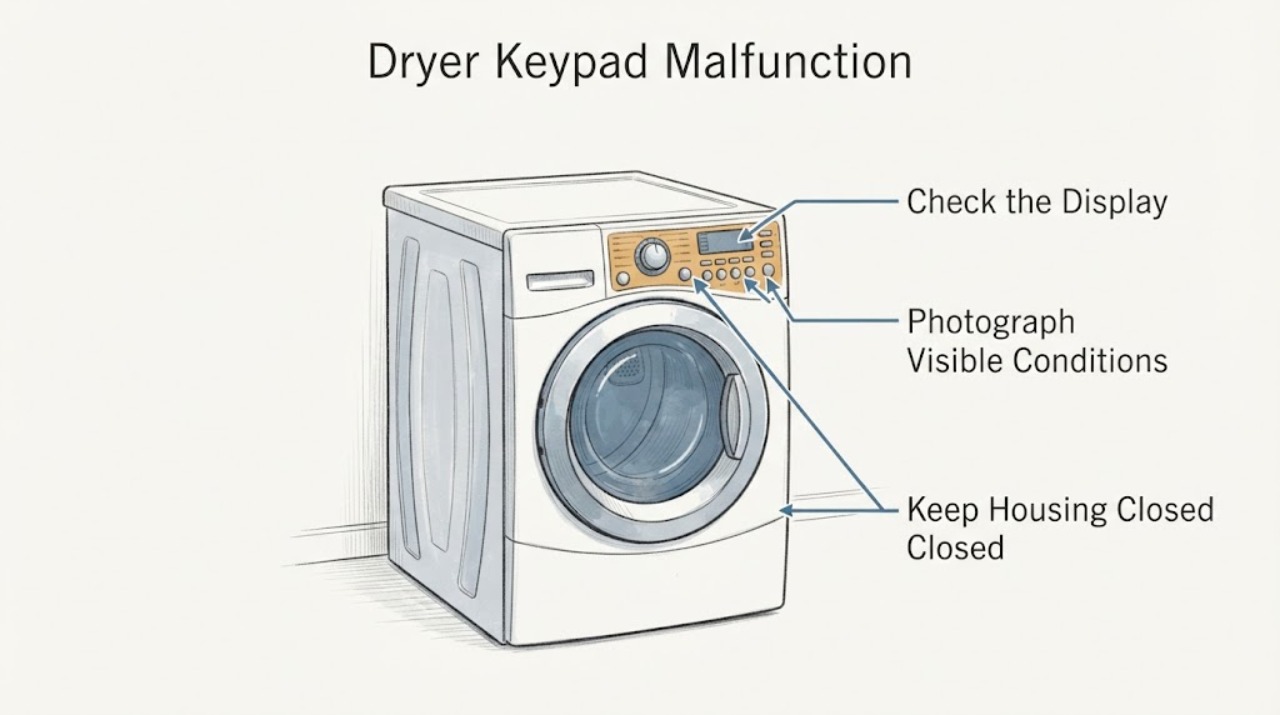
On the older Whirlpool GEX9868JQ0, first determine whether one key, a group of keys, or the whole control panel is failing. With the dryer stopped, use dry hands and a dry cloth on the outside of the panel, check whether a Control Lock or Loc state is shown, and use the exact model manual for the lock and Start procedure. Whirlpool says damp hands or a damp touch panel can prevent a response, and its general dryer guidance says Start may need to be held for 2–5 seconds. A single key or cluster that fails while the rest of the panel responds is more consistent with a keypad or user-interface problem; random activations or an entire panel that is dark can also involve the control or power path. Those patterns do not identify a replaceable part. Do not open the console, jumper a switch, probe live wiring, or keep resetting the dryer to make it run; arrange qualified service if the behavior persists.
Before you begin
Safety first
- Do not open the console or cabinet, disconnect ribbons, jumper a keypad or safety switch, enter an undocumented service mode, measure live wiring, spray into the panel, or keep resetting and running the dryer with random commands. Stop immediately for smoke, sparks, burning odor, a hot or damaged cord or outlet, or repeated breaker trips; isolate power only from a dry, safe position if doing so is clearly safe.
Work through in order
Diagnostic checks
Use only checks that match the exact appliance or system and its official guide.
-
Check 1
With the dryer stopped and without removing anything, photograph or transcribe the complete model label as GEX9868JQ0 and map the symptom: note which individual key(s) fail, whether nearby keys fail together, whether the display or indicator lights respond, and whether keys appear to activate without being touched. Use Whirlpool's manual lookup with the exact model rather than a near-model number.
Expected result: Only one key or a small cluster fails while the rest of the panel responds; several keys or the whole panel fail; the panel activates randomly; or the model label is incomplete or different.
Next step: Keep the symptom map and display photo for service. If the identity cannot be confirmed as GEX9868JQ0, stop using this model-specific interpretation and obtain the correct manual first.
Stop if: Do not remove the console, peel up the keypad, disconnect ribbon cables, or order a keypad or control board from the symptom pattern alone.
Why this matters
Why: A symptom map separates a localized keypad pattern from a whole-panel or power/control pattern, while the exact label determines which old-model control and lock instructions apply. The observed pattern is not a component confirmation.
-
Check 2
From outside the dryer, with clean dry hands, wipe the accessible face of the control panel with a clean dry cloth and allow any visible moisture or film to clear. Then make one normal fingertip press on the affected control, without a fingernail, tool, spray, or force.
Expected result: The affected key responds after the panel and hands are dry; it remains unresponsive; or the panel triggers another function or changes settings without the intended press.
Next step: If drying changes the symptom, keep the panel dry and document recurrence. If it does not, or if commands activate unexpectedly, leave the dryer off and arrange qualified service.
Stop if: Do not spray cleaner into the panel, scrape the surface, repeatedly press a stuck-looking key, or open the control area.
Why this matters
Why: Whirlpool says moisture on the hands or touch panel can prevent response. Recovery after drying supports moisture or surface contamination as a possible contributor, while persistent non-response or unintended activation needs service-level diagnosis; neither result proves the keypad or board is bad.
-
Check 3
Look at the display and indicator lights for a Control Lock or Loc state. Only when the label and exact manual identify the correct control, use that manual's documented unlock gesture once; do not guess from a newer Whirlpool layout. Record whether the lock indicator clears and whether normal selection returns.
Expected result: Loc or a lock indicator is present and clears with the documented procedure; no lock indicator is present; or the manual does not match the panel.
Next step: If the documented unlock restores normal control, record that as a lock-state resolution. Otherwise stop normal-use troubleshooting and provide the display and exact model to a technician.
Stop if: Do not bypass a lock, hold a safety switch, enter an undocumented service mode, or remove the console to defeat the lock.
Why this matters
Why: Whirlpool uses Loc to indicate Control Lock on applicable dryers and says a locked dryer will not start or operate. A missing or mismatched indicator means the keypad fault is not explained by that generic lock article, and an old model may use a different control labeling.
-
Check 4
With the panel dry and no hazard present, use the exact model manual's Start procedure once; Whirlpool's general dryer guidance says Start, Push to Start, or Hold to Start may require a 2–5 second press. Observe whether the display acknowledges the command, whether only Start fails, or whether other controls also fail.
Expected result: Start registers normally; Start alone remains unresponsive while other keys work; multiple controls remain unresponsive; or the panel lights go dark.
Next step: Record the response and stop if the dryer does not respond normally. Arrange qualified appliance service rather than selecting a part from the number of failed keys.
Stop if: Do not keep pressing Start, repeatedly power-cycle the machine, run a load with random commands, or test any wiring or switch while energized.
Why this matters
Why: A correctly timed Start press distinguishes an operating-procedure issue from a keypad response pattern. One failed key with other controls working points toward a localized interface fault; multiple failures or a dark panel broaden the possibilities to the user interface, electronic control, or supply path.
-
Check 5
From a dry, safe position, observe whether the display and drum light have power and whether the household breaker appears tripped. Check only the accessible plug and cord for obvious looseness or damage; do not open a receptacle, terminal area, console, or access panel. If the supply is uncertain, have an electrician assess it.
Expected result: The panel is completely dark, the breaker has tripped or trips again, the cord or outlet looks damaged or hot, or the display is powered but keypad behavior remains abnormal.
Next step: Leave the dryer off for a dark panel with uncertain supply, a damaged connection, or a repeated trip and obtain qualified electrical or appliance service. For a powered but abnormal keypad, give the technician the symptom map and display behavior.
Stop if: Do not repeatedly reset the breaker, touch wiring, measure live voltage, or continue if there is smoke, arcing, burning odor, or a hot cord or outlet.
Why this matters
Why: Whirlpool notes that an electric dryer can lose operation when a household fuse or breaker has opened, but a powered panel with selective or random key behavior is not explained by a breaker alone. A hot or damaged connection or repeated trip is an electrical hazard.
Use your observations
Decision map
Find the observation that best matches what you see, then follow the next safe action.
-
PATH 01Next step
What you see
One key or a small group fails while the display and other controls remain responsive, especially if the pattern progresses or a command appears held.
Do this next
Leave the dryer off if the fault persists and arrange qualified service with the failed-key map, display photo, full model, and any change after drying. Ask the provider to distinguish the keypad assembly from the control before ordering anything.
Why this path and its safety boundary
Why it matters: This is the strongest external pattern for a localized keypad or user-interface problem, consistent with the exact-model community report, but it does not rule out the electronic control or a connector and does not justify a guessed part.
-
PATH 02Next step
What you see
The whole panel is dark, or several controls fail together while the breaker or plug status is uncertain.
Do this next
Keep the dryer off and have a qualified electrician assess uncertain household supply or cord installation, or have an appliance technician assess the dryer when external power is established safe.
Why this path and its safety boundary
Why it matters: The symptom is not a confirmed keypad-only fault; household supply, cord, console, or electronic control paths remain possible.
-
PATH 03Next step
What you see
The panel is damp, or the keypad responds after hands and the panel are dried, but the symptom returns later.
Do this next
Keep the panel dry, document when the recurrence follows humidity or cleaning, and arrange service if it returns. Do not spray or open the panel to chase moisture.
Why this path and its safety boundary
Why it matters: Moisture or surface contamination may be contributing, but recurrence means the external wipe did not establish a durable repair and can coexist with an interface or control fault.
-
PATH 04Next step
What you see
Loc or a Control Lock indicator is confirmed and the exact model manual documents an unlock procedure that restores normal response.
Do this next
Use the documented unlock procedure and record the result. If the lock returns without being selected or the keys remain abnormal after unlocking, stop and request service.
Why this path and its safety boundary
Why it matters: A control-lock state can explain a panel that will not accept commands; this is an operating state, not proof of a failed keypad or board.
-
PATH 05Next step
What you see
Keys activate randomly, the dryer behaves as though a key is continuously held, Start cannot be selected, or the fault changes after repeated power cycling.
Do this next
Stop using the dryer and arrange qualified service. Provide the progression and do not attempt a console repair, jumper, live measurement, or repeated reset.
Why this path and its safety boundary
Why it matters: This is an unstable control-input symptom rather than a safe invitation to keep testing. The exact-model report describes similar progression, but visible symptoms cannot separate the keypad, electronic control, or connection.
-
PATH 06Next step
What you see
There is smoke, arcing, a burning smell, a hot or damaged cord or outlet, or a breaker trips again.
Do this next
Stop using the dryer and keep people away. Isolate power only from a dry, safe position if that can be done without touching damaged equipment; otherwise leave it alone and obtain qualified electrical or emergency help.
Why this path and its safety boundary
Why it matters: The immediate issue is an electrical or fire hazard, not a keypad-triage problem.
Helpful context
Understand the symptom
What the keypad pattern can and cannot tell you
The exact GEX9868JQ0 Reddit report describes several top-area cycle keys becoming unresponsive, followed by random keypad activation, a beeper setting that appeared to act as if a key were held, and eventual failure to respond to Start. That history makes a keypad or user-interface fault worth investigating, but it does not prove that the keypad rather than the electronic control is failed. Treat a community comment as a symptom lead, not a model-specific parts diagnosis.
Use current Whirlpool help only for its stated scope
Whirlpool's current dryer help pages support the safe external checks here: dry the hands and panel, use the model manual for Control Lock and Start, and check household power only from a safe external position. They do not establish the original GEX9868JQ0 console layout, its exact lock key, or a compatible keypad or control-board part number. Confirm the full model label and use model-matched documentation before any service decision.
Only after diagnosis
Potential parts
- keypad or user-interface assembly
Consider this only if a qualified technician confirms that the localized or stuck-key pattern is in the keypad/interface and not the control, connection, or moisture damage.
The exact GEX9868JQ0 identity, revision, color, and current availability must be confirmed against model-matched documentation; do not substitute a near-model assembly. - electronic dryer control
Consider this only after service rules out the keypad/interface and verifies that the control path is responsible for a whole-panel, random-input, or persistent command failure.
Do not infer a control-board fit or retrofit from a symptom, a nearby model, or a prior repair; the technician must verify the exact model and revision.
When checks do not resolve it
Need a professional?
Arrange qualified appliance service when a key remains unresponsive after the external dry-panel and exact Start/lock checks, when keys activate without being touched, when the entire panel is dark or several controls fail together, or when the fault returns after a temporary recovery. Use a qualified electrician for uncertain household supply, cord, outlet, or repeated breaker behavior.
Safety scope: Do not open the console or cabinet, disconnect ribbons, jumper a keypad or safety switch, enter an undocumented service mode, measure live wiring, spray into the panel, or keep resetting and running the dryer with random commands. Stop immediately for smoke, sparks, burning odor, a hot or damaged cord or outlet, or repeated breaker trips; isolate power only from a dry, safe position if doing so is clearly safe.
Have this ready
- Provide the complete GEX9868JQ0 model label, market if shown, display and panel photos, which keys fail, whether the failure is localized or global, any Loc or Control Lock indicator, whether drying the panel changed it, the Start response, breaker behavior, and any odor, heat, smoke, or arcing.
Common questions
FAQ
Does one dead button prove that the Whirlpool GEX9868JQ0 keypad needs replacement?
No. One key or a small cluster failing while other controls work makes the keypad or user interface worth checking, but a connector or electronic control can produce related symptoms. Have the exact model diagnosed before ordering a part.
Can moisture make a Whirlpool dryer keypad stop responding?
Whirlpool says damp hands or a damp touch panel can prevent response. Dry the outside of the panel and your hands, then make one normal fingertip press. If the symptom returns or commands activate randomly, arrange service rather than spraying or opening the panel.
What if Loc appears on the dryer?
Whirlpool uses Loc to indicate Control Lock on applicable dryers. Use the exact GEX9868JQ0 manual to identify the correct unlock control and hold time; do not guess from another Whirlpool layout or bypass the lock.
Should I keep power-cycling the GEX9868JQ0 until the keypad works?
No. A temporary recovery does not show that the fault is fixed, and repeated resets can hide an unstable control-input problem. Record the sequence, leave the dryer off if the behavior returns, and arrange qualified service.
Read the exact guide
Official sources
- Controls are Not Working - DryerWhirlpool · Opened official Whirlpool Product Help article for dryer touch/control response, Control Lock, Start timing, and moisture on hands or the panel; not an exact GEX9868JQ0 manual.
- Whirlpool Manuals & LiteratureWhirlpool · Opened official Whirlpool manuals page, which instructs owners to enter the exact model number to retrieve manuals and literature.
- Loc - Error Code - DryerWhirlpool · Opened official Whirlpool Product Help article for the Loc/Control Lock state; exact applicability to the old GEX9868JQ0 panel and key labeling is not established by this page.
- Whirlpool GEX9868JQ0 dryer - keypad malfunctionReddit / r/appliancerepair · Opened the exact Reddit post for Whirlpool GEX9868JQ0; community report only, not manufacturer documentation.
- Welcome to Whirlpool Customer CareWhirlpool · Opened official Whirlpool Owner's Center page to verify the need for model and serial information and the listed dryer model-label locations.
- Dryer Not Starting or No OperationWhirlpool · Opened official Whirlpool dryer assistance article for external no-start, touch-panel, door, and household power checks; not an exact GEX9868JQ0 component diagnosis.
Community feedback
Share a repair observation
Share a plain-text repair observation. Accepted observations are published automatically; this page may take a moment to update.