
On this page
Start here
Quick answer
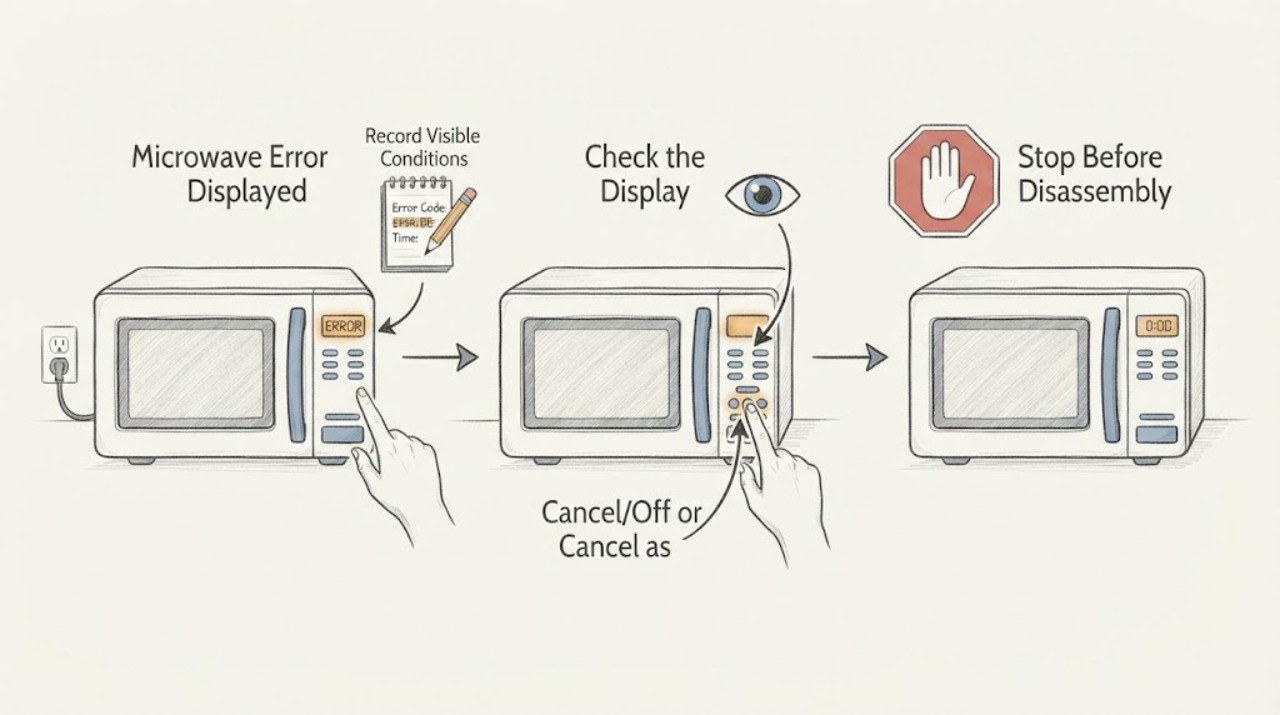
When a Whirlpool microwave displays an error, record the exact code and microwave type before acting. PF or a blinking colon usually indicates a power event, while LOC/L/padlock indicates Control Lock and needs the model-specific unlock sequence. Door messages and other codes require their matching owner guidance. A recurring code, damaged latch, smoke, sparking, or burning odor is a stop-and-service condition.
Work through in order
Diagnostic checks
Use only checks that match the exact appliance or system and its official guide.
-
Check 1
Record the exact characters, symbols, punctuation, and flashing pattern on the display, plus whether the microwave is countertop, built-in, or over-the-range. Do not guess a meaning from a partial code.
Expected result: The display shows PF/colon, LOC/L/padlock, DOOR, or another code.
Next step: Use the matching official page or exact owner manual for that model. Continue only with the applicable user-level branch.
Why this matters
Why: Whirlpool assigns different meanings and steps to specific displays and microwave types; the product class and exact code change the next action.
-
Check 2
If the display is a blinking colon or PF after power was interrupted, press Cancel/Off or Cancel as the model uses, then reset the clock if prompted.
Expected result: The display clears, returns after a new power event, or remains after Cancel.
Next step: Do not repeatedly cycle power. If the indication persists, arrange qualified electrical or appliance service.
Why this matters
Why: Whirlpool attributes this indication to a power failure or clock state; persistence can require electrical evaluation.
-
Check 3
If the display says LOC, L, or shows a padlock, check the control-lock instruction for the exact model. Whirlpool’s examples use a Cancel hold or Start hold, but the control sequence varies.
Expected result: Controls respond after the documented unlock, remain locked, or the display is a different code.
Next step: Use the exact owner manual and do not force keys. Arrange service if the lock persists without a documented setting explanation.
Why this matters
Why: Control Lock intentionally disables panel input; an unsuccessful model-specific unlock leaves the cause unresolved.
-
Check 4
For a DOOR or OPEN/CLOSE message, inspect the accessible latch area for packaging, a dish, or rack obstruction and close the door firmly. Do not defeat an interlock or operate with a damaged latch.
Expected result: The message clears after opening/closing, an obstruction is present, or the message remains.
Next step: Remove only accessible obstruction and retest once. Stop and arrange service for a damaged door, latch, or recurring message.
Why this matters
Why: Whirlpool uses door messaging to prevent unintended operation; a persistent message can involve the latch/interlock and is not an owner bypass task.
-
Check 5
For a code other than PF/colon or LOC/L, save a photo and search the exact Whirlpool Product Help code and model family. Do not replace a fuse, control, sensor, or magnetron from the code alone.
Expected result: The exact code has a model-specific user step, or no matching official page exists.
Next step: Follow one documented user step only. For an unmatched, recurring, or electrical code, disconnect/isolate only as safe and arrange service.
Why this matters
Why: A code narrows a diagnostic path but does not prove the failed component; a missing match requires the owner manual or service.
-
Check 6
After a documented lock reset for a built-in model, power down at the breaker for one minute, restore power, and monitor one minute only if the official page applies.
Expected result: The code clears and operation returns, or it returns during the one-minute monitor.
Next step: Stop repeating resets and arrange qualified service for recurrence, smoke, sparking, burning odor, or abnormal heat.
Why this matters
Why: A reset can clear a transient control state but cannot establish that a recurring fault is repaired.
Use your observations
Decision map
Find the observation that best matches what you see, then follow the next safe action.
-
PATH 01Next step
What you see
The display is PF or a blinking colon immediately after a power interruption and clears with Cancel/Off.
Do this next
Reset the clock and monitor normal operation; use electrical help if the indication returns without a power event or will not clear.
Why this path and its safety boundary
Why it matters: A recorded power event is more likely than a microwave component fault.
-
PATH 02Next step
What you see
The display is LOC/L/padlock and the panel works after the model-specific unlock.
Do this next
Use the manual’s lock procedure and monitor; seek service if the lock returns unexpectedly or cannot be changed.
Why this path and its safety boundary
Why it matters: Control Lock was enabled, so a repair is not established.
-
PATH 03Next step
What you see
A different code repeats after the applicable owner step or a one-minute reset.
Do this next
Keep the code and exact model and arrange Whirlpool service. Do not open the microwave cabinet.
Why this path and its safety boundary
Why it matters: A model-specific control, sensor, door, or supply fault is possible; the code alone is insufficient to name it.
-
PATH 04Next step
What you see
The unit has smoke, sparks, burning odor, a hot cord, damaged door/latch, or abnormal arcing.
Do this next
Stop use, isolate power only if safe, and obtain qualified service. Never defeat the door interlock.
Why this path and its safety boundary
Why it matters: This is an immediate electrical or microwave safety boundary.
Helpful context
Understand the symptom
Whirlpool Product Help separates microwave displays by code and product family. Similar-looking symbols can lead to different instructions.
A reset can clear a transient state but cannot identify a failed control or high-voltage component; never open the microwave cabinet for an owner check.
When checks do not resolve it
Need a professional?
Arrange qualified service when the owner checks do not restore normal operation or the symptom recurs. Provide the exact model, observed pattern, and any displayed code; do not infer a replacement part from the symptom alone.
Common questions
FAQ
What does PF mean on a Whirlpool microwave?
Whirlpool says a blinking colon or PF indicates a power failure or clock reset. Press Cancel/Off or Cancel and reset the clock; persistent flashing needs qualified help.
How do I clear LOC or L on a Whirlpool microwave?
LOC/L/padlock means Control Lock is enabled. The unlock key hold varies by model, so use the exact owner manual or the applicable Whirlpool page rather than forcing the panel.
Should I keep resetting a Whirlpool microwave error?
Use one documented user-level reset when the matching official guidance allows it, then monitor. A recurring or unmatched code needs service; do not open the cabinet or replace high-voltage parts.
Read the exact guide
Official sources
- Error Code - Product Help | WhirlpoolWhirlpool Corporation · Whirlpool microwave error-code index and model-specific routing.
- Flashing ":" or PF in display - Over-the-Range MicrowaveWhirlpool Corporation · Whirlpool microwave power-failure display and Cancel/Off guidance.
- Locked, Lock or Loc - Built-In MicrowaveWhirlpool Corporation · Whirlpool built-in microwave lock reset and one-minute power reset guidance.
- LOC or "L" or Padlock Icon - Over-the-Range MicrowaveWhirlpool Corporation · Whirlpool microwave control-lock display and model-specific unlock guidance.
Community feedback
Share a repair observation
Share a plain-text repair observation. Accepted observations are published automatically; this page may take a moment to update.