
On this page
Start here
Quick answer
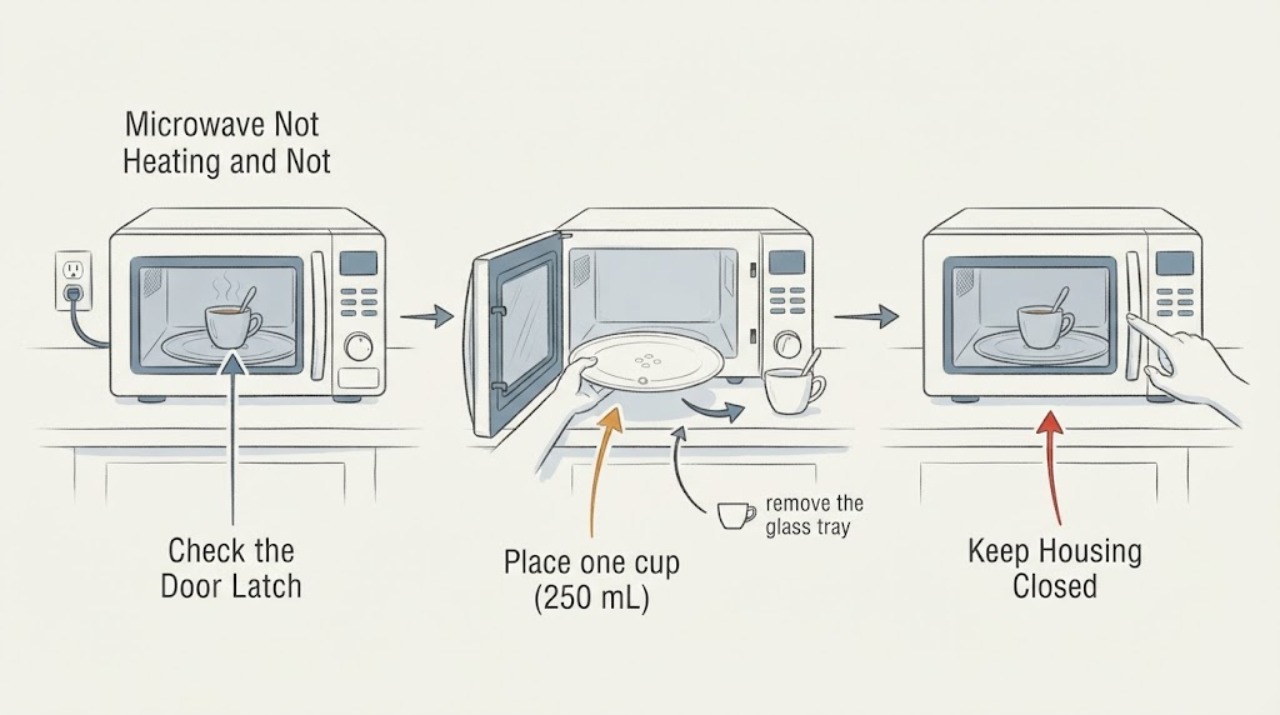
If a Whirlpool microwave runs but the water stays cold and the turntable does not rotate, separate the two symptoms before assuming one failed part. With the controls off and the cavity cool, confirm the tray is right-side up on its hub or support, clear only visible food, debris, or shipping material, and check the exact manual for a mode that intentionally disables rotation. Then place one cup of water in a microwave-safe container and run the model's documented high-power test without operating the oven empty. If the water remains cold and the turntable still does not rotate in a mode where rotation is expected, stop using the microwave and arrange qualified service; do not defeat the door interlock or open the cabinet.
Work through in order
Diagnostic checks
Use only checks that match the exact appliance or system and its official guide.
-
Check 1
With the microwave controls off and the cavity cool, note whether the display, light, fan, or timer operates, and inspect the door, hinges, latch area, and interior for visible damage or an obstruction.
Expected result: The unit runs its controls but the door is damaged, the latch does not close normally, or there is visible arcing or scorching.
Next step: Do not start another cycle when damage, arcing, smoke, or a burning odor is present; arrange qualified appliance service.
Stop if: Do not defeat the door interlock or operate a microwave with a bent or damaged door.
Why this matters
Why: Controls operating does not prove that heating is safe or that the door interlock is working. Physical damage or arcing is a stop condition, not a turntable adjustment.
-
Check 2
Place one cup (250 mL) of water in a microwave-safe container on the installed turntable and run the exact model's documented high-power test, without running the oven empty.
Expected result: The water becomes warm, stays cold, or the cycle does not start; separately note whether the turntable rotates during a mode that should allow rotation.
Next step: Use the combined water and rotation results in the branches below; repeat only a supervised test that the model manual supports.
Stop if: Stop the test for smoke, arcing, a burning odor, unusual loud noise, or a breaker that trips again.
Why this matters
Why: Warm water shows that the oven is producing heat. Cold water with a normal-looking run keeps a no-heat fault in the decision path, while a still turntable is a separate result that can have an installation or setting cause.
-
Check 3
With the controls off and the oven cool, remove the glass tray and check that it is right-side up and seated securely on the hub or support; check that the support rollers sit in the tray track and clear only visible food, debris, or shipping tape.
Expected result: The tray, hub, support, or rollers were out of position, obstructed, or visibly damaged, or they were already correctly seated and clear.
Next step: Reinstall the support and tray exactly as the model manual shows, then use one supervised water test; if the tray still does not move, stop and request service.
Stop if: Do not operate the microwave without the turntable and its support in place.
Why this matters
Why: Whirlpool identifies incorrect seating, an obstruction, or shipping material as reasons a turntable may not move or may thump. Correct seating can resolve a mechanical installation issue, but a correctly installed tray does not prove that the motor is healthy.
-
Check 4
Check the exact Whirlpool owner manual and current control panel for a Turntable On/Off or similar function, and compare the observed behavior with a cooking mode in which rotation is expected.
Expected result: The manual or panel shows that rotation was intentionally disabled for the selected manual-cooking mode, or the mode should rotate and the tray remains still.
Next step: Restore rotation only using the model-specific instructions and repeat one supervised test; if the expected mode still does not rotate, arrange qualified service rather than guessing a part.
Stop if: Do not infer a setting or button sequence from another Whirlpool model.
Why this matters
Why: Some Whirlpool models allow rotation to be turned off for larger or side-by-side dishes. If the selected mode should rotate and the tray is correctly installed, a setting or turntable mechanism remains more likely than a conclusion that the microwave cannot heat.
-
Check 5
Record the full model label, display messages, selected mode, water result, turntable result, and whether the fan or light ran after the external checks.
Expected result: The water remains cold, the turntable remains still in an expected-rotation mode, an error or door message returns, or the symptoms clear after a correct installation or setting change.
Next step: Give the recorded pattern to qualified Whirlpool service; do not order an internal component from the symptom alone.
Stop if: Do not open the cabinet or touch internal components, even after disconnecting power.
Why this matters
Why: A cleared symptom supports an accessible installation or control-mode cause. Persistent cold water together with a still turntable can involve internal heating, control, interlock, or turntable components that cannot be identified safely from outside.
Use your observations
Decision map
Find the observation that best matches what you see, then follow the next safe action.
-
PATH 01Next step
What you see
The water warms and the turntable rotates in the selected mode.
Do this next
Use the model's cooking guidance and the correct mode or power level; do not replace a component based only on the original symptom.
Why this path and its safety boundary
Why it matters: The microwave is producing heat and the turntable mechanism is operating; the original report may involve a mode, cookware, load, or expectation rather than a failed heating or drive component.
-
PATH 02Next step
What you see
The water warms, but the tray remains still after correct seating and in a mode where the manual says rotation should be on.
Do this next
Stop using the microwave if the tray cannot be restored by the visible, model-specific checks and request qualified service for the turntable system.
Why this path and its safety boundary
Why it matters: Heating is present, while a turntable setting, support, roller, hub, or motor problem remains possible. A no-rotation result alone does not establish a no-heat fault.
-
PATH 03Next step
What you see
The water stays cold, but the turntable rotates and the controls, door, and power source pass the accessible checks.
Do this next
Stop operating the microwave and schedule qualified service for persistent cold water; do not open the cabinet.
Why this path and its safety boundary
Why it matters: The turntable path is functioning, so the symptom points more toward the separate no-heat controls, supply, door-interlock, or internal heating path already described in the model guidance.
-
PATH 04Safety boundary
What you see
The water stays cold and the turntable remains still in a mode where rotation is expected, after the tray and support are correctly installed.
Do this next
Stop using the microwave, disconnect power only if safe, and arrange qualified Whirlpool appliance service.
Why this path and its safety boundary
Why it matters: The combined pattern leaves more than one internal possibility, including heating, control, interlock, or turntable components. The observations are useful for service, but they do not identify a safe user-replaceable part.
Safety stop: Do not bypass the interlock, test live voltage, or open the cabinet.
-
PATH 05Next step
What you see
The microwave sparks, smokes, smells burnt, has a damaged door or interior, or trips the breaker again.
Do this next
Stop immediately, disconnect power only if this can be done safely without touching damage, and contact qualified appliance or electrical service.
Why this path and its safety boundary
Why it matters: This is an immediate electrical, fire, or microwave-energy safety concern beyond symptom-level troubleshooting.
Helpful context
Understand the symptom
First separate heating from turntable movement
The light, timer, or fan can run while the water stays cold, and some Whirlpool models can have the turntable function disabled for a manual-cooking mode. Treat the water result and the rotation result as separate observations.
Do not run the microwave empty
Keep the turntable and its support installed during any supervised test. Stop immediately for arcing, smoke, a burning smell, a damaged door, or a repeated breaker trip.
Only after diagnosis
Potential parts
- turntable support, hub, or roller assembly
Only after the exact model manual identifies the assembly and a visible seating, obstruction, or damage check supports that class; do not infer fit from the symptom alone.
When checks do not resolve it
Need a professional?
Call qualified Whirlpool appliance service when cold water persists after the documented external checks, when the turntable still does not rotate in an expected-rotation mode, or when a door, latch, interior, control, or repeated error issue is present. Do not open the cabinet or bypass an interlock.
Common questions
FAQ
Can a Whirlpool microwave heat if the turntable is not rotating?
It can produce heat while the tray is still, but some models or manual-cooking modes intentionally disable rotation. Verify the exact mode and tray installation; if the manual expects rotation and the tray remains still, stop using it and arrange service rather than assuming the heating system is the cause.
Should I keep using the microwave with the turntable removed?
No. Whirlpool's guidance says to keep the turntable and its support in place during operation. Reinstall them as the model manual describes before any supervised test.
Read the exact guide
Official sources
- Turntable Not Working - Over-the-Range MicrowaveWhirlpool Product Help · Whirlpool over-the-range microwaves; turntable On/Off availability varies by model
- Microwave Turntable Not Working - Countertop MicrowaveWhirlpool Product Help · Whirlpool countertop microwaves; use the exact model manual for model-specific controls
- Owner's ManualWhirlpool Brand Home Appliances · Whirlpool microwave owner manual covering several models; exact model manual controls
- Why Is My Microwave Plate Not Spinning?Whirlpool · General Whirlpool microwave guidance; confirm controls and parts against the exact model
- Thumping or Rumbling Noises - Over-the-Range MicrowaveWhirlpool Product Help · Whirlpool over-the-range microwaves when turntable support or rollers are suspected
Community feedback
Share a repair observation
Share a plain-text repair observation. Accepted observations are published automatically; this page may take a moment to update.