
On this page
Start here
Quick answer
If a Whirlpool microwave is completely dark, check the direct wall outlet and breaker/fuse once, then use Whirlpool's one-minute power reset when the model guidance allows it. If the display is lit but START does nothing, check Control Lock, Timer, Stop/Unlock, Demo mode, and the door closure. These checks differ by countertop, built-in, and over-the-range architecture. If power returns only briefly, the breaker trips again, the door will not latch, or the unit remains dead on a live outlet, stop and arrange service.
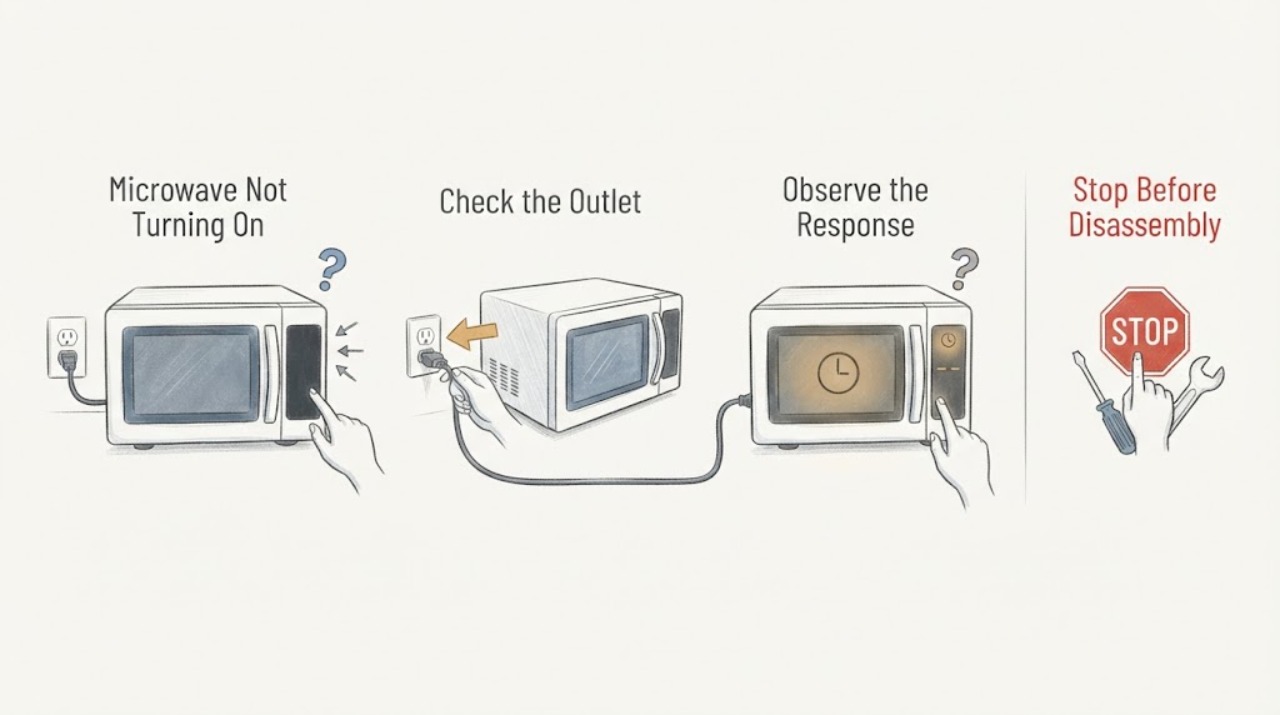
Work through in order
Diagnostic checks
Use only checks that match the exact appliance or system and its official guide.
-
Check 1
With the cord and area dry, verify the microwave is plugged directly into an operational wall outlet. Test the outlet with a known-working small appliance only when accessible, and check the breaker/fuse once.
Expected result: The outlet is dead, the display returns, or the microwave remains dark on a live outlet.
Next step: Do not keep resetting a breaker; arrange electrician/service for repeat trips or a dead unit.
Why this matters
Why: A dead outlet or tripped breaker supports an external supply issue. A live outlet with no display points to the microwave's internal power path.
-
Check 2
For a safe one-time reset, turn the microwave circuit breaker off for one minute, restore it, and watch the display for one minute as Whirlpool directs for built-in units.
Expected result: The display returns and stays normal, an error returns, or the panel remains blank.
Next step: Stop repeated resets and record the code for service.
Why this matters
Why: A stable return supports a transient control state. A returning error or blank panel needs diagnosis.
-
Check 3
If the display is lit, check Control Lock, Timer, Stop/Unlock, Demo mode, and the door closure according to the exact product type. Open and close the door once before trying START if a door message is shown.
Expected result: A lock/timer/demo state clears, the door message clears, or START remains unresponsive.
Next step: Do not bypass the door interlock; request service if controls or latch remain unresponsive.
Why this matters
Why: A control state or door interlock can prevent operation while power remains present. Persistent no-start shifts to latch/control diagnosis.
-
Check 4
After one power/control correction, run the model-approved basic test only if the unit is intact and no safety symptom is present; stop immediately for sparks, smoke, burning odor, or abnormal noise.
Expected result: The microwave operates normally, remains unable to start, or power trips.
Next step: Leave it off and contact Whirlpool service with product type, model, display behavior, and reset result.
Why this matters
Why: Successful operation supports a supply/control state. No-start or power trip after correction indicates an internal fault.
Use your observations
Decision map
Find the observation that best matches what you see, then follow the next safe action.
-
PATH 01Next step
What you see
The display returns after the outlet or one-minute breaker reset and stays normal.
Do this next
Monitor one normal operation and investigate any recurring power loss.
Why this path and its safety boundary
Why it matters: External power or a transient control condition was more likely.
-
PATH 02Next step
What you see
The display is lit but Control Lock, Timer, Demo, Stop/Unlock, or a door message is active and clears after the documented correction.
Do this next
Use the matching manual and monitor the next use.
Why this path and its safety boundary
Why it matters: A user-selected state or door-closure interlock was the leading cause.
-
PATH 03Next step
What you see
The outlet is live, the panel stays dark, or the same error/power trip returns.
Do this next
Stop using the microwave and arrange qualified service.
Why this path and its safety boundary
Why it matters: An internal power, control, or protection fault is more likely.
Helpful context
Understand the symptom
Separate no display from no cooking. Record whether the fan, light, turntable, and display work, and whether a door or lock message appears. Do not remove the outer cover; microwave high-voltage parts can remain hazardous.
Whirlpool guidance differs by product type. Identify countertop, built-in, or over-the-range and use that model manual before resetting or testing.
Only after diagnosis
Potential parts
- door latch/interlock
Consider only when the door fails to close/latch and service confirms the exact model part.
Not-turning-on alone does not establish latch fit. - control board or line fuse
Consider only after qualified service identifies an internal power/control fault.
Do not open a microwave or order high-voltage parts from the symptom alone.
When checks do not resolve it
Need a professional?
Contact Whirlpool service when the unit stays dark on a verified live outlet, a one-minute reset does not hold, the door will not latch, or a control/power fault requires opening the appliance. Provide model, product type, display, outlet/breaker result, and codes.
Common questions
FAQ
Why is my Whirlpool microwave dark if the breaker is on?
Verify the outlet with a small appliance if safe, then perform one model-appropriate power reset. A live outlet with a dark microwave needs service.
Could Control Lock make it seem dead?
Yes. Whirlpool says Control Lock disables the control pads; a lit display with no response should be checked for lock, timer, Demo, Stop/Unlock, and door state.
Can I replace the fuse myself?
Do not open the microwave to reach a fuse. A returning fuse failure or power fault requires qualified service because internal high-voltage components are hazardous.
Read the exact guide
Official sources
- Microwave is Not Starting or Operating - Countertop MicrowaveWhirlpool · Official Whirlpool countertop microwave guidance; use the matching product type.
- No Power - Not Operating - Built-In MicrowaveWhirlpool · Official Whirlpool built-in microwave guidance; countertop/over-range controls vary.
Community feedback
Share a repair observation
Share a plain-text repair observation. Accepted observations are published automatically; this page may take a moment to update.