
On this page
Start here
Quick answer
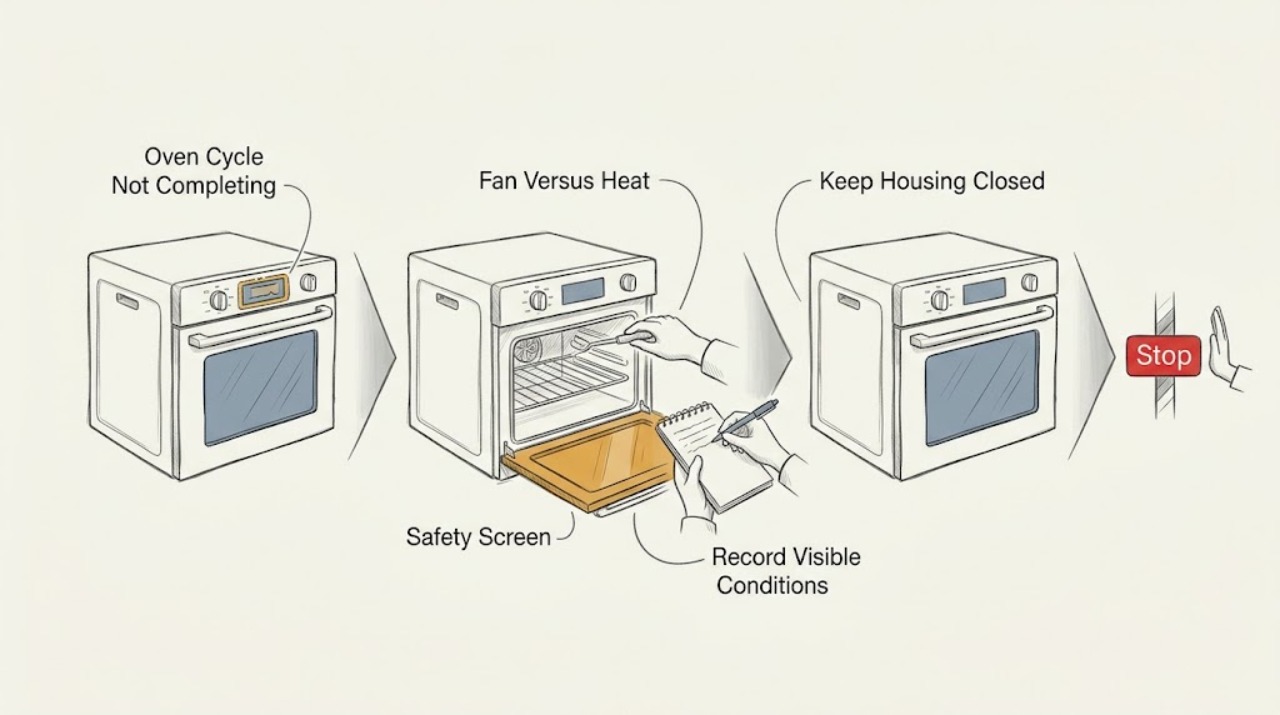
A Whirlpool oven cycle that does not complete must first be separated into a normal cooling fan, a timed or delayed cycle, a self-clean cool-down, a control or error state, and a genuine failure to heat or stop. Record the mode, display, stage, temperature setting, door state, and what the oven is doing now. A cooling fan can continue after cooking, while a self-clean door can remain locked until the oven cools. If heating continues after Cancel/Off, the controls do not respond, there is smoke, an abnormal flame or gas odor, carbon-monoxide concern, arcing, scorching, or a repeated electrical trip, stop using the oven and obtain qualified or emergency help. Do not force the door, reach into a hot cavity, open panels, or attempt internal repair.
Work through in order
Diagnostic checks
Use only checks that match the exact appliance or system and its official guide.
-
Check 1
Stop interacting with the oven and observe from a safe position at the display, door, vent, controls, floor, and surrounding cabinets.
Expected result: Record smoke, burning odor, gas odor, abnormal flame, carbon-monoxide alarm or symptoms, arcing, scorching, unusual heat, a hot control area, damaged cord, or a repeated electrical trip.
Next step: If any sign is present, stop using the oven, keep clear, leave if a fuel or smoke hazard exists, and obtain appropriate emergency or qualified help. Otherwise continue only with the oven in a safe, stable state.
Stop if: Do not relight a burner, touch hot surfaces, open panels, force the door, or run another cycle after a safety symptom.
Why this matters
Why: These signs change an incomplete-cycle problem into a fire, fuel, combustion, burn, or electrical hazard.
-
Check 2
Write down the selected function, set temperature, timer or delay setting, display text or code, door state, and the stage where the cycle stopped.
Expected result: Preheat, timed cooking, keep-warm, self-clean, cooling, delay, Sabbath or demo behavior can look like a stalled cycle but require different model-specific decisions.
Next step: Use the exact Whirlpool manual for that mode and preserve the exact code or display before clearing it.
Stop if: Do not enter hidden diagnostic modes, guess at a code, or keep changing settings while the oven is hot or uncontrolled.
Why this matters
Why: The stage is evidence about whether the control is waiting, the oven is cooling, or a heating, door, or control fault has interrupted the sequence.
-
Check 3
After the selected cycle has been canceled or ended, note whether the remaining activity is fan noise and warm vent air or whether the cavity continues actively heating.
Expected result: Whirlpool says a cooling fan may continue for several minutes after BAKE, BROIL, or CLEAN; continued heat, smoke, or an element or burner that does not stop is a different condition.
Next step: For fan-only cooling with no warning sign, allow the oven to cool and consult the manual. For continued heating or any hazard, keep clear and arrange qualified service.
Stop if: Do not reach through the door, obstruct the vent, or repeatedly start and cancel cycles to test the difference.
Why this matters
Why: A run-on cooling fan can be normal, but uncontrolled heat indicates a control, relay, temperature, or fuel-system fault.
-
Check 4
When the oven is cool and no hazard is present, check the visible timer, delay, keep-warm, Sabbath, demo, and control-lock indicators against the exact model manual.
Expected result: A delay or special mode can defer or change completion behavior; Control Lock can prevent commands; Demo Mode can prevent heating on applicable models.
Next step: Cancel the unintended mode or unlock the control only with the model's documented user command, then stop if the cycle still does not complete.
Stop if: Do not force controls, bypass a lock, or use a different model's button combination.
Why this matters
Why: The oven may be following a selected state rather than failing mechanically, but only the model documentation identifies the button sequence.
-
Check 5
If the cycle was Self-Clean, leave the door closed while the oven cools and observe whether the lock indicator clears after the documented cycle ends.
Expected result: Whirlpool says the door locks during Self-Clean and unlocks after the cycle completes and the oven cools; an interrupted cycle can leave a latch or error state.
Next step: Use the exact model's Cancel/Off or one-time power-reset instruction only after the oven is safe; arrange service for a persistent latch or heating state.
Stop if: Do not pry, pull, insert tools, reach inside, or open the door while it is hot or locked.
Why this matters
Why: A locked hot door is expected during part of Self-Clean, while a latch that remains locked when cool or a cycle that never ends needs service.
-
Check 6
Once cool, observe whether the door closes fully without force and whether a rack, bakeware, debris, or visible gasket displacement prevents the latch from engaging.
Expected result: A door that cannot close or latch can stop a cooking or cleaning function; a door that looks closed but remains locked or leaves the cycle incomplete suggests a latch, sensor, or control issue.
Next step: Remove only loose, visible interference when the oven is cool; use the manual's door guidance and arrange service if alignment, latch, or lock behavior persists.
Stop if: Do not bend the door, remove hinges, force a latch, or operate the oven with a damaged seal or door.
Why this matters
Why: The door interlock is a safety prerequisite and is not something to bypass when a cycle is stuck.
-
Check 7
From a dry, safe position, note whether the display is blank, frozen, flashing an F-code, or responding normally to the visible Cancel/Off control.
Expected result: A power interruption can reset the clock or create a fault display; Whirlpool documents F9 or F9 E0 after certain power-supply events on applicable models, while a returning code indicates service.
Next step: Record the display and use the model's documented Cancel/Off or single safe power-reset procedure only when no hazard is present; arrange service for a recurring code or unresponsive control.
Stop if: Do not repeatedly cycle power, touch wiring, remove a cover, or reset after smoke, arcing, overheating, or a repeated trip.
Why this matters
Why: The control state may explain why a cycle did not complete, but it does not identify an internal part without the exact model diagnosis.
-
Check 8
For a non-self-clean cycle with no hazard, compare the observed stage with the model instructions: confirm the intended Bake or Broil function, set temperature, and whether preheating is required.
Expected result: Whirlpool notes that not all cycles require preheating and that higher temperatures take longer; a cycle that never reaches the expected stage, repeatedly resets, or produces no heat is not resolved by waiting indefinitely.
Next step: Use the manual for the exact model and fuel type; arrange qualified service if the cycle remains incomplete or heat behavior is abnormal.
Stop if: Do not remove an element or igniter, test live circuits, inspect gas parts, or keep cooking while the oven is overheating or producing smoke.
Why this matters
Why: A selected function or expected preheat behavior can explain a delay, while persistent failure to heat can involve the supply, element, igniter, sensor, or control.
-
Check 9
Confirm the oven's fuel configuration from the rating information or manual without pulling the appliance out or opening a panel.
Expected result: Electric models use an electrical heating path; gas models add ignition, burner, combustion, and fuel-supply conditions. A generic heating step is not valid for both.
Next step: Give the fuel type, model number, cycle stage, and display to qualified appliance service when the cause is not resolved by the manual's external checks.
Stop if: Do not light, relight, adjust, disconnect, or leak-test a gas component; do not open electrical covers.
Why this matters
Why: Fuel type determines which service evidence is relevant and whether a gas odor or flame observation is an emergency.
-
Check 10
Prepare a service record with the complete Whirlpool model number, fuel type, cycle and timer settings, display, door and lock state, heat or fan behavior, power history, and all safety observations.
Expected result: A precise record shows whether the issue is normal cooling, an interrupted self-clean or control state, a preheat or supply problem, a door interlock, or uncontrolled heating.
Next step: Keep the oven out of service when the cycle remains incomplete, the cause is unexplained, or any safety symptom occurred, and arrange qualified service.
Stop if: Do not order or replace a control, sensor, element, igniter, latch, or fuse solely from the phrase cycle not completing.
Why this matters
Why: The technician can choose a model-appropriate inspection without the homeowner opening the oven or trying to prove an internal fault.
Use your observations
Decision map
Find the observation that best matches what you see, then follow the next safe action.
-
PATH 01Safety boundary
What you see
Smoke, burning odor, gas odor, abnormal flame, carbon-monoxide concern, arcing, scorching, unusual heat, or a repeated electrical trip occurs.
Do this next
Stop using it, keep clear, leave for a fuel or smoke emergency, and obtain appropriate emergency or qualified help; do not reuse until cleared.
Why this path and its safety boundary
Why it matters: The oven may present a fire, fuel, combustion, burn, or electrical hazard.
Safety stop: Do not relight, reset repeatedly, touch hot parts, or remain nearby to diagnose.
-
PATH 02Safety boundary
What you see
The cooking function has ended and only the cooling fan or warm vent air remains, with no abnormal heat or safety symptom.
Do this next
Allow normal cooling and consult the manual if the fan does not stop as expected or another symptom appears.
Why this path and its safety boundary
Why it matters: Whirlpool says the fan may continue for several minutes to cool the oven and electronic controls.
Safety stop: Stop for smoke, burning odor, uncontrolled heat, or damage around the vent.
-
PATH 03Safety boundary
What you see
The oven is in or has just completed Self-Clean and the door remains locked while the cavity is hot.
Do this next
Keep the door closed and follow the exact model's cool-down and Cancel/Off guidance; arrange service if it stays locked when cool.
Why this path and its safety boundary
Why it matters: The lock is a normal safety state until the self-clean function completes and the oven cools.
Safety stop: Do not force, pry, or tool the door or latch.
-
PATH 04Safety boundary
What you see
A delay, timer, Sabbath, keep-warm, or other special state is visible and there is no safety symptom.
Do this next
Use the exact model manual to cancel or change that state once, then service the oven if the cycle still does not complete.
Why this path and its safety boundary
Why it matters: The control may be following a selected schedule or operating rule rather than being frozen.
Safety stop: Do not guess a button sequence or repeatedly change modes while the oven is hot.
-
PATH 05Safety boundary
What you see
Control Lock is shown, the panel ignores commands, or Demo Mode is shown on a model that supports it.
Do this next
Use only the model's documented unlock or Demo Mode exit procedure; arrange service if the panel remains unresponsive.
Why this path and its safety boundary
Why it matters: The control may intentionally reject commands or heating rather than completing a normal cycle.
Safety stop: Do not bypass the lock, open the console, or alter wiring.
-
PATH 06Safety boundary
What you see
The door cannot close or latch normally, or remains locked after the oven is cool and the cycle has ended.
Do this next
Keep the oven off and arrange qualified appliance service after recording the door and lock behavior.
Why this path and its safety boundary
Why it matters: A door, latch, sensor, or control state can prevent completion or safe release.
Safety stop: Do not force the door, remove hinges, bypass the interlock, or operate with a damaged seal.
-
PATH 07Safety boundary
What you see
An F-code, fault message, frozen display, or control error returns after the model-authorized single reset.
Do this next
Keep the oven out of service and provide the exact code, model, cycle stage, and power history to qualified service.
Why this path and its safety boundary
Why it matters: The control has detected a persistent fault or power-related condition that needs model-specific diagnosis.
Safety stop: Do not repeatedly reset, enter diagnostics, or replace a control from the code alone.
-
PATH 08Safety boundary
What you see
The oven is in an ordinary cooking mode, the set temperature is appropriate, and it remains in preheat or does not heat as expected.
Do this next
Use the exact model and fuel-type guidance, then arrange qualified appliance service for persistent no-heat or incomplete-cycle behavior.
Why this path and its safety boundary
Why it matters: Function selection, power or fuel supply, a door issue, heating element, igniter, sensor, or control may be involved; the cause cannot be safely separated by internal testing.
Safety stop: Do not remove panels, test live components, inspect a burner, or continue cooking if there is smoke, gas odor, overheating, or arcing.
-
PATH 09Safety boundary
What you see
Heat continues after Cancel/Off, the element or burner does not stop, or the oven is overheating.
Do this next
Stop using the oven and arrange qualified service; isolate power only through a safe, accessible method if the situation permits and never open the appliance.
Why this path and its safety boundary
Why it matters: This is not normal fan run-on and may indicate an unsafe control, relay, sensor, or fuel-system condition.
Safety stop: Do not keep testing, touch the cavity or element, or attempt an internal repair.
-
PATH 10Safety boundary
What you see
The cycle completes after a documented one-time user reset, with no safety sign and no recurrence.
Do this next
Monitor normal use without deliberately recreating the failure and arrange service if the incomplete cycle, code, lock, or abnormal heat returns.
Why this path and its safety boundary
Why it matters: A transient control or power state is possible, but a reset does not prove the oven is free of an intermittent fault.
Safety stop: Do not repeat resets or continue use after smoke, gas odor, overheating, arcing, or a trip.
Helpful context
Understand the symptom
Identify where the cycle stopped
Cycle not completing can describe a timer that never reaches zero, an oven that stays in preheat, a display that freezes, a self-clean door that remains locked, or a fan that keeps running after the heat ends. Record the exact mode and display before changing settings. The right next step depends on whether heat is still being produced, the cavity is cooling normally, or the control has detected a fault.
A fan is different from uncontrolled heating
Whirlpool says a cooling fan may run for several minutes after BAKE, BROIL, or CLEAN to cool the cavity and electronic controls. Warm air or fan noise after a completed cycle can therefore be normal. A cavity that continues to heat, an element that stays energized, a burner that does not stop, smoke, or a control that will not respond is not the same observation and needs the safe stop path.
Self-clean and door-lock states need cooling time
During self-clean, Whirlpool locks the door and keeps it locked until the cycle has finished and the oven has cooled. The manual warns not to force a locked door. If a self-clean cycle was interrupted or a latch remains stuck after the oven is cool, use only the exact model's Cancel/Off and power-reset guidance once; persistent lock behavior belongs with service.
Fuel type and model determine the heating branch
An electric oven may have a heating-element or supply issue; a gas model has an ignition and combustion path. Do not assume a gas procedure applies to an electric oven, or that a displayed code has the same meaning across Whirlpool models. Use the complete model number and the exact manual for the mode, control, door, and error behavior.
Safety boundary
Stop conditions
- Stop immediately for smoke, burning odor, gas odor, abnormal flame, carbon-monoxide concern, arcing, scorching, unusual heat, or a repeated electrical trip.
- Do not force a hot or locked door, reach into a hot cavity, remove hinges, bypass an interlock, or operate with a damaged door or seal.
- Do not open panels, touch wiring, test live circuits, inspect gas parts, relight a burner, or attempt an internal repair.
- Do not repeatedly reset power, run cycles to reproduce an uncontrolled heating fault, or continue cooking when heat does not stop after Cancel/Off.
- Do not infer a failed part from a timer, display code, long preheat, fan run-on, or the phrase cycle not completing without the exact model diagnosis.
Only after diagnosis
Potential parts
- control board or relay
Consider only after qualified diagnosis shows that a control or relay is keeping a cycle from advancing or heat from stopping.
Controls are model- and revision-specific; confirm the complete model and diagnosis before selecting a component. - temperature sensor
Consider only when the exact model diagnosis links persistent preheat, temperature, or completion behavior to the sensor.
Sensor fit and calibration depend on the model; do not choose one from long preheat alone. - heating element or gas ignition assembly
Consider only after the fuel type and qualified testing identify a failed electric element or gas ignition path as the cause of incomplete heating.
Electric and gas heating systems are not interchangeable; confirm the exact model and qualified service requirements. - door latch or interlock
Consider only if the cool door cannot latch or release and qualified diagnosis identifies the interlock or latch as the failed component.
Latch assemblies vary by model and self-clean configuration; never bypass the safety interlock.
When checks do not resolve it
Need a professional?
Arrange qualified Whirlpool or appliance service when a cycle remains incomplete after safe model-specific checks, a door stays locked when cool, a control or code returns, preheat never completes, or heating continues after Cancel/Off. Use emergency or appropriate fuel-safety help first for gas odor, smoke, abnormal flame, carbon-monoxide concern, arcing, or fire.
Common questions
FAQ
Why does my Whirlpool oven cycle never finish?
Record the mode, stage, display, timer or delay, door state, and whether heat or only the cooling fan remains. A normal fan can run after a cycle, while a locked hot self-clean door can need cool-down. Persistent preheat, a returning code, a stuck cool door, or heat that continues after Cancel/Off needs qualified service.
Is it normal for a Whirlpool oven fan to keep running after the cycle?
Yes, Whirlpool says the cooling fan can run for several minutes after BAKE, BROIL, or CLEAN to cool the cavity and electronic controls. Fan noise and warm vent air are different from active uncontrolled heating, smoke, or an element or burner that stays on.
Why is my Whirlpool oven door still locked after a cycle?
If Self-Clean was used, Whirlpool says the door remains locked until the cycle is complete and the oven cools. Do not force it. If the door stays locked when cool or the latch is stuck, use only the exact model's Cancel/Off guidance once and arrange service.
Should I reset the breaker when my Whirlpool oven cycle is stuck?
Only when the oven is cool or otherwise safe, no warning sign is present, and the exact Whirlpool model guidance authorizes a one-time power reset. Record the display first. A returning code, repeated trip, smoke, odor, overheating, or arcing requires service rather than repeated resets.
What if my Whirlpool oven keeps heating after I press Cancel?
Treat continued heating as different from normal fan run-on. Stop using the oven and arrange qualified service. Do not touch the cavity or element, open panels, test wiring, relight a gas burner, or keep running cycles to reproduce the problem.
Read the exact guide
Official sources
- Feature Not Available or Fault Detected - Wall OvenWhirlpool · Whirlpool wall ovens showing the described fault message; exact model controls the available command
- Owner's Manual W11508845Whirlpool · The manual's identified Whirlpool oven model family; use the manual matching the installed appliance
- Oven Not Shutting OffWhirlpool · Whirlpool ranges with the described cooling-fan behavior; exact model controls operation
- Bake Cycle Not Working - Wall OvenWhirlpool · Whirlpool wall ovens and ranges with the applicable controls; exact model determines behavior
- Oven Door Locked - Wall OvenWhirlpool · Whirlpool wall ovens with the applicable self-clean and latch configuration
Community feedback
Share a repair observation
Share a plain-text repair observation. Accepted observations are published automatically; this page may take a moment to update.