
On this page
Start here
Quick answer
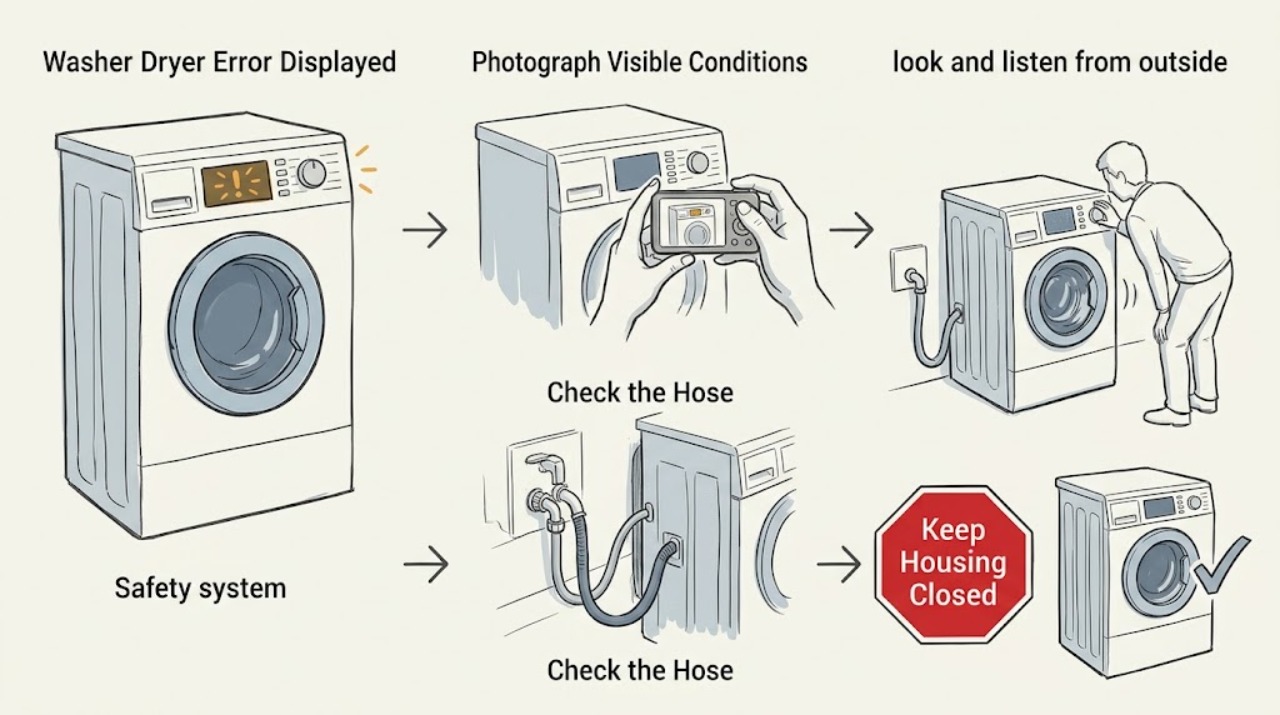
When a Whirlpool washer dryer displays an error, photograph or write down the exact code, the model number, and whether it appeared during washing or drying before clearing anything. Use the owner's manual or Whirlpool's code page for that exact model; do not guess from a similar-looking code. Check only accessible water, drain, door, lint, and power conditions. A single manufacturer-directed reset can clear a transient control state, but a returning code is a diagnostic result, not a reason to keep resetting. Stop immediately for leaking water, smoke, burning smell, sparks, overheating, or repeated breaker trips, and arrange qualified service.
Work through in order
Diagnostic checks
Use only checks that match the exact appliance or system and its official guide.
-
Check 1
Photograph or write down the complete display, the cycle phase, and the model number from the appliance label before pressing Power or changing settings.
Expected result: The code is a known status such as PF, a wash-side code such as F8E1 or F9E1, a dry-side code such as AF, F4E3, or L2, or an unknown/partially visible code.
Next step: Open the owner manual or the Whirlpool error-code page for the exact model and follow only the matching entry. If the code remains unknown, preserve the photo and contact qualified service rather than guessing.
Stop if: Do not keep restarting a machine whose display is accompanied by smoke, burning smell, sparks, overheating, leaking water, or repeated breaker trips.
Why this matters
Why: The exact code and side determine which official guidance applies; an incomplete or guessed code cannot safely identify a failed part.
-
Check 2
Before any code-specific check, look and listen from outside for leaking water, a hot or scorched odor, smoke, sparks, unusual heat, a damaged cord, or a breaker that trips again.
Expected result: A hazard is present, or the cabinet and surrounding floor are dry with no visible electrical or heat warning.
Next step: If safe, stop the cycle and isolate power without touching wet electrical areas; leave repair to qualified help. If no hazard is present, continue with the side-specific check while keeping hands and tools outside the cabinet.
Stop if: Never bypass a door lock, test live wiring, open the control cabinet, or continue operation after smoke, sparks, burning smell, or repeated trips.
Why this matters
Why: A hazard makes troubleshooting unsafe and can indicate a fault beyond a user reset; no hazard permits only the low-risk external checks below.
-
Check 3
If the code appeared during washing, check the cold and hot supply valves as the model requires, confirm accessible inlet hoses are not kinked, and check the visible drain hose for an obstruction or incorrect routing without pulling on a full or locked machine.
Expected result: The water supply is closed or restricted, an inlet hose is kinked, the washer retains water, or the visible drain path is obstructed; alternatively, water supply and drain observations are normal.
Next step: Correct only the accessible valve, hose, or routing issue described by the exact manual and run one appropriate test. If water remains, the code returns, or the door is locked with a full tub, stop and arrange service.
Stop if: Close the water valves and stop if a hose or connection leaks; do not force the door or dismantle the pump area with water inside.
Why this matters
Why: Whirlpool associates F8E1 with no detected water flow and F9E1 with slow or absent draining; a normal external path shifts suspicion toward a sensor, pump, valve, or control issue.
-
Check 4
If the code appeared during drying, clean the accessible lint filter and inspect the visible vent path for crushing, kinks, or blockage; check the household supply only from safe external points.
Expected result: The filter or vent is restricted, the code is AF or F4E3, the code is L2, the code is PF, or an F-and-E code keeps alternating.
Next step: Clear only accessible lint and vent restrictions, or follow the exact model's safe power-failure step for PF. For L2, a persistent code, a hot cabinet, or an alternating F-and-E code, stop and use qualified electrical or appliance service.
Stop if: Do not run the dryer with a burning smell, smoke, sparks, abnormal heat, or a vent that cannot be safely cleared.
Why this matters
Why: Whirlpool maps AF/F4E3 to restricted airflow, L2 to low or no line voltage, PF to an interrupted drying cycle, and alternating F-and-E codes to a dryer control problem requiring service.
-
Check 5
Perform no more than one manufacturer-directed reset: only after recording the code, confirming there is no hazard, and confirming the exact code page or manual permits a reset.
Expected result: The display clears and the machine completes an appropriate short test, or the same code returns/another code appears.
Next step: For the Whirlpool F1E4 or F0E3 guidance that permits it, unplug for at least five minutes, reconnect, and make one controlled attempt. If unsuccessful or if the code returns, retain the code history and arrange service.
Stop if: Do not reset again after a failed reset or use a reset to continue a hazardous cycle.
Why this matters
Why: A cleared display may represent a transient interruption; a returning or changed code is evidence that the underlying condition remains and should not be masked by repeated resets.
-
Check 6
Prepare the model number, complete code, cycle phase, load condition, water level, recent power interruption, and what happened after the one allowed check for the service technician.
Expected result: The error is persistent, the exact model page has no matching user step, or the machine has a control, sensor, heater, motor, pump, or door-lock symptom.
Next step: Stop using the affected cycle and arrange qualified appliance service. Follow the technician's safety instructions and do not supply guessed part information.
Stop if: Keep the appliance isolated when a hazard is present until qualified help confirms it is safe.
Why this matters
Why: These faults require model-specific electrical and mechanical diagnosis; the display alone does not identify a safely replaceable part.
Use your observations
Decision map
Find the observation that best matches what you see, then follow the next safe action.
-
PATH 01Next step
What you see
The display is accompanied by a leak, smoke, burning smell, sparks, overheating, damaged cord, or repeated breaker trips.
Do this next
Stop the cycle and, if safe, isolate power away from wet areas; do not restart or open the machine. Obtain qualified appliance or electrical help.
-
PATH 02Next step
What you see
The code appeared during washing and is F8E1 or a similar no-water-flow indication.
Do this next
Check that the required supply valves are open and inlet hoses are not kinked. If the code persists, call for service rather than guessing at a valve or sensor.
-
PATH 03Next step
What you see
The code appeared during washing and is F9E1 or the machine is retaining water.
Do this next
Check the accessible drain hose and the exact manual's maintenance steps; if the tub remains full, a drain part is blocked, or the code returns, stop and arrange service.
-
PATH 04Next step
What you see
The code appeared during washing and identifies excess suds or an over-temperature wash condition.
Do this next
For excess suds, allow the documented reduction routine to finish and use the exact detergent guidance. For an over-temperature wash code, verify the specified cold-water connection; persistent codes need service.
-
PATH 05Next step
What you see
The code appeared during drying as PF, AF/F4E3, L2, or an alternating F-and-E code.
Do this next
Treat PF as an interrupted cycle and use the documented restart step once; clear accessible airflow restrictions for AF/F4E3; use qualified electrical help for persistent L2; and arrange service for an alternating F-and-E code.
-
PATH 06Next step
What you see
The code is not visible, does not match the exact model's manual, or returns after the permitted single reset.
Do this next
Do not infer the code or replace a part. Preserve the display photo and arrange model-specific qualified service.
Helpful context
Understand the symptom
Start with the exact display and machine side
Codes are not interchangeable across Whirlpool washer-dryer models. Record every character, including a leading F, a space, a letter-number combination, or a status such as PF, and note whether the machine was washing, draining, or drying. Photograph the display before pressing Power. Then locate the model-specific owner manual; Whirlpool's general error-code pages are useful examples, but they do not replace the manual for an unlisted code or different model.
Wash-side clues
On Whirlpool all-in-one washer-dryer pages, F8E1 means no water flow was detected and calls for checking the supply, open valve, and kinked inlet hose. F9E1 points to a drain problem and calls for checking the accessible drain path according to the installation and maintenance instructions. F0E2 identifies excess suds, while F0E4 identifies wash water that is too hot and directs attention to the cold-water connection. These meanings are examples tied to the cited Whirlpool pages, not a universal code chart.
Dry-side clues and a limited reset
For the drying side, Whirlpool identifies PF as a power-failure interruption, AF or F4E3 as restricted airflow, L2 as low or no line voltage, and an alternating F-and-E code as a control problem requiring service. Whirlpool's F1E4 and F0E3 pages describe unplugging for at least five minutes and reconnecting as a reset for those specific situations. Use that reset only when the exact code guidance permits it and no hazard is present; if the code returns, stop repeating the cycle and arrange service.
When the code is not a user-level fix
A code that returns after the permitted check or one reset needs the exact model, code, cycle, and observed symptoms for diagnosis. Do not bypass a door lock, make live electrical measurements, remove panels, or work inside the heater, motor, pump, or control area. Leaks, overheating, fuel or burning odors, sparks, smoke, and repeated trips take priority over code clearing: stop using the machine and obtain qualified appliance or electrical help.
Common questions
FAQ
Should I reset a Whirlpool washer dryer as soon as an error appears?
First record the exact code and model. Reset only once when the exact Whirlpool page or manual permits it and no hazard is present; a returning code means the underlying condition still needs diagnosis.
What does F8E1 mean on a Whirlpool all-in-one washer dryer?
Whirlpool describes F8E1 as no detected water flow. Check the required water supply, open valve, and kinked inlet hose from accessible points; if the code persists, arrange service.
What should I do when a drying code says AF, F4E3, L2, or PF?
Whirlpool associates AF/F4E3 with restricted airflow, L2 with low or no line voltage, and PF with an interrupted power event. Clear only accessible airflow restrictions, use the documented PF restart once, and obtain qualified electrical or appliance help for persistent L2 or an unresolved code.
Can I diagnose an unknown Whirlpool washer-dryer code from a similar code online?
No. Record the complete display and model number, then use the exact manual or Whirlpool entry for that model. Do not infer a part or keep resetting an unlisted code; arrange qualified service if it persists.
Read the exact guide
Official sources
- F9E1 - Error Code - All-In-One Washer DryerWhirlpool Product Help · Specific F9E1 example: slow or absent draining and accessible drain-pump, bellows, and hose checks subject to the exact manual.
- Error CodesWhirlpool Product Help · Use as Whirlpool's official entry point for all-in-one washer-dryer error-code topics; exact model documentation controls.
- F0E3 - Error Code - All-In-One Washer DryerWhirlpool Product Help · Specific F0E3 example: dry-cycle temperature too hot, correct cycle selection, and one documented reset before service.
- F1E4 - Error Code - All-In-One Washer DryerWhirlpool Product Help · Specific F1E4 example: Whirlpool states the code may indicate a main relay problem and documents one reset followed by service if unsuccessful.
- F0E2 - Error Code - All-In-One Washer DryerWhirlpool Product Help · Specific F0E2 example: excess suds and Whirlpool's documented cycle and detergent guidance.
- F8E1 - Error Code - All-In-One Washer DryerWhirlpool Product Help · Specific F8E1 example: supply connection, open water valve, and kinked inlet-hose checks before service.
- F0E4 - Error Code - All-In-One Washer DryerWhirlpool Product Help · Specific F0E4 example: wash water too hot and verification of the cold-water connection.
- Error Codes in DryersWhirlpool Product Help · Use for the drying side of a combination washer-dryer only when the displayed status matches the documented Whirlpool code and model family.
Community feedback
Share a repair observation
Share a plain-text repair observation. Accepted observations are published automatically; this page may take a moment to update.