
On this page
Start here
Quick answer
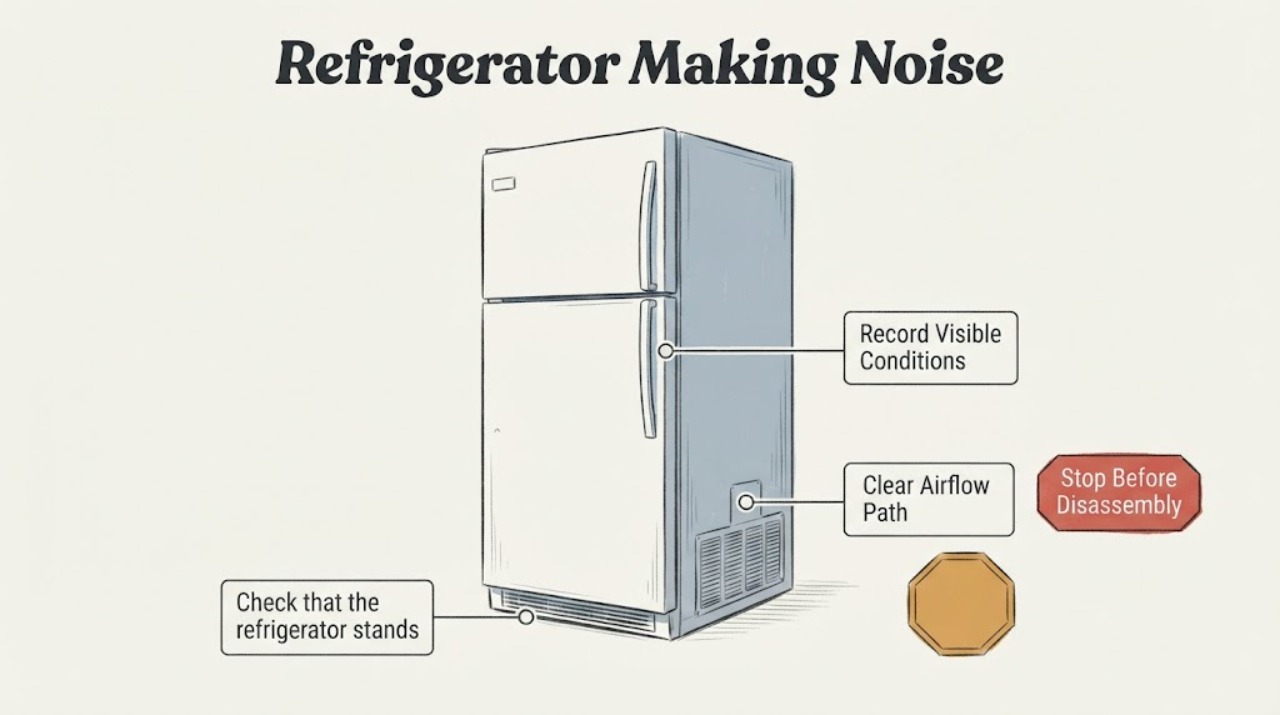
A WINIA refrigerator can make clicking, compressor, bubbling, water-flow, cracking, or airflow sounds during normal operation. Identify when the noise occurs and whether cooling remains normal, then check level, clearance, and loose items. A new grinding, scraping, repeated loud hum, burning smell, or noise with poor cooling needs service.
Work through in order
Diagnostic checks
Use only checks that match the exact appliance or system and its official guide.
-
Check 1
Record the sound type, when it occurs, its duration, and whether it follows compressor start, automatic defrost, door opening, or water movement.
Expected result: The sound matches clicking, bubbling, water flow, airflow, or brief cracking, or it is grinding, scraping, rattling, or continuously loud.
Next step: Continue only with external checks and keep the model information for service.
Why this matters
Why: WINIA describes the first group as normal operating sounds; persistent mechanical sounds need a different path.
-
Check 2
Check that the refrigerator stands stable and level, has clearance from surrounding walls, and is not touching cabinets or loose objects.
Expected result: The cabinet rocks, tubing or shelves touch nearby surfaces, or installation is stable.
Next step: Correct only an accessible contact or leveling issue without moving a loaded unit unsafely.
Why this matters
Why: Contact vibration can amplify normal compressor or fan sounds; stable installation with a new noise leaves an internal source more likely.
-
Check 3
Verify the doors close, the cabinet is cooling normally, and no fan or food container is obstructing an accessible airflow path.
Expected result: Cooling is normal and no obstruction exists, or cooling is poor and the noise changes with the fan or compressor.
Next step: Do not touch a fan or compressor while powered and do not scrape ice.
Why this matters
Why: Normal cooling with a listed sound supports expected operation; poor cooling with a mechanical sound requires service diagnosis.
-
Check 4
After one external correction, listen through one normal cooling and defrost period and record whether the noise stops, recurs, or worsens.
Expected result: The sound disappears, remains a brief listed sound, or persists as a new mechanical noise.
Next step: Arrange WINIA service with the recording, model, timing, and cooling result.
Why this matters
Why: Recovery supports contact or installation; recurrence of a new grinding or scraping sound is not established as normal by the manual.
Use your observations
Decision map
Find the observation that best matches what you see, then follow the next safe action.
-
PATH 01Next step
What you see
The sound is brief clicking, bubbling, water flow, airflow, or cracking and cooling is normal.
Do this next
Monitor without opening the cabinet.
Why this path and its safety boundary
Why it matters: The pattern matches sounds the WINIA manual describes as normal operation.
-
PATH 02Next step
What you see
The noise changes when the cabinet touches a wall or loose item and stops after the contact is removed.
Do this next
Keep the unit stable and clear of contact points.
Why this path and its safety boundary
Why it matters: Installation or vibration transfer was the leading cause.
-
PATH 03Next step
What you see
A new grinding, scraping, repeated loud hum, or noise accompanies poor cooling, heat, smoke, or a leak.
Do this next
Stop use when unsafe and obtain qualified refrigerator service.
Why this path and its safety boundary
Why it matters: A fan, compressor, sealed-system, or safety problem is more likely.
Helpful context
Understand the symptom
The opened WINIA manual lists several sounds as normal: thermostat or compressor clicking, compressor motor noise, refrigerant bubbling, defrost water flow, and air circulation. The decision turns on timing, sound type, and whether cooling changes.
Do not remove panels to chase a noise. A noise that begins with a temperature or cooling change is more useful evidence than volume alone.
Only after diagnosis
Potential parts
- model-specific fan, compressor mount, or vibration-control component
Consider a part only if the sound pattern, cooling result, and qualified diagnosis identify a component.
Normal operating sounds do not establish any replacement part fit.
When checks do not resolve it
Need a professional?
Contact WINIA or qualified refrigerator service when a new mechanical noise persists after stable installation checks, especially with poor cooling or repeated stops.
Common questions
FAQ
Are bubbling and clicking sounds normal on a WINIA refrigerator?
The WINIA manual describes refrigerant bubbling and thermostat or compressor clicking as normal operating sounds when the refrigerator otherwise functions normally.
Should I open the back panel to locate a WINIA refrigerator noise?
No. Check level, clearance, loose external contact, door closure, and cooling behavior. Internal fan, compressor, and sealed-system diagnosis belongs to service.
Read the exact guide
Official sources
- WINIA Fridge - Freezer User ManualWINIA · Opened the WINIA manual; it describes compressor, refrigerant, defrost, water, and airflow sounds and distinguishes normal noises from service conditions.
Community feedback
Share a repair observation
Share a plain-text repair observation. Accepted observations are published automatically; this page may take a moment to update.