
On this page
Start here
Quick answer
First decide whether the Wolf oven is still heating or whether only a cooling or convection fan is running. Wolf says cooling fans can run long after an oven is switched off, cannot be turned off manually, and stop automatically after the oven reaches a safe temperature. If the heating element or gas burner remains active, the control will not cancel, the fan runs with smoke or burning odor, or the oven repeatedly returns to heat, turn the control off and isolate power only from a safe, dry, clearly accessible control; for a gas odor, smoke, flame, arcing, or immediate danger, leave and seek emergency help. Do not force a knob, open the panel, touch hot parts, or repeatedly reset power. If the fan does not stop after the oven is cool, or a single safe reset does not resolve an unresponsive control, leave the appliance unused and arrange Wolf-qualified service.
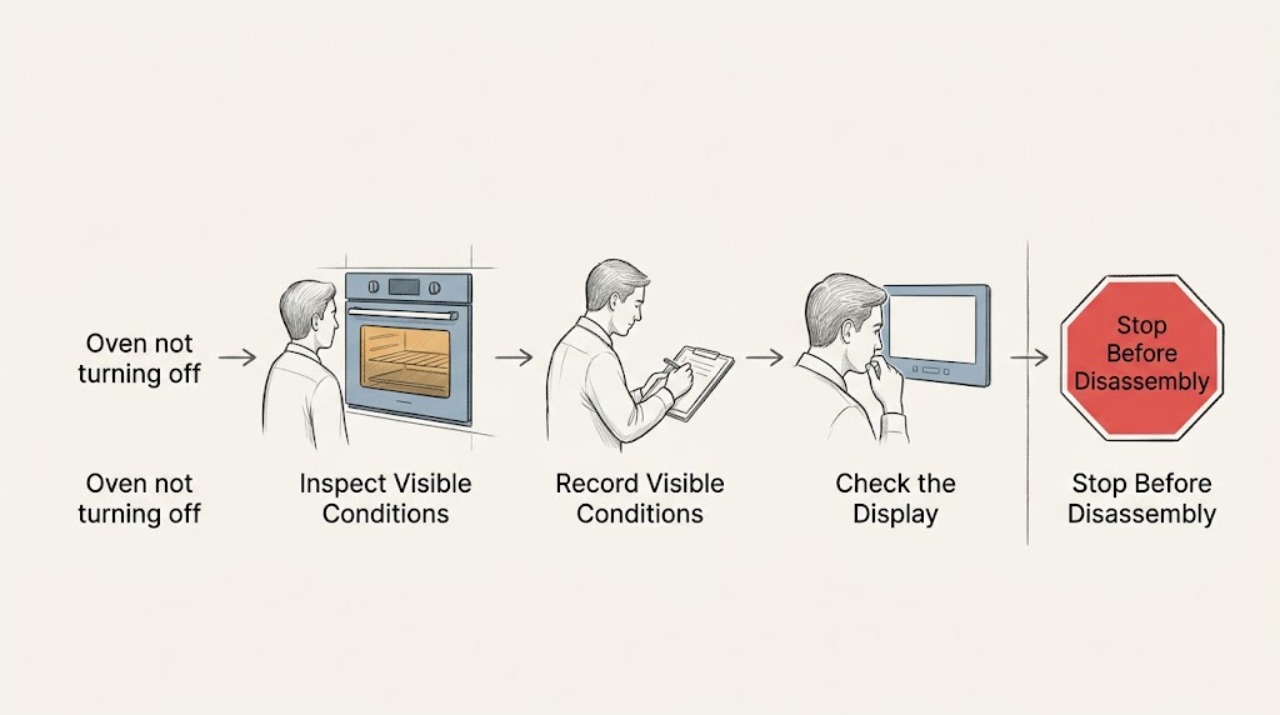
Work through in order
Diagnostic checks
Use only checks that match the exact appliance or system and its official guide.
-
Check 1
From a safe position, turn the oven control to OFF using the normal control and observe without opening the door whether heat production stops; do not touch the cavity, racks, element, burner, or hot glass.
Expected result: If heat stops and only a fan or warm cabinet remains, the oven may be in normal cooldown. If a flame, glowing element, repeated heating sound, or rapidly rising heat continues, the appliance has not safely stopped.
Next step: Leave the oven closed and unused for active heat that continues after OFF. Isolate power only from a safe, dry, clearly accessible control if appropriate; request urgent appliance service for a gas, electrical, smoke, or overheating symptom.
Why this matters
Why: Separating residual heat and fan operation from active heating determines whether this is normal protection or a control, relay, thermostat, or gas-valve fault.
-
Check 2
Listen and look from outside the appliance to classify the remaining activity as a cooling fan, convection fan, display or light, gas burner, or electric heating element; record whether the activity changes when the oven door is opened normally, without placing hands near hot surfaces.
Expected result: Wolf states that cooling fans operate automatically and can continue after OFF, while convection fans can be selected manually and may sound similar. A visible flame, glowing element, smoke, or heat that does not decline is not just fan cooldown.
Next step: Use the model guide for the normal fan control only when the appliance is cool and hazard-free. If the activity is active heating, abnormal combustion, smoke, or an unresponsive control, keep the oven off and arrange service.
Why this matters
Why: Function identification prevents an unnecessary shutdown of normal cooling while still recognizing active heating or combustion that needs immediate attention.
-
Check 3
For a Wolf gas range, verify from the normal external control position that the oven control is OFF; for an electric or dual-fuel model, verify the selected cooking mode is canceled according to the model guide. Do not force a stuck knob, bypass a lock, or remove a control panel.
Expected result: A knob or mode that does not respond, a display that remains in an active cooking state, or an oven that resumes heating after cancellation indicates a control or safety fault rather than normal cooldown.
Next step: Leave the appliance unused and record the model, mode, display state, and whether heat or only fan operation remains. Request Wolf Factory Certified Service or another qualified appliance professional.
Why this matters
Why: The control state must actually cancel the cooking function; fan operation alone may continue, but active heat after cancellation requires professional diagnosis.
-
Check 4
When the oven is cool and no smoke, odor, flame, arcing, water, or other hazard is present, check whether the fan stops as the appliance cools; do not cover vents, block airflow, or attempt to unplug a built-in oven by reaching behind it.
Expected result: Wolf says cooling fans turn off automatically after a safe temperature is reached and that there is no manual cooling-fan switch. A fan that continues after safe cooldown, makes abnormal noise, or runs with a fault indicator needs service.
Next step: Keep ventilation openings clear and contact service if the fan never stops after cooling, the display is abnormal, or the unit heats unexpectedly. Do not defeat the fan or continue operating the oven to test it.
Why this matters
Why: A long cooldown can be normal, but a fan that is not tied to temperature or a fan fault can indicate a control or component problem.
-
Check 5
If the appliance is cool, dry, free of gas odor, smoke, heat, arcing, and visible damage, and the control is unresponsive, perform at most one normal power reset using the clearly labeled home control; do not open the panel or repeatedly cycle power.
Expected result: A temporary control state may clear after one safe reset. If heating returns, the fan stays on after cooldown, the breaker opens, or the control remains unresponsive, the problem has not been repaired.
Next step: Leave the appliance off at the safe control and arrange qualified service after any repeat fault. Do not restore power to observe a second time when there is smoke, odor, heat, water, arcing, or a tripped protective device.
Why this matters
Why: A reset changes power state but cannot correct a welded relay, failed thermostat, gas valve, control board, wiring fault, or unsafe heating condition.
-
Check 6
Prepare a service handoff with model and fuel type, the selected mode, whether the burner or element remained active, fan type and duration, display or code, power-reset result, smoke or odor, and whether the oven was in self-clean or a special mode; leave the oven unused.
Expected result: A fan-only cooldown, a mode-specific issue, a gas burner that remains active, an electric element that stays on, and an unresponsive control lead to different service checks. Model-specific modes can change expected behavior.
Next step: Arrange Wolf Factory Certified Service or a qualified appliance professional. For gas odor, smoke, fire, arcing, or immediate danger, leave and contact emergency or gas-safety help from a safe location before appliance service.
Why this matters
Why: A precise symptom record avoids replacing a control for normal cooldown and prevents a user from opening hot, gas, or energized components.
Use your observations
Decision map
Find the observation that best matches what you see, then follow the next safe action.
-
PATH 01Next step
What you see
The oven is no longer heating and only the cooling fan runs after the control is OFF.
Do this next
Arrange qualified service and follow the exact model guidance.
Why this path and its safety boundary
Why it matters: This can be normal Wolf cooldown. Keep vents clear and allow the oven to cool; arrange service if the fan never stops after cooldown or sounds abnormal.
-
PATH 02Next step
What you see
The convection fan remains on but active heating has stopped.
Do this next
Arrange qualified service and follow the exact model guidance.
Why this path and its safety boundary
Why it matters: Use the model-specific normal fan control when the appliance is cool and hazard-free. Do not confuse the manually selected convection fan with the automatic cooling fan.
-
PATH 03Next step
What you see
A gas flame or electric heating element remains active after OFF, the control does not respond, or heat returns after cancellation.
Do this next
Arrange qualified service and follow the exact model guidance.
Why this path and its safety boundary
Why it matters: Leave the oven unused, isolate power only from a safe and clearly accessible control, and request qualified Wolf appliance service. Do not open the appliance or adjust gas components.
-
PATH 04Next step
What you see
The fan continues after the oven is cool, a single safe reset does not help, or the appliance repeatedly returns to an active state.
Do this next
Arrange qualified service and follow the exact model guidance.
Why this path and its safety boundary
Why it matters: Leave the oven off and arrange Factory Certified Service or another qualified appliance professional for control, relay, thermostat, fan, or wiring diagnosis.
-
PATH 05Next step
What you see
Gas odor, smoke, fire, arcing, a hot or damaged control, water near electrical equipment, or a repeated breaker trip is present.
Do this next
Arrange qualified service and follow the exact model guidance.
Why this path and its safety boundary
Why it matters: Stop immediately, keep clear, leave for gas or fire danger, and contact emergency or gas-safety help from a safe location. Do not reset, relight, or return the oven to service.
Helpful context
Understand the symptom
“Not turning off” describes several different states: the cavity is still hot, a cooling fan is running, a convection fan is selected, the display or light remains on, or the burner or heating element continues to produce heat. Wolf says cooling fans protect components from overheating and may run for a long time after use. The safe diagnosis is to identify which function remains active without reaching into the oven or treating fan noise as proof of a control failure.
Wolf models differ by gas range, dual-fuel range, and electric wall oven. A gas appliance may add combustion and gas-supply hazards; an electric model may have energized heating and control parts. Use the model-specific Use and Care Guide for control behavior, and use a qualified professional for any internal diagnosis.
Safety boundary
Stop conditions
- Stop immediately for an active gas flame after OFF, gas odor, smoke, fire, arcing, a glowing element that will not stop, severe heat, a hot or damaged control, water near electrical equipment, shock, or a repeated breaker trip.
- Do not open the panel, touch heating parts, force a knob, bypass a lock, block vents, move a gas appliance, adjust gas controls, or repeatedly reset power.
- Leave the oven unused when the fan does not stop after safe cooldown, the control is unresponsive, heating returns after cancellation, or the model-specific mode is uncertain.
Common questions
FAQ
Why does my Wolf oven fan keep running after I turn it off?
Wolf cooling fans can run long after the oven is off to prevent overheating and stop automatically when the oven reaches a safe temperature. A convection fan may be manually selected and sound similar; service is needed if a fan never stops after cooldown or behaves abnormally.
What if my Wolf oven is still heating after I select OFF?
Leave it unused and isolate power only from a safe, clearly accessible control if appropriate. Do not touch hot parts, open the panel, or repeatedly reset it. Arrange qualified service, and seek emergency or gas-safety help for gas odor, smoke, fire, or arcing.
Can I turn off the Wolf cooling fan manually?
Wolf says the cooling fan has no manual OFF switch and turns off automatically after safe cooldown. Keep vents clear and arrange service if it continues after the oven is cool or if the control and heat behavior are abnormal.
Read the exact guide
Official sources
- Gas Oven Bake Burner Not WorkingSub-Zero, Wolf, and Cove · Wolf gas oven burner, ignition, gas odor, and stop-use guidance
- Wolf Oven Fan Will Not Turn OffSub-Zero, Wolf, and Cove · Wolf convection versus cooling fan controls and service escalation
- Wolf Electric Oven Cooling Fan OperationSub-Zero, Wolf, and Cove · Wolf cooling fan operation, cooldown, and service boundary
- Wolf Product Turns Off by ItselfSub-Zero, Wolf, and Cove · Wolf oven control, power reset, and recurring-fault service boundary
Community feedback
Share a repair observation
Share a plain-text repair observation. Accepted observations are published automatically; this page may take a moment to update.