
On this page
Start here
Quick answer
A thermal fuse is a safety device that can open when a dryer overheats, but a dryer stopping before the selected end does not prove the fuse is the cause. First determine whether the cycle ended normally, the drum stopped while the controls stayed on, or the motor returns only after cooling. With the dryer switched off, unplugged, and cool, check the cycle/load, lint screen, accessible vent path, outside hood, door latch, power cord, and drum movement. Do not bypass or test a thermal fuse, run the dryer with a fuse removed, or repeatedly restart a hot dryer: thermal-fuse inspection and replacement require cabinet access and qualified diagnosis, including finding what caused the overheating.
Before you begin
Safety first
- This article supports symptom classification and ordinary external, cool, power-off checks only. A qualified technician must test or replace the thermal fuse/cutoff and handle cabinet access, wiring, motor, belt, heater, sensors, controls, and gas components.
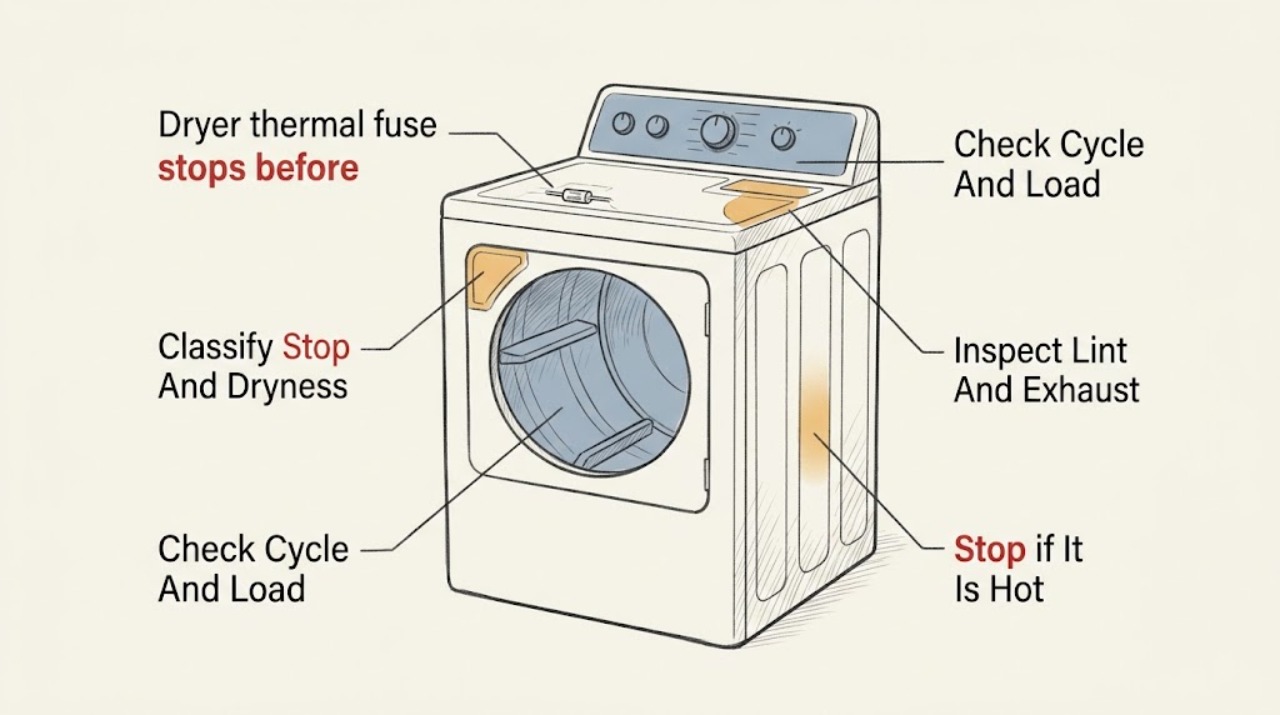
Work through in order
Diagnostic checks
Use only checks that match the exact appliance or system and its official guide.
-
Check 1
Record the exact stop: whether the display ends normally, the timer remains active, the drum stops, the door opens, the load is dry or damp, and whether an indicator or error appears; do not keep restarting a dryer that is hot or abnormal.
Expected result: The display ends normally on an automatic cycle, the drum stops while controls remain active, the stop occurs after a door movement, or the load is still damp.
Next step: Write down cycle type, load, time to stop, heat, sounds, and odors before choosing the following checks. Stop use for smoke, burning odor, sparking, a damaged cord, or unusual heat.
Stop if: Do not run another test cycle for smoke, fire risk, a burning smell, sparking, a rapidly hot cabinet, or a gas odor on a gas dryer.
Why this matters
Why: Normal ending makes moisture sensing or cycle selection more likely. A running display with a stopped drum makes a door, belt, motor, thermal, or control interruption more likely; damp clothes keep airflow and heat in the diagnosis.
-
Check 2
Use the owner manual to identify the selected cycle and verify that the load can tumble freely; compare an appropriate small, balanced load on a cycle the manual says is suitable, without changing service settings or overloading the drum.
Expected result: The stop occurs only on an automatic/sensor cycle, with a nearly empty or tightly packed load, only on one setting, or on both suitable automatic and timed cycles with a freely tumbling load.
Next step: Use the model-recommended cycle and load for one comparison only when there is no stop-use warning. If the stop repeats, record the result and keep the dryer out of service until the cause is evaluated.
Stop if: Do not overload the drum, use an air-only setting when heat is expected, or keep testing a dryer that is hot, noisy, smoky, or smells burned.
Why this matters
Why: A cycle- or load-dependent stop may be normal sensing, no-load detection, or a setting issue. A repeatable stop on a suitable timed cycle is less consistent with normal moisture termination and warrants airflow and service checks.
-
Check 3
Switch the dryer off, disconnect power, and wait until it is cool; then clean the lint screen as directed and inspect the accessible hose, wall connection, and outside vent hood for crushed sections, lint, debris, or weak exhaust without opening the cabinet.
Expected result: The screen is coated, the hose is kinked or crushed, lint is visible at the connection or hood, the outside flap opens poorly, airflow is weak, or the accessible path appears clear.
Next step: Correct only loose, accessible lint or a clearly kinked hose using the manual's approved method, then arrange service if airflow is weak, heat remains excessive, or the stop recurs. Provide the vent observations to the technician.
Stop if: Do not run the dryer with a blocked or weak exhaust, excessive lint, hot laundry area, smoke, or burning odor; do not substitute improvised ducting or remove internal vent parts as a user test.
Why this matters
Why: Restricted exhaust can cause excessive heat, damp loads, and protective shutdowns, and can be the condition that led to a thermal fuse opening. A clear accessible path cannot rule out an internal restriction or heating/control fault.
-
Check 4
With power disconnected, inspect the external cord, plug, outlet area, door alignment, and latch for looseness, scorching, distortion, or a door that can pop open; do not probe the outlet or remove panels.
Expected result: The cord and plug look intact and the door latches securely, or there is visible electrical damage, a loose connection, an unreliable latch, or an opening door.
Next step: Keep the dryer disconnected and arrange qualified appliance or electrical service for any cord, plug, outlet, latch, or alignment concern. Do not reset a breaker repeatedly to continue the cycle.
Stop if: Do not use a damaged cord or outlet, tape or hold a door closed, defeat the door switch, or touch exposed wiring.
Why this matters
Why: A secure latch and undamaged power path make a door or supply interruption less likely. Damage or an intermittent latch can interrupt the motor and cycle and must not be confused with a thermal-fuse failure.
-
Check 5
After disconnecting power and allowing the dryer to cool, turn the empty drum gently from the doorway without forcing it or reaching into the cabinet; note whether it moves smoothly, binds, scrapes, or rumbles.
Expected result: The drum turns smoothly, is difficult to turn, scrapes or rumbles, or the motor can be heard during operation while the drum does not rotate normally.
Next step: Keep the dryer out of service for abnormal resistance or noise and request qualified inspection of the drive system, motor, thermal protection, and controls.
Stop if: Do not force a seized drum, remove the drum, adjust the belt, or operate with rubbing, grinding, or structural damage.
Why this matters
Why: Binding, scraping, or rumbling can overload the motor and create heat that contributes to a protective stop; a broken belt, roller, bearing, or other support is possible. Smooth hand movement does not prove the fuse or motor is good.
-
Check 6
Record whether the dryer becomes hot before stopping and whether it runs again after a cooling period, but do not deliberately reproduce the stop, reset a thermal device, or test fuse continuity.
Expected result: The dryer stops once and remains inoperative, stops after heating and later restarts, stops at a repeatable point, or stops without unusual heat.
Next step: Stop use and give the technician the heat, cooldown, restart, load, airflow, and stop timing. The technician should inspect the fuse and find the overheating or interruption cause before returning the dryer to service.
Stop if: Do not bypass, jumper, bridge, or replace a thermal fuse as a trial; do not operate with the fuse removed, with panels open, or after a recurring overheat stop.
Why this matters
Why: A dryer that remains inoperative after a thermal event could have an opened thermal fuse or another power/control fault. A unit that restarts after cooling may instead have resetting motor protection, airflow, mechanical drag, or a control issue; neither pattern identifies the fuse without model-specific service testing.
Use your observations
Decision map
Find the observation that best matches what you see, then follow the next safe action.
-
PATH 01Next step
What you see
The display ends normally, the load is at the selected dryness, and the behavior is limited to an automatic or sensor cycle.
Do this next
Use the cycle and load guidance in the owner manual. Arrange service if clothes remain damp, the cycle ends prematurely on suitable loads, or the dryer stops on a timed cycle.
Why this path and its safety boundary
Why it matters: Normal moisture sensing or cycle selection is more likely than an opened thermal fuse or motor failure.
-
PATH 02Next step
What you see
The load is damp, the cabinet or laundry area becomes unusually hot, lint or weak exhaust is present, and the dryer stops or later becomes inoperative.
Do this next
Stop use, disconnect power, address only accessible lint or a clearly kinked hose as allowed by the manual, and arrange qualified service to inspect the exhaust, thermal fuse/cutoff, heater, motor, and controls.
Why this path and its safety boundary
Why it matters: Restricted airflow or another overheating condition is more likely and may have opened thermal protection; replacing a fuse alone would not establish that the dryer is safe.
-
PATH 03Next step
What you see
The drum stops while controls remain active, the motor runs again only after cooling or makes a hum/noise, and the drum feels stiff or the airflow is not clearly restricted.
Do this next
Keep the dryer out of service and request qualified drive-system and control diagnosis; provide the cooldown interval and drum-resistance result without repeating the failure.
Why this path and its safety boundary
Why it matters: Motor thermal protection, mechanical drag, belt/support trouble, or a control fault is more likely than a one-time thermal-fuse opening.
-
PATH 04Next step
What you see
The dryer remains inoperative after a stop, the display or motor has no response, the external cord/latch is intact, and no normal cycle-ending explanation fits.
Do this next
Do not open the cabinet or test the fuse as a homeowner. Arrange service and ask the technician to identify and correct the overheating or interruption cause before replacing any safety device.
Why this path and its safety boundary
Why it matters: An opened thermal fuse, another protective device, power path, door switch, or control fault is possible; the thermal fuse cannot be confirmed from the symptom alone.
-
PATH 05Next step
What you see
The stop coincides with a door that can pop open, an unreliable latch, a damaged plug/cord/outlet, or a control reset.
Do this next
Leave the dryer disconnected for qualified appliance or electrical service. Do not hold the door closed, tape the latch, or repeatedly reset a breaker.
Why this path and its safety boundary
Why it matters: A door-switch or supply interruption is more likely than a thermal-fuse failure, although the interruption may coexist with another fault.
-
PATH 06Next step
What you see
Smoke, a burning odor, sparking, scorched wiring, rapidly rising heat, or a gas odor on a gas dryer is present.
Do this next
Stop use and leave the area for a fire or gas hazard; contact emergency services, the gas utility, or qualified service from a safe location as appropriate. Do not reset, relight, or inspect inside the cabinet.
Why this path and its safety boundary
Why it matters: This is a fire, electrical, or gas-safety emergency rather than a thermal-fuse troubleshooting opportunity.
Helpful context
Understand the symptom
A thermal-fuse symptom is not a thermal-fuse diagnosis
A dryer can appear to stop early for several different reasons. Automatic cycles may end when the sensed dryness is reached, a timer may pause during normal cycle behavior, and a door, belt, motor, airflow, control, or thermal-protection issue can interrupt tumbling. A thermal fuse is part of the safety path, but the model and the observed stop pattern are needed before anyone can identify the failed component.
Overheating is the cause to investigate
If a fuse opens after excessive heat, replacing it without addressing the heat source can leave the dryer unsafe. Lint at the screen or exhaust path, a crushed hose, poor outside airflow, an overloaded drum, a failed control, and internal mechanical or heating faults are different possibilities. The Consumer Product Safety Commission warns that lint and blocked exhaust can build heat and create a fire hazard.
What belongs to the service boundary
A user can record the cycle behavior and inspect ordinary external areas after disconnecting power. Fuse continuity, thermal cutoffs, cabinet wiring, the motor circuit, the heater, and internal venting are not safe trial-and-error checks. Do not jumper a fuse or switch, run with panels removed, or use a replacement fuse with an unverified rating.
Safety boundary
Stop conditions
- Stop using the dryer for smoke, burning odor, sparking, scorched wiring, rapidly increasing heat, or a gas odor on a gas dryer; obtain appropriate emergency or gas help from a safe location.
- Do not bypass, jumper, bridge, or remove a thermal fuse, thermal cutoff, door switch, or other protective device, and do not install a substitute with an unverified rating.
- Do not test fuse continuity, energized wiring, motor circuits, heating circuits, or controls as a homeowner; do not operate with panels removed.
- Do not keep restarting a dryer that stops after heating or returns only after cooling, or run it with weak exhaust, excessive lint, abnormal noise, a seized drum, or a damaged cord/latch.
- Disconnect power before cleaning or inspection and use only the installed dryer's manual for any user-level procedure; cabinet access, thermal-fuse replacement, and root-cause diagnosis belong to qualified service.
Only after diagnosis
Potential parts
- dryer thermal fuse
Consider this category only if qualified diagnosis confirms that the fuse is open and the technician has investigated the overheating or airflow condition that triggered it.
Confirm the exact dryer model, fuel/electrical configuration, and manufacturer-rated safety part; never bypass it or use an unverified substitute. - thermal cutoff or high-limit thermostat
Consider this category only when qualified model-specific testing identifies an open or failed thermal protection component other than the fuse and the underlying heat condition is addressed.
Match the exact model and rated protective device with manufacturer service information; do not substitute a different rating or defeat the protection. - dryer drive motor
Consider this category only if service diagnosis finds that the motor stops under normal load, fails after heating, or does not restart after airflow and mechanical causes are addressed.
Confirm the exact model, motor revision, and manufacturer fit information; a cooldown symptom alone does not prove motor failure. - drive belt and drum support components
Consider these categories only if service inspection finds a broken/slipping belt or mechanical drag from a roller, idler, bearing, or related drum support.
Confirm the exact model and complete drive arrangement with the manufacturer or qualified technician; do not force a belt or run a rubbing or seized drum.
When checks do not resolve it
Need a professional?
Arrange qualified appliance service when a thermal fuse is suspected, the dryer remains inoperative after a stop, the stop repeats on a suitable cycle and load, the motor restarts only after cooling, the drum binds or makes unusual noise, airflow remains weak, or the door/power path is damaged. The technician should inspect the fuse or thermal cutoff and identify the overheating or interruption cause before replacing the safety device. For smoke, sparking, fire risk, or gas odor, stop immediately and use the appropriate emergency or gas-utility response.
Safety scope: This article supports symptom classification and ordinary external, cool, power-off checks only. A qualified technician must test or replace the thermal fuse/cutoff and handle cabinet access, wiring, motor, belt, heater, sensors, controls, and gas components.
Common questions
FAQ
Can a thermal fuse make a dryer stop before the cycle ends?
It can be one possible safety-path explanation when the dryer overheats, but the symptom does not prove the fuse opened. An automatic cycle, airflow restriction, door switch, motor, belt, mechanical drag, control, or another thermal component can look similar. A thermal-fuse inspection requires cabinet access and professional diagnosis.
Why does my dryer restart after it cools down?
A restart after cooling can point toward resetting motor protection, restricted airflow, mechanical drag, or a failing motor/control path. A thermal fuse that has opened does not become a confirmed repair simply because the dryer once restarted. Stop repeated testing and arrange service if the pattern returns.
Should I replace the thermal fuse as soon as the dryer stops?
No. Do not replace or bypass it by guesswork. First disconnect power and inspect only accessible lint and exhaust conditions. A qualified technician should identify whether the fuse is open and correct the overheating, airflow, heating, motor, or control cause before returning the dryer to service.
What can I safely check before calling for service?
Record the cycle and stop behavior, check the load and cycle selection, disconnect power before inspecting the lint screen, accessible vent path, cord, plug, latch, and cool empty drum, and note the heat and cooldown pattern. Do not open the cabinet, test a fuse or live circuit, or defeat a safety device.
When should I stop using the dryer immediately?
Stop for smoke, burning odor, sparking, scorched wiring, rapidly increasing heat, weak exhaust, abnormal noise, a damaged cord or latch, or a gas odor on a gas dryer. Leave for a fire or gas hazard and contact the appropriate emergency or gas service from a safe location.
Read the exact guide
Official sources
- Why Does My Dryer Keep Stopping Mid-Cycle?Maytag · Manufacturer troubleshooting overview for dryers; exact model manual and service information control.
- Dryer is not Drying or Experiencing Long Dry TimesMaytag Product Help · Manufacturer guidance for accessible dryer performance and airflow checks; exact vent limits and procedures are model-specific.
- Dryer Stops Mid-CycleMaytag Product Help · Manufacturer guidance for Maytag dryers; the installed dryer's manual controls when cycle behavior differs.
- Overheated Clothes Dryers Can Cause FiresU.S. Consumer Product Safety Commission · Federal consumer-safety guidance for household gas and electric clothes dryers.
- How to Fix a Dryer That Won’t SpinMaytag · Manufacturer troubleshooting overview for dryer spinning and mid-cycle motor symptoms; exact model service information controls.
- Dryer - Timer Stops During the CycleGE Appliances · GE appliance support guidance; model-specific features and electrical requirements must be taken from the installed dryer's manual.
Community feedback
Share a repair observation
Share a plain-text repair observation. Accepted observations are published automatically; this page may take a moment to update.