
On this page
Start here
Quick answer
If a GE dryer stops before the cycle ends, first separate a normal sensor-cycle decision or a door interruption from a fault. GE says automatic-cycle timers can advance intermittently, and some models stop after about two minutes when no load is detected or the load has moved away from the sensor rods. A dryer that stops after heating, runs again only after cooling, has a blocked front or exhaust, or stops with smoke, a burning odor, unusual heat, sparks, a hot plug, or a damaged cord should not be restarted. With the dryer cool and off, check the selected cycle, door closure, load size, lint screen, visible exhaust path, and whether the drum turns freely; do not open the cabinet or defeat a safety device. Persistent mid-cycle stops, an empty-drum stop, a failed restart, or any overheating or electrical symptom needs qualified appliance service.
Before you begin
Safety first
- Keep the dryer off for smoke, burning or electrical odor, unusual heat, sparks, a hot plug, damaged wiring, repeated breaker trips, a binding drum, or a gas concern. Do not open the cabinet, bypass safety devices, or repeat powered tests in a hazardous condition.
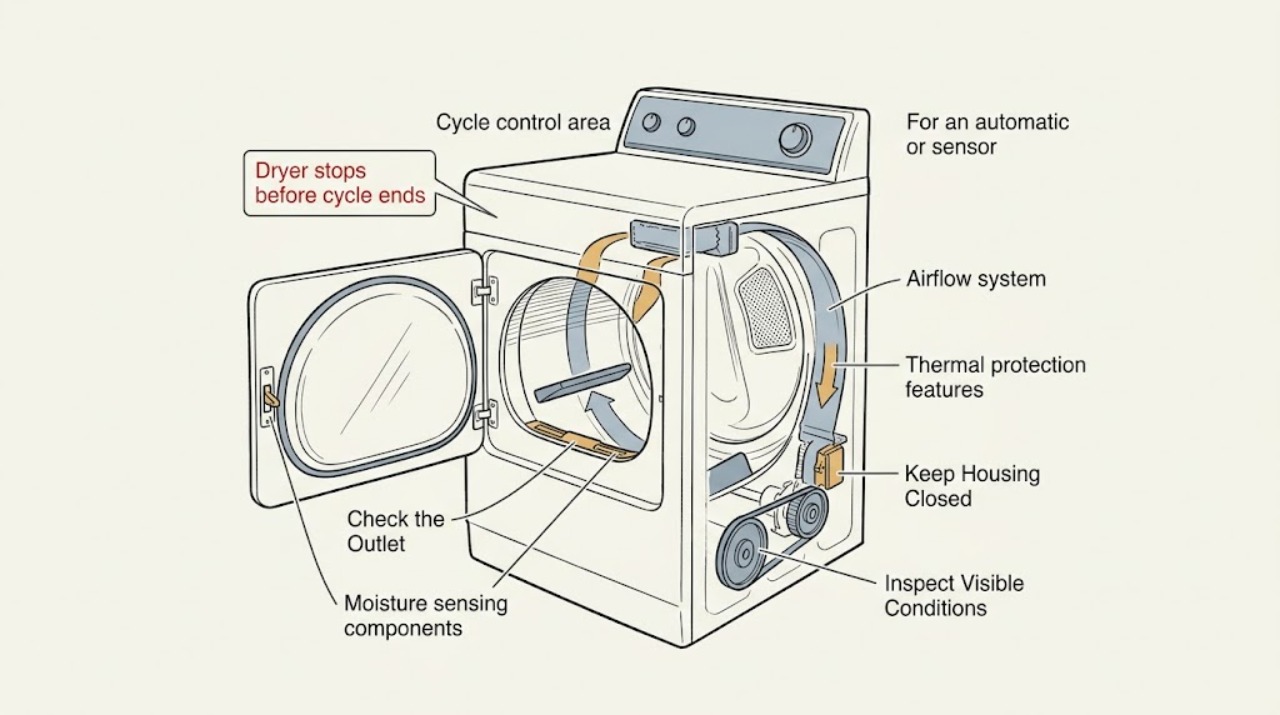
Work through in order
Diagnostic checks
Use only checks that match the exact appliance or system and its official guide.
-
Check 1
Stop the GE dryer and note exactly what happened: did the drum stop while the display stayed on, did the display go blank, did the door open, did the cycle appear to finish, or did the dryer stop after becoming hot? Look from outside for smoke, a burning or electrical odor, unusual heat, sparks, a hot plug or outlet, or a damaged cord.
Expected result: The dryer is cool and resumes immediately, the display remains on, the door was opened, the stop follows heating, it restarts only after cooling, or any smoke, odor, heat, sparks, or cord damage is present.
Next step: Keep the dryer off for smoke, burning or electrical odor, unusual heat, sparks, a hot connection, or cord damage and arrange qualified help. If no hazard is present, continue with the low-risk cycle, load, lint, airflow, and leveling checks that match the observed pattern.
Stop if: Do not restart a GE dryer that is smoking, unusually hot, sparking, producing a burning odor, has a hot plug or damaged cord, or stops and restarts only after cooling.
Why this matters
Why: A door interruption or control timing behavior is different from a heat-related shutdown, loss of power, or hazardous electrical condition. Cooling-dependent operation is evidence of a fault pattern, not a reason to continue testing.
-
Check 2
Confirm the selected GE cycle and observe whether the stop occurs in an automatic or timed cycle. If the door was opened, close it fully, select the intended dry cycle again, and note whether the dryer runs without changing any wiring or controls. Treat a pause during reversing as a pause to observe, not as proof of a failure.
Expected result: The timer advances intermittently but the drum resumes, the stop follows a door opening, the dryer stops only in one cycle, or it stops in both timed and automatic cycles.
Next step: Use the exact model owner's guide for cycle behavior. If reselection after a door interruption restores normal operation and no hazard exists, monitor one normal load; arrange service for repeated stops, a failed restart, or stops in timed and automatic cycles.
Stop if: Do not bypass the door switch, tamper with controls, or continue powered testing when heat, smoke, odor, sparks, or damaged wiring is present.
Why this matters
Why: GE says automatic timers may advance sporadically and a door opening stops operation. A repeatable stop in both cycle types makes a simple sensor-cycle decision less likely and raises control, power, motor, or thermal possibilities.
-
Check 3
For an automatic or sensor cycle, use a normal mixed load rather than an empty drum or only one very light item. Check whether the GE dryer is tilted toward the rear and whether clothing can contact the sensor area; correct only a clearly visible leveling issue using the model installation guidance.
Expected result: The dryer stops after a short run with no load, stops with a very small or nearly dry load, the display shows a clean-lint indication, the load has moved away from sensor rods, or a normal load also stops early.
Next step: Choose the model's recommended cycle for a small load or use a timed cycle only when the manual permits it. Level the cabinet without moving a connected heavy appliance; arrange service if a normal load still stops or the dryer is unstable.
Stop if: Do not keep running an empty dryer to force a sensor decision, and do not move a gas or electric dryer with its connections attached or by yourself.
Why this matters
Why: On applicable GE Profile models, no-load detection can stop a sensor cycle after about two minutes, and rear tilt can move the load away from sensors. A normal load that still stops early is less consistent with that model-specific behavior.
-
Check 4
With the dryer off and cool, clean the lint screen as the exact model guide directs. Inspect the front air entry, the visible duct behind the dryer, and the outside hood for a crushed or kinked run, heavy lint, blocked flap, or nesting. Do not reach into the cabinet or run a heated test with a disconnected duct.
Expected result: The lint screen is coated, the front is blocked, the duct is crushed or kinked, the outside hood flap does not move freely, airflow is weak, or the accessible path is clear.
Next step: Restore safe front clearance and arrange cleaning of a restricted house vent or hood. If airflow is clear but the dryer still stops after heating, leave it off and request service for thermal, control, or drive diagnosis.
Stop if: Do not operate with a loose, damaged, blocked, or missing lint screen; do not use plastic or crushed exhaust ducting; do not open panels for internal lint removal.
Why this matters
Why: GE identifies a blocked front as an overheating risk and restricted airflow or lint buildup as a cause of rising temperature and protective heat cycling. A clear accessible path does not rule out internal lint or a hidden restriction.
-
Check 5
Compare the load condition when the stop occurs. Check for an overloaded drum, a heavy wet load mixed with light items, clothing that is already dry except for a few damp areas, or a load that remains wet when the dryer stops. Follow garment care labels and do not dry items contaminated with flammable liquids or unsuitable materials.
Expected result: Only a small or nearly dry load stops early, the load is heavy and still wet, different fabrics dry unevenly, or every normal load stops at a similar point.
Next step: Use the model's recommended cycle and separate an unusually heavy load; if the dryer stops with a normal load or leaves it wet, stop repeated tests and arrange service after recording the cycle, load, and stop point.
Stop if: Do not dry gasoline-, oil-, solvent-, or other flammable-contaminated items, and do not continue operation if the load or dryer has a burning odor.
Why this matters
Why: Load size, fabric mix, moisture, and exhaust condition affect GE drying time, while a consistent stop with ordinary loads is less likely to be explained by load moisture alone.
-
Check 6
After the dryer is cool, check from outside that the drum is not obviously jammed and that the cabinet is stable. Do not remove the belt, panels, motor cover, heater, burner, or electrical terminal cover. Record whether the drum will not turn, the dryer hums, the cycle stops after heating, or the dryer has a repeatable mechanical sound.
Expected result: The drum is jammed or will not turn, the dryer hums without tumbling, it stops after heating and will restart only when cool, it trips a breaker, or no mechanical symptom is visible.
Next step: Leave the dryer off and give the technician the timing, load, heat, airflow, and restart details. Have a qualified person diagnose internal drive, thermal, control, gas, or electrical components rather than replacing a part from the symptom alone.
Stop if: Do not force a binding drum, reset a repeatedly tripping breaker, touch wiring, remove panels, or bypass a thermal, door, gas, or electrical safety control.
Why this matters
Why: A jammed drum, motor hum, cooling-dependent restart, or repeated breaker trip points beyond a cycle-selection issue and may involve the drive motor, thermal protection, wiring, or another internal component. No visible symptom does not make cabinet work safe.
-
Check 7
Check the exact GE model manual or support article for any displayed code, clean-lint indication, smart-appliance alert, or model-specific no-load feature. Write down the model, gas or electric type, cycle, load, elapsed behavior, whether the drum was hot, and whether it restarted after cooling before requesting service.
Expected result: A model-specific code or no-load feature is documented, the display is blank when the stop occurs, the alert repeats, or the model guidance does not explain the stop.
Next step: Follow only the model-specific user instruction that does not require opening the cabinet. For a recurring or unexplained stop, arrange GE or qualified appliance service and provide the recorded pattern; keep the dryer off if any overheating or electrical warning occurred.
Stop if: Do not erase a recurring fault by repeated power cycling, continue using a dryer with a safety warning, or provide a technician with a guessed failed part as the diagnosis.
Why this matters
Why: A documented model feature can change the interpretation, while a blank display, recurring alert, or unexplained stop needs diagnosis rather than a generic reset or part purchase.
Use your observations
Decision map
Find the observation that best matches what you see, then follow the next safe action.
-
PATH 01Next step
What you see
The dryer pauses or the timer appears still during an automatic cycle, then resumes, with no heat, odor, smoke, or abnormal load behavior.
Do this next
Observe whether the drum resumes and consult the exact model cycle description. Escalate if the dryer fully stops, leaves a normal load wet, or repeats the stop in a timed cycle.
Why this path and its safety boundary
Why it matters: Intermittent timer movement and automatic dry-control decisions are more likely than a complete failure; GE describes this behavior as part of automatic-cycle operation.
-
PATH 02Next step
What you see
A no-load or very small load stops quickly, or applicable GE Profile behavior shows the load has moved away from sensor rods and the cabinet is tilted toward the rear.
Do this next
Use a suitable load and correct only visible leveling with the model instructions. Service is appropriate if a normal load still stops or the dryer is unstable.
Why this path and its safety boundary
Why it matters: No-load detection or sensor placement is more likely than a failed motor, but this interpretation is model- and load-dependent.
-
PATH 03Next step
What you see
The dryer runs hot or stops after heating, and the front, lint screen, duct, or outside hood shows blocked clearance, lint, a crushed run, weak airflow, or an obstructed flap.
Do this next
Keep the dryer off until accessible clearance and lint or vent restrictions are addressed; use qualified vent or appliance service when the restriction is internal, persistent, or accompanied by odor or heat.
Why this path and its safety boundary
Why it matters: Restricted airflow is more likely and can raise dryer temperature enough for safety controls to cycle the heat source; it can also create a fire risk.
-
PATH 04Next step
What you see
The dryer stops in both timed and automatic cycles, the drum will not turn or the dryer hums, or it restarts only after cooling despite a clear accessible vent path.
Do this next
Leave the dryer off and arrange qualified service. Give the technician the stop timing, temperature, load, airflow findings, display behavior, and cooling-dependent restart result.
Why this path and its safety boundary
Why it matters: A drive motor, thermal protection, control, power, or another internal fault is more likely than a moisture-sensor decision; the symptom does not identify one replaceable part.
-
PATH 05Next step
What you see
The door opened, the plug or cord is visibly damaged, a breaker trips repeatedly, the display goes blank, or the dryer stops immediately after a power disturbance.
Do this next
For a simple door interruption with no hazard, reselect the cycle as the model guide directs. For a damaged cord, blank display, repeated trip, hot connection, smoke, or burning odor, keep the dryer off and obtain qualified help.
Why this path and its safety boundary
Why it matters: A door interruption or supply/control fault is more likely than a normal automatic-cycle decision; damaged electrical parts require a service boundary.
-
PATH 06Next step
What you see
Smoke, burning or electrical odor, unusual heat, sparks, a hot plug or outlet, damaged wiring, or a gas concern accompanies the early stop.
Do this next
Stop immediately, keep clear, isolate power only from a safe dry location, close the gas valve if applicable and safe, and obtain qualified or emergency help. Do not restart to test.
Why this path and its safety boundary
Why it matters: This is a fire, shock, gas, or injury hazard rather than a routine cycle-timing problem.
Helpful context
Understand the symptom
A displayed time is not always a promise of continuous tumbling
On a GE automatic or sensor cycle, the timer may advance intermittently while the control evaluates load moisture. A brief pause while the dryer changes tumble direction can also be normal on models with reversing or detangling behavior. The useful distinction is whether the drum resumes, whether clothing is actually dry, and whether the stop occurs only with a very small load or after the dryer becomes hot. A complete stop followed by a hot cabinet, burning odor, or restart only after cooling is not a normal timer display change.
Check the load and airflow before blaming the control
A small or already-dry load can satisfy an automatic dryness decision early, while a rear-tilted dryer can move clothing away from sensor rods on applicable GE models. The other common decision-changing pattern is heat with poor airflow: lint, a crushed duct, a blocked hood, or an obstructed front can raise temperature and make protective controls cycle the heat source. Check only the accessible lint screen, front clearance, and visible duct and hood; a cabinet inspection or internal vent cleaning belongs to a qualified technician.
Cooling-dependent stops and electrical symptoms are service boundaries
If the dryer stops mid-cycle and will run again only after it cools, do not keep repeating cycles to prove the pattern. That symptom can accompany restricted airflow, a thermal protection device, a drive motor that is overheating, or another internal fault, and it cannot be assigned to one part from the symptom alone. GE's manuals also warn against operation with damaged or missing parts and reserve maintenance inside the cabinet for the appropriate procedure.
Safety boundary
Stop conditions
- Stop immediately for smoke, burning or electrical odor, unusual heat, sparks, a hot plug or outlet, damaged wiring, a gas concern, or a breaker that trips repeatedly. Keep clear, isolate power only from a safe dry location, close the gas valve if applicable and safe, and arrange qualified or emergency help.
- Leave the dryer off when it stops after heating and runs again only after cooling, when the drum binds or will not turn, or when it stops with a normal load despite clear accessible airflow.
- Do not open the cabinet, remove panels, touch terminals, remove the belt or motor, probe the heater or burner, bypass a door or thermal control, or keep resetting a fault as a homeowner check.
- Do not operate with a loose, damaged, blocked, or missing lint screen, a damaged cord or plug, blocked front clearance, crushed or combustible exhaust ducting, or flammable-contaminated clothing.
Only after diagnosis
Potential parts
- dryer thermal fuse
Consider this only after qualified diagnosis confirms an open thermal safety device and the underlying airflow or overheating cause has been addressed; an early stop alone does not prove fuse failure.
Thermal safety parts vary by GE dryer model and gas or electric design. Confirm the exact model and diagnosis before selecting a replacement. - dryer drive motor
Consider this only when qualified testing confirms a motor or motor circuit fault, especially when the dryer hums, will not tumble, or restarts only after cooling with airflow verified.
Drive motors are model-specific and require electrical and mechanical service procedures. Confirm exact fit and diagnosis before ordering. - dryer cycling thermostat
Consider this only if qualified temperature testing identifies a failed cycling thermostat after the vent, lint, load, and other overheating causes are checked.
Thermostat ratings and mounting vary by GE model and heat source. Confirm the exact model and measured fault before selecting a replacement.
When checks do not resolve it
Need a professional?
Request service for persistent early stops, cooling-dependent restart, an empty-drum or normal-load stop, weak airflow that remains after accessible checks, no tumble or humming, repeated breaker trips, or any heat, smoke, odor, gas, or electrical symptom.
Safety scope: Keep the dryer off for smoke, burning or electrical odor, unusual heat, sparks, a hot plug, damaged wiring, repeated breaker trips, a binding drum, or a gas concern. Do not open the cabinet, bypass safety devices, or repeat powered tests in a hazardous condition.
Common questions
FAQ
Why does my GE dryer stop before the cycle ends?
Start by distinguishing an automatic-cycle pause or no-load decision from a complete stop. GE says automatic timers may advance intermittently, while some models stop when no load is detected or the load moves away from sensor rods. If the dryer stops after heating, restarts only after cooling, or leaves a normal load wet, check accessible airflow and arrange service rather than repeatedly restarting it.
Can a small load make a GE dryer stop early?
Yes, on models with the applicable no-load or sensor behavior. A very small or nearly dry load may satisfy an automatic dryness decision, and rear tilt can move clothing away from sensor rods on specified GE Profile models. Compare with a suitable normal load and the exact model instructions; a normal-load stop needs further diagnosis.
Why does my GE dryer run again after it cools?
A cooling-dependent restart can indicate restricted airflow, thermal protection, an overheating drive motor, or another internal fault. Check the lint screen, front clearance, and visible vent and hood without opening the cabinet. Leave the dryer off and arrange qualified service if the pattern repeats or any unusual heat or odor appears.
Does opening the GE dryer door stop the cycle?
Yes. GE's manual says opening the door during operation stops the dryer; the cycle must be selected again to restart on the covered models. If it stops with the door closed, or the door switch is damaged or scorched, do not bypass it and request service.
Can a blocked vent make a GE dryer stop mid-cycle?
It can contribute to overheating and protective heat cycling. GE identifies lint buildup and airflow restrictions as causes of rising temperature and recommends checking the front, lint screen, exhaust duct, and hood. Have persistent or internal restrictions professionally addressed, and do not keep running the dryer to test a hot condition.
Should I replace the thermal fuse when my GE dryer stops early?
Not from the symptom alone. A thermal fuse, cycling thermostat, drive motor, control, airflow restriction, or power fault can produce related symptoms, and the underlying overheating cause must be addressed. Keep the dryer off when it overheats and have a qualified person test the model-specific circuit.
When should I stop using a GE dryer that stops before the cycle ends?
Stop for smoke, burning or electrical odor, unusual heat, sparks, a hot plug or outlet, damaged wiring, repeated breaker trips, a gas concern, a drum that binds, or a dryer that restarts only after cooling. Isolate power only from a safe dry location and arrange qualified or emergency help; do not open panels or bypass safety devices.
Read the exact guide
Official sources
- 49-90051GE Appliances · Official GE owner manual for specified older dryer models; use the matching manual for another model.
- Dryer - Automatic Dry ControlGE Appliances · GE Appliances automatic-dry guidance; cycle names and options vary by model.
- Dryer - Explanation of Dryer TemperaturesGE Appliances · GE Appliances dryer temperature guidance; exact thermostat behavior and service procedure vary by model.
- FAQs | DryersGE Appliances · GE Appliances dryer FAQ index; individual model support may add different instructions.
- Dryer - Timer Stops During the CycleGE Appliances · GE Appliances support article; no-load and reversing features apply only to models that include them.
Community feedback
Share a repair observation
Share a plain-text repair observation. Accepted observations are published automatically; this page may take a moment to update.