
On this page
Start here
Quick answer
First note whether the Samsung washer vibrates only during normal weight sensing or spins, and whether it actually walks, bangs, or leaves the cabinet. Stop it before reaching into the tub, then check for an overloaded, tangled, very small, or single bulky load and redistribute it when the basket has stopped. From outside, confirm the floor is stable, all applicable feet contact the floor, the washer does not rock, and a front-load installation has had its shipping bolts removed; level a pedestal or riser before the washer. Run one small supervised test only after correcting an external cause. If vibration continues with a balanced load and stable installation, the machine was installed incorrectly, or it has a leak, smoke, sparks, cabinet impact, or violent movement, keep it off and arrange qualified Samsung service. Do not lift a water-filled washer or remove hardware by guesswork.
Before you begin
Safety first
- This article supports stopped-machine load checks, external stability observations, model-directed leveling and shipping-material verification, and one supervised small-load test. It does not authorize cabinet disassembly, live electrical testing, lock bypass, moving a water-filled washer, removal of hardware by guesswork, or operation after a hazardous symptom.
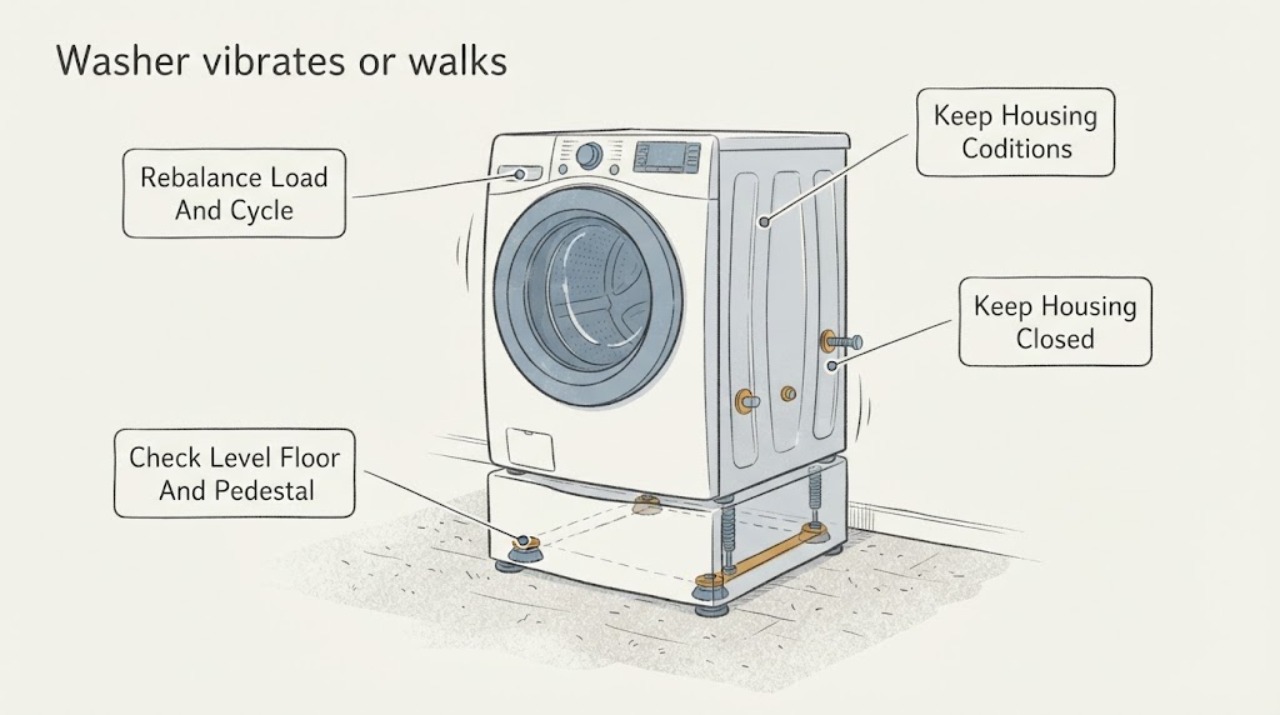
Work through in order
Diagnostic checks
Use only checks that match the exact appliance or system and its official guide.
-
Check 1
Stop the Samsung washer and record the exact model, front-load or top-load type, selected cycle, whether the movement happens during weight sensing, wash, or spin, and whether the washer vibrates, bangs, rocks, or walks.
Expected result: The movement is a brief small vibration at startup, occurs only with a particular load or spin stage, happens with every load, or is accompanied by a code, wet clothes, leak, smoke, sparks, or cabinet impact.
Next step: For ordinary movement, continue with the stopped load and installation checks. Keep the washer off for violent movement, cabinet impact, a leak, smoke, sparks, a burning smell, or a hot cord.
Stop if: Do not reach into a moving basket, hold the cabinet while it spins, or keep testing a machine with a safety symptom.
Why this matters
Why: Samsung describes small startup sensing movement as possible normal behavior. Movement tied to load or spin suggests balance or level; constant or hazardous movement points to installation or an internal fault.
-
Check 2
After the basket has fully stopped and the door or lid safely releases, inspect the load. Untangle clothing, avoid tightly packing the tub, do not wash one absorbent bulky item alone, and use the cycle and spin setting suited to the fabric and load size.
Expected result: Laundry is bunched to one side, a sheet or blanket is tangled, the tub is overfilled or nearly empty, the selected cycle is unsuitable, or the load is balanced and appropriately sized.
Next step: Redistribute or reduce the load, choose the model-recommended cycle, and run one small supervised test. If an ordinary balanced load still causes movement, stop and continue to the installation and service checks.
Stop if: Do not open a locked door or lid, add laundry while the basket moves, hold the tub, or keep a violent spin running.
Why this matters
Why: Samsung links tangled, very small, large, or excessive loads and wrong cycle choices to imbalance, reduced spin, and vibration. A suitable load that still walks makes level, floor, shipping-material, pedestal, or internal problems more likely.
-
Check 3
From outside the appliance, check that the floor is stable, the washer has the model-required clearance, every applicable foot makes firm contact, and the cabinet does not rock when gently tested at the corners. If a pedestal or riser is used, verify it was leveled and mounted before the washer was installed.
Expected result: A corner wobbles, a foot is off the floor, the floor is slippery or damaged, the pedestal is loose or unlevel, the washer is pressed against a wall, or the installation is stable.
Next step: Correct only an obvious external leveling or pedestal condition according to the exact Samsung installation instructions, then test with a small balanced load. Stop if the machine cannot be made stable without lifting or moving it.
Stop if: Do not jack, tilt, lift, drag a water-filled appliance, place it on an improvised platform, or adjust hardware by guesswork.
Why this matters
Why: Samsung says unstable feet, floors, pedestals, or restricted surrounding space can amplify vibration and walking. A stable installation with the same symptom shifts concern toward the load, shipping bolts, drain, or internal suspension and drive.
-
Check 4
If the Samsung washer is a front-loader and the vibration began after installation or a move, check the model instructions and the drum's feel through the open door for evidence that shipping bolts and spacers were removed. Top-load washers do not use the same shipping-bolt procedure.
Expected result: The front-load drum feels rigid with almost no spring-like give, shipping bolts are still installed or unconfirmed, the washer is on a pedestal with unclear mounting, or installation materials are known to be removed.
Next step: Use the exact installation manual or qualified installer to verify and remove shipping material and secure the supplied covers; do not remove bolts by guesswork. Run one small test only after the installation is confirmed.
Stop if: Do not run a front-loader with shipping bolts installed, pull bolts from an inaccessible position, or move the washer while it contains water.
Why this matters
Why: Samsung says shipping materials must be removed from front-load washers to avoid excessive shaking; top-load machines do not have those shipping bolts. A rigid drum or uncertain installation requires correction before another spin test.
-
Check 5
After correcting any load, level, pedestal, floor, or shipping-material issue, run one small balanced test cycle while staying nearby. Record whether the washer remains stable and whether a code, leak, unusual noise, reduced spin, or cabinet impact appears.
Expected result: The movement stops, occurs only with one load or cycle, continues with a small balanced load, returns after a move, or is accompanied by a code, leak, scraping, smoke, burning odor, or sparks.
Next step: Keep the washer off and arrange qualified Samsung appliance service for persistent or hazardous vibration. Provide the model, load, cycle, installation checks, test result, and any code, noise, leak, or power symptom.
Stop if: Do not repeat high-speed tests, open the cabinet, bypass sensors or locks, perform live electrical testing, or continue operation after smoke, sparks, a leak, or violent movement.
Why this matters
Why: Improvement after an external correction supports an imbalance or installation cause. Persistent movement on a suitable load, or movement with a safety or performance symptom, suggests suspension, tub, bearing, drive, motor, control, or structural trouble.
Use your observations
Decision map
Find the observation that best matches what you see, then follow the next safe action.
-
PATH 01Safety boundary
What you see
A small vibration occurs only briefly at the beginning while the washer weighs or senses the load, then the washer stays stable and completes the cycle.
Do this next
Monitor the next cycle and keep the load appropriate. Arrange service if the movement becomes sustained, increases, or appears with an error, leak, cabinet impact, or poor spin.
Why this path and its safety boundary
Why it matters: Samsung identifies small startup vibration during weight sensing as possible normal behavior rather than a walking fault.
Safety stop: Do not hold the appliance or reach into the basket to suppress normal sensing movement.
-
PATH 02Safety boundary
What you see
Walking or banging occurs mainly during spin with wet, tangled, tiny, overloaded, or bulky laundry, and the washer is stable when empty or with a suitable load.
Do this next
When the basket stops, redistribute the laundry, avoid one absorbent bulky item alone, reduce overloading, and use the model-recommended cycle or spin setting. Service is appropriate for repeated imbalance with ordinary loads.
Why this path and its safety boundary
Why it matters: Load distribution or cycle choice is more likely than an internal fault.
Safety stop: Do not open the door or lid while moving, add items to a locked tub, or continue a violent spin.
-
PATH 03Safety boundary
What you see
The cabinet rocks by hand, one foot does not contact the floor, the floor is slippery or damaged, the pedestal is unlevel, or clearance and mounting are not as specified.
Do this next
Level the pedestal first when present and adjust applicable feet according to Samsung's installation instructions. Test once with a small balanced load after all corners are firm; stop if stability cannot be restored.
Why this path and its safety boundary
Why it matters: Installation stability is more likely to be amplifying movement and preventing safe high-speed spin.
Safety stop: Do not lift, jack, drag, or place the washer on an improvised support.
-
PATH 04Safety boundary
What you see
A newly installed or moved front-load Samsung washer has a rigid drum, severe vibration from the first cycle, or shipping bolts and spacers were not confirmed removed.
Do this next
Stop using the washer and have the exact installation instructions or qualified installer verify removal and supplied-hole covers. Test only after the installation is correct.
Why this path and its safety boundary
Why it matters: Retained shipping material can restrain the drum and cause excessive shaking; this branch does not apply to top-load washers.
Safety stop: Do not run the washer with shipping bolts installed or remove them from an unsafe position while the unit contains water.
-
PATH 05Safety boundary
What you see
Vibration occurs with water remaining, wet clothing, reduced or stopped spin, a no-drain or unbalanced code, or a drain or pump symptom.
Do this next
Check the model-approved drain path and front-load pump filter procedure if applicable, then rebalance the load. Arrange service if water remains or spin performance does not return.
Why this path and its safety boundary
Why it matters: A drain restriction, filter issue on an applicable front-loader, or balance condition may be preventing normal spin and causing movement.
Safety stop: Do not force a locked door, open a hot filter, tip the washer, probe the pump, or keep operating over standing water.
-
PATH 06Safety boundary
What you see
The washer still walks or vibrates with a small balanced load and stable installation, or movement is accompanied by cabinet impact, scraping, smoke, burning odor, sparks, a hot cord, or a leak.
Do this next
Keep the washer off and arrange qualified Samsung appliance service. For smoke or fire, leave the area and seek emergency help; otherwise isolate power only from a dry safe location without touching wet equipment.
Why this path and its safety boundary
Why it matters: An internal suspension, tub, bearing, drive, motor, control, wiring, or structural fault is more likely; the safety symptoms require immediate isolation.
Safety stop: Do not restart to reproduce the movement, open the cabinet, touch a wet or hot cord, bypass a lock, or perform live electrical testing.
Helpful context
Understand the symptom
Some movement is sensing; walking is not
Samsung notes that a small vibration at the beginning of a cycle can occur while the washer weighs the load. A large sideways movement, repeated cabinet impact, or walking across the floor is different. Capture the cycle stage, load type, and any code before stopping the machine; those details distinguish normal sensing from imbalance or installation trouble.
The load can create a false mechanical fault
Sheets, blankets, waterproof items, or one absorbent bulky item can twist into a heavy lump. A very small load can also collect on one side, while overloading prevents the load from moving freely. Wait for the basket to stop, redistribute the laundry, and use the cycle and spin setting the exact Samsung guide recommends. Do not hold the tub or open a locked door during movement.
Check feet, floor, pedestal, and shipping material
All applicable feet need firm floor contact. Samsung says a slippery or damaged floor can disturb balance, a pedestal or riser should be leveled before the washer is mounted, and front-load shipping bolts must be removed for proper operation. Keep the washer positioned with the clearance required by the model and adjust feet only from its installation instructions.
Escalate when setup is no longer the explanation
If a balanced small load still causes walking or violent vibration after a stable, model-correct installation, an internal suspension, tub, bearing, drive, or control issue becomes more likely. A leak, smoke, sparks, burning smell, or cabinet damage changes the task to an immediate safety stop. Do not remove panels, perform live testing, or continue cycling to reproduce the movement.
Safety boundary
Stop conditions
- Stop immediately for smoke, fire, sparks, a burning smell, a hot or melted cord or receptacle, an active leak, violent walking, or the basket striking the cabinet; isolate power only from a dry safe location and arrange qualified help.
- Do not reach into a moving basket, force a door or lid, bypass a lock or sensor, open the cabinet, perform live electrical testing, or move a water-filled washer.
- Do not lift, jack, drag, or place the washer on an improvised support; use the exact Samsung installation instructions for feet, pedestal, floor, clearance, and shipping material.
- Do not apply a shipping-bolt or calibration procedure from another Samsung model, and do not repeat high-speed tests when the machine walks, leaks, or impacts the cabinet.
- Arrange qualified Samsung appliance service for persistent vibration with a balanced load and stable installation, an inaccessible installation fault, a returning code, poor drain or spin performance, or any internal repair need.
Only after diagnosis
Potential parts
- Samsung washer leveling foot, lock nut, pedestal pad, or shipping hardware
Consider this category only when the model-specific installation inspection identifies a missing, damaged, or non-seated installation component that matches the vibration symptom.
Confirm the complete model and installation type; front-load and top-load hardware are not interchangeable by assumption. - Samsung washer suspension or damper component
Consider this category only when persistent walking or vibration remains with a balanced load, stable floor, correct feet, and confirmed shipping-material removal and a technician identifies the suspension path.
Do not infer a failed suspension part from movement alone; verify the exact model and diagnosis before ordering. - Samsung washer drain pump, motor, drive, tub, or bearing component
Consider this category only when poor drain or spin, grinding, scraping, or persistent movement remains after safe external checks and the technician identifies the component.
Component access and fit vary by model; confirm the exact model and qualified diagnosis before any internal work.
When checks do not resolve it
Need a professional?
Arrange qualified Samsung appliance service when walking or vibration continues with a small balanced load and stable, model-correct installation; when shipping material or a pedestal cannot be safely verified; when drain or spin performance remains poor; or when a suspension, tub, bearing, motor, drive, control, or wiring issue is suspected. Keep the washer off for cabinet impact, violent movement, leaks, smoke, sparks, burning odor, or a hot cord, and provide the exact model, load, cycle, code, installation checks, and test result.
Safety scope: This article supports stopped-machine load checks, external stability observations, model-directed leveling and shipping-material verification, and one supervised small-load test. It does not authorize cabinet disassembly, live electrical testing, lock bypass, moving a water-filled washer, removal of hardware by guesswork, or operation after a hazardous symptom.
Common questions
FAQ
Why does my Samsung washer vibrate at the start of a cycle?
Samsung says some small movement can occur while the washer senses the load. Sustained walking or severe vibration is different: stop the washer, check the load, feet, floor, pedestal, and—on front-load models—shipping bolts, then run one small test after correction.
Can an unbalanced load make a Samsung washer walk?
Yes. Tangled sheets or blankets, a single absorbent bulky item, an overloaded tub, or a very small load can move weight to one side and cause walking or spin vibration. Wait for the basket to stop, redistribute the load, and use the cycle suited to it.
How do I know if my front-load Samsung washer still has shipping bolts?
Samsung says a front-load drum should have some spring-like give when gently pushed through the open door; a drum that feels rigid with almost no give may still have shipping bolts. Verify the exact installation instructions before removing anything, and do not run the washer until the installation is correct.
When should I stop using a Samsung washer that vibrates?
Stop for violent walking, cabinet impact, smoke, sparks, burning odor, a hot cord, an active leak, or persistent movement with a small balanced load and stable installation. Keep the washer off and arrange qualified service; do not open the cabinet or restart it to reproduce the problem.
Read the exact guide
Official sources
- Samsung washing machine will not drainSamsung · Samsung washer drain path, hose, level, filter applicability, hot-water caution, and drain-test guidance
- Samsung washing machine information and error codesSamsung · Samsung washer unbalanced-load, no-drain, door, motor, voltage, and calibration code meanings
- Samsung washing machine does not spin at allSamsung · Samsung washer no-spin, drain-before-spin, front-load pump-filter applicability, calibration, and service boundary
- Samsung washing machine is shaking too muchSamsung · Samsung washer vibration, walking, load, floor, feet, pedestal, shipping-bolt, and calibration checks
- Samsung washing machine will not start or fill with waterSamsung · Samsung washer door-lock safety and front-load emergency-drain behavior when water remains
- Samsung washing machine spins poorlySamsung · Samsung washer unbalanced loads, cycle choice, leveling, drain-before-spin, filter applicability, and calibration
Community feedback
Share a repair observation
Share a plain-text repair observation. Accepted observations are published automatically; this page may take a moment to update.