
Samsung appliance guidance
Samsung Washer Repair Guides
Troubleshooting and repair guidance for published Samsung Washer problems, symptoms, and maintenance questions.
Published Samsung Washer guides
Choose the guide whose symptom or condition most closely matches what you are seeing.
-
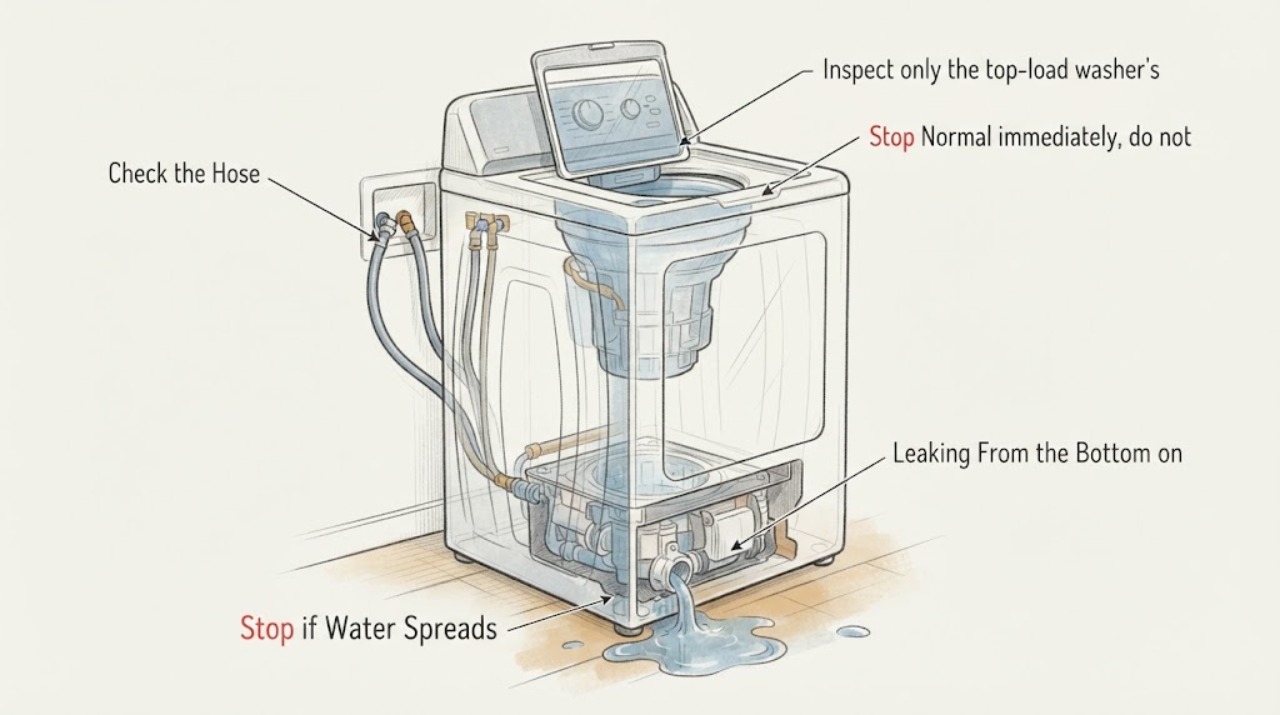
Samsung WA50R5200AW Leaking From the Bottom on Normal
If a Samsung WA50R5200AW top-load washer is actively leaking or flooding from underneath during Normal, stop the cycle, keep people away from the water, close the accessible hot and cold taps, and disconnect power only from a dry, safe position. Do not run another cycle to find the leak, move a wet washer, remove the bottom panel, or inspect live parts.
-
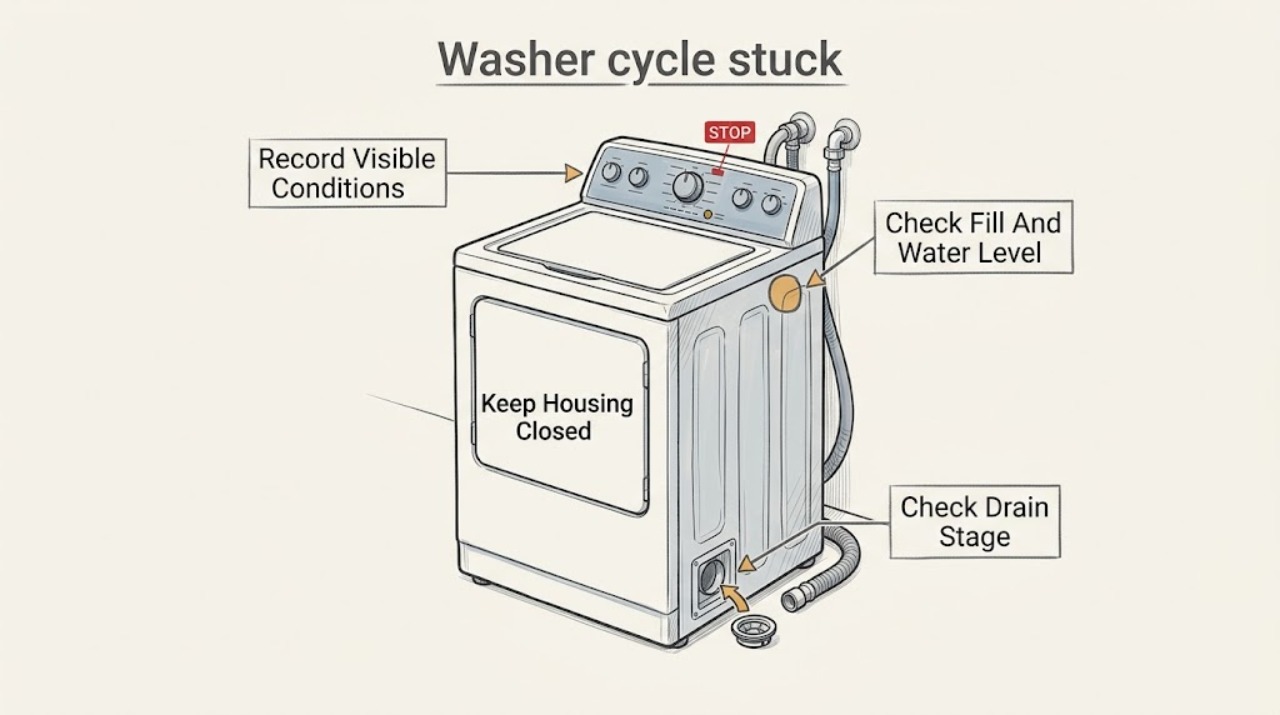
Samsung washer cycle stuck: What to check and what to do next
A Samsung washer that appears stuck is usually waiting for a stage to complete, not necessarily frozen electronics. Note the displayed stage, remaining time, icons, water level, and whether the tub is filling, washing, draining, or trying to spin.
-
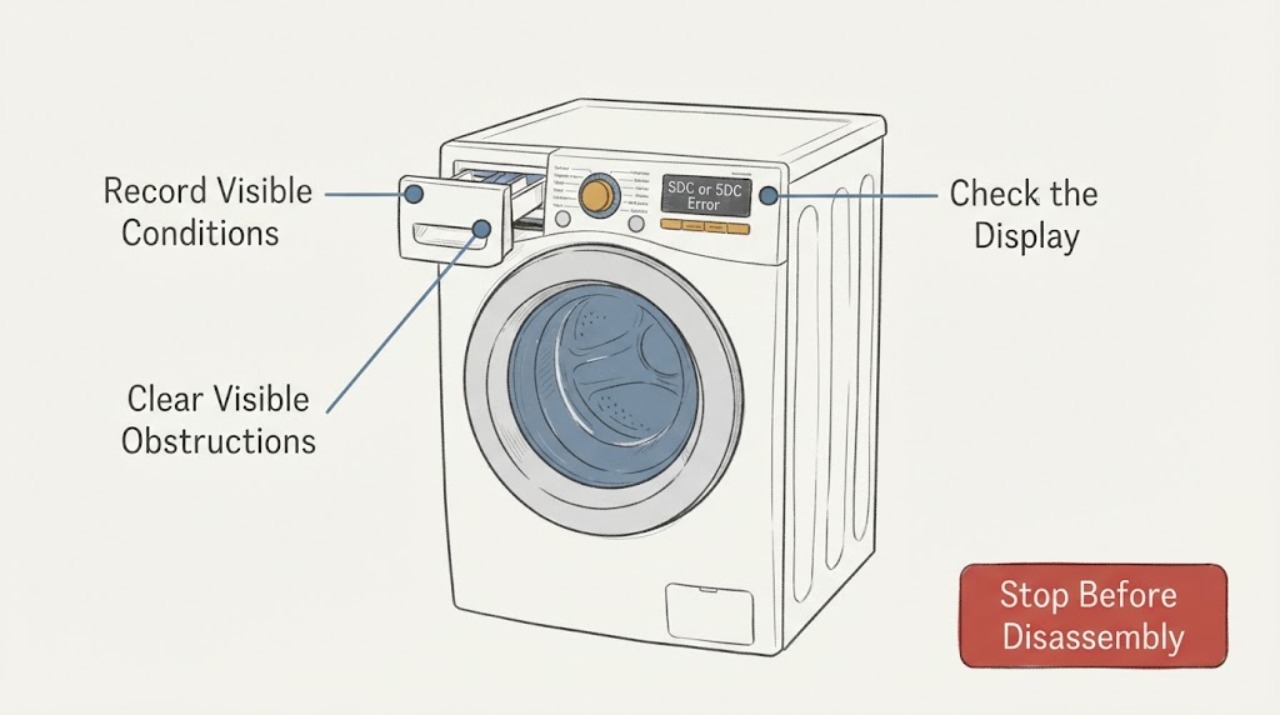
Samsung Washer SDC or 5DC Error: Check the Detergent Drawer Closure
For a samsung washer SDC, 5DC displays SDC or 5DC problem, first identify the exact model and symptom, then follow the opened manufacturer guidance for the accessible check. Observe whether the condition clears after one documented retry; a returning fault or any hazard needs qualified service.
-
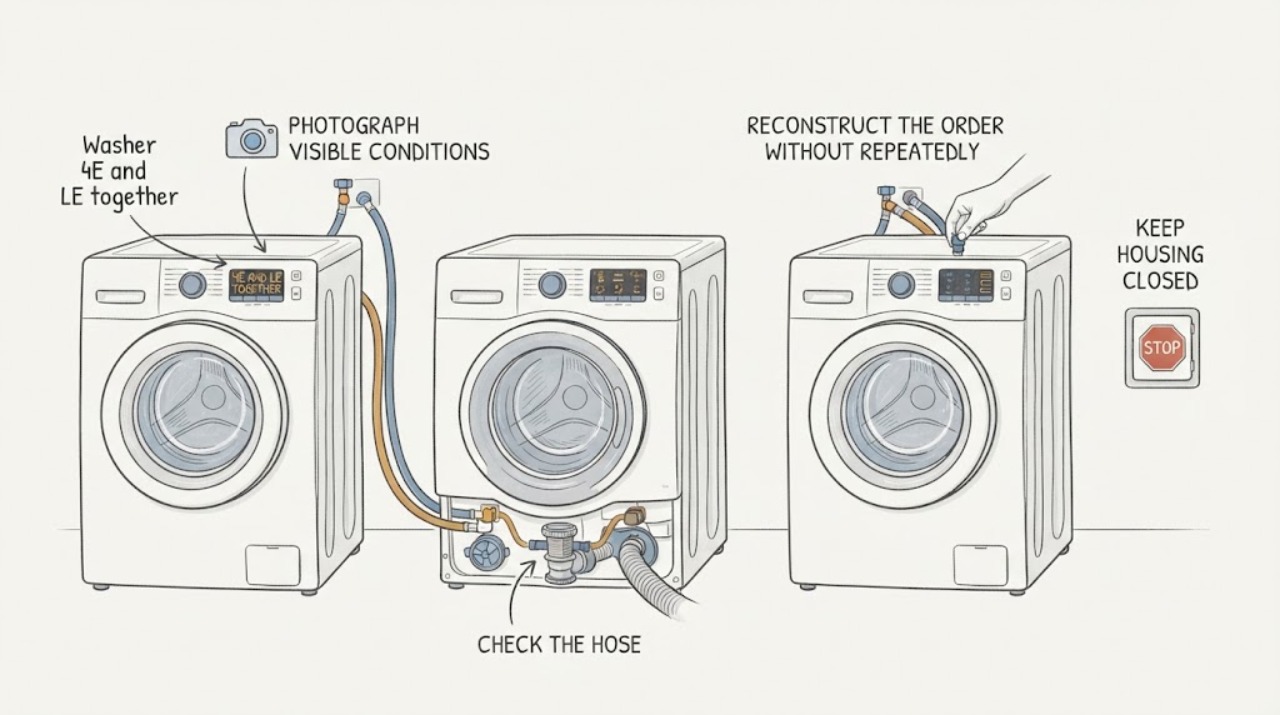
Samsung washer 4E and LE together: separate water supply, leak, and drain checks
Do not assume a drain check valve caused both Samsung codes. On Samsung's US guide, 4E is a not-filling error—water is not entering correctly—while LE is grouped with 1E/1C/LC as a water-level or leakage error.
-
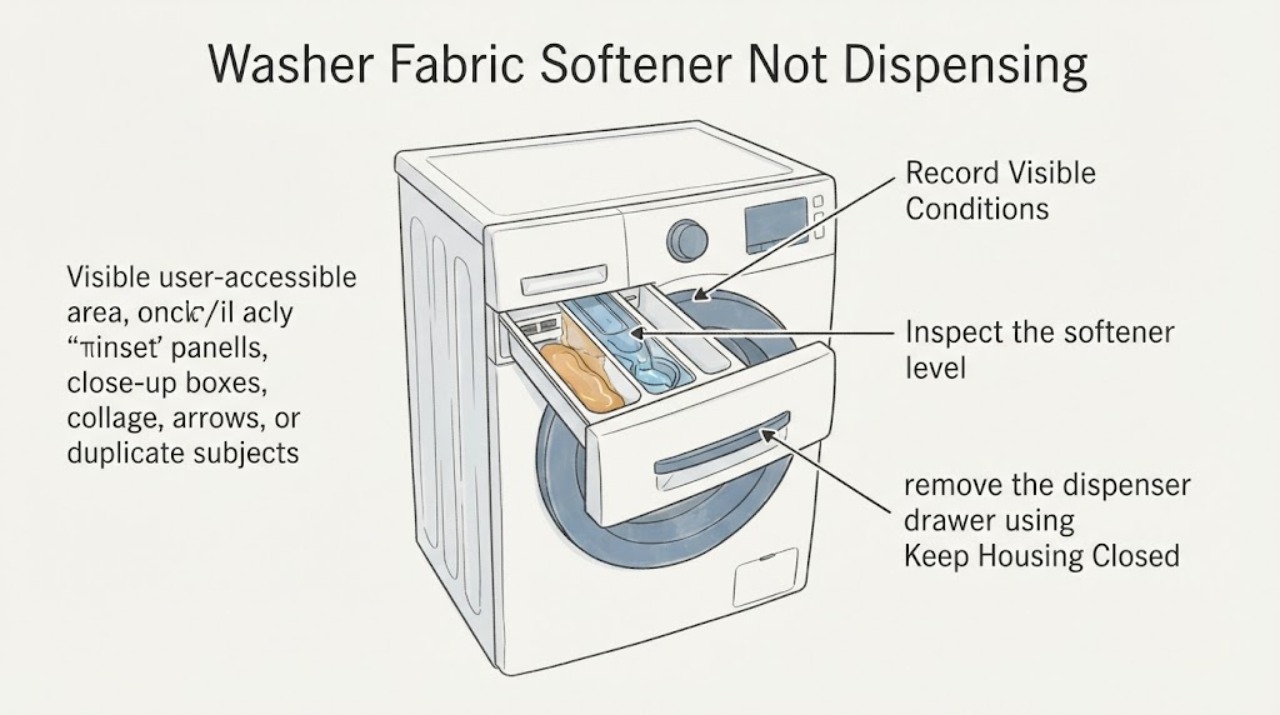
Samsung Washer Fabric Softener Not Dispensing: Clean the Siphon Path
If fabric softener is still in a Samsung washer drawer after the cycle, first identify whether the machine uses a manual softener compartment or an automatic softener reservoir. With the washer stopped, check that the softener is below the MAX line, has a pourable consistency, and is in the correct compartment.
-
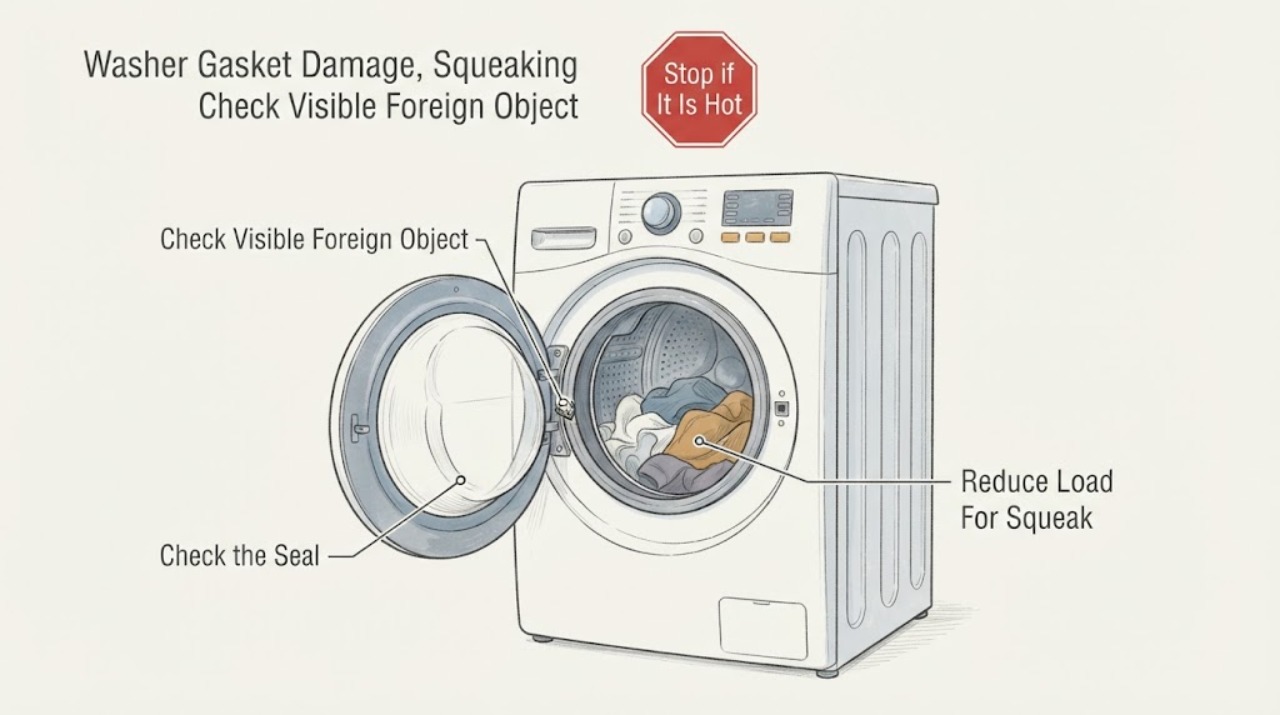
Samsung Washer Gasket Damage, Squeaking or a Foreign Object in the Drum
Stop the cycle before investigating. Samsung says a front-load washer's rubber door gasket should be checked for foreign material or damage, and a damaged seal should be serviced; jagged tub or gasket edges can also snag fabric.
-
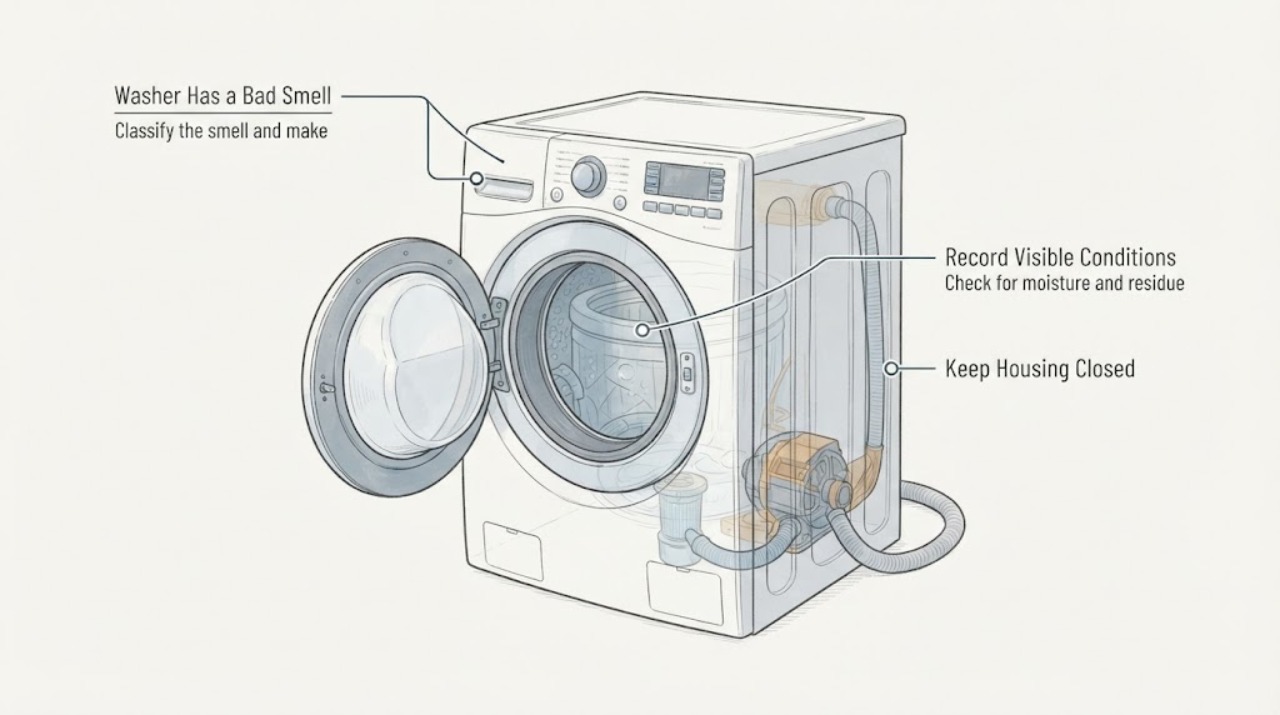
Samsung Washer Has a Bad Smell: What to Check and What to Do Next
Start by identifying the odor rather than adding a cleaner. A musty or moldy smell commonly points to trapped moisture, detergent residue, wet laundry, or a dirty pump filter; a sulfur or sewage smell can point to drain-hose installation and wastewater siphoning; a burning or electrical smell requires the washer to stay off, except that Samsung notes a mild motor-insulation odor can occur during the first couple of cycles of a new washer.
-
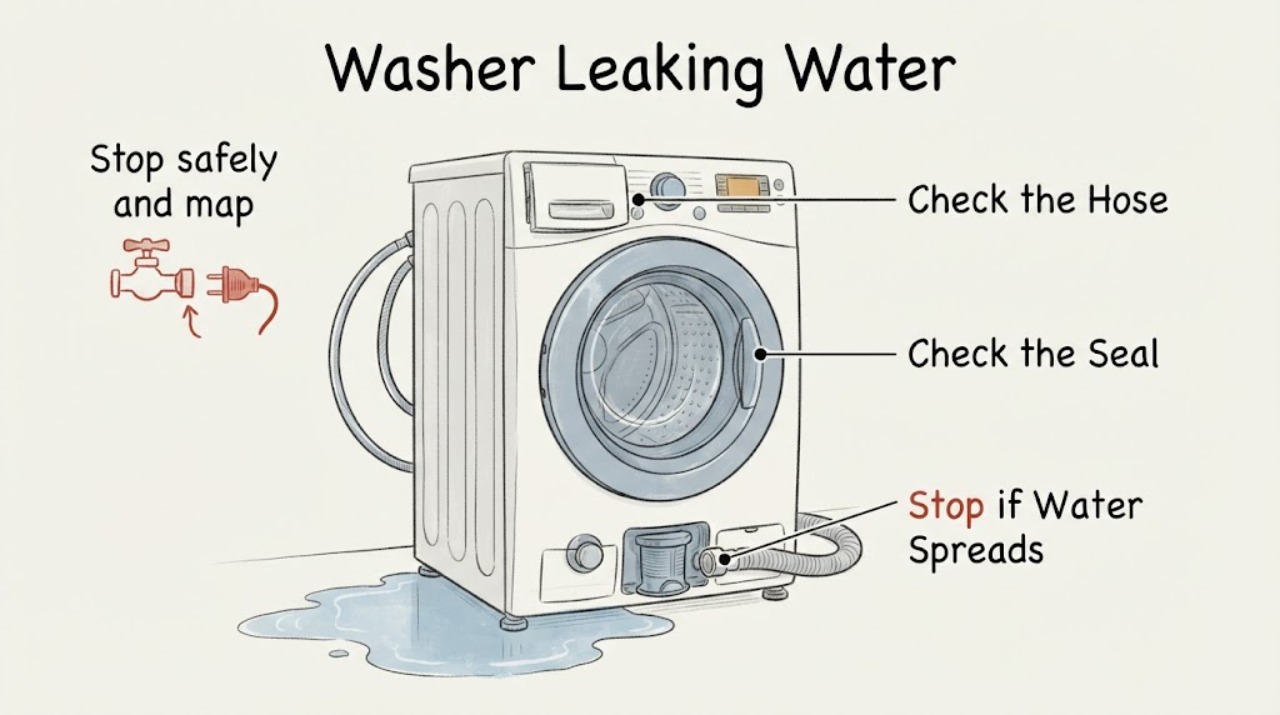
Samsung Washer Leaking Water: What to Check and What to Do Next
Stop the cycle and first determine where and when the water appears: at a supply connection before or during filling, around the front door, from the detergent drawer, from the drain hose while pumping out, or underneath the cabinet. Keep the washer off if water is near the cord, outlet, controls, or other electrical equipment; isolate power only from a safe, dry location.
-
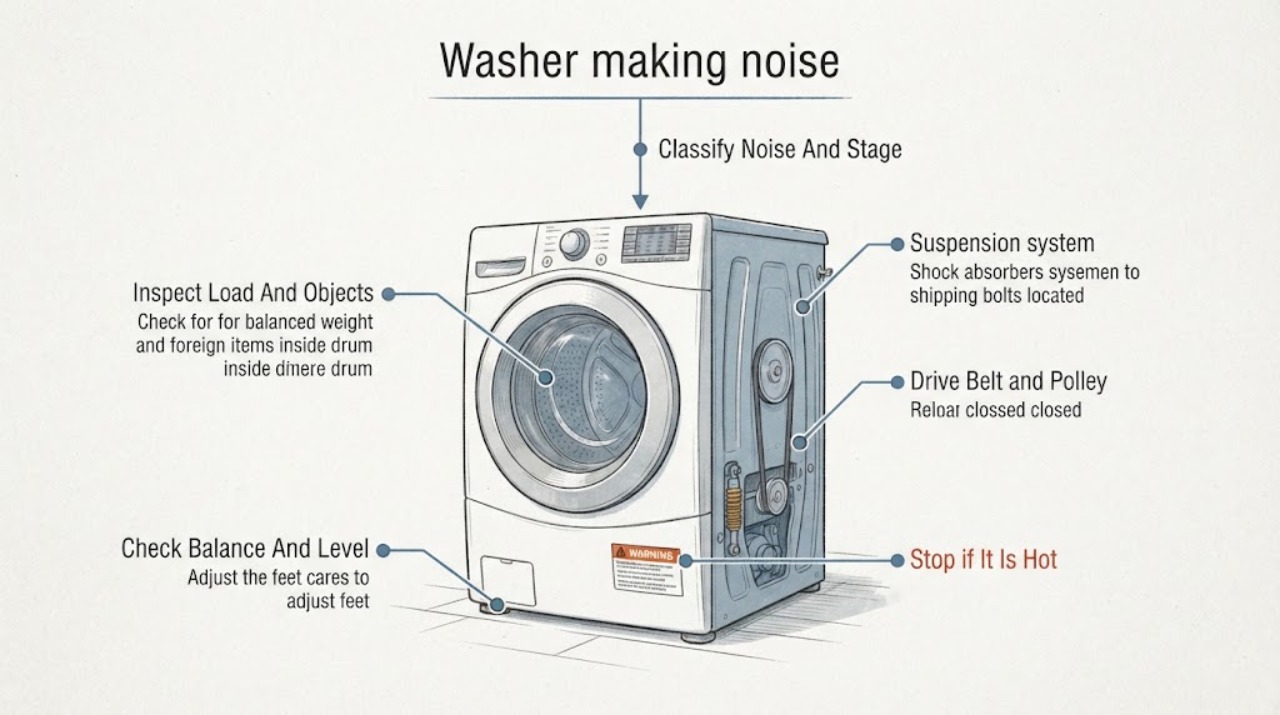
Samsung washer making noise: What to Check and What to Do Next
Classify the Samsung washer noise by sound, cycle stage, and whether it changes with the load. Some clicks, a brief click followed by a short thump, quiet drain humming, a pop as filling starts, and steady water sounds can be normal.
-
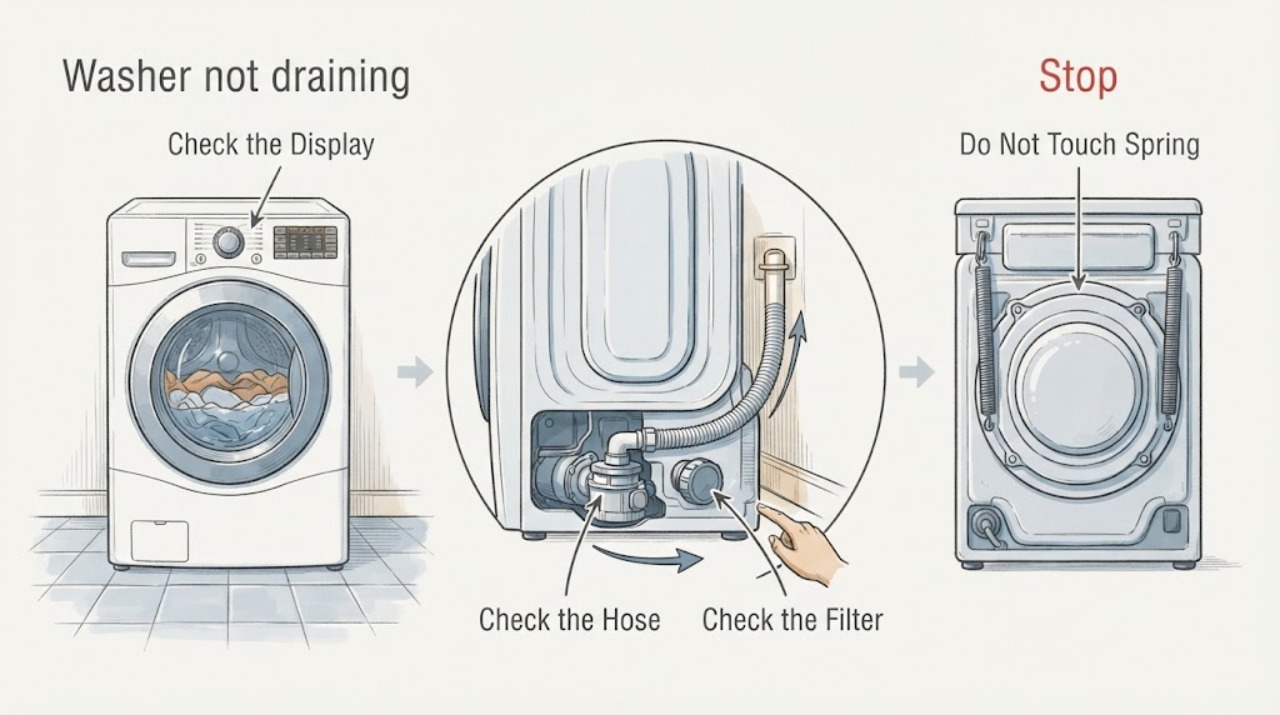
Samsung washer not draining: What to Check and What to Do Next
If a Samsung washer leaves water in the tub, first stop the cycle and identify the exact model, front-load or top-load type, displayed code, and whether the water is hot. Let water from a recent hot, Pure Cycle, or Sanitize cycle cool before opening any drain access.
-
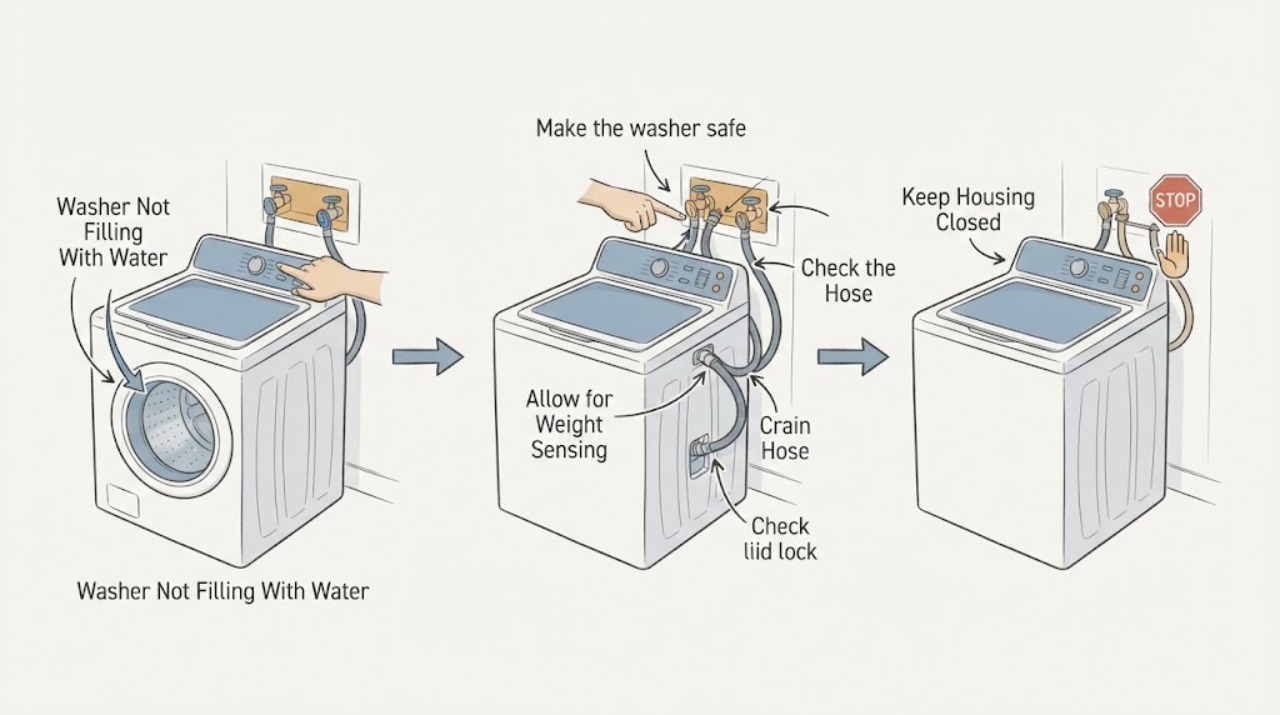
Samsung Washer Not Filling With Water: What to Check and What to Do Next
First decide whether the Samsung washer is truly receiving no water, is still in its normal weight-sensing delay, or is filling with less water than expected. Record any code or blinking lights.
-
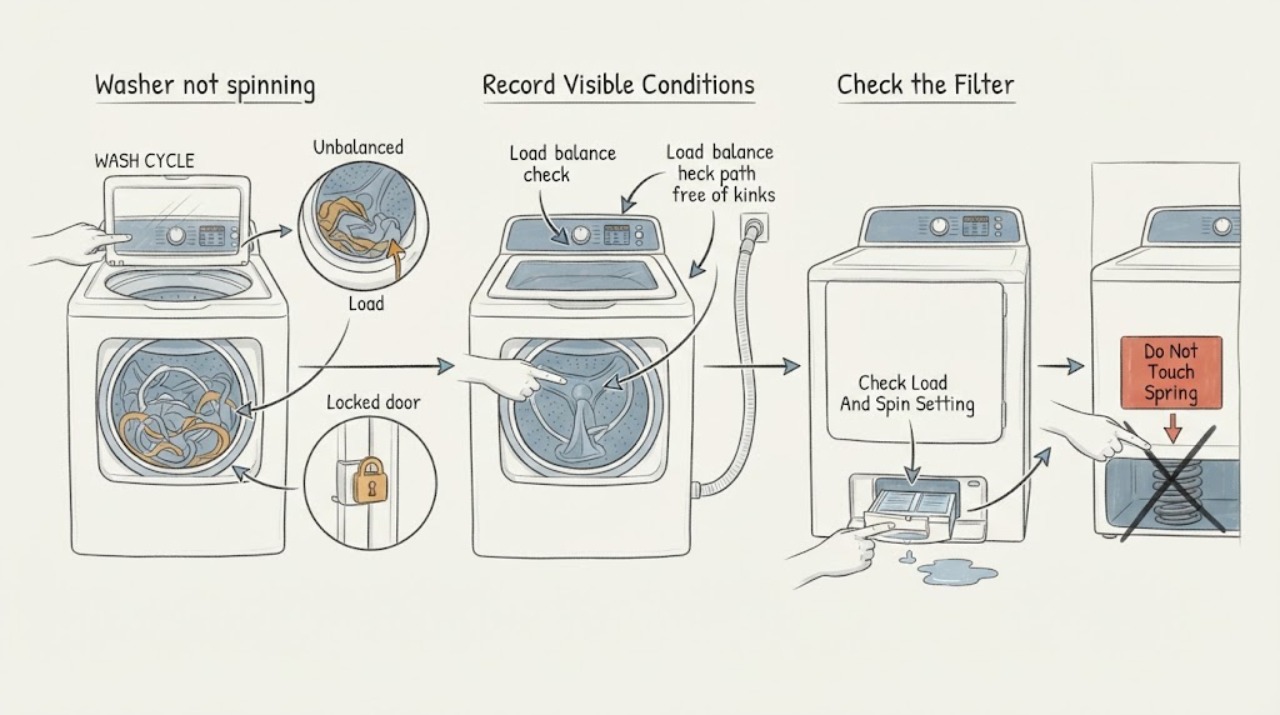
Samsung washer not spinning: What to Check and What to Do Next
First distinguish a washer that never starts spinning from one that spins slowly or stops during the cycle. Record the exact Samsung model, front-load or top-load type, code or blinking lights, water level, and whether the clothes are wet.
-
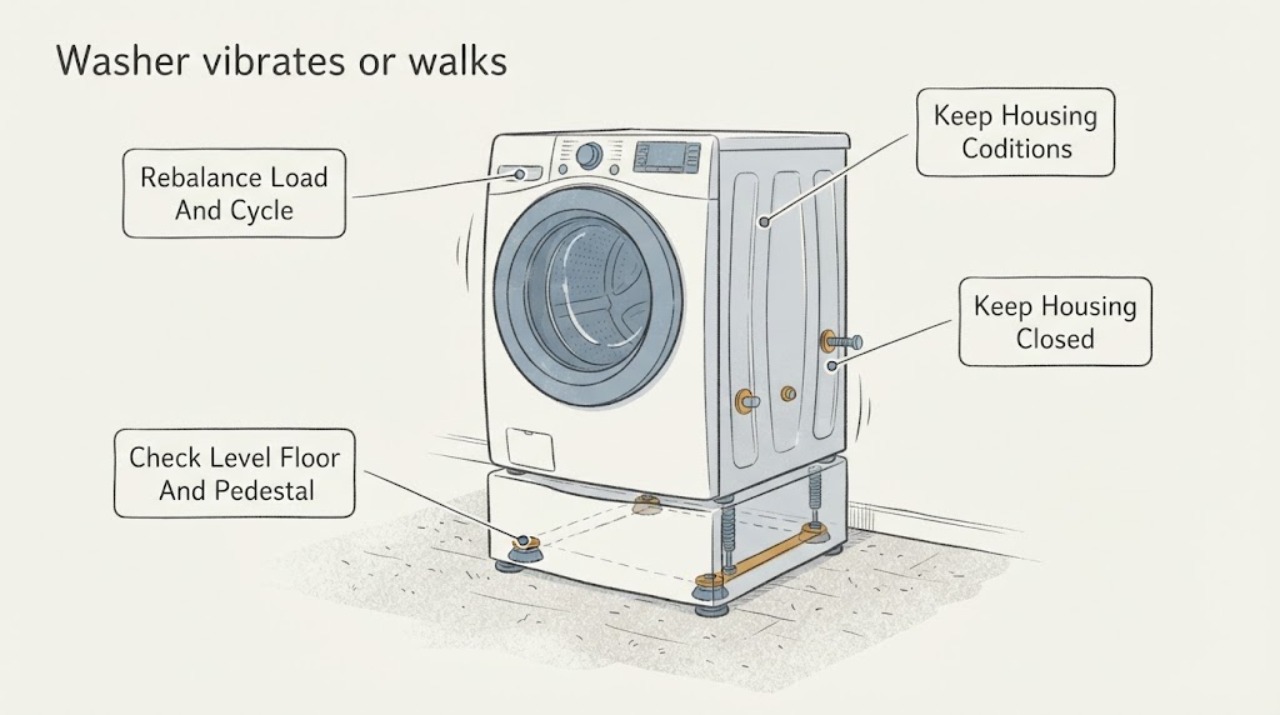
Samsung washer vibrates or walks: What to Check and What to Do Next
First note whether the Samsung washer vibrates only during normal weight sensing or spins, and whether it actually walks, bangs, or leaves the cabinet. Stop it before reaching into the tub, then check for an overloaded, tangled, very small, or single bulky load and redistribute it when the basket has stopped.
-
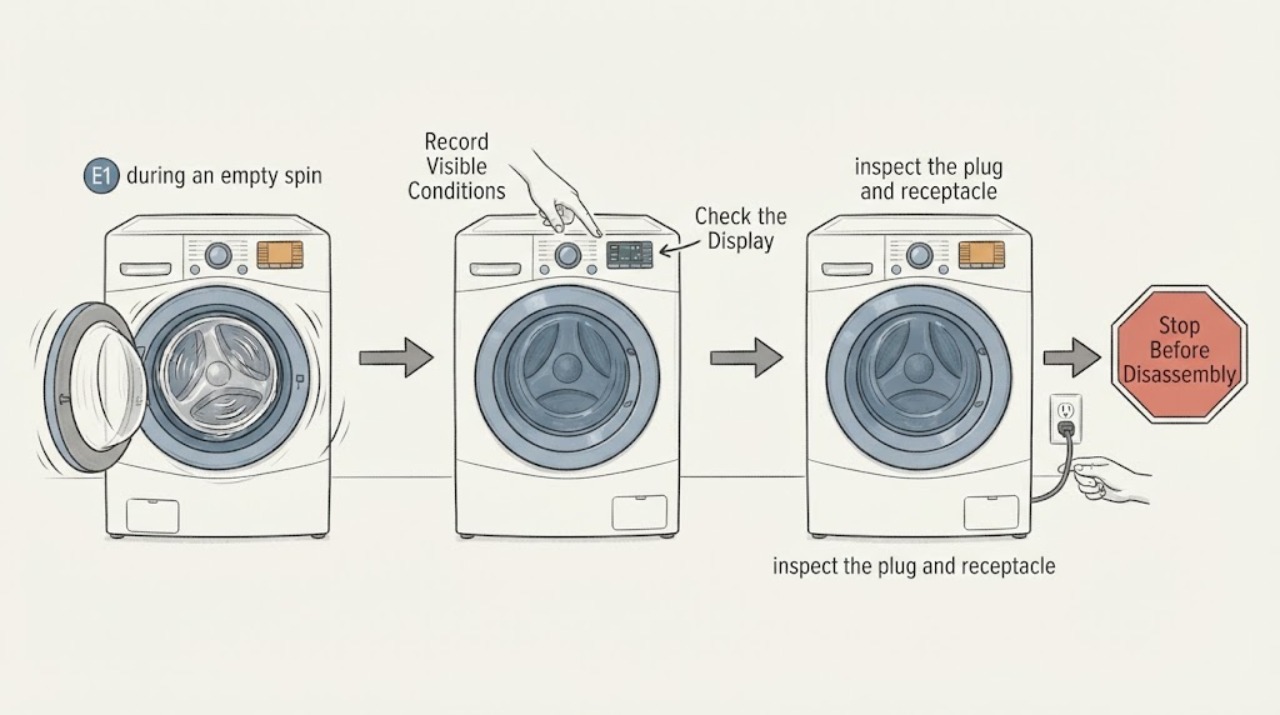
Samsung WF330ANW/XAA 9E1 during an empty spin test: separate the power code from tub vibration
On the assigned Samsung WF330ANW/XAA, do not treat an empty-tub rocking symptom as the meaning of 9E1 without checking the display and the power path. Samsung's public washer tables group 9E1 with power, low-voltage, or irregular-current errors, while they list 8C/8E separately for the MEMS vibration sensor.
-
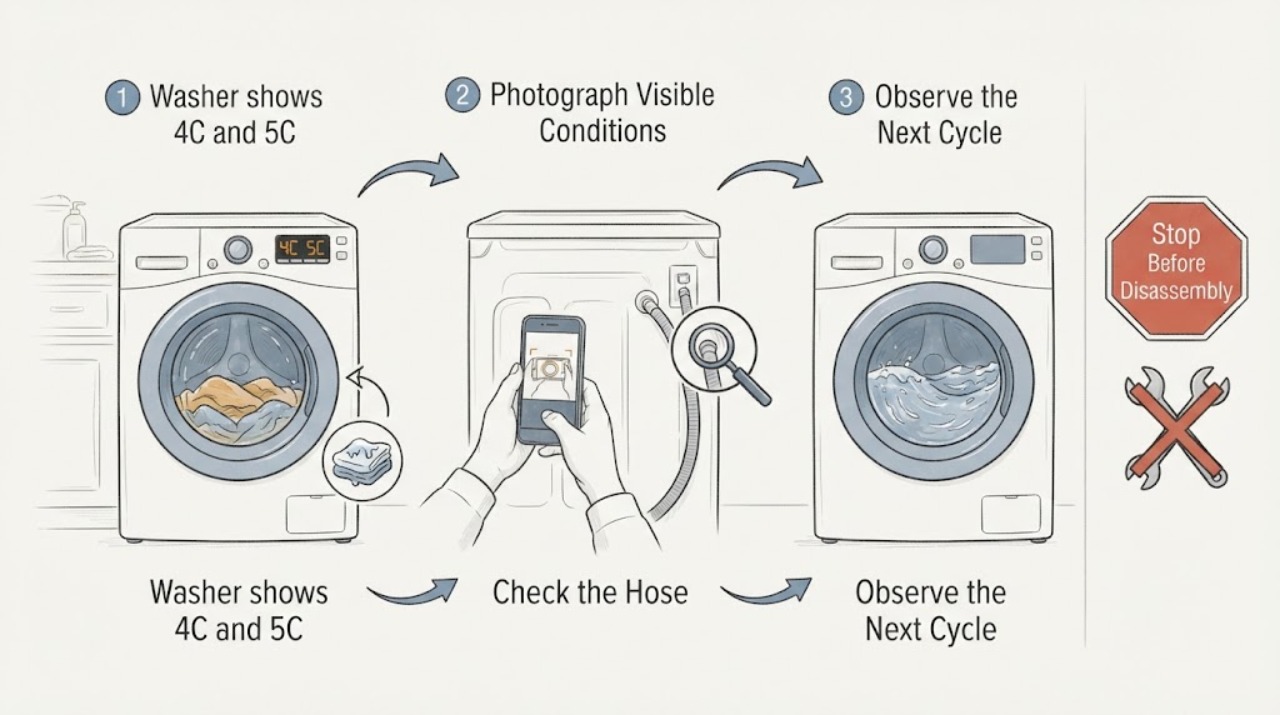
Samsung WF45T6000AW/A5 washer shows 4C and 5C in different cycles
On the Samsung WF45T6000AW/A5 front-load washer, 4C means the washer is not filling correctly and 5C means it is not draining at the required speed. If 4C appears during an empty rinse and 5C later appears during a spin-only cycle with wet towels, treat the sequence as two stage-specific clues: check the visible water-supply path for the rinse failure, then check the visible drain-hose route and standing-water condition for the spin failure.
-
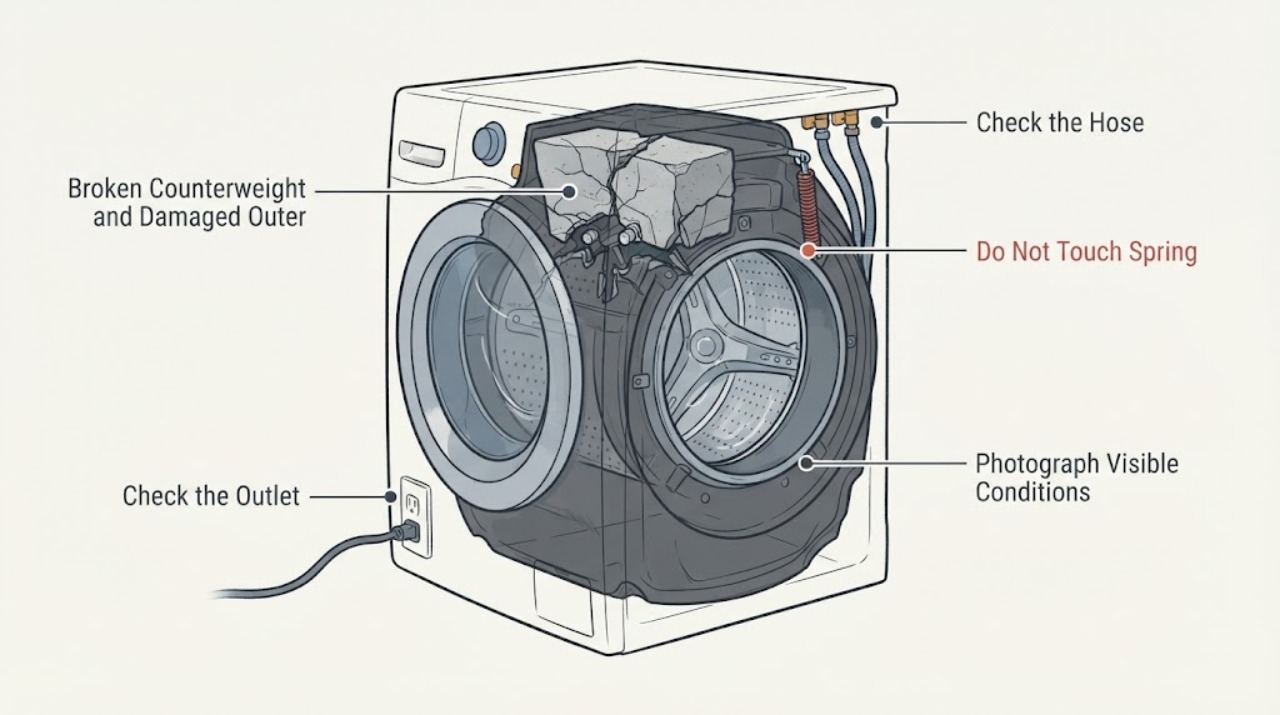
Samsung WF45T6000AW Broken Counterweight and Damaged Outer Drum
A broken front counterweight together with damage to the plastic outer tub is a major structural fault, not a cosmetic vibration problem. Stop the Samsung WF45T6000AW immediately, close the water taps, and isolate power only from a dry, safe position.