
On this page
Start here
Quick answer
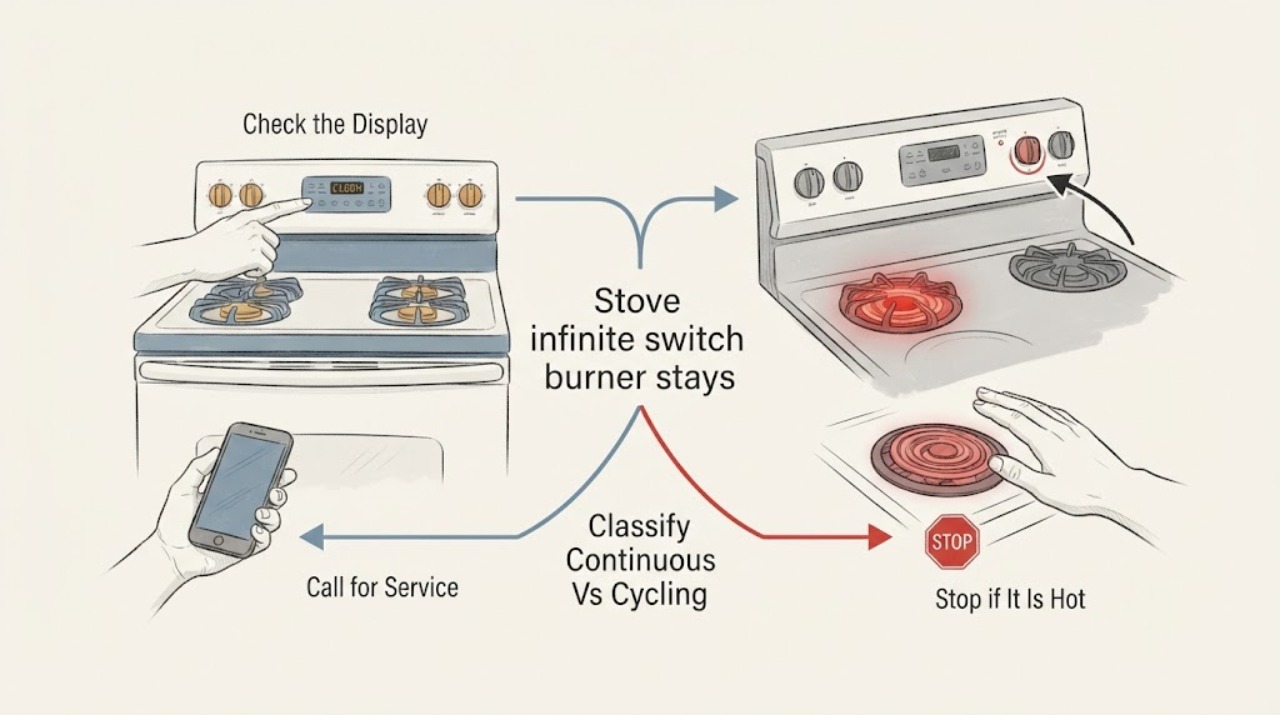
First determine whether the electric burner is actually heating continuously or is cycling normally. Radiant and coil elements can switch fully on and off—even on High—as the control maintains heat; the red glow and hot-surface indicator alone do not prove an infinite-switch failure. With a pan removed and hands away from the hot surface, turn the affected control through Low, Medium, and Off and observe only from a safe distance. If the element remains fully energized at lower settings or after Off, the knob is turned off but the element continues heating, the indicator does not behave as the model manual describes, or a breaker trips, stop using the stove and disconnect power at the breaker if safe to do so. Do not open the control panel, test live terminals, bypass the infinite switch, or replace a switch or element by appearance; a qualified appliance technician should diagnose the switch, element, limiter, and wiring.
Before you begin
Safety first
- This article supports safe visual observation of settings, cycling, indicators, and visible cooktop condition. A qualified appliance technician should disconnect and test the infinite switch, element, limiter, terminals, wiring, control panel, and supply circuit.
Work through in order
Diagnostic checks
Use only checks that match the exact appliance or system and its official guide.
-
Check 1
Remove the pan, keep hands away from the surface, and observe the affected electric burner from a safe distance while it is set first to a lower setting and then to Off; do not touch the element or glass to judge temperature.
Expected result: The element may cycle visibly on and off, remain continuously bright or hot at a lower setting, continue heating after Off, or simply leave a warm glass surface after the element stops.
Next step: If the element cycles and responds to Off, compare the behavior with the model manual; if it continues heating after Off, leave the stove unused and move to the power-off service boundary.
Stop if: Stop immediately for smoke, glowing parts outside the element, burning odor, sparks, a hot control area, cracked glass, or an element that remains energized after Off.
Why this matters
Why: Visible cycling at selected settings can be normal electric-burner operation. Continuous heating after Off is different and makes a control, switch, element, limiter, or wiring fault more likely; residual glass heat alone does not prove live power.
-
Check 2
Without removing the knob or opening the console, turn the affected control through Low, Medium, and High as the model manual permits and compare its response with another burner of the same type; keep cookware off the surface.
Expected result: The affected burner may change its duty cycle with the setting, stay at the same full-on behavior at every setting, respond only after the knob is moved repeatedly, or differ from the other burner.
Next step: Document the exact control position and comparison, then stop using the affected burner if it does not respond predictably; do not compensate by leaving it on a lower setting.
Stop if: Do not force, pry, spray, or dismantle the knob or control; stop for heat, odor, visible damage, or any need to expose wiring.
Why this matters
Why: A setting-dependent cycle is consistent with normal regulation. No change across settings, operation after Off, or a control that feels loose or abnormal makes the infinite switch or its control path more likely, but does not identify the failed part.
-
Check 3
With all controls at Off, observe the hot-surface or burner-on indicator and inspect the cooktop from a safe position for cracks, discoloration, melted material, or heat outside the selected element; do not touch a recently heated surface.
Expected result: The indicator may remain on while the glass is still hot, go out after cooling, remain on after the burner is cool, or fail to match the selected burner; the glass may also show damage or unexpected hot spots.
Next step: Use the model manual to interpret the indicator; if the burner is cool but the indicator remains on, or if glass damage or abnormal heat is present, disconnect power at the breaker if safe and arrange service.
Stop if: Do not touch cracked glass, use the burner with visible damage, or rely on the indicator alone to decide that a continuously heating element is safe.
Why this matters
Why: A time- or sensor-based indicator can remain lit after normal use, but an indicator that stays on after the burner is cool or a burner that will not turn off is a service condition. Cracked or discolored glass adds a cooktop safety risk independent of the switch.
-
Check 4
If the burner remains on after Off or the control area is overheating, turn the range off at its normal control and disconnect the appliance at its accessible breaker or approved disconnect only if you can do so safely; do not remove covers or test terminals.
Expected result: The element may stop after the disconnect, remain warm only from residual heat, or be accompanied by a breaker trip, smoke, odor, arcing, or damaged wiring.
Next step: Leave the range disconnected, keep people away from the hot surface, and arrange qualified appliance repair; provide the technician the setting, timing, indicator, and breaker observations.
Stop if: Do not reset a tripping breaker, bypass the switch, open the rear panel, or continue testing after smoke, sparking, shock, or damaged insulation.
Why this matters
Why: A power disconnect that stops active heating confirms the appliance must remain out of service but does not distinguish the infinite switch from the element, limiter, or wiring. Any electrical warning raises urgency and requires professional assessment.
-
Check 5
After one controlled observation, classify the result as normal cycling, a burner that stays continuously high, heating after Off, or an electrical warning; do not keep cooking to see whether the behavior corrects itself.
Expected result: The issue may disappear after the control is reset, recur only on one burner, affect several burners, or persist with the appliance disconnected until it is serviced.
Next step: Keep an abnormal burner out of service and arrange qualified appliance repair; mention that the component identity is unconfirmed and request testing of the infinite switch, element, limiter, and connections.
Stop if: Do not use a pan as a heat test, leave the burner unattended, open the appliance, or replace the infinite switch or element without the exact model and qualified diagnosis.
Why this matters
Why: One-burner persistence makes that burner's switch, element, limiter, terminal, or local wiring more likely. Several burners or a shared electrical symptom point toward supply, control, or appliance-level faults. None can be safely resolved by swapping a part without model diagnosis.
Use your observations
Decision map
Find the observation that best matches what you see, then follow the next safe action.
-
PATH 01Safety boundary
What you see
The element cycles on and off at lower settings and stops responding to Off, with no abnormal heat, odor, smoke, or electrical warning.
Do this next
Use the cookware and setting guidance in the exact range manual and monitor whether the cycle changes with the selected setting.
Why this path and its safety boundary
Why it matters: Normal electric-burner regulation is more likely than a stuck infinite switch.
Safety stop: Arrange service if it stops responding to Off, remains continuously energized at every setting, or develops an electrical warning.
-
PATH 02Safety boundary
What you see
The affected burner remains continuously bright or hot at Low or Medium while comparable burners cycle normally.
Do this next
Stop using that burner and arrange qualified appliance diagnosis of the switch, element, limiter, and local connections.
Why this path and its safety boundary
Why it matters: A local control-path fault, including a possible infinite-switch problem, is more likely than normal cycling.
Safety stop: Do not leave the burner on a lower setting, open the console, or select an infinite switch by appearance.
-
PATH 03Safety boundary
What you see
The element continues active heating after its control is turned to Off, rather than merely leaving residual warmth in the glass.
Do this next
Disconnect power at the breaker or approved disconnect if safe, keep away from the surface, and obtain qualified appliance service.
Why this path and its safety boundary
Why it matters: A stuck control, element, limiter, or wiring fault is possible and the appliance should be treated as unsafe to use.
Safety stop: Do not reset power to retest, touch the element, or remove panels while the appliance is energized.
-
PATH 04Safety boundary
What you see
The burner is off and cooling, but the hot-surface indicator remains lit within the model's expected cooling period and no element is actively heating.
Do this next
Keep hands and cookware away until the surface is cool and consult the exact manual for indicator behavior.
Why this path and its safety boundary
Why it matters: Residual heat or the indicator's sensor or time behavior is more likely than a continuously powered infinite switch.
Safety stop: Arrange service if the indicator remains on after the surface is cool, the indicator does not match the manual, or the burner begins heating after Off.
-
PATH 05Safety boundary
What you see
Several burners fail to regulate, the control panel behaves unusually, or the appliance has a shared electrical symptom rather than one isolated burner.
Do this next
Keep the range out of service and arrange qualified appliance or electrical diagnosis; provide the affected controls and timing.
Why this path and its safety boundary
Why it matters: An appliance-level control, supply, wiring, or installation fault is more likely than one failed infinite switch.
Safety stop: Do not use unaffected burners as a workaround if the control area is hot, the breaker trips, or wiring is suspect.
-
PATH 06Safety boundary
What you see
There is smoke, burning odor, arcing, sparking, shock, damaged insulation, cracked cooktop glass, or heat outside the expected burner area.
Do this next
Turn the range off, disconnect power at the breaker or approved disconnect if safe, keep people away, and obtain qualified appliance or electrical service.
Why this path and its safety boundary
Why it matters: This is an immediate appliance or electrical safety condition, not a routine infinite-switch adjustment.
Safety stop: Do not touch damaged glass or wiring, reset a tripping breaker, or test the range again until assessed.
Helpful context
Understand the symptom
A burner glowing red is not automatically stuck on High
Electric surface controls commonly deliver full power in pulses. The element may glow strongly, go dark, and glow again while the selected setting is maintained. GE and Frigidaire both describe this cycling as normal, including at High; lower settings generally spend more time off. The meaningful symptom is whether the cycle changes with the control setting and whether the element stops after Off—not whether it glows during a single observation.
Use the control position and timing as the discriminator
Observe the affected burner only from a safe distance with no pan to distract from the control response. If it cycles at Low or Medium, it may be working normally. If it stays continuously energized when turned down or off, especially after another burner has cooled normally, the control path is suspect. A hot glass surface or indicator can remain warm or lit after shutoff, so follow the model manual's cooling and indicator behavior rather than guessing from one moment.
The infinite switch is a service diagnosis, not a knob adjustment
The infinite switch meters power to a surface element, but an element, limiter, terminal, harness, and control can also contribute to abnormal heating. Manufacturer service documentation shows these as separate circuit components and marks the electrical testing for technicians. Do not remove the control panel or probe terminals to prove the switch is bad.
Keep a failed burner out of service
An element that remains on after Off can overheat cookware, the glass, or nearby materials. Turn the control to Off, keep hands and cookware away until safe, and use the breaker disconnect if the element continues heating or an electrical warning appears. Have the appliance assessed before restoring power or cooking on it.
Safety boundary
Stop conditions
- Stop using the affected burner if it remains actively hot after Off, stays fully energized at lower settings, or cannot be controlled predictably.
- Do not touch a hot element or glass, use a pan as a heat test, hand-check the temperature, or leave an abnormal burner unattended.
- Do not open the control console, test live terminals, bypass the infinite switch, or replace a switch, limiter, element, or wiring by appearance alone.
- Disconnect power at the breaker or approved appliance disconnect if safe for active heating after Off, smoke, burning odor, arcing, sparking, shock, damaged wiring, or a breaker trip; do not repeatedly reset it.
- Arrange qualified appliance repair when the burner does not follow setting-dependent cycling, the hot-surface indicator remains on after cooling, multiple burners are affected, or the exact model and component diagnosis are uncertain.
Only after diagnosis
Potential parts
- exact-model infinite switch
Consider this only when qualified testing identifies the infinite switch as failing to regulate or open the affected burner circuit.
Match the exact range model, switch terminals, control shaft, ratings, and wiring diagram; continuous heat alone does not prove this is the correct part. - exact-model surface heating element or limiter
Consider this only when service diagnosis identifies a failed element, limiter, cracked radiant assembly, or incorrect element connection.
Match element style, wattage, terminals, limiter arrangement, and model; do not substitute a visually similar coil or radiant part. - exact-model control knob
Consider this only when the knob is physically broken or no longer engages the switch shaft, after confirming the switch itself is not the cause.
Match shaft shape, index position, temperature markings, and exact model; a new knob cannot correct a switch or wiring fault.
When checks do not resolve it
Need a professional?
Arrange qualified appliance repair if a burner stays continuously on at Low or Medium, remains actively heating after Off, the hot-surface indicator remains on after the burner is cool, several burners are abnormal, or the control area, glass, wiring, or breaker shows a warning. Disconnect power and keep the range out of service for smoke, burning odor, arcing, sparking, shock, damaged insulation, or uncontrolled heating.
Safety scope: This article supports safe visual observation of settings, cycling, indicators, and visible cooktop condition. A qualified appliance technician should disconnect and test the infinite switch, element, limiter, terminals, wiring, control panel, and supply circuit.
Common questions
FAQ
Is it normal for an electric stove burner to stay red on High?
An electric coil or radiant element can cycle fully on and off even on High. Watch whether it cycles and responds to Off; a single red-glow observation does not prove the infinite switch is stuck.
Why does my burner stay on high when I turn the knob down?
If the element remains continuously energized at Low or Medium instead of changing its cycle, a control-path fault such as the infinite switch is possible. Stop using that burner and arrange qualified diagnosis rather than leaving it on a lower setting.
Why does the hot-surface light stay on after I turn the burner off?
The indicator may remain on while the glass cools, depending on the model. If the burner is cool but the indicator remains on, or if the element is still actively heating after Off, disconnect power if safe and arrange service.
Can I replace an infinite switch myself?
Do not open the control panel or test live terminals as a homeowner check. The switch shares the circuit with the element, limiter, terminals, and wiring; qualified service should identify the failed part and exact model-compatible replacement.
What should I do if the burner will not turn off?
Turn the control to Off, keep away from the hot surface, disconnect the range at the breaker or approved disconnect if safe, and leave it out of service. Do not repeatedly reset power or test it again until qualified repair.
Read the exact guide
Official sources
- Electric Range - Hot Surface IndicatorGE Appliances · GE manufacturer support guidance; indicator timing and behavior vary by range model and the model manual controls interpretation.
- Ranges - Why does my surface element appear to go on and off on my ceramic glass cooktop?Frigidaire · Frigidaire manufacturer guidance for radiant cooktops; exact range manual controls the particular element and setting behavior.
- Electric Range & Cooktop - Surface Burners Cycle On and OffGE Appliances · GE manufacturer support guidance for electric ranges and cooktops; exact appliance manual controls the particular burner and control behavior.
- Service Manual - W11174814 - RangeWhirlpool · Whirlpool service manual for specified range families; used to establish component distinction and professional boundary, not to identify parts for another model.
Community feedback
Share a repair observation
Share a plain-text repair observation. Accepted observations are published automatically; this page may take a moment to update.