
On this page
Start here
Quick answer
A closed door or lid is necessary but does not prove that the washer has locked it or is ready to run. Check the display for a door, lid, control-lock, or other error; make sure no garment or debris is caught at the latch; press Start or Pause once after selecting a valid cycle; and confirm the washer has power from its wall outlet. Some washers briefly sense the load or lock the door before water or movement begins. If the door or lid is visibly closed but the lock indicator or error does not clear, the controls are unresponsive, the washer has no power, or it still will not start after the model-approved reset, stop trying to bypass the lock and arrange qualified appliance service.
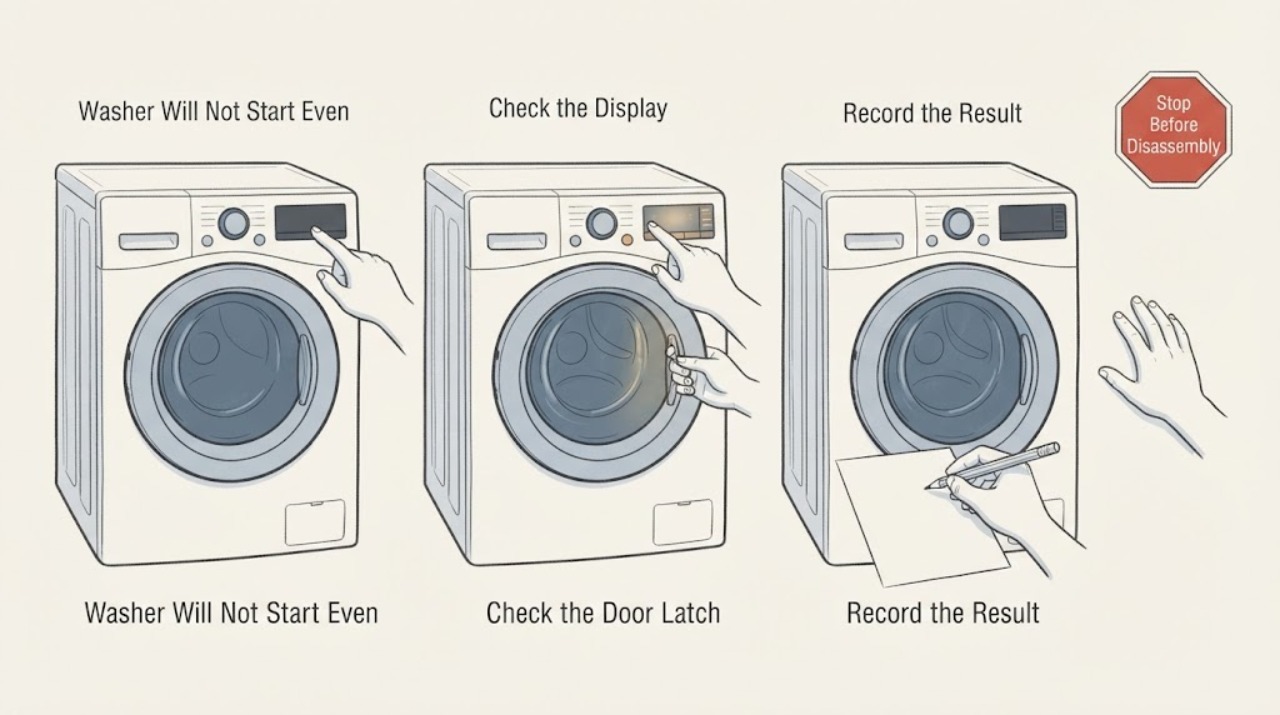
Work through in order
Diagnostic checks
Use only checks that match the exact appliance or system and its official guide.
-
Check 1
Turn the washer on and read the full display before pressing Start. Select a normal cycle, confirm the door or lid is closed without force, and press Start or Pause once as the model instructions require. Note any door, lid, control-lock, water, drain, or general error message and whether the panel beeps or changes state.
Expected result: The cycle starts after Start is pressed, a door or lid error remains, a control-lock message appears, another error is shown, or the panel is completely unresponsive.
Next step: Follow only the exact model instruction for clearing control lock or the displayed error. If the lock error remains with no visible obstruction, or the panel never responds, move to the power and service checks rather than bypassing the lock.
Stop if: Do not tape, wedge, or bypass a door or lid switch, and do not keep pressing Start against a persistent error.
Why this matters
Why: A missing Start command or active control lock can make a correctly closed door look like the cause. A persistent door or lid error means the washer has not verified the interlock, while another error points to a different monitored condition. A dead panel makes power or control checks more important than the latch alone.
-
Check 2
With the washer stopped, inspect the accessible door or lid edge, gasket, latch opening, and lock area for clothing, detergent residue, hair, or another object preventing full closure. Remove only loose visible material, then close the door or lid normally and listen for the model's locking sound. Do not force the handle or reach into the lock mechanism.
Expected result: An item or residue was caught, the door or lid closes and locks normally after removal, the latch is bent or damaged, or the washer still reports an open or unlocked condition.
Next step: Retry the selected cycle once if the obstruction was loose and the lock now confirms. If the latch is damaged or the lock message remains, leave the washer off and arrange qualified service.
Stop if: Do not force the door or lid, pry the latch, insert tools into the lock, or operate the washer with a damaged seal or latch.
Why this matters
Why: A trapped garment or object can prevent the lock from engaging even when the door or lid looks closed. A damaged latch or persistent lock indication suggests an interlock or alignment fault that cannot be confirmed by appearance alone.
-
Check 3
Check whether a control-lock or child-lock indicator is active and use the exact model manual to identify its designated button or button combination. Press the specified control only from the normal panel and observe whether the lock indicator clears or the buttons begin responding. Do not guess a combination from another washer model.
Expected result: The control-lock indicator clears, the panel beeps but the cycle will not start, the panel remains locked, or no control-lock indicator is shown.
Next step: Use the model-approved control-lock procedure once, then select the cycle and press Start. If the panel remains locked or does not respond after the documented procedure, arrange appliance service rather than opening the panel.
Stop if: Do not repeatedly enter unknown button combinations, remove the console, or bypass a control lock.
Why this matters
Why: A control lock can disable cycle buttons even when Power works and the door or lid is closed. If the lock clears but Start still does not begin a cycle, the fault may be a door or lid interlock, another error, power, or the control itself.
-
Check 4
Observe whether the display and interior light, if fitted, have power. Check that the washer plug is fully seated in its wall outlet and that no power strip, burnt plug, scorch mark, or tripped household breaker is apparent. If the washer is dead, use only a normal household check permitted by the model and local electrical safety guidance; do not open the outlet or washer.
Expected result: The display is dark, the outlet or breaker is also affecting another appliance, a power strip or plug is damaged, or the washer has normal power but still will not start.
Next step: Leave a damaged plug, outlet, or repeatedly tripping breaker out of use and obtain qualified electrical help. If the washer has normal power, continue only with the door, display, and model reset checks.
Stop if: Do not open an outlet, increase fuse capacity, use a damaged cord, or repeatedly reset a breaker that trips.
Why this matters
Why: A closed door or lid cannot make a washer start when the appliance has no usable power. A wider outlet or breaker issue is electrical or household supply work; normal washer power shifts attention back to controls, interlock, water, drain, or an internal fault.
-
Check 5
Review the display and recent history for a tub that still contains water, a drain warning, a water-supply warning, or a cycle that was paused before completion. Check only the visible drain hose for a kink or obvious blockage and confirm the household water valves are open; do not open a filter or hose connection unless the exact manual provides a stopped-appliance procedure.
Expected result: Water remains in the tub, a drain or water warning is displayed, the drain hose is visibly restricted, or no water or drain condition is present.
Next step: Follow the exact model procedure for a safe drain or hose correction. If water remains, the hose needs disassembly, or the warning returns, arrange service; do not force the door or start the washer with water trapped inside.
Stop if: Do not open a filter or hose with residual water unless the manual authorizes it and the water can be safely managed, and do not reach into a locked tub.
Why this matters
Why: Some washers will not proceed when a previous cycle did not drain or when a monitored water condition remains. A visible hose restriction can prevent the required drain, while no water or drain symptom makes the door or lid lock, controls, power, or another internal fault more likely.
-
Check 6
If the washer has normal power, no active water or electrical hazard, a properly closed door or lid, and no unresolved obstruction, perform only the exact model's documented power reset. Record the model, display message, whether the lock clicks, whether Start responds, and whether the washer starts after the reset. Keep the cabinet closed.
Expected result: The washer starts after the documented reset, the door or lid error returns, the control panel remains unresponsive, or another error appears.
Next step: Use the result to decide service: a repeatable no-start or lock error needs qualified diagnosis. Provide the model, exact display message, power result, latch inspection, and reset result instead of bypassing the interlock.
Stop if: Do not repeatedly cycle power, remove panels, or apply direct power to a lock or control component.
Why this matters
Why: A reset can clear a temporary control state but cannot repair a failed lock, valve, drain, control, or wiring fault. A repeated door or lid error after a correct reset leaves the interlock or its control circuit unresolved.
Use your observations
Decision map
Find the observation that best matches what you see, then follow the next safe action.
-
PATH 01Next step
What you see
The door or lid locks, the panel responds, and the washer starts after a short sensing or locking period.
Do this next
Allow the cycle to proceed and use the exact manual if the timing or behavior changes. Arrange service if the delay becomes persistent or an error appears.
Why this path and its safety boundary
Why it matters: The initial pause was likely normal model behavior rather than a no-start failure.
-
PATH 02Next step
What you see
A garment, residue, or debris is caught at the door or lid, and the lock confirms after the loose obstruction is removed.
Do this next
Run the selected cycle once and monitor the latch. If the error returns with a clear gasket and latch, stop and arrange service.
Why this path and its safety boundary
Why it matters: The washer was unable to verify the closed state, not necessarily suffering an internal control failure.
-
PATH 03Next step
What you see
Power is present but the control-lock indicator is active, or most buttons do not respond while the door or lid is closed.
Do this next
Use only the model's control-lock procedure. If the panel remains locked or Start still does not respond, arrange appliance service and do not bypass the lock.
Why this path and its safety boundary
Why it matters: A control-lock setting is more likely when its indicator clears with the documented procedure; a panel that remains unresponsive may have a control or user-interface fault.
-
PATH 04Next step
What you see
The display is dark, the outlet is not supplying other appliances, the breaker trips, or the cord or plug shows damage.
Do this next
Leave damaged or repeatedly tripping electrical equipment out of use and obtain qualified electrical help. Do not keep resetting the breaker or use a damaged cord.
Why this path and its safety boundary
Why it matters: The washer cannot start until the household electrical supply is safe and restored; the closed door or lid is not the cause.
-
PATH 05Next step
What you see
The washer has normal power, the door or lid appears closed and clear, but the lock indicator or error remains after the model-approved reset.
Do this next
Keep the washer off and arrange qualified appliance service. Provide the model, error, latch observations, and reset result; do not force or bypass the lock.
Why this path and its safety boundary
Why it matters: A latch, lock switch, alignment, control, or wiring fault is more likely; appearance alone does not prove that the interlock is working.
-
PATH 06Next step
What you see
Water remains in the tub, a drain or supply warning appears, or the washer has a leak, smoke, burning odor, damaged wiring, or another immediate hazard.
Do this next
Keep the washer off and follow only the model's safe drain guidance, or arrange qualified appliance, plumbing, or electrical service. Use local emergency guidance for smoke, fire, or active electrical danger.
Why this path and its safety boundary
Why it matters: The washer is being held by another monitored condition or presents a safety risk; starting it by defeating the door or lid lock is unsafe.
Helpful context
Understand the symptom
Closed is not the same as locked
A front-load door or top-load lid can look shut while a garment, debris, bent latch, or lock switch prevents the washer from confirming the closed state. Some models also require Start or Pause after a cycle is selected, and some spend a short period sensing the load before water enters. The display message and whether the control panel responds help separate an interlock problem from a power or control problem.
Do not defeat the safety lock
The lock prevents operation while the drum or wash plate can move and, on some models, while water or heat remains inside. Check only the accessible door, lid, latch area, controls, and wall power. Do not force a locked door or lid, tape down a lid switch, reach into a moving tub, or open panels to test the lock.
Only after diagnosis
Potential parts
- model-specific washer door or lid lock assembly
Consider this only after qualified testing confirms that the closed door or lid is not being detected because the lock assembly or latch switch has failed.
Front-load door locks and top-load lid locks are different systems and vary by model. Confirm the exact washer model and diagnosis before selecting a part. - model-specific washer control or user-interface component
Consider a control or user-interface component only after power, control-lock settings, door or lid closure, and the lock circuit have been professionally checked.
Control components, firmware, and connectors are model- and revision-specific. Do not select one from a no-start symptom or visual match.
When checks do not resolve it
Need a professional?
Arrange qualified appliance service when a properly closed door or lid still shows an open or lock error, the panel remains unresponsive after the model-approved control-lock and reset checks, water remains in the tub, or lock, control, wiring, drain, or interlock diagnosis is required. Use qualified electrical help for a dead or damaged outlet, burnt plug, or repeatedly tripping breaker, and plumbing help for a household water or drain fault. Keep the washer off for smoke, burning odor, damaged wiring, a hot or erratic control, active leaks, or standing water near electrical parts; use local emergency guidance for fire or active electrical danger. Do not force or bypass the lock, open panels, apply direct power to a component, or move a connected washer to reach the rear.
Common questions
FAQ
Why will my washer not start when the door or lid is closed?
The washer may not be confirming that the latch is locked, a garment or debris may be caught at the latch, control lock may be active, the Start command may not have been entered, or the appliance may have a power, water, drain, control, or interlock fault. Read the display and observe the lock response instead of bypassing it.
How do I check a washer door or lid that looks closed but will not lock?
Stop the washer and inspect the accessible gasket, latch opening, and lid edge for loose clothing or debris. Remove only loose visible material, close it normally, and retry once. A bent latch, damaged seal, or persistent lock error needs service; do not pry or tape the lock.
Can control lock make a washer appear not to start?
Yes. A control-lock or child-lock feature can disable cycle buttons while Power still works. Use only the exact model's documented button or button combination to clear it. If the panel remains locked or Start still does not respond, arrange service.
Should I reset a washer that will not start with the door closed?
A model-approved power reset can clear a temporary control state, but it cannot repair a failed latch, lock switch, control, wiring, or another monitored fault. Use the exact manual procedure once only after the door or lid is clear and there is no water or electrical hazard. A repeated lock error or no-start condition needs service.
When should I call a professional for a washer that will not start?
Call when the door or lid is closed and clear but the lock error remains, the panel stays unresponsive, the washer has no usable power, water remains in the tub, a breaker trips, or internal lock, control, drain, or wiring work is needed. Keep it off for smoke, burning odor, damaged wiring, leaks, or standing water near electrical parts.
Read the exact guide
Official sources
- [LG Front Load Washer] Power issueLG USA Support · LG washer power, wall outlet, breaker, power-strip, and service checks
- Front Load Washer - What are dE, dE1, and dE2 Error Codes?LG USA Support · LG front-load washer door-lock errors, closure obstruction, reset, and service guidance
- LG top load washing machine - Why is no water supplied to my washing machine?LG USA Support · LG top-load washer start behavior, load sensing, door status, and water-supply conditions
- [LG top load washing machine error code] The washing machine is not working. (DL)LG USA Support · LG top-load washer door or lid lock errors, closure, and service guidance
- LG Washer - Troubleshooting Unresponsive Washer ButtonsLG USA Support · LG washer control-lock, error-display, reset, and no-start troubleshooting
- LG Washer – Troubleshooting An IE Error CodeLG USA Support · LG washer water-inlet conditions that can prevent normal cycle progress
Community feedback
Share a repair observation
Share a plain-text repair observation. Accepted observations are published automatically; this page may take a moment to update.