
On this page
Start here
Quick answer
When a Whirlpool cooktop touch panel does not respond, first make sure no burner is actively heating and that the surface is safe to approach. A control lock, moisture or food on the keys, an off-center touch, a pan-detection state, or a power interruption can look like a failed panel. Whirlpool says the exact manual controls the procedure: its guidance describes holding the lock key for about 3 seconds on applicable electric and induction models, cleaning and drying contamination from keys, and checking power or a breaker when the cooktop will not power on. Try only the model-approved lock, clean/dry, and one safe power-reset check; if the panel stays blank, works only partly, behaves erratically, a burner will not turn off, or a crack, smoke, sparks, odor, or water near controls is present, stop using the cooktop and arrange qualified service. Do not open the panel or probe live wiring.
Before you begin
Safety first
- Owner checks end at safe observation, model identification, documented lock operation, external cleaning and drying of a cool panel, and one model-approved power reset when hazard-free. A qualified professional must handle electrical isolation when uncertain, live or de-energized testing, glass or panel access, control boards, sensors, elements, ignition, wiring, and component replacement.
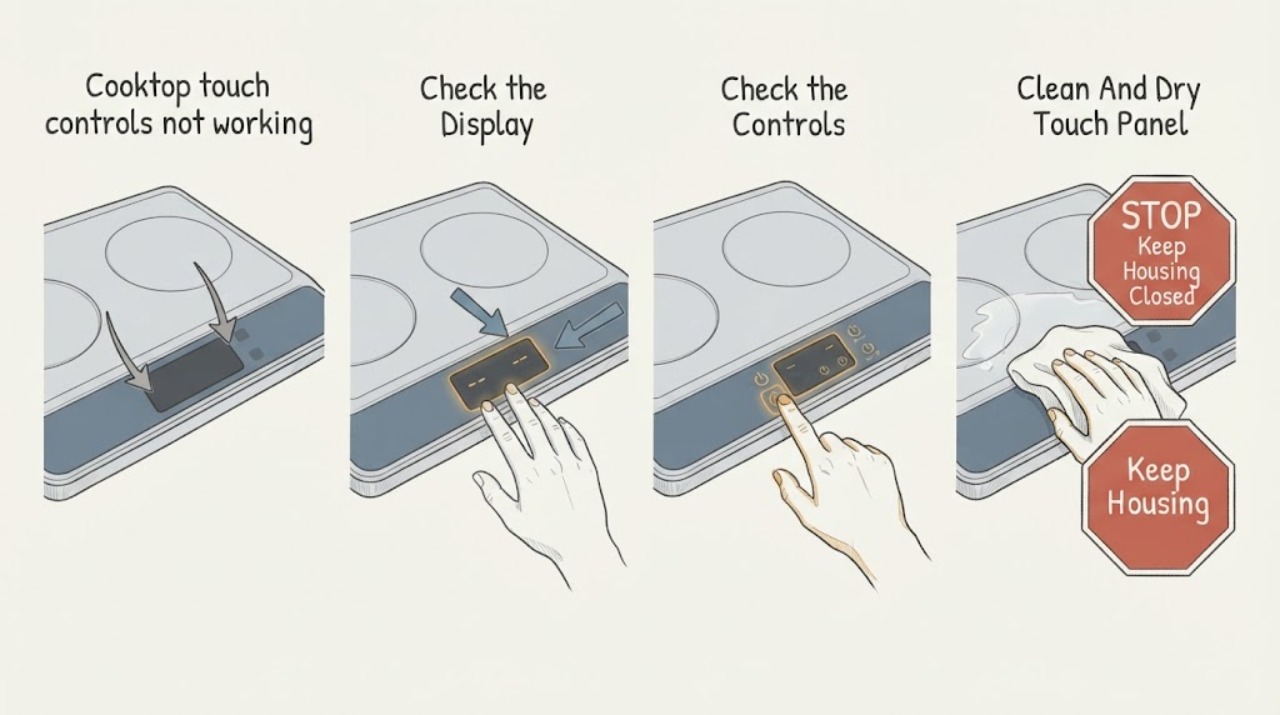
Work through in order
Diagnostic checks
Use only checks that match the exact appliance or system and its official guide.
-
Check 1
From a safe position, check whether any element is heating, a pan is overheating, the display is behaving erratically, or there is smoke, a burning smell, crackling, sparking, a cracked surface, exposed wiring, or liquid near the controls. If the cooktop is active and the controls will not turn it off, keep clear and seek urgent qualified help; do not touch the panel, move a hot pan, or try to force the control.
Expected result: The cooktop is off or operating normally with no hazard; or an active heating, electrical, glass, smoke, odor, or liquid hazard is present.
Next step: If a hazard is present, keep people away, leave for fire or active arcing, and contact emergency help from a safe location when appropriate; otherwise proceed only when the cooktop is safe and cool. Do not restore heat to reproduce the symptom.
Stop if: Stop immediately for smoke, fire, sparks, crackling, burning odor, abnormal heat, an element that will not turn off, exposed conductors, a cracked glass surface, or any need to touch hot cookware or glass.
Why this matters
Why: A quiet panel can be checked for a lock, contamination, or power state. Uncontrolled heat, damage, smoke, sparks, odor, or liquid near electrical controls is a burn, fire, or shock concern and is not a keypad troubleshooting condition.
-
Check 2
Look for a lock symbol, Control Lock/Key Lock indicator, or an on-screen unlock instruction. With the cooktop off and safe to approach, use the exact model manual's unlock gesture; Whirlpool's induction guidance uses a 3-second Key Lock hold, while other models may label or time the control differently. Touch the center of the intended key with a fingertip, not a fingernail.
Expected result: A lock indicator clears and the panel responds; the lock is not displayed; only Power or Off responds; or the model's unlock gesture has no effect.
Next step: If unlocking restores normal response, use the cooktop only if the surface and appliance are otherwise safe. If the lock is absent or the documented gesture fails, continue to the clean/dry and power checks; do not hold random keys or bypass the lock.
Stop if: Stop if unlocking would require touching a hot surface, a damaged panel, an active burner, or a control that is behaving unpredictably.
Why this matters
Why: A lock indicator or a panel that accepts only Power/Off is consistent with an intentional control lock on applicable models. No lock indication with no response makes moisture, power, touch-panel, or control faults more likely, but does not identify a failed part.
-
Check 3
If the cooktop is off, cool, and undamaged, inspect the touch area for water, grease, food, utensils, or other objects. Follow the exact model's cleaning instructions: remove only safe room-temperature objects, use the model-approved soft cloth or cleaner, and dry the panel completely. Whirlpool advises using the lock while cleaning where applicable; do not scrape, flood, or spray into the panel.
Expected result: The keys were contaminated or wet and begin responding after the panel dries; the panel was already clean and dry; or moisture may have entered a seam or control area.
Next step: If the panel responds normally after drying, observe it without cooking first and follow the model manual. If it remains unresponsive or liquid entered the controls, leave the cooktop unused and arrange service; do not remove the glass or dry inside the appliance.
Stop if: Stop for a hot surface, a crack or chip, liquid inside the controls, a sharp fragment, or any need to use abrasive tools, compressed air, a heat gun, or panel disassembly.
Why this matters
Why: Whirlpool says contamination such as food, water, or buildup may hinder induction key responsiveness. A clean, dry panel that remains dead makes a lock, power, touch module, or control fault more likely; liquid entry raises the safety boundary.
-
Check 4
Without opening the appliance, note whether any display or indicator is lit, whether the Power key responds, and whether nearby kitchen circuits or the cooktop's supply appear interrupted. If the exact model's instructions permit a reset and there is no heat, moisture, smoke, or other hazard, use only the documented power-reset procedure once; do not handle a hardwired connection or repeatedly cycle a breaker.
Expected result: The display is blank; the Power key works but cooking keys do not; the breaker or supply is interrupted; the reset restores response; or the reset has no effect or the symptom returns.
Next step: For an obvious household power issue, follow local electrical safety rules and the exact manual; if the issue persists, contact a qualified electrician or appliance technician. If a safe model-approved reset does not restore stable controls, stop using the cooktop and request service.
Stop if: Stop if the cooktop is hardwired and isolation is uncertain, a breaker trips again, there is a burning odor or heat, water is present, or any test would expose live wiring or require panel access.
Why this matters
Why: A blank display or an interrupted supply can explain a nonresponsive panel. Power restored without normal control response, a returning failure, or a reset that cannot be performed safely points to a model-specific electrical or control diagnosis rather than a user setting.
-
Check 5
After the lock, panel condition, and power state are understood, record whether all touch keys fail, only one key or zone fails, the display accepts settings but a zone does not heat, or the symptom occurs only with an induction pan. Do not continue cooking to compare zones; if the cooktop has a pan-detection display, consult the exact manual rather than forcing a pan or setting.
Expected result: The whole panel is dead; Power works but one or more cooking controls fail; the display works but one zone does not respond or heat; or the issue occurs only with cookware detection.
Next step: Use only the exact model's documented cookware and control procedure for a pan-detection condition. For persistent whole-panel, partial, or zone-specific failure, stop using the cooktop and provide the pattern to qualified service; do not replace a board from symptoms alone.
Stop if: Stop if a zone remains active, the display is erratic, a pan cannot be moved safely, the glass is damaged, or comparison would require repeated heating, live measurements, or moving the appliance.
Why this matters
Why: A whole-panel failure is more consistent with shared power, user-interface, or control circuitry, while a single-key or zone pattern can involve a local control or heating path. An induction pan-detection state can prevent heating without proving the touch panel is defective.
-
Check 6
Prepare a service record with the complete Whirlpool model and serial information, cooktop type, display and lock indicators, affected keys or zones, whether Power responds, panel condition, cleaning and reset results, recent spill or power event, and any heat, odor, crack, or liquid observation. Photograph the display only when the appliance is safe; do not open the cooktop for a better view.
Expected result: The controls work only after a documented lock or clean/dry remedy; the failure returns; the panel remains partly or completely unresponsive; or the cause is uncertain.
Next step: Keep the cooktop unused for a recurring, partial, unexplained, or unsafe symptom and arrange qualified Whirlpool appliance service. Give the technician the exact model information and the observed pattern; do not remove the panel or substitute parts.
Stop if: End owner troubleshooting when diagnosis requires electrical testing, glass or panel removal, control-board access, heating-element work, software/configuration work, or replacement of an internal component.
Why this matters
Why: A stable recovery after a documented user remedy is different from a recurring or partial failure. A service record lets a technician distinguish a setting or contamination issue from a touch module, control, supply, zone, or cookware-detection fault without hazardous reproduction.
Use your observations
Decision map
Find the observation that best matches what you see, then follow the next safe action.
-
PATH 01Next step
What you see
A lock symbol or Control Lock indicator is present, or the panel accepts Power/Off but not cooking keys, and there is no heat or other hazard.
Do this next
Use the exact model's unlock gesture; Whirlpool documents a 3-second Lock hold for applicable electric and induction guidance. If the indicator clears and keys respond normally, observe safe operation; if it does not, continue to service after the clean/dry and power checks.
Why this path and its safety boundary
Why it matters: An intentional control lock is more likely than a failed touch surface on applicable models. Whirlpool notes that a locked cooktop can block surface controls while leaving Power and Off available.
-
PATH 02Next step
What you see
The touch area has water, grease, food, or an object on it, and the cooktop is off, cool, and otherwise safe.
Do this next
Clear safe room-temperature objects, clean and dry as the model directs, then reassess without heating. If response does not return or liquid entered a seam, leave the cooktop unused and request service.
Why this path and its safety boundary
Why it matters: Contamination is a plausible reason for capacitive keys to ignore touches or beep. A dry, clean panel that remains unresponsive makes a setting or internal fault more likely.
-
PATH 03Next step
What you see
The display and indicators are blank, or the panel became unresponsive after a power interruption, while there is no smoke, odor, heat, or water hazard.
Do this next
Use only the exact manual's safe supply/reset guidance once. If the display stays blank, the breaker trips, or response is not stable, stop and arrange qualified appliance or electrical service; do not access wiring.
Why this path and its safety boundary
Why it matters: Loss of appliance power, a tripped supply, or a shared control fault is more likely than a single dirty key. Whirlpool's electric-cooktop guidance lists the supply and model-approved power reset among the checks.
-
PATH 04Next step
What you see
Power or some keys respond, but one key, one zone, or one set of cooking controls fails, or an induction display indicates cookware detection despite a correctly positioned documented pan.
Do this next
Follow the exact model's cookware and control instructions once if applicable, then leave the cooktop unused for a persistent partial failure and provide the affected zone pattern to qualified service.
Why this path and its safety boundary
Why it matters: A local touch-control, zone, heating, sensor, or pan-detection issue is more likely than a complete power loss. The symptom does not identify a replaceable part or make continued cooking safe.
-
PATH 05Next step
What you see
The panel remains dead or erratic after the model-approved lock, clean/dry, and safe power checks, or a burner will not turn off, the glass is cracked, smoke/sparks/odor occur, or liquid reaches the controls.
Do this next
Stop using the cooktop and arrange qualified Whirlpool appliance service. For fire, active arcing, gas danger, or uncontrolled heating, leave and contact emergency help from a safe location as appropriate. Do not open the appliance, bypass controls, or repeatedly reset it.
Why this path and its safety boundary
Why it matters: The remaining possibilities include a user-interface, control, supply, heating, glass, or installation fault, and the immediate priority is preventing shock, fire, or burns rather than collecting more button tests.
Helpful context
Understand the symptom
Start with the cooktop's state, not the buttons
A touch panel can be intentionally locked or temporarily blocked by water, food, or an object. It can also be unresponsive because the appliance has lost power. Before touching anything, confirm from a safe position that no element is heating and that there is no smoke, odor, crack, exposed wiring, or liquid entering the controls. If a burner will not turn off, treat that as a service and safety condition rather than continuing to test the keypad.
Use the exact lock and touch procedure for the model
Whirlpool cooktops do not all use the same control layout or lock-hold time. Its induction guidance says to hold Key Lock for 3 seconds, while some manuals use a different label or operation. Press the center of the intended key with a fingertip only after the surface is safe, and do not guess at a gesture from a similar-looking appliance.
Separate a panel problem from a power or appliance problem
Note whether the display is blank, whether the Power key responds, whether only one key or zone fails, and whether a lock symbol or message appears. Whirlpool's electric-cooktop guidance says touch-control models vary and recommends the model manual; its power guidance includes checking the supply and a model-approved reset. A persistent, partial, or erratic response after safe checks needs qualified diagnosis of the user interface, control system, supply, and affected cooking zone.
Safety boundary
Stop conditions
- Stop and keep clear for smoke, fire, sparks, crackling, burning or gas odor, abnormal heat, an element that will not turn off, exposed conductors, a cracked surface, or liquid entering the controls; leave for fire or active arcing and seek emergency help from a safe location when appropriate.
- Do not touch a hot pan, glass, element, or damaged control area to test responsiveness, and do not continue cooking merely to compare zones or reproduce the failure.
- Do not open the cooktop, remove the glass, probe live wiring, bypass Control Lock or pan detection, force a burner off, use a heat gun or compressed air, or repeatedly cycle a breaker.
- Use only the exact Whirlpool model's control, cleaning, cookware, and power-reset instructions. A gesture, lock-hold time, code, or part from a different model is not a safe substitute.
- Call qualified Whirlpool appliance service for a persistent blank, partial, or erratic panel, a returning failure after one model-approved reset, a zone that will not respond or turn off, or any diagnosis requiring internal electrical, control, sensor, heating, glass, or gas access.
Only after diagnosis
Potential parts
- Whirlpool cooktop touch-control panel or user-interface assembly
Consider this only when qualified diagnosis confirms that the panel remains unresponsive or erratic after the lock, clean/dry, supply, and model-approved reset checks.
Verify exact model, control layout, connector, software or configuration requirements, glass design, and manufacturer fit information; do not replace a panel from a similar-looking cooktop. - Whirlpool cooktop control board or power-control module
Consider this only if a qualified technician confirms a shared-control or power-control fault and rules out a lock, contamination, supply interruption, wiring, and user-interface problem.
Confirm exact model, board revision, connectors, ratings, configuration, and service instructions; do not substitute or reprogram a board based only on a dead display. - Whirlpool cooktop zone sensor, heating element, or induction detection component
Consider a zone-related part only when qualified testing links the failure to one cooking area after touch input, cookware, control, and power conditions are ruled out.
Verify exact model, zone position, technology, electrical rating, connector, mounting, and manufacturer fit information; a nonresponsive touch symptom alone does not identify this part.
When checks do not resolve it
Need a professional?
Arrange qualified Whirlpool appliance service when touch controls remain blank, partly unresponsive, or erratic after the exact model's safe lock, clean/dry, and one approved power-reset checks; when only one zone or control behaves incorrectly; or when the display and cookware response do not match the manual. Treat smoke, sparks, burning or gas odor, abnormal heat, a cracked surface, exposed wiring, liquid near controls, or an element that will not turn off as urgent hazards and seek emergency help from a safe location when appropriate.
Safety scope: Owner checks end at safe observation, model identification, documented lock operation, external cleaning and drying of a cool panel, and one model-approved power reset when hazard-free. A qualified professional must handle electrical isolation when uncertain, live or de-energized testing, glass or panel access, control boards, sensors, elements, ignition, wiring, and component replacement.
Common questions
FAQ
Why are my Whirlpool cooktop touch controls not responding?
Common model-dependent possibilities include Control Lock, water or food on the keys, an off-center touch, loss of power, induction pan detection, or a touch/control fault. Check only the safe, exact-model steps and stop if the panel is erratic or a burner will not turn off.
How do I unlock a Whirlpool cooktop touch panel?
Use the exact owner's manual because labels and hold times vary. Whirlpool's electric and induction Product Help documents holding the Lock or Key Lock control for 3 seconds on applicable models. Do this only when the cooktop is off, cool, and free of hazards.
Can water make Whirlpool cooktop touch controls stop working?
Yes. Whirlpool says food, water, or other buildup on induction keys may hinder responsiveness. Turn the cooktop off, use the model's lock while cleaning if applicable, and clean and dry a cool panel as directed. If liquid entered a seam or response does not return, call service.
Why does my Whirlpool cooktop beep but not respond to touch?
A lock, contamination, a held key, or a model-specific display condition can cause beeps without normal cooking input. Note the symbol or message, clean and dry only a cool safe panel, and use the exact manual. Do not keep pressing keys if the display is erratic.
What if the Whirlpool cooktop display is completely blank?
From a safe position, check whether the appliance has power without opening it. Whirlpool lists the supply and a model-approved power reset among checks for an electric cooktop. If the display stays blank, a breaker trips, or isolation is uncertain, stop and arrange qualified electrical or appliance service.
Can I reset Whirlpool cooktop touch controls at the breaker?
Only follow the exact model's instructions, and only when the cooktop is cool, dry, inactive, and free of smoke, odor, damage, or other hazards. Whirlpool's Product Help describes a one-minute power-down and restart for applicable models. Do not repeatedly cycle a breaker or handle hardwired connections.
Why does one Whirlpool cooktop zone not respond while the others work?
A local key, zone, heating, sensor, or induction-detection issue is possible; a working display does not identify the failed part. Record the affected zone and manual message, avoid repeated cooking tests, and arrange service if the problem persists.
Can I use a Whirlpool induction cooktop if the controls work but the pan is not detected?
Use only the cookware and placement specified by the exact manual, and do not force a pan or continue testing if the panel is damaged or erratic. If a documented suitable pan is still not detected, stop using that zone and request service.
Can I replace a Whirlpool touch-control board myself?
Do not replace it from a symptom or generic video. A cooktop can be hardwired and may contain energized control, heating, sensor, or ignition circuits. Whirlpool directs owners to the model manual and qualified service for unresolved problems and internal work.
When should I stop troubleshooting Whirlpool touch controls?
Stop for smoke, sparks, odor, abnormal heat, a cracked surface, exposed wiring, liquid near controls, erratic display behavior, a burner that will not turn off, a tripped breaker, or any need to open the appliance. Also stop when the safe model-specific lock, clean/dry, and one reset checks do not restore stable operation.
Read the exact guide
Official sources
- Lock - Electric and Induction CooktopWhirlpool Product Help · Official Whirlpool Product Help for applicable electric and induction cooktops; labels and operation vary by model.
- Ceramic GlassWhirlpool · Official Whirlpool product guide for ceramic-glass cooktops; care and technology details vary by model.
- Controls Not Responding - InductionWhirlpool Product Help · Official Whirlpool induction cooktop guidance; it does not establish the procedure for every electric, gas, or range model.
- Cooktop Product AssistanceWhirlpool Product Help · Official Whirlpool Product Help category page covering multiple cooktop types; use the exact model resource.
- Whirlpool® Manuals & LiteratureWhirlpool · Official Whirlpool documentation lookup; exact model and market determine applicable instructions.
- Not Powering On - Electric CooktopWhirlpool Product Help · Official Whirlpool Product Help for electric cooktops; use the exact manual for a gas, induction, range-integrated, or different model.
- Whirlpool® Electric Cooktop User InstructionsWhirlpool · Official Whirlpool electric cooktop manual; not a universal procedure for every Whirlpool model or cooktop type.
- Ceramic Glass Cooktop - Electric CooktopWhirlpool Product Help · Official Whirlpool ceramic-glass care guidance; do not apply residue-cleaning instructions across a damaged or cracked panel.
- Cooktop Not Working - Electric CooktopWhirlpool Product Help · Official Whirlpool electric cooktop guidance; zone and display behavior vary by model.
Community feedback
Share a repair observation
Share a plain-text repair observation. Accepted observations are published automatically; this page may take a moment to update.