
On this page
Start here
Quick answer
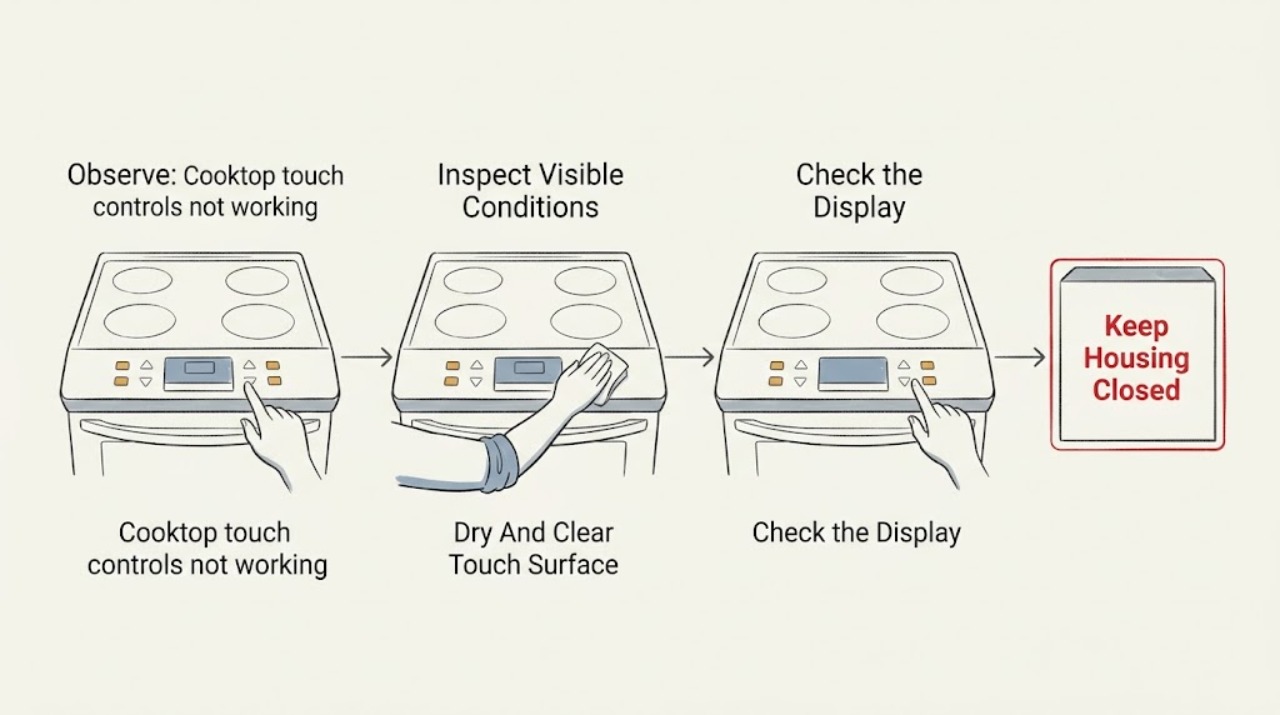
A cooktop touch panel that does not respond with a blank or frozen display may be locked, wet or dirty, still initializing after power was restored, or not receiving power. It can also have a failed touch panel, display, fuse, wiring connection, or control board. Treat the glass and cooking zones as hot when the hot-surface indication is absent or the display is blank. Remove objects and spills only when the surface is cool and safe, then follow the exact model manual for the control-lock procedure. Check the appliance's accessible power status without opening the cooktop; do not repeatedly reset a tripped breaker or work on wiring. If the display remains blank, stays frozen after a documented power cycle, the glass is cracked, a zone is heating unexpectedly, or there is smoke, burning odor, or electrical damage, stop using the cooktop and arrange qualified appliance or electrical service.
Work through in order
Diagnostic checks
Use only checks that match the exact appliance or system and its official guide.
-
Check 1
Keep hands and cookware away from every cooking zone when the display is blank or frozen, and from a safe position note whether a zone is heating, the hot-surface indicator is present, or smoke, odor, crack, sparking, or unusual heat is visible; do not touch the glass to test it.
Expected result: A zone is unexpectedly heating, the surface is hot without reliable indication, the glass is cracked, smoke or odor appears, or the cooktop is cool with no hazard signs.
Next step: Stop using the cooktop for any hazard or uncontrolled heat, disconnect power only from a safe accessible point if it can be reached without contact with heat, water, or damaged equipment, and arrange qualified service. Otherwise continue with the cool-surface checks.
Why this matters
Why: Unexpected heat, damaged glass, smoke, odor, or sparking is an immediate stop condition because controls cannot be trusted. A cool surface without hazard signs permits only the external identification and control checks below; it does not prove the appliance is safe to cook on.
-
Check 2
Only after the cooktop is cool and no zone is operating, remove objects from the control area and wipe away visible food, grease, or moisture with a suitable soft dry cloth; do not spray into the panel, use a scraper on controls, or clean while a zone may be hot.
Expected result: A spill or object was covering a key, the panel was damp or greasy, the surface is now clean and dry, or the panel looks clean and dry already.
Next step: Wait until the surface is dry, then use only the model-documented power and lock controls. If the panel still does not respond, do not keep pressing keys or open the appliance.
Why this matters
Why: A held key, moisture, grease, or residue can prevent capacitive touch controls from recognizing input or can cause apparent lockout. If the display remains blank or frozen on a clean, dry surface, contamination is less likely and power, initialization, or control failure becomes more likely.
-
Check 3
Read the exact cooktop manual or accessible control markings for Control Lock, Key Lock, Child Lock, or a wait or initialization indicator, and use only the documented unlock gesture while the surface is cool; do not bypass the lock or guess at a hidden service mode.
Expected result: A lock indicator is present, a wait or initialization message is present, no lock or message appears, or the model's procedure cannot be identified.
Next step: Follow the model manual once. If the lock will not clear, the wait state persists, or the procedure is unknown, stop using the cooktop and arrange service rather than experimenting.
Why this matters
Why: A lock indicator can make a working panel appear dead, while a persistent wait state can indicate failed initialization on models that use it. No indicator or an unknown procedure keeps power and control faults in question; a guessed gesture can start a zone or change a setting unexpectedly.
-
Check 4
Without removing any appliance cover, check whether the cooktop's accessible power connection is intact and whether its household breaker appears tripped; do not handle a fuse, wiring, or a wet panel, and do not reset a breaker repeatedly.
Expected result: The breaker is tripped, power status is unknown, the appliance has no accessible cord because it is hardwired, or power appears present but the display remains blank.
Next step: If power status is uncertain, the connection is hardwired, or the breaker trips again, leave the cooktop off and arrange qualified electrical or appliance service. Do not remove the junction cover or probe for voltage.
Why this matters
Why: A tripped breaker or absent supply can explain a blank display, but a hardwired appliance and an apparently powered blank panel require electrical or appliance diagnosis. A breaker that trips again points to a fault rather than a control-lock setting.
-
Check 5
If the cooktop is cool, dry, not heating, and the exact manual permits a user power reset, have a dry-handed adult use only the documented accessible disconnect or breaker procedure; do not touch appliance wiring or restore power while the glass is wet or damaged.
Expected result: The display returns normally, a wait or fault state returns, the display remains blank or frozen, or the breaker trips during restoration.
Next step: Use the cooktop only if the display and controls operate normally and the glass is intact. For recurrence, a blank or frozen panel, or a breaker event, leave power off and arrange qualified service.
Why this matters
Why: A normal display after the documented reset supports a temporary control or initialization state, but a recurring wait or fault, persistent blank panel, or tripped breaker indicates an unresolved control, power, or wiring problem.
-
Check 6
Record whether the panel is completely blank or lit but frozen, which keys respond, whether the issue began after a spill or power event, and whether any zone or indicator behaves unexpectedly; do not continue cooking to collect more symptoms.
Expected result: Only one touch area fails, all controls fail with a blank display, the problem follows a spill or outage, the display recurs to a wait state, or heating is uncontrolled.
Next step: Keep the cooktop out of service for persistent or unsafe patterns and give the model, serial information, symptoms, and reset result to a qualified technician. Do not replace a panel or board based only on the symptom.
Why this matters
Why: One failed area suggests a local touch-panel problem, while a blank display after a power event points more toward supply, fuse, or control electronics. Recurring wait or uncontrolled heating needs professional diagnosis and cannot be solved by cleaning alone.
Use your observations
Decision map
Find the observation that best matches what you see, then follow the next safe action.
-
PATH 01Next step
What you see
Do this next
Use the cooktop only while the display, controls, and hot-surface indication behave normally. Keep the control area clean and dry, and arrange service if the lock or nonresponse returns without a new cause.
-
PATH 02Next step
What you see
Do this next
Leave the cooktop off and arrange qualified electrical or appliance service. Do not open the junction box, replace a fuse, or probe wiring as a user check.
-
PATH 03Next step
What you see
Do this next
Keep the cooktop out of service and arrange qualified appliance diagnosis. Provide the manual model, display state, power-event history, and reset result rather than guessing at parts.
-
PATH 04Next step
What you see
Do this next
Do not use a zone that cannot be reliably controlled. Arrange appliance service for panel and control diagnosis without removing the glass or cover.
-
PATH 05Next step
What you see
Do this next
Keep clear, stop using the cooktop, disconnect power only from a safe accessible location if dry and undamaged, and arrange qualified appliance or electrical service; use emergency help for active fire or smoke.
Helpful context
Understand the symptom
Blank and frozen do not mean the same thing
A blank display can mean the cooktop is not receiving power, while a lit display that ignores touches can point toward lockout, moisture, residue, initialization, or a control fault. Some models intentionally show a wait state while the glass touch board initializes after power is restored. The exact symbols and unlock gesture vary, so the model manual is the authority for that control.
Assume the glass may still be hot
A missing hot-surface indicator is not proof that the glass is safe to touch when the display is blank. Keep cookware and hands away from the cooking zones until the surface has cooled by time and external observation. A control failure is also not a reason to reach under the glass or remove the cooktop.
The safe user boundary
User checks can be limited to a cool, dry control surface, the model-specific lock state, accessible power status, and an externally documented reset procedure. Do not remove the cooktop, expose wiring, bypass a lock, repeatedly reset a breaker, or use a zone that heats without a reliable control or display. Those are appliance or electrical service tasks.
Only after diagnosis
Potential parts
- cooktop touch control panel
Consider a touch-panel replacement only when qualified diagnosis finds a localized or failed touch sensor after the surface is clean, dry, unlocked, and power is verified.
Control panels are model-specific; confirm the exact cooktop model and manufacturer fit information, and do not remove the glass as a user repair. - cooktop display or control board
Consider a display or control-board component only when the panel remains blank or frozen after documented power and lock checks and qualified testing identifies the board.
Confirm the exact model, revision, and electrical specifications; internal access and control diagnosis require qualified appliance service. - cooktop fuse or power module
Consider this category only when an appliance or electrical technician confirms that the cooktop is not receiving or distributing control power and identifies the failed component.
Do not replace a fuse or power module based on a blank display alone; confirm model fit and safe electrical repair requirements. - touch-panel connection or harness
Consider a harness or connector repair only when qualified inspection finds a loose, damaged, or moisture-affected connection after power is isolated.
Wiring access is not a user-level check; match the exact appliance documentation and have a qualified person perform the repair.
When checks do not resolve it
Need a professional?
Arrange qualified appliance or electrical service if the display remains blank, stays frozen or in a wait state after the model-specific procedure, only some touch areas respond, the power supply is hardwired or uncertain, the breaker trips again, or the issue returns after cleaning and one documented reset. Stop immediately for uncontrolled heating, cracked glass, water in the controls, smoke, burning odor, sparking, or wet electrical equipment; keep clear and disconnect power only from a safe accessible dry location.
Common questions
FAQ
Why are my cooktop touch controls not working when the display is blank?
A blank display can result from absent household power, a tripped breaker, an internal fuse or control-power fault, or a failed display or board. Check only the accessible power status without opening the appliance. If power is present or hardwired status is uncertain, leave the cooktop off and arrange qualified service.
Why is my cooktop display on but the touch panel frozen?
Control lock, moisture, grease, residue, an initialization state, or a touch-panel or board fault can make a lit panel seem frozen. With the surface cool, clean and dry the accessible control area and follow the exact manual's unlock procedure. If it remains frozen after one documented reset, arrange service.
Can I reset a cooktop at the breaker when the display is blank?
Some manufacturer procedures include a power reset, but it should be done only when the cooktop is cool, dry, undamaged, and the exact manual permits it. Do not repeatedly reset a tripping breaker, handle a fuse, or open a hardwired connection. Persistent blank or frozen behavior needs qualified service.
Is a blank display proof that the cooktop is cool?
No. A control or display failure can remove the hot-surface indication, and the glass or cookware may still retain heat. Keep hands and cookware away until the surface is known to have cooled; do not test it by touch.
When should I stop using a cooktop with unresponsive controls?
Stop for uncontrolled heating, cracked glass, smoke, burning odor, sparking, water in the controls, repeated breaker trips, or a display that stays blank or frozen after the model-specific checks. Keep clear, disconnect power only from a safe accessible dry location, and arrange qualified appliance or electrical service.
Read the exact guide
Official sources
- Not Powering On - Electric CooktopWhirlpool Product Help · Whirlpool electric smoothtop cooktop guidance; exact model manual controls the unlock and reset procedure.
- Controls Not Responding - InductionWhirlpool Product Help · Whirlpool induction touch-control guidance; control labels and exact lock procedure vary by model.
- Owner's Manual W11255746 Rev BWhirlpool · Whirlpool cooktop manual covering the listed model family; other cooktops require their exact manual.
- Electric Cooktop "Wait" MessageGE Appliances Support · GE models that use the documented WAIT initialization behavior; exact model documentation controls.
Community feedback
Share a repair observation
Share a plain-text repair observation. Accepted observations are published automatically; this page may take a moment to update.