
On this page
Start here
Quick answer
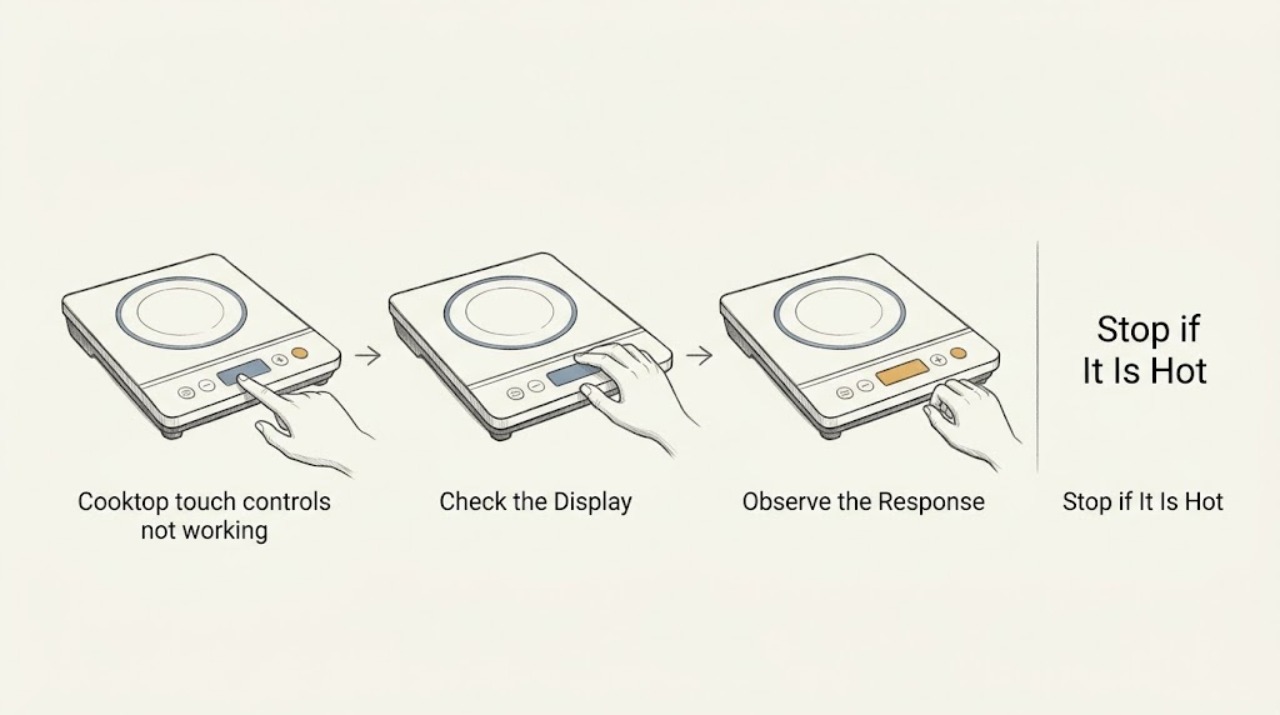
First make the cooktop safe: if the surface is hot, cracked, sparking, or wet, turn it off using a safely accessible normal control if possible and wait until it is cool and dry. Do not open the cooktop, access wiring, or repeatedly reset the breaker. From the user-facing panel, check for a lock indicator, an object or moisture over the controls, and whether the display has power. On a cool, dry, undamaged panel, a model-specific control-lock command or a gentle centered touch may restore operation. If the lock will not clear, the display stays dead, controls remain unresponsive after one model-approved reset, or any heat/damage symptom is present, stop and arrange qualified appliance service.
Work through in order
Diagnostic checks
Use only checks that match the exact appliance or system and its official guide.
-
Confirm the panel is safe to touch
From a safe position, observe whether the glass is cool, dry, and intact before attempting any user-facing control check. Look for heat, a crack, liquid, smoke, unusual odor, sparking, or a burner that remains active.
Expected result: The surface is hot, wet, damaged, sparking, smoking, or still heating; or it is cool, dry, and visibly intact.
Next step: For any hazard sign, stop using the cooktop and arrange urgent qualified service; leave the area for smoke, fire, or escalating electrical/gas danger. If cool, dry, and intact, continue to the lock and control-state checks.
Stop if: Stop before touching the panel if it is hot, wet, cracked, sparking, smoking, or producing an unusual odor.
Why this matters
Why: Heat, moisture, or damage can make touch checks unsafe and can also cause false or erratic inputs. A cool, dry, intact surface permits only the low-risk user checks in the manual.
-
Check for control lock
On the cool, dry, intact user panel, look for a lock symbol, control-lock light, or a display message indicating that the cooktop is locked. If the owner's instructions identify a lock key, perform only that model-specific unlock gesture once.
Expected result: A lock indicator or lock message is present; no lock indicator is present; or the indicator will not clear with the documented gesture.
Next step: If the lock clears, test only the normal controls on the cool, dry surface. If it does not clear or the model command is unknown, stop and give the display state and model information to a technician.
Stop if: Stop if unlocking would require opening the appliance, repeated attempts, force, or touching a damaged or wet area.
Why this matters
Why: A lockout can intentionally disable the cooking keys while leaving limited power/off behavior available. If the lock will not clear, the issue may be the interface, power state, or another fault rather than user error.
-
Check the control area for moisture or an object
With the cooktop off and cool, look for water, food residue, grease, a utensil, cloth, or cookware touching or covering the touch keys. Remove only loose objects from a safe position; if the manual permits cleaning, wipe and dry the accessible control surface gently without spraying liquid or pressing hard.
Expected result: Moisture, residue, or an object is present; the area is visibly clean and dry; or liquid may have entered a seam or under the glass.
Next step: After the surface is fully dry, use one normal model-approved control check. If liquid may have entered the appliance, leave it off and request service rather than applying more liquid or opening it.
Stop if: Stop if cleaning would require pressure, a tool, disassembly, spraying, or contact with a wet, hot, cracked, or energized area.
Why this matters
Why: Contamination or an object can block or mimic touch input. Liquid that may have entered a seam is not a cleaning problem and should not be tested while energized.
-
Distinguish a control problem from no power
On the cool, dry, intact appliance, observe the display and indicators without opening the appliance. If the manufacturer's instructions provide one normal power-control action, use it once; do not reset the breaker repeatedly or access wiring.
Expected result: The display is lit but touch keys do not respond; the display is blank; or the display flashes an error or lock message.
Next step: For a lit display, report the lock/error state and proceed only with one safe manual check. For a blank display or recurring error, leave the cooktop unused and arrange qualified service; do not manipulate the panel or breaker as a test.
Stop if: Stop if the appliance sparks, heats unexpectedly, smells burned, or would require a breaker reset beyond the one model-approved procedure or any panel access.
Why this matters
Why: A lit display with unresponsive keys points toward lock, moisture, or the user interface. A blank display can reflect power supply, an internal fault, or a switched-off appliance and cannot be safely diagnosed by opening it. An error or lock message should be matched to the exact manual.
Use your observations
Decision map
Find the observation that best matches what you see, then follow the next safe action.
-
PATH 01Next step
What you see
The panel is hot, cracked, wet with possible liquid entry, sparking, smoking, or a burner will not turn off.
Do this next
Stop using the cooktop and request urgent qualified service; leave the area for smoke, fire, or escalating electrical/gas danger.
-
PATH 02Next step
What you see
A lock indicator is present and clears with the exact model-documented gesture.
Do this next
Try the normal control once on the cool, dry surface.
-
PATH 03Next step
What you see
Water, residue, or an object was over the keys and the accessible surface can be safely made dry.
Do this next
Remove the loose object or gently dry as the manual permits, then make one normal control check.
-
PATH 04Next step
What you see
The display is blank or a recurring error remains after one model-approved user check.
Do this next
Stop troubleshooting, leave the appliance unused, and request qualified appliance service.
Helpful context
Understand the symptom
Use only safe user-level checks
Do not test controls on a hot, cracked, or wet surface, and do not reach under the cooktop or remove a panel. Keep cookware away from the control strip. If there is smoke, a burning odor, sparking, liquid under the glass, or a burner that will not turn off, stop using the appliance and request urgent service.
Use the exact model instructions
Touch-control layouts and lock commands differ by model. Use the model's owner documentation for the control-lock symbol and any single approved power-reset procedure. Do not repeat resets, substitute a breaker manipulation for diagnosis, or infer that a control-board part is needed from an unresponsive key alone.
Only after diagnosis
Potential parts
- cooktop touch control panel
Only consider this if a qualified technician confirms that the user-facing touch panel is the failed component after checking lock, moisture, and power state.
Touch layouts and connectors vary by model; confirm exact model fitment and service requirements. - cooktop control board
Only consider this after professional diagnosis finds an internal control or power fault rather than a lock, moisture, or input issue.
Do not infer board compatibility from a symptom; a qualified technician must identify the appliance revision and safe replacement. - cooktop user interface
Only consider this if service confirms the user-interface assembly is defective and separate from the control board.
Confirm exact model and interface style; do not disassemble or substitute a generic touch panel.
When checks do not resolve it
Need a professional?
Request service when controls remain unresponsive after one model-approved user check, the display is blank or shows a recurring error, moisture may have entered, or any heat, crack, sparking, odor, or burner-stuck-on symptom appears.
Common questions
FAQ
Why do my cooktop touch controls beep but not work?
A control lock, moisture or residue, an object over the keys, or an interface fault can cause that pattern. Check only the cool, dry, user-facing panel and follow the exact model instructions once.
Can I reset the breaker until the controls work?
No. Do not repeatedly reset or power-cycle the cooktop. If one model-approved user check does not restore operation, leave it unused and arrange qualified service.
Can I clean the touch panel while it is not responding?
Only when the cooktop is off, cool, dry, intact, and the owner's manual permits it. Remove loose objects and gently dry accessible residue without spraying liquid, pressing hard, or opening the appliance.
When is an unresponsive touch panel urgent?
Treat it as urgent if the surface is hot, cracked, wet with possible liquid entry, sparking, smoking, smells burned, or a burner will not turn off. Stop using the appliance and request qualified service.
Read the exact guide
Official sources
- Controls Not Responding - InductionWhirlpool Product Help · Induction cooktops with a lock key, centered touch input, or contamination on the control area
- Lock - Electric and Induction CooktopWhirlpool Product Help · Cooktops whose touch controls appear disabled or show a lock indicator
Community feedback
Share a repair observation
Share a plain-text repair observation. Accepted observations are published automatically; this page may take a moment to update.