
On this page
Start here
Quick answer
When a Casablanca ceiling fan does not work, first separate a control problem from a loss of power: confirm the wall switch is on, try the installed control or pull chain as appropriate, and check whether the light or another fixture on the same circuit responds. If the control display or remote responds but the blades do not move, inspect only the external reversing switch and whether the blades turn freely with power off; a receiver, motor, capacitor, or control fault may remain. If both fan and light are dead, check the breaker once from a dry, safe position and stop if it trips again. Hunter's Casablanca support advises having the model number ready and using the model-specific manual; do not loosen the canopy, open a junction box, touch wiring, reach into the fan, or perform live electrical tests as a homeowner.
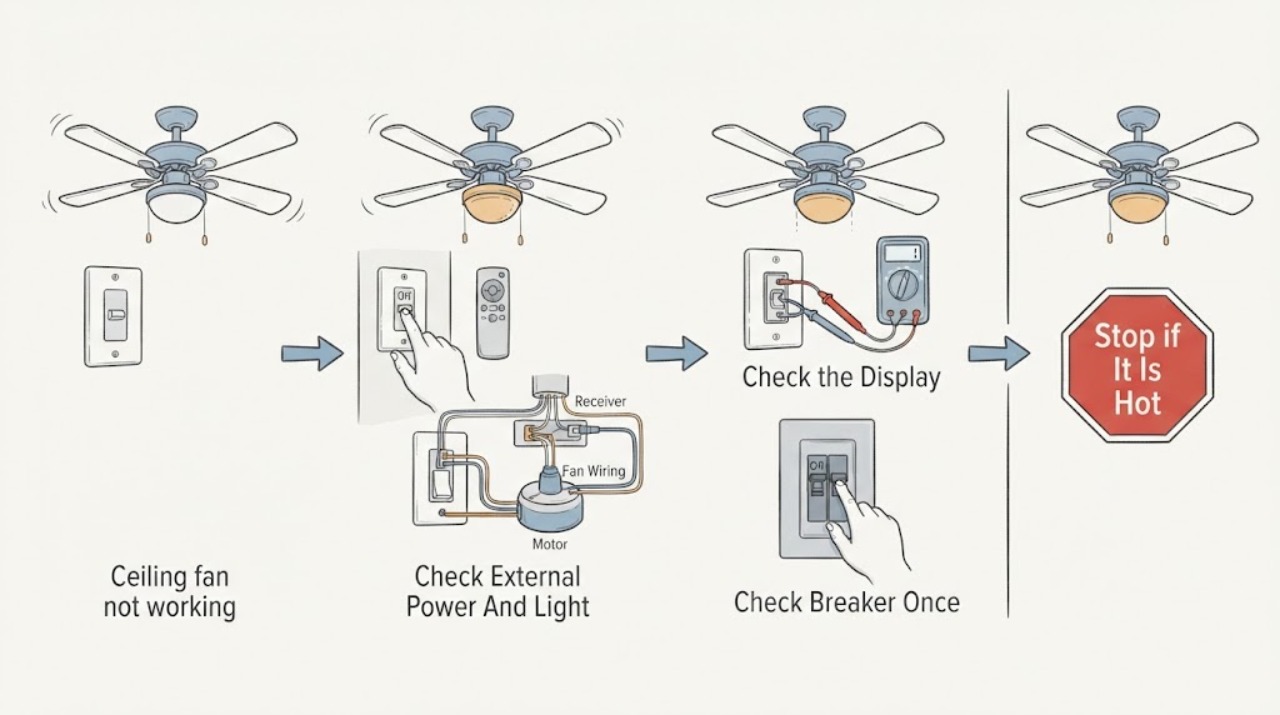
Work through in order
Diagnostic checks
Use only checks that match the exact appliance or system and its official guide.
-
Check 1
From a dry, safe position, turn the wall switch on and note whether the Casablanca fan light, another fixture on the same circuit, or any control indicator responds; do not remove a wall plate.
Expected result: Record both fan and light dead, light works but fan does not, control indicator dead, or another fixture also without power.
Next step: Continue to the breaker check only if there is no odor, heat, moisture, or damage. If only the fan fails while the light works, continue with the control and blade checks.
Stop if: Stop for smoke, burning odor, arcing, a hot switch or canopy, exposed wiring, moisture, or a shock sensation; keep clear and obtain qualified electrical help.
Why this matters
Why: Both fan and light being dead, especially with another fixture affected, makes a supply, switch, or breaker path more likely. A working light narrows attention toward the fan control or motor path.
-
Check 2
Use the installed Casablanca control exactly as labeled: press one fan-speed command, pull the chain if the model has one, and replace a control battery only through its normal battery access if applicable.
Expected result: Record no indicator or beep, a control response with no rotation, light response only, intermittent response, or a fan that works from one control but not another.
Next step: Use the model's manual for any pairing or control-specific procedure. If controls respond but the fan remains stopped, do not open the canopy; arrange fan or electrical diagnosis.
Stop if: Do not bypass the remote, pair an unknown replacement, alter internal switches, or open the control or receiver enclosure.
Why this matters
Why: No control response can be a battery, pairing, wall-control, or power issue. A response without rotation keeps the receiver, motor, reversing switch, or mechanical path in consideration; one working control points away from a total power loss.
-
Check 3
Look at the labeled breaker or fuse from a safe, dry position without removing the electrical-panel cover; if it appears tripped and there is no damage or safety warning, restore it only as your household procedure permits.
Expected result: Record a normal breaker, one apparent trip that restores power, an immediate repeat trip, buzzing or heat, or an inaccessible panel.
Next step: After one safe restoration, try one ordinary fan command. If the breaker trips again or the fan remains dead, leave the circuit off and arrange qualified electrical or fan service.
Stop if: Do not remove a panel cover, touch conductors, test voltage, bypass a breaker, or reset a breaker repeatedly.
Why this matters
Why: A single trip can explain a dead fan, but an immediate repeat trip indicates an unresolved fault. Heat, buzzing, damage, moisture, or an inaccessible panel requires an electrician rather than another reset.
-
Check 4
With wall control power off, observe the external motor-reversing switch and the blades without climbing, reaching through a guard, or forcing any part; check only whether the switch is visibly halfway and whether the blades have an obvious obstruction.
Expected result: Record a firmly selected switch, a switch visibly between positions, free blades, rubbing or blocked blades, wobble, or a damaged blade.
Next step: If the model's manual permits a simple external switch selection, move it only with power off and without forcing it. Otherwise, or if the fan still does not start, request service.
Stop if: Do not climb to the fan, spin blades under power, remove blades or guards, correct wobble from above, or open the motor housing.
Why this matters
Why: Casablanca troubleshooting guidance identifies an engaged reversing switch and free blade movement as basic checks. A visible obstruction or damage is mechanical; free blades with no start still leave control, receiver, motor, and wiring causes.
-
Check 5
Record the Casablanca model from ordinary access or existing paperwork, then note which controls respond, whether the light works, breaker history, blade movement, sounds, odor, and when the failure began.
Expected result: Confirm a complete external symptom record and whether the failure followed a power event, installation, control change, storm, or gradual decline.
Next step: Use the model-specific manual or contact Casablanca support with the record. Request qualified service when the fan remains nonfunctional after the safe checks.
Stop if: Stop all user troubleshooting when the next step requires canopy access, wiring checks, electrical measurements, ceiling work, or replacement of an internal component.
Why this matters
Why: This information helps support or a technician distinguish a control or pairing issue from supply, receiver, motor, mechanical, or wiring faults without asking the homeowner to identify a live electrical component.
-
Check 6
If the fan has a hot smell, smoke, sparks, loud electrical buzz, visible damage, water exposure, a loose hanging assembly, or a repeated breaker trip, leave the switch off and keep people clear.
Expected result: Record any safety symptom and whether it is still present after power is left off; do not approach the canopy or fan blades to investigate.
Next step: Use qualified electrical or ceiling-fan service, and use emergency response when smoke or fire is present. Do not restore power to test the fan.
Stop if: Do not touch the fan, open a box, remove a cover, climb, or reset a tripping breaker after a safety warning.
Why this matters
Why: These signs can indicate an electrical, mechanical, mounting, or moisture hazard that cannot be safely classified by control testing.
Use your observations
Decision map
Find the observation that best matches what you see, then follow the next safe action.
-
PATH 01Next step
What you see
The fan and light are both dead, and another fixture or control on the same circuit also lacks power.
Do this next
Check the labeled breaker once from a safe position if permitted. If power does not restore, the breaker trips again, or the switch or wiring needs access, use qualified electrical service.
Why this path and its safety boundary
Why it matters: A supply, wall-switch, breaker, or upstream connection is more likely than a blade-only motor fault.
-
PATH 02Next step
What you see
The Casablanca light works but the blades remain stopped after the correct control command.
Do this next
Check only the external reversing switch and visible blade freedom with power off, then arrange qualified fan service if the motor still does not start. Do not open the canopy.
Why this path and its safety boundary
Why it matters: The shared supply is present, so the fan control, receiver, reversing switch, motor, capacitor, or a mechanical obstruction becomes more relevant.
-
PATH 03Next step
What you see
The fan responds to a pull chain or one control but not to a remote or wall control, or a control indicator is dead.
Do this next
Use the exact model manual for battery or pairing guidance and record the model before sourcing a control. Do not substitute an unverified remote or open the receiver.
Why this path and its safety boundary
Why it matters: The failed control's battery, pairing, wall control, or receiver communication is more likely than a total motor or supply failure.
-
PATH 04Next step
What you see
The blades are blocked, rub, wobble severely, the fan hangs loose, or a blade or housing is visibly damaged.
Do this next
Leave the fan off and keep clear below it. Arrange qualified ceiling-fan service; do not climb, remove blades, or support the assembly while powered.
Why this path and its safety boundary
Why it matters: A mechanical or mounting issue can prevent safe operation and may worsen if the motor is repeatedly started.
-
PATH 05Safety boundary
What you see
There is smoke, burning odor, arcing, buzzing with heat, water exposure, a shock sensation, exposed wiring, or a breaker that trips again immediately.
Do this next
Leave the circuit off, keep clear, and obtain qualified electrical or ceiling-fan service; use emergency response for smoke or fire. Do not restore power to reproduce the fault.
Why this path and its safety boundary
Why it matters: This is an electrical or safety escalation, not a remote, battery, or blade adjustment problem.
Safety stop: Do not touch the fan, open the canopy, remove a panel, or reset the breaker again.
Helpful context
Understand the symptom
Start by separating power, control, and motor symptoms
A completely dark fan and light points first toward the wall switch, breaker, supply, or a connection issue. A light that works while the blades do not move points more toward the fan control, receiver, reversing switch, motor, or a mechanical obstruction. A remote or wall control that shows a response but produces no rotation is useful evidence, not proof that the motor is bad. Casablanca's support path is model-specific, so record the fan's model before ordering a part or attempting any repair.
Use only ordinary user-accessible controls
Confirm that the wall switch is on, then use the control supplied with the fan. Depending on the Casablanca model, that may be a pull chain, wall control, or remote. Do not assume every model uses the same control or pairing method. If the control has a battery, use only the replacement and polarity specified by its instructions; a dead remote does not prove that the ceiling wiring has failed. Do not remove a cover, change a frequency or receiver setting by guesswork, or bypass a control.
Treat blade movement and power symptoms as different branches
With the fan switched off, observe whether the blades are visibly obstructed or appear to turn freely without forcing them. A physical obstruction, rubbing, wobble, or damaged blade needs attention before operation. If the blades turn freely but the motor never starts, control, receiver, motor, or power diagnosis may be needed. If the fan hums, smells hot, sparks, or trips protection, leave it off rather than trying repeated starts.
Find the model before considering parts
Hunter's support guidance says the Casablanca model number may be on the fan, its packaging, or its manual, with the exact location depending on the fan style. For an installed downrod fan, do not climb or handle the motor housing to read a label; use a safely taken photograph or the original paperwork if available. A receiver, wall control, remote, motor component, or light part is not interchangeable merely because it looks similar. Ask support or a qualified technician to confirm the model and compatibility.
Safety boundary
Stop conditions
- Stop immediately for smoke, fire, burning odor, arcing, a hot switch or canopy, a shock sensation, water exposure, exposed wiring, a loose hanging assembly, or a repeated breaker trip.
- Leave the fan off for rubbing, severe wobble, damaged blades, a grinding or electrical buzz, or a stationary motor that smells hot.
- Never open the canopy or receiver, touch wiring, perform live electrical tests, reach through a fan guard, climb to the motor, or bypass a control or breaker as a homeowner.
Only after diagnosis
Potential parts
- Casablanca-compatible remote or wall control
A control should be considered only when the model and symptom indicate a control or pairing fault; a similar-looking remote is not evidence of compatibility.
Confirm the exact Casablanca model, control system, receiver arrangement, and manufacturer-approved compatibility before selecting a replacement. - receiver, capacitor, or motor control component
An internal electrical component is a technician-diagnosed part, not a conclusion from a stopped fan alone; loss of power, control, mounting, and motor faults can look alike.
Have a qualified technician identify the failed component and verify the exact model, wiring arrangement, electrical rating, and approved fit before replacement.
When checks do not resolve it
Need a professional?
Call qualified electrical or ceiling-fan service when the breaker trips again, the fan and light remain dead after safe external checks, the light works but the motor does not, controls respond inconsistently, the blades rub or wobble, or any internal access is needed. Use emergency help for smoke or fire and keep the circuit off for heat, odor, arcing, water, shock, or exposed wiring.
Have this ready
- Provide the model if safely visible, the light and fan response, control type, battery or pairing observations, breaker history, blade movement, sounds, odor, visible damage, and the event or date when the failure began.
Common questions
FAQ
Why is my Casablanca ceiling fan completely dead?
If both the fan and light are dead, check the wall switch and the labeled breaker once from a safe position. If another fixture is also dead, a supply or switch issue is more likely; if the breaker trips again or internal access is needed, leave the circuit off and use qualified electrical service.
Why does the Casablanca light work but the fan does not spin?
The shared power is present, so the fan control, receiver, reversing switch, motor, capacitor, or a mechanical obstruction may be involved. Check only the external control, visible reversing-switch position, and blade freedom with power off; do not open the canopy.
How do I find the right Casablanca replacement remote or part?
Find the Casablanca model from ordinary access or existing paperwork first, then use the model-specific manual or official support. A remote, receiver, motor component, or wall control that looks similar may not be compatible without model and control-system confirmation.
Should I keep trying the breaker if the fan will not start?
No. A single safe check may restore power, but stop after an immediate repeat trip or any heat, odor, buzzing, arcing, water, or exposed wiring. Leave the circuit off and arrange qualified electrical or ceiling-fan service.
Read the exact guide
Official sources
- Casablanca Fans Consumer SupportHunter Fan Support · Official Casablanca support page used for model-specific troubleshooting and support handoff, not a universal wiring or part-compatibility instruction.
- Can I purchase electrical components for my fan?Hunter Fan Support · Official manufacturer support used to keep internal electrical components conditional and model-specific; it is not a homeowner live-wiring procedure.
- My fan stopped working. What do I do?Hunter Fan Support · Official Hunter support guidance used for general Casablanca-family checks; exact Casablanca model instructions govern control and installation details.
- Where can I find the model number on my fan?Hunter Fan Support · Official support guidance used to identify a Casablanca model before selecting instructions or parts; it does not authorize climbing or opening equipment.
Community feedback
Share a repair observation
Share a plain-text repair observation. Accepted observations are published automatically; this page may take a moment to update.