
On this page
Start here
Quick answer
First separate a dead fan, a dead light with a running fan, and a fan-and-light combination that is completely unresponsive. From a normal standing position, check the wall switch, pull chain or remote control, remote batteries, and the accessible breaker indication; then use the exact fan manual. If the fan runs but its light does not, determine whether the fixture has a model-approved screw-in bulb or an integrated LED module before buying a part. An integrated LED light is not automatically a universal replaceable module, and the receiver, light-kit wiring, socket, and control can produce the same symptom. Do not climb, remove a canopy or motor housing, touch wiring, or work on energized parts. Stop for flicker, buzzing, heat, burning odor, smoke, sparks, water, cracked housing, a loose mount, or repeated failure and arrange qualified electrical service.
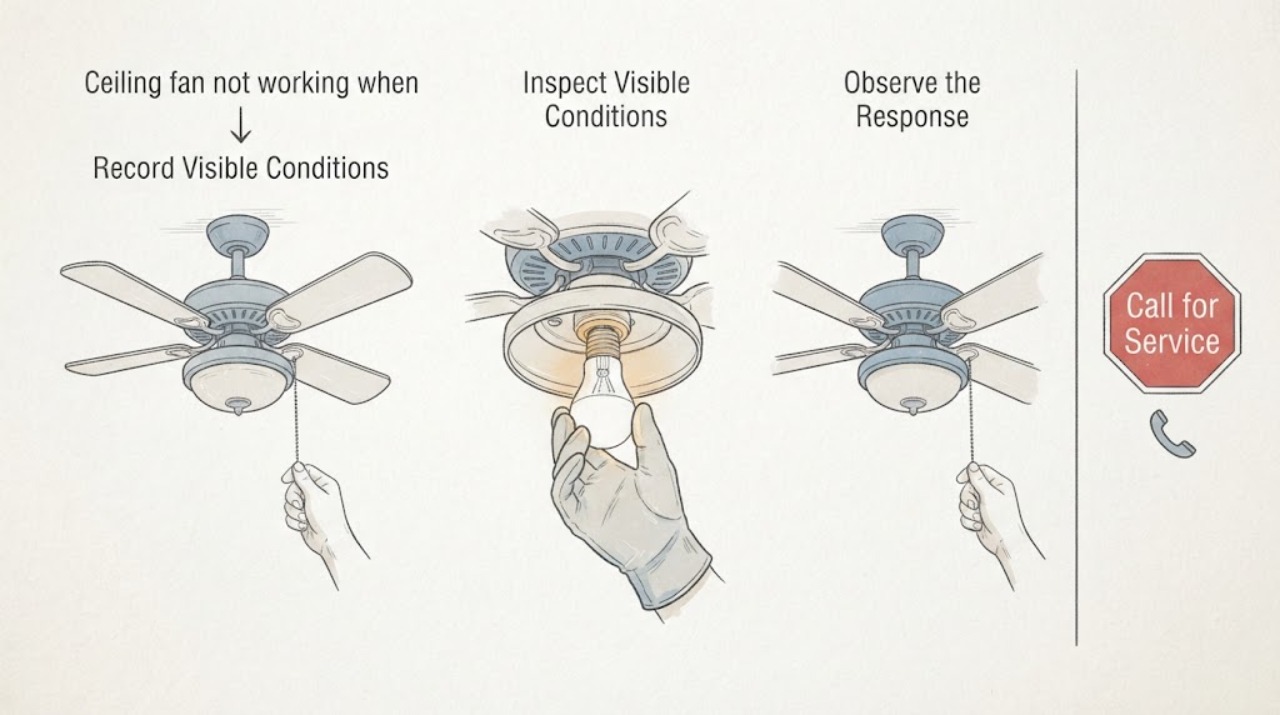
Work through in order
Diagnostic checks
Use only checks that match the exact appliance or system and its official guide.
-
Check 1
From the floor, operate only the normal wall switch, pull chain, or remote control once and record the result: do the blades start, does the light respond, do both remain off, and does the remote show a response? Do not stand under a moving fan or reach toward the fixture.
Expected result: The blades run and the light is dark; the light works and the blades do not; both are dead; or the symptom is intermittent or control-specific.
Next step: Follow the matching branch below and save the exact model number and control type before selecting a part.
Stop if: Stop if the fan wobbles severely, the fixture moves at the ceiling, there is smoke, sparking, burning odor, unusual heat, or any exposed or damaged electrical material.
Why this matters
Why: Blades running with a dark light makes the bulb, socket, light kit, LED module, or light control more likely than a completely dead fan supply. Both functions being dead shifts attention toward the wall control, remote/receiver, breaker, or fan power path. A control-specific response makes the control path more relevant but does not prove a receiver failure.
-
Check 2
Check the normal, user-accessible controls without opening the fixture: confirm the wall switch is on, use the correct pull-chain position if present, check remote batteries and model-specific pairing instructions, and look at the home's breaker handle only from a safe standing position.
Expected result: One control turns the fan or light on, the remote is unresponsive while the wall control works, the breaker is visibly tripped, or every normal control gives the same dead result.
Next step: Use only the exact model manual's documented user step; if the symptom persists, leave the fixture off and give the control results to an electrician or authorized service provider.
Stop if: Do not repeatedly reset a breaker, remove the wall plate, bypass a switch, or touch wiring. Stop for heat, odor, noise, visible damage, or a breaker that trips again.
Why this matters
Why: A response from one control points to a control-selection or pairing issue rather than proving that the bulb or motor failed. A repeatably tripped breaker or a completely dead fan-and-light combination can indicate a circuit, receiver, wiring, or installation problem that should not be diagnosed by opening the canopy.
-
Check 3
If the fan runs but the light is dark, identify the light design from the floor using the model label, manual, or manufacturer parts page: a socket for a replaceable bulb, an integrated LED module, or a separate light kit. Record the exact bulb specification or module/light-kit part number; do not remove a shade or reach up to the fixture just to identify it.
Expected result: The manual specifies a replaceable bulb and socket, specifies a model-specific LED module or light kit, says the integrated light is not separately switchable, or gives no clear replacement information.
Next step: Use the exact manufacturer part documentation or arrange service; do not substitute a universal LED board, incompatible bulb, or unverified light kit.
Stop if: Stop if identification requires a ladder, removing glass at height, opening a canopy, touching the module, or exposing wiring.
Why this matters
Why: Only the first case supports a bulb replacement, and only with the socket-compatible type and label limit. A module or light-kit listing is conditional on exact model, revision, connector, and mounting compatibility. No clear documentation means the dark light could still be its control, socket, wiring, or receiver rather than a replaceable light source.
-
Check 4
With the fixture left assembled, compare the light response at the wall control, pull chain, and remote (if installed), and note whether the light flickers, comes on briefly, changes with dimming, or stays fully dark while the blades remain steady.
Expected result: The light changes only with one control, flickers or drops out, responds briefly, or stays dark under every documented control while the fan remains stable.
Next step: Record the pattern and stop using the light if it flickers, heats, buzzes, smells burnt, or shows damage; have qualified service diagnose the light path.
Stop if: Do not open the fixture, probe a socket, change dimmer wiring, or continue operation after an electrical warning sign.
Why this matters
Why: A control-specific or dimming-related response can implicate control compatibility or the light-control path. Flicker, drop-out, heat, buzzing, or a burnt smell is not a reason to keep changing bulbs; it raises an electrical or component fault. A steady fan with a consistently dark light can still involve a socket, module, light kit, receiver output, or wiring.
-
Check 5
Photograph the model label and the installed control/light design from a safe position, and write down whether the fan, light, or both failed, the timing, any noise or odor, breaker behavior, and which normal controls responded.
Expected result: The model and symptom pattern are documented, or the model/part identity remains unknown and the failure persists.
Next step: Give the record to a qualified electrician or manufacturer-authorized service provider and request model-specific part verification before any replacement.
Stop if: Do not climb, remove covers, open the motor housing, work on wiring, or operate a fan with a loose mount, severe wobble, damaged housing, heat, smoke, or water intrusion.
Why this matters
Why: A precise symptom split helps service distinguish a documented bulb replacement from a light-module, receiver, control, wiring, motor, or mounting diagnosis. Unknown part identity is a compatibility risk, not evidence that a generic replacement will work.
Use your observations
Decision map
Find the observation that best matches what you see, then follow the next safe action.
-
PATH 01Safety boundary
What you see
Both blades and light remain off after the normal wall control, pull chain, remote, and safe breaker indication are checked.
Do this next
Leave the fan off and arrange qualified electrical diagnosis with the model number and control results.
Why this path and its safety boundary
Why it matters: The bulb or LED module alone cannot explain a dead fan-and-light combination; the power, control, receiver, or installation path becomes more likely.
Safety stop: Do not open the canopy, reset a repeatedly tripping breaker, bypass a control, or touch wiring.
-
PATH 02Safety boundary
What you see
The blades run normally, but a documented socket light remains dark.
Do this next
Use only the exact socket-compatible bulb and label limit documented for that model; if it remains dark or access is not safely ground-level, stop and arrange service.
Why this path and its safety boundary
Why it matters: A failed or incompatible bulb is possible, but the socket, light control, light-kit wiring, or receiver output can look the same.
Safety stop: Do not substitute a higher-wattage bulb, alter a dimmer, reach into the socket, or open the fixture while energized.
-
PATH 03Safety boundary
What you see
The blades run normally, but the light is an integrated LED/module design and the manual or parts page identifies no interchangeable bulb.
Do this next
Have the exact model and revision checked against the manufacturer's parts documentation or use authorized service; do not install a universal module.
Why this path and its safety boundary
Why it matters: A model-specific light module, light kit, control, receiver output, or wiring issue is more plausible than a standard bulb replacement; some integrated lights are not separately replaceable.
Safety stop: Do not remove the module, alter connectors, or open the canopy or motor housing.
-
PATH 04Safety boundary
What you see
The light or fan flickers, buzzes, heats, smells burnt, sparks, smokes, shows water damage, has cracked housing, or the ceiling mount is loose or severely wobbling.
Do this next
Turn the control off from a safe position, keep people clear, and contact qualified electrical or emergency help as appropriate.
Why this path and its safety boundary
Why it matters: This exceeds a bulb/module identification task and may involve an electrical, mechanical, or installation hazard.
Safety stop: Stop all troubleshooting and do not operate the fixture again until it is assessed.
Helpful context
Understand the symptom
Start by identifying which part is actually not working
A ceiling fan that will not turn on, a fan whose blades run but whose light is dark, and a fan-and-light combination that is completely unresponsive do not point to the same part. Record whether the blades move, whether the light responds, which control was used, and whether the symptom is constant or intermittent. That separation prevents a dead bulb from being mistaken for a failed fan or a control fault.
A replaceable bulb is different from an integrated LED module
Look for the fixture's label, model documentation, or the manufacturer's parts list from the floor. A socket fixture may accept a specific bulb type and maximum wattage shown on its label. An integrated LED design may use a light module or light kit that is model-specific, and some designs are not intended to have the light source switched out independently. Do not assume that any round LED board, connector, or light kit will fit your fan.
Keep canopy, receiver, and motor work in the service lane
The canopy and motor housing conceal electrical and mechanical parts, including the receiver and light-kit connections. Hunter advises turning off the breaker before inspecting wiring and using the exact model manual; it also warns that the motor housing is not a user-accessible repair area. A qualified electrician or manufacturer-authorized service provider should handle wiring, receiver, capacitor, mounting, and module replacement when the manual does not clearly authorize the work.
Safety boundary
Stop conditions
- Do not climb or use a ladder to reach the fixture, remove a shade, or work above a moving fan.
- Do not remove a canopy or motor housing, touch a socket or module, probe wiring, or work on energized parts.
- Do not bypass a wall control, remote receiver, interlock, or breaker protection, and do not repeatedly reset a breaker that trips again.
- Stop for flicker, buzzing, burning odor, smoke, sparks, unusual heat, water intrusion, exposed conductors, cracked housing, a loose mount, or severe wobble.
Only after diagnosis
Potential parts
- ceiling-fan replacement bulb
Use only when the exact model has a replaceable socket and the manual or socket label identifies the compatible bulb.
Confirm socket, bulb type, control/dimming compatibility, and the model's label limit before purchase. - integrated LED light module or ceiling-fan light kit
Consider only when the exact manufacturer parts documentation identifies that module or kit as serviceable for the fan.
Confirm exact model and revision, mounting, connector, control compatibility, and manufacturer instructions; some integrated lights are not separately replaceable. - ceiling-fan remote receiver or wall control
Consider only after safe control symptoms and qualified diagnosis point to the control path rather than the bulb or module.
Confirm the exact fan model, receiver/control family, pairing method, and installation requirements.
When checks do not resolve it
Need a professional?
Use qualified service for unresolved or recurring failure, any module/light-kit or receiver replacement, concealed wiring, a loose mount, severe wobble, or any electrical warning sign.
Have this ready
- Exact brand and model label or a photo taken from a safe position
- Whether blades, light, or both are affected
- Wall-switch, pull-chain, remote, and breaker observations
- Bulb versus integrated-module identification from the manual or parts page
- Timing, flicker, buzzing, odor, heat, wobble, water, or visible damage
Common questions
FAQ
The ceiling fan works but the light does not. Is the bulb the problem?
Possibly, but first confirm that the fan has a replaceable socket bulb. The same symptom can come from the socket, light control, receiver output, light-kit wiring, or an integrated LED module. Use the exact model documentation before buying a bulb or module.
Can I replace an integrated LED module in a ceiling fan?
Only if the exact manufacturer parts documentation identifies a compatible serviceable module or light kit. Hunter notes that some integrated lights cannot be switched out and that replacement parts are model-specific.
What if the remote does not turn on the fan or light?
Check the remote batteries and model-specific pairing guidance, then compare with the wall control if one is installed. A remote-only failure does not by itself prove that the receiver needs replacement.
Can I open the canopy to check the receiver or light wiring?
Treat canopy, receiver, light-kit, and motor-housing access as service work. Hunter advises turning off the breaker before wiring inspection and says the motor housing is not a user-accessible repair area; use qualified service when the manual does not clearly authorize the task.
When should I stop using the ceiling fan immediately?
Stop for smoke, sparks, burning odor, unusual heat, flicker, buzzing, water intrusion, cracked housing, exposed conductors, a loose mount, or severe wobble. Keep people clear and arrange qualified electrical or emergency help as appropriate.
Read the exact guide
Official sources
- How to Fix a Ceiling Fan That Won't Turn On, Wobbles, or Makes NoiseHunter Fan Company · General Hunter guidance; exact fan model, control, installation, and site condition govern.
- Hunter & Casablanca Fan Replacement PartsHunter Fan Support · Hunter/Casablanca examples; use the exact brand and model documentation for another fan.
- Replacing Your Ceiling Fan Light BulbsHunter Fan Support · Use for Hunter bulb-equipped fixtures; exact socket label and model manual control.
- Ceiling Fan Parts and FunctionsHunter Fan Support · General component orientation; exact model construction and service instructions govern.
Community feedback
Share a repair observation
Share a plain-text repair observation. Accepted observations are published automatically; this page may take a moment to update.