
On this page
Start here
Quick answer
An Eaton breaker that feels hot should be treated as an electrical warning, not as a normal temperature to diagnose by touch. From a safe position, look for smoke, sparks, arcing or sizzling sounds, a burning-plastic odor, discoloration, melted material, flickering, loss of power, or repeated tripping. If any of those signs are present, keep away from the panel and call emergency services or a qualified electrician as appropriate; do not remove the panel cover, touch the breaker, reset it repeatedly, or tighten a terminal. If there are no immediate danger signs, record which circuit and appliances were operating, the breaker label and rating visible without opening the panel, and whether the heat appears only under load or persists. Eaton explains that excess current, short circuits, overloaded circuits, loose connections, contact resistance, and component degradation can produce overheating; only a qualified electrician can determine which condition is present. Do not replace the breaker or change its rating as a DIY fix.
Before you begin
Safety first
- The electrician should determine the circuit load, breaker and load-center suitability, terminal and bus condition, connected equipment, ambient conditions, and any overload, short, ground fault, loose connection, contact-resistance, or component issue before selecting a repair or replacement.
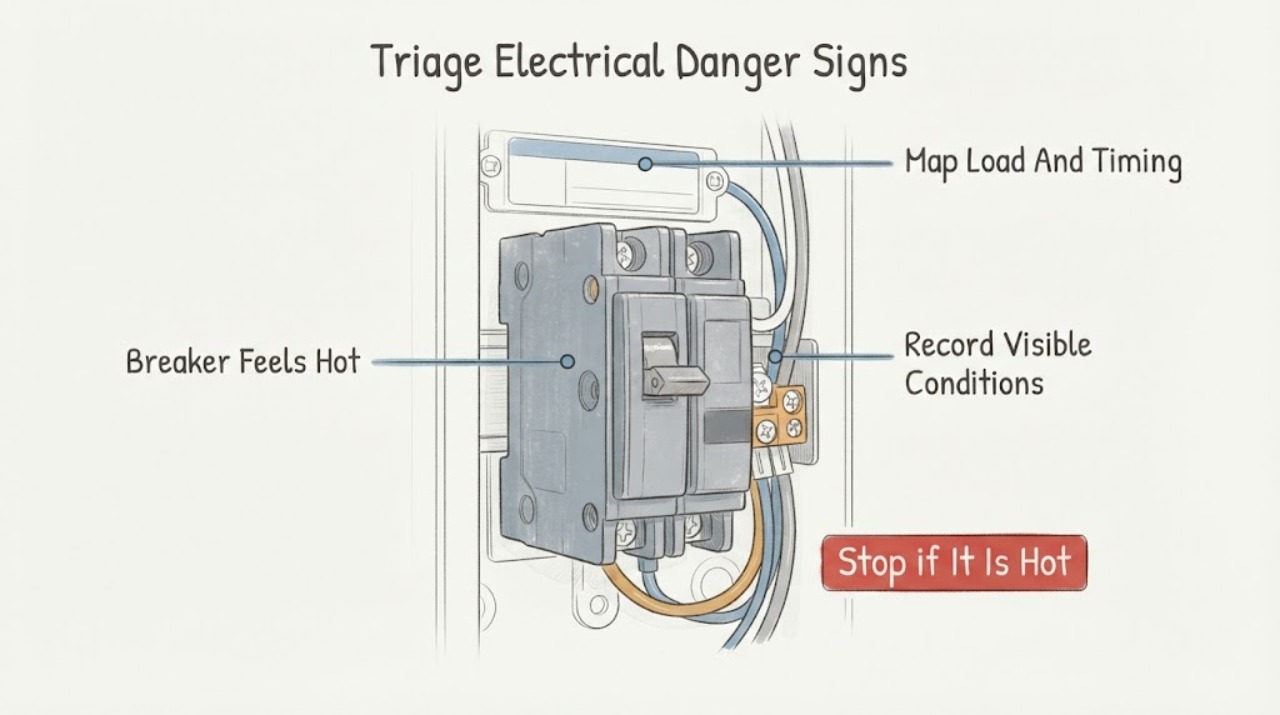
Work through in order
Diagnostic checks
Use only checks that match the exact appliance or system and its official guide.
-
Check 1
From outside the panel area and without touching the breaker or cover, look and listen for smoke, sparks, arcing, sizzling or buzzing, burning-plastic odor, melted material, charring, flickering, or a nearby hot or discolored outlet or switch.
Expected result: There is smoke, visible arcing, a strong burning odor, charring or melting, a crackling or sizzling sound, a shock or tingle, or none of these signs.
Next step: For smoke, fire, active arcing, or immediate danger, leave the area and call emergency services; otherwise keep clear and arrange qualified electrical service before touching or operating the panel.
Stop if: Do not touch, open, spray, cool with water, reset, or approach a panel that is smoking, sparking, crackling, visibly damaged, wet, or giving off a strong burning odor.
Why this matters
Why: Any fire, arcing, shock, or overheating sign raises the risk beyond a routine warm-breaker question. No visible sign does not rule out an energized connection or overload fault.
-
Check 2
Without opening the panel or touching the hot breaker, read only the visible circuit label, Eaton marking, ampere rating, and handle position, and note whether the breaker is tripped, repeatedly trips, or remains on.
Expected result: The breaker is in ON, OFF, or an intermediate position; it has tripped more than once; its label is missing or unclear; or the panel or handle is visibly damaged.
Next step: Photograph the visible markings from a safe position and leave the breaker as found; request an electrician rather than repeatedly resetting it or changing its rating.
Stop if: Do not force a stiff handle, reset a hot or damaged breaker, remove the deadfront, or use a larger breaker to stop trips.
Why this matters
Why: A tripped or repeatedly tripping breaker indicates a circuit problem that may involve load, short-circuit, ground-fault, wiring, or equipment conditions. An unclear label or damaged enclosure removes information needed for a safe decision.
-
Check 3
From outside the panel, record which lights, receptacles, appliances, motors, heaters, or other loads were operating when the Eaton breaker felt hot, and whether the heat appeared after a particular load started or while the circuit was idle.
Expected result: Heat follows a high-demand load, appears during several loads together, occurs with a particular appliance, persists when the circuit is not being used, or the load cannot be identified.
Next step: Stop using a suspect appliance through its normal control when it can be done without approaching a hazard, do not add or move loads as a test, and provide the timing record to an electrician.
Stop if: Do not unplug a hot, wet, damaged, sparking, or high-current device, run extension cords to bypass the circuit, or keep operating a load that coincides with odor, noise, flicker, or repeated trips.
Why this matters
Why: A load-linked pattern makes excess demand or a device fault worth investigating; heat that persists without an identified load keeps connection, contact, breaker, or environmental causes in consideration. Timing alone cannot identify the failed component.
-
Check 4
From a dry, stable position, inspect only the outside of the panel and surrounding area for water, condensation, corrosion, dust buildup, blocked ventilation, discoloration, deformation, or a recently added load; do not remove the cover or touch the breaker.
Expected result: The enclosure is dry and intact, moisture or corrosion is present, the panel or breaker is discolored or deformed, the area is unusually hot, or the condition cannot be viewed safely.
Next step: Keep the area dry without spraying or wiping inside the panel, keep clear of damaged equipment, and arrange qualified inspection with the observed conditions documented.
Stop if: Do not open the enclosure, wipe or probe the breaker, remove corrosion, use water or compressed air, or work near a panel exposed to flooding or active moisture.
Why this matters
Why: Moisture, corrosion, heat, or deformation can compromise electrical equipment and change the urgency; a clear exterior does not prove that internal terminals or contacts are sound.
-
Check 5
Photograph the visible Eaton breaker face, handle markings, panel label, and load-center model information without removing covers, labels, or wiring, and note whether the breaker appears to be standard, AFCI, GFCI, or another marked type only when the marking is clear.
Expected result: The breaker family and rating are clear, only the Eaton brand is visible, the panel model is unclear, or the marking cannot be read without opening the enclosure.
Next step: Give the photographs and visible model information to an electrician; do not select, install, or order a replacement from a picture alone.
Stop if: Do not remove the deadfront, pull the breaker, loosen a terminal, test energized conductors, or change the breaker rating to match a suspected load.
Why this matters
Why: Breaker type, rating, and load-center identity affect the correct inspection and replacement path. Brand or appearance alone cannot establish compatibility or reveal why the breaker is hot.
-
Check 6
Prepare a service record with the first time the Eaton breaker felt hot, the circuit label and visible rating, load timing, trip history, warning signs, photographs, panel age or recent work if known, and any decision to leave the breaker untouched.
Expected result: The record shows isolated warmth without other signs, load-linked heat, repeated trips, persistent heat, an unclear circuit, visible damage, or a fire/shock warning.
Next step: Arrange qualified electrical service before further testing; use emergency services for active fire or arcing and keep the panel area clear until assessed.
Stop if: Do not continue cycling the breaker, open the panel, test with improvised tools, replace the breaker, or re-energize a circuit that was isolated because of danger signs.
Why this matters
Why: This pattern helps an electrician prioritize an overload, appliance fault, loose connection, contact-resistance problem, breaker defect, environmental issue, or emergency condition; it cannot identify the fault without an electrical inspection.
Use your observations
Decision map
Find the observation that best matches what you see, then follow the next safe action.
-
PATH 01Next step
What you see
The hot Eaton breaker or nearby panel has smoke, visible arcing, crackling or sizzling, charring, melting, a strong burning-plastic odor, or an electrical shock or tingle.
Do this next
Leave the area and call emergency services for fire, smoke, or active arcing; otherwise keep clear and request urgent qualified electrical service. Do not approach the panel to reset or inspect it.
Why this path and its safety boundary
Why it matters: This is an active electrical hazard rather than a temperature-comparison problem, and the source may be energized inside the enclosure or circuit.
-
PATH 02Next step
What you see
The breaker feels hot after a particular appliance or combination of loads runs, and it has tripped, the lights flicker, power drops, or the same circuit repeatedly needs resetting.
Do this next
Stop using the suspect load through its normal controls when safe, do not add or redistribute loads as a test, leave the breaker untouched, and arrange prompt electrician inspection.
Why this path and its safety boundary
Why it matters: An overload, appliance fault, short, ground fault, or wiring problem is more plausible than harmless warmth, but the breaker symptom cannot identify which one.
-
PATH 03Next step
What you see
The breaker remains hot or temperature rises when no clear load is operating, or heat is localized to the breaker or panel while the exterior appears intact.
Do this next
Do not continue operating the circuit for comparison. Record the timing and visible labels and have a qualified electrician inspect the de-energized equipment and circuit.
Why this path and its safety boundary
Why it matters: A loose connection, contact resistance, breaker or bus defect, component degradation, ambient condition, or an unrecognized load remains possible; visual inspection cannot clear an energized connection.
-
PATH 04Next step
What you see
The panel is wet, corroded, deformed, discolored, recently altered, exposed to unusual heat, or the Eaton breaker and panel identity cannot be read safely.
Do this next
Keep away from the enclosure, prevent further exposure only from a safe location, and request prompt qualified electrical service with photographs and equipment markings.
Why this path and its safety boundary
Why it matters: Environmental damage or unknown equipment removes the conditions needed for a safe owner diagnosis and can compromise breaker operation or connections.
-
PATH 05Next step
What you see
No smoke, odor, arcing, discoloration, flicker, trip, moisture, or clear load pattern is visible, but the Eaton breaker still feels abnormally hot or the observation recurs.
Do this next
Do not repeatedly touch or cycle the breaker. Document the event and arrange a qualified electrician to assess the circuit, breaker, load center, and connections.
Why this path and its safety boundary
Why it matters: The absence of visible warning signs does not establish a safe temperature or exclude a connection, contact, load, or breaker issue.
Helpful context
Understand the symptom
Hot is a symptom, not a diagnosis
A breaker can warm while carrying a load, but an owner cannot safely determine from touch alone whether the temperature is acceptable for that specific Eaton breaker, enclosure, ambient condition, and circuit. A rising or abnormal temperature can be associated with an overloaded circuit, loose connection, contact resistance, or a degrading component. Treat the observation as a reason to reduce exposure and arrange inspection rather than as a reason to open the panel.
Check the surrounding warning signs without touching the panel
Look and listen from a safe position for burning odor, smoke, arcing, sizzling or buzzing, discoloration, melted plastic, flickering lights, loss of power, or repeated trips. CPSC identifies hot electrical components, flickering, circuits that do not work, and burning-plastic odor as warning signs requiring a qualified electrician. No visible sign does not prove that a hot breaker is safe.
A breaker replacement is not a temperature fix
Eaton circuit breakers are selected for a particular circuit and load center, and Eaton's installation information distinguishes breaker families and connection methods. Do not substitute a higher-rated breaker, install a breaker based on appearance, remove a deadfront, or tighten wiring as a guess. Give an electrician the Eaton markings, breaker rating, panel information, timing, and load pattern so the circuit can be inspected de-energized with the appropriate procedures.
Safety boundary
Stop conditions
- Do not touch, open, probe, remove, cool with water, or wipe inside a hot or energized panel; do not tighten terminals or work on a breaker as a DIY repair.
- Do not repeatedly reset a hot or tripping breaker, install a larger-rated breaker, bypass an AFCI or GFCI function, or move loads with extension cords to hide the symptom.
- Leave the area and call emergency services for smoke, fire, active arcing, or immediate shock danger; keep away from a wet, damaged, sizzling, or burning panel.
- Arrange qualified electrical service for persistent heat, recurrent trips, flicker, odor, discoloration, unclear equipment, or any condition that cannot be safely localized from outside the enclosure.
When checks do not resolve it
Need a professional?
Use prompt electrician service for recurring or persistent Eaton breaker heat, load-linked warmth, repeated trips, flicker, unclear labels, or any suspected overload, loose connection, contact-resistance, or equipment fault. Use emergency services for smoke, fire, active arcing, or immediate shock danger.
Safety scope: The electrician should determine the circuit load, breaker and load-center suitability, terminal and bus condition, connected equipment, ambient conditions, and any overload, short, ground fault, loose connection, contact-resistance, or component issue before selecting a repair or replacement.
Have this ready
- Photographs of the visible Eaton breaker face, handle markings, circuit label, and load-center label without removing the panel cover
- When the breaker first felt hot, whether heat persists with the circuit idle, and whether a particular appliance or combination of loads was operating
- The breaker position, rating, type marking if visible, and any history of trips, flicker, power loss, buzzing, odor, or unusual equipment behavior
- Any exterior moisture, corrosion, discoloration, melting, deformation, recent electrical work, added appliance, or suspected damaged load
- Whether the panel was left untouched because of smoke, arcing, shock, heat, water, or another stop-use warning
Common questions
FAQ
Is it normal for an Eaton breaker to feel hot?
Do not use touch alone to decide that. A breaker carrying a load may feel warm, but abnormal or rising heat can be associated with overload, a short or fault, a loose connection, contact resistance, or component degradation. Persistent or recurring heat needs qualified electrical inspection.
Should I reset a hot Eaton breaker?
Do not repeatedly reset a hot breaker, especially when it has tripped or there is odor, noise, flicker, discoloration, moisture, or damage. Leave it as found and arrange qualified service; smoke, fire, or active arcing requires emergency response.
Can an overloaded circuit make an Eaton breaker hot?
Excess current from overloaded equipment or a short circuit can cause overheating, according to Eaton. Record which loads were running, but do not add, move, or bypass loads as a test. An electrician must determine whether the load, wiring, connection, or breaker is responsible.
Can I replace a hot Eaton breaker with a higher-amp breaker?
No. A breaker must be the correct type and rating for the circuit and load center; a higher rating can remove protection from wiring. Do not open the panel or replace the breaker as a guess—have a qualified electrician inspect the circuit and equipment.
What warning signs make a hot breaker urgent?
Smoke, sparks, arcing, crackling or sizzling, burning-plastic odor, charring, melting, shock or tingling, wet equipment, flickering, power loss, visible damage, or repeated trips make the situation urgent. Leave the area for fire or active arcing and call emergency services; otherwise keep away and request urgent electrician service.
Read the exact guide
Official sources
- Installation tips for BR & CH plug-on neutral productsEaton · Eaton's installation page shows that breaker family and load-center connection details matter; it is not a homeowner repair procedure for an unidentified hot breaker.
- Continuous Thermal MonitoringEaton · Eaton identifies abnormal thermal rises in electrical assets as possible signs of loose connections, overloaded circuits, contact resistance, or component degradation and emphasizes safer planning before energized intervention.
- Eaton FAQsEaton · Eaton explains that breakers limit excess current, overloads and short circuits can cause overheating and fires, and electrical work requires caution and the correct breaker type.
- Residential Circuit Breakers | CH Circuit Breakers | EatonEaton · Eaton's residential breaker page identifies CH and BR families, overload protection, and distinct AFCI/GFCI options; it does not establish the model or fit of the task's breaker.
- CPSC Guide to Home Wiring HazardsU.S. Consumer Product Safety Commission · CPSC's home wiring guide covers warning signs such as overheating, sizzles or buzzes, power outages, overloaded circuits, and the need for qualified electrical correction.
- 516U.S. Consumer Product Safety Commission · CPSC Publication 516 identifies electrical warning signs and says a qualified electrician should determine the cause rather than a homeowner attempting a repair.
Community feedback
Share a repair observation
Share a plain-text repair observation. Accepted observations are published automatically; this page may take a moment to update.