
On this page
Start here
Quick answer
A buzzing Feit light fixture is often related to an LED bulb or fixture driver, an incompatible or incorrectly loaded dimmer, a loose bulb, or a loose or faulty connection. First determine whether the sound comes from the bulb, fixture, or wall control and whether it changes with brightness. Check the Feit product label or manual for dimmability and compare the dimmer model with Feit's compatibility information; never pair a non-dimmable LED with a dimmer. With the circuit switched off and the bulb cool, gently check that a replaceable bulb is seated, but do not open the fixture, switch box, or junction box. Stop using the light for heat, smoke, sparks, burning smell, visible damage, flickering with an electrical warning, repeated breaker trips, or a fixture that is loose or wet, and arrange qualified electrical service.
Before you begin
Safety first
- Owner checks are limited to turning the light off, observing from a safe position, checking visible labels and compatibility, gently reseating a cool undamaged replaceable bulb after power is off, and external visual checks. A qualified electrician must handle switch or junction-box access, hardwired controls, fixture removal, driver or wiring diagnosis, live testing, circuit faults, and damaged or wet equipment.
Work through in order
Diagnostic checks
Use only checks that match the exact appliance or system and its official guide.
-
Check 1
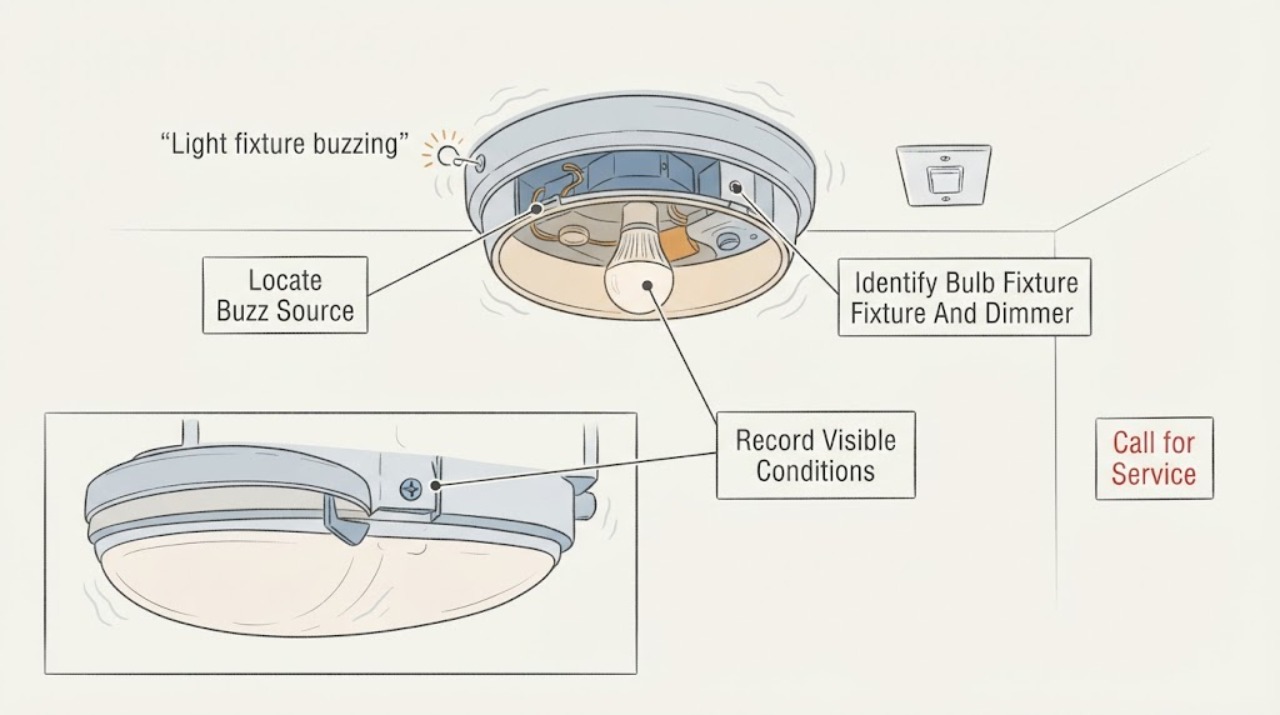
Turn the light off, keep clear of the fixture, and listen from a dry, stable position to identify whether the sound is strongest at the bulb, fixture body, ceiling junction, wall dimmer, or another nearby device. Note whether the light is on, off, or cooling when the sound occurs.
Expected result: Record a buzz from the bulb or driver, a buzz from the dimmer, a vibration at the mounting point, sound from the junction area, or a sound that remains after the light is off.
Next step: Keep the light off if the source is unclear or near wiring, and continue only with external label and control checks.
Stop if: Stop immediately for smoke, sparks, burning smell, rapid flicker, visible arcing, water, a hot fixture, or a loose fixture that could fall.
Why this matters
Why: A bulb or driver source keeps the Feit lamp or fixture electronics in consideration. A wall-control source makes dimmer compatibility or a control fault more likely. Vibration or a junction-area sound can indicate a mounting or wiring issue that should not be opened by the owner.
-
Check 2
From the wall control, note whether the buzz changes at full brightness, at lower brightness, during turn-on, or when the dimmer is adjusted. Record how many Feit bulbs or fixtures share the control and whether the control is a standard switch, dimmer, smart dimmer, motion sensor, or other device; do not remove the wall plate.
Expected result: Record a buzz only at low dimming, a buzz at every brightness, buzzing during turn-on, a control that is warm or noisy, or a mixed load with different bulb types.
Next step: Leave the light at an unused or safe setting, or turn it off, while checking the bulb and dimmer labels. Do not keep operating a noisy or hot control to map the range.
Stop if: Stop for a hot or crackling wall control, a burning smell, flicker across the room, repeated breaker trips, or buzzing that continues with the control off.
Why this matters
Why: Low-level-only buzzing supports a dimmer/LED compatibility or load-range issue. Buzzing at all levels keeps a bulb or driver defect, loose installation, or control fault in consideration. Mixed or smart loads need model-specific compatibility rather than a generic dimmer adjustment.
-
Check 3
With power off and the fixture cool, read the Feit bulb or fixture item number and the dimmer brand and model from labels that are already visible. Confirm whether the lamp is marked dimmable and whether the fixture is a replaceable-bulb design or an integrated LED unit; do not unmount an integrated fixture to find a label.
Expected result: Record a replaceable Feit bulb with a dimmable label, a non-dimmable bulb on a dimmer, an integrated fixture, an unknown dimmer model, or a label that cannot be safely reached.
Next step: Use Feit's compatibility information and the exact product manual to compare the models. Request an electrician when model identity, dimmer access, or fixture construction is uncertain.
Stop if: Do not remove the wall plate, open a canopy, unmount a ceiling fixture, or touch conductors to identify a model.
Why this matters
Why: A non-dimmable LED on a dimmer is a direct compatibility concern. An integrated fixture may have a driver that cannot be swapped like a bulb. An unknown model or inaccessible label prevents a reliable part or compatibility decision.
-
Check 4
Compare the visible dimmer model and the bulb or fixture's dimmability marking with Feit's compatibility guidance. Check that the control is intended for LED loads and that the number and type of lamps match the documented combination; do not change wiring or install a new dimmer as a diagnostic.
Expected result: Record a tested compatible combination, a dimmer rated only for incandescent or halogen loads, a non-dimmable lamp, a smart or motion control, a load outside the listed range, or no compatibility result.
Next step: Stop using an incompatible or unknown combination and have the bulb/control pairing corrected under the product instructions by a qualified person when rewiring or replacement is required.
Stop if: Do not bypass a dimmer, short terminals, alter the load, open the switch box, or continue if the control is hot, damaged, or arcing.
Why this matters
Why: A non-compatible control or non-dimmable lamp can cause buzzing, humming, flickering, drop-out, or shortened life. A compatible listed combination shifts attention to the bulb/driver, loose installation, power quality, or another circuit fault.
-
Check 5
For a replaceable Feit bulb only, switch the light off at the control and circuit, allow it to cool, then gently verify that the bulb is seated as the product instructions describe. Do not force the base, handle a cracked bulb, or touch an integrated LED module.
Expected result: Record a firm, undamaged bulb, a loose bulb, a cracked or discolored bulb, a damaged socket, or an integrated fixture with no replaceable lamp.
Next step: Leave a damaged bulb or socket off and use the model-specific replacement or service path. If the sound remains after a safe reseat, stop testing and inspect the control/fixture branch through service.
Stop if: Do not use a cracked, scorched, wet, hot, or mechanically loose bulb or socket, and do not reach into the socket or fixture wiring.
Why this matters
Why: A loose or damaged bulb can vibrate or buzz and may have a poor socket connection. A cracked, discolored, or integrated component needs replacement or service diagnosis; reseating does not prove the fixture wiring is safe.
-
Check 6
With power off and the fixture cool, look from floor level for a loose canopy, movement, discoloration, scorch marks, cracked lens, blocked ventilation, moisture, or abnormal heat. Do not use a ladder or remove a cover to inspect the junction box or driver.
Expected result: Record a firm and cool fixture, visible looseness, excess heat, darkened plastic, a damaged lens, moisture, or no safe view of the mounting and driver area.
Next step: Leave the circuit off and request qualified electrical service for any damage, heat, moisture, looseness, or inaccessible driver or junction box.
Stop if: Stop for smoke, burning smell, visible arcing, exposed metal or conductors, water, a fixture that may fall, or a ceiling surface that is hot or damaged.
Why this matters
Why: A loose or overheated fixture can indicate faulty installation, a failing driver, or an incompatible control. Moisture, scorch marks, or a hidden driver concern increases shock and fire risk and cannot be resolved by changing dimmer settings alone.
-
Check 7
Ask whether other lights or outlets on the same circuit flicker, buzz, dim unexpectedly, or lose power, and note any recent installation, dimmer, bulb, or circuit change. Check only the outside of the electrical panel for a tripped breaker; do not open the panel or reset a breaker repeatedly.
Expected result: Record a single fixture affected, several lights affected, a recent control or bulb change, intermittent power, a tripped breaker, or no safe way to identify the circuit.
Next step: Keep the affected circuit off when symptoms are broad, intermittent, or accompanied by heat or odor, and provide the pattern to an electrician.
Stop if: Do not remove the electrical-panel cover, repeatedly reset a breaker, touch a warm breaker, or continue if the panel, outlet, or wiring is wet or damaged.
Why this matters
Why: One fixture after a bulb or dimmer change keeps compatibility or local driver issues likely. Multiple lights, intermittent power, or a tripped breaker suggests a broader circuit, connection, or power-quality issue that needs an electrician.
-
Check 8
Prepare a service handoff with the Feit item number, fixture type, bulb and dimmer model, dimming level when the buzz occurs, sound location, other circuit symptoms, visible heat or damage, recent installation or replacement, and whether the issue changes after a safe bulb reseat. Do not remove covers or wires to collect more details.
Expected result: Confirm that the record contains visible observations and compatibility information, not live measurements, altered wiring, a bypassed control, or an assumed failed driver.
Next step: Arrange qualified electrical service when the buzz persists, the fixture is integrated, compatibility is unknown, wiring or mounting is suspect, or any stop condition occurred.
Stop if: Stop all owner troubleshooting when the next step requires opening a box or panel, touching conductors, replacing a hardwired control, unmounting a fixture, or measuring live voltage.
Why this matters
Why: The combined pattern helps an electrician separate an incompatible LED/dimmer pairing from a defective lamp or driver, loose mounting or connection, power-quality concern, or circuit fault.
Use your observations
Decision map
Find the observation that best matches what you see, then follow the next safe action.
-
PATH 01Next step
What you see
The Feit lamp or fixture is on a dimmer, the buzz appears mainly at low brightness, and the dimmer is not listed for LED loads, the lamp is not dimmable, or the combination is not in the compatibility guidance.
Do this next
Stop using the incompatible combination and have the lamp/control pairing corrected according to the exact product instructions. If a dimmer must be replaced or rewired, use a qualified electrician; do not alter the switch box yourself.
-
PATH 02Next step
What you see
The control is compatible or the light is on a standard switch, but the buzz persists at full brightness, follows one replaceable bulb, or comes from an integrated fixture driver.
Do this next
Leave the affected light off and use the exact Feit model's replacement or warranty/service path. A defective bulb or integrated driver cannot be safely diagnosed by opening the fixture or substituting incompatible parts.
-
PATH 03Next step
What you see
The fixture or canopy moves, the buzz comes from the junction or mounting area, heat or discoloration is visible, or the issue began after installation or wiring work.
Do this next
Turn the circuit off and request qualified electrical service to inspect mounting, connections, ventilation, and driver installation. Do not tighten a junction-box connection or unmount the fixture as an owner check.
-
PATH 04Next step
What you see
Several lights or outlets flicker or buzz, power is intermittent, the breaker trips, or the issue affects more than the Feit fixture.
Do this next
Keep the affected circuit off when safe and arrange electrician diagnosis of the circuit, control, and supply. Do not repeatedly reset the breaker or open the electrical panel.
-
PATH 05Next step
What you see
There is smoke, sparking, burning smell, a hot or damaged dimmer, water, exposed conductors, rapid flicker, a melted socket, or a fixture that may fall.
Do this next
Stop using the light, keep clear, and arrange prompt qualified electrical service from a safe location. Do not restore power to reproduce the noise or touch the damaged fixture.
Helpful context
Understand the symptom
The source and timing of the buzz matter
A buzz can come from the Feit LED bulb, an integrated fixture driver, a dimmer, a loose mounting or junction-box connection, or another device on the circuit. If it appears only at a low dim level, compatibility or minimum-load behavior is more likely. If it persists at full brightness, grows louder, or comes with heat, flicker, smell, or a loose fixture, a bulb or installation fault needs attention. A sound from the wall control rather than the light should be treated as an electrical-control concern.
Feit compatibility is model- and control-dependent
Not every Feit LED is dimmable, and not every dimmer handles an LED electronic load correctly. Feit recommends identifying the dimmer model, checking its LED compatibility, confirming the bulb or fixture is marked dimmable, and using the compatibility list for tested combinations. A similar-looking bulb or dimmer is not enough evidence of compatibility, especially for integrated fixtures or smart controls.
Treat heat and wiring symptoms as stop conditions
A small amount of warmth can be normal for LED equipment, but excessive heat, buzzing, flickering, scorch marks, or a loose fixture can indicate a fault or incompatible installation. Keep the light off and let it cool before a safe visual check. Do not remove a cover, expose conductors, tighten a junction-box connection, or test live voltage; those steps require qualified electrical service and the exact installation instructions.
Safety boundary
Stop conditions
- Turn the light off and let it cool before handling a replaceable bulb; do not touch a wet, hot, cracked, scorched, or mechanically loose fixture or socket.
- Do not open the fixture, wall plate, junction box, driver compartment, or electrical panel; do not tighten wiring, measure live voltage, bypass a dimmer, or alter the circuit as an owner check.
- Stop for smoke, sparks, burning smell, visible arcing, water, exposed conductors, repeated breaker trips, a hot or melted control or socket, rapid flicker, or an unstable fixture; arrange qualified electrical service.
Only after diagnosis
Potential parts
- LED bulb
Consider a bulb only when the replaceable lamp is confirmed defective, cracked, discolored, or the noise follows that lamp after compatibility and socket condition are separated.
Confirm the exact Feit item, base, shape, wattage limit, dimmability, enclosure or location rating, and compatible control before replacement. - LED fixture driver or integrated light module
Consider this category only when an integrated Feit fixture continues buzzing with a compatible control and service confirms a driver or module fault.
Verify exact fixture model, driver or module design, electrical ratings, mounting, ventilation, and manufacturer-approved service path; do not substitute a visually similar module. - LED-compatible dimmer or wall control
Consider a control only when compatibility review or qualified diagnosis links the buzz to an incandescent-only, incompatible, incorrectly loaded, or faulty dimmer.
Confirm the exact Feit lamp or fixture, dimmer model, load range, control type, wiring, and local electrical requirements before replacement; rewiring requires qualified service. - fixture socket, junction connection, or mounting hardware
Consider this category only when service confirms a loose, damaged, overheated, or improperly installed socket, connection, canopy, or mounting assembly.
Verify fixture construction, junction-box support, connector type, grounding, load rating, and local code requirements before any repair.
When checks do not resolve it
Need a professional?
Call a qualified electrician when buzzing persists with a compatible control, the Feit fixture is integrated, the sound comes from a wall control or junction area, the fixture is loose or overheated, several circuit devices are affected, a breaker trips, or diagnosis requires opening a switch box, junction box, electrical panel, or hardwired fixture. Stop immediately for smoke, sparks, burning smell, water, exposed conductors, a hot or melted socket, rapid flicker, or a fixture that may fall.
Safety scope: Owner checks are limited to turning the light off, observing from a safe position, checking visible labels and compatibility, gently reseating a cool undamaged replaceable bulb after power is off, and external visual checks. A qualified electrician must handle switch or junction-box access, hardwired controls, fixture removal, driver or wiring diagnosis, live testing, circuit faults, and damaged or wet equipment.
Have this ready
- Provide Feit item number if safely visible, replaceable-bulb or integrated type, bulb and dimmer model, dimming level when the sound occurs, sound location, other circuit symptoms, visible heat or damage, recent installation or replacement, and the safe bulb-reseat result.
Common questions
FAQ
Why is my Feit light fixture buzzing?
Feit identifies an incompatible dimmer or a bulb issue as possible causes of LED humming, and fixture guidance also points to loose wiring, overheating, or faulty installation. Trace the sound and its dimming behavior before choosing a part.
Can an incompatible dimmer make an LED bulb buzz?
Yes. Feit says an incandescent-only or otherwise incompatible dimmer can cause buzzing, flickering, early shutoff, or drop-out with LEDs. Confirm the bulb's dimmability and the dimmer model's LED compatibility; do not rewire the switch yourself.
Why does the buzzing happen only at low brightness?
Low-level-only noise is consistent with a dimmer and LED driver compatibility or load-range issue. Check Feit's tested compatibility information and the exact product manual. If the control is hot or noisy at every level, stop and call an electrician.
Can I use a non-dimmable Feit LED on a dimmer?
No. Use only a bulb or fixture marked dimmable with a compatible LED control. If the existing control or wiring needs replacement, have a qualified electrician make the change.
Should I tighten the light fixture wiring?
Do not open the fixture, wall plate, or junction box to tighten wiring. A loose connection can be hazardous; turn the circuit off if safe and arrange qualified electrical service.
Can I replace the Feit LED driver myself?
Do not assume an integrated driver is user-replaceable. Record the exact fixture model and request manufacturer-qualified or electrical service, especially if the fixture is hardwired, hot, damaged, or mounted overhead.
What if the buzzing follows one replaceable bulb?
With power off and the bulb cool, gently verify that an undamaged replaceable bulb is seated as the manual describes. If the noise follows the bulb or remains after a safe reseat, use the exact model's replacement or service path; do not use a cracked or scorched bulb.
When is a buzzing fixture an electrical emergency?
Stop immediately for smoke, sparks, burning smell, visible arcing, water, exposed conductors, rapid flicker, a hot or melted control or socket, repeated breaker trips, or a fixture that may fall. Keep clear and arrange qualified electrical help.
Read the exact guide
Official sources
- The lights are flickering with my Smart DimmerFeit Electric Support · Feit smart-dimmer support used for control and compatibility context; exact smart-dimmer and light instructions govern.
- General LED FAQsFeit Electric · Feit support guidance used for general LED symptom separation and handling boundaries; exact product labeling governs.
- Why Isn't My Vista 6" x 4' Flat Panel LED Skylight Not Working Correctly?Feit Electric Support · Feit fixture guidance used for general integrated-fixture safety context; the exact Feit fixture model and manual govern.
- Dimmer CompatibilityFeit Electric · Feit manufacturer guidance used for general LED control compatibility; exact bulb, fixture, dimmer, and installation instructions govern.
Community feedback
Share a repair observation
Share a plain-text repair observation. Accepted observations are published automatically; this page may take a moment to update.