
On this page
Start here
Quick answer
A Lutron-controlled light fixture can buzz because the lamp, LED driver, dimmer, ballast, load, or their compatibility is wrong; the sound may also come from an unrelated loose fixture or wiring fault. First note whether the noise comes from the lamp or fixture, the Lutron dimmer, or the wall box, and whether it occurs only at the low end, mid-range, full brightness, or with the dimmer off. Check the exact lamp or fixture marking and the Lutron compatibility information without opening anything. If the dimmer or fixture is hot, smells burnt, sparks, flickers severely, or trips a breaker, turn off power at the breaker when safe and stop using the circuit. Do not open the wall box, substitute a driver, install a debuzzing component, or tighten wiring unless a qualified electrician has isolated the circuit and confirmed the exact design.
Before you begin
Safety first
- This article supports ordinary-access sound, label, and symptom observation only. Do not open the wall box or fixture, handle conductors, alter phase, install a debuzzing coil, or replace a driver, ballast, or dimmer without qualified electrical work.
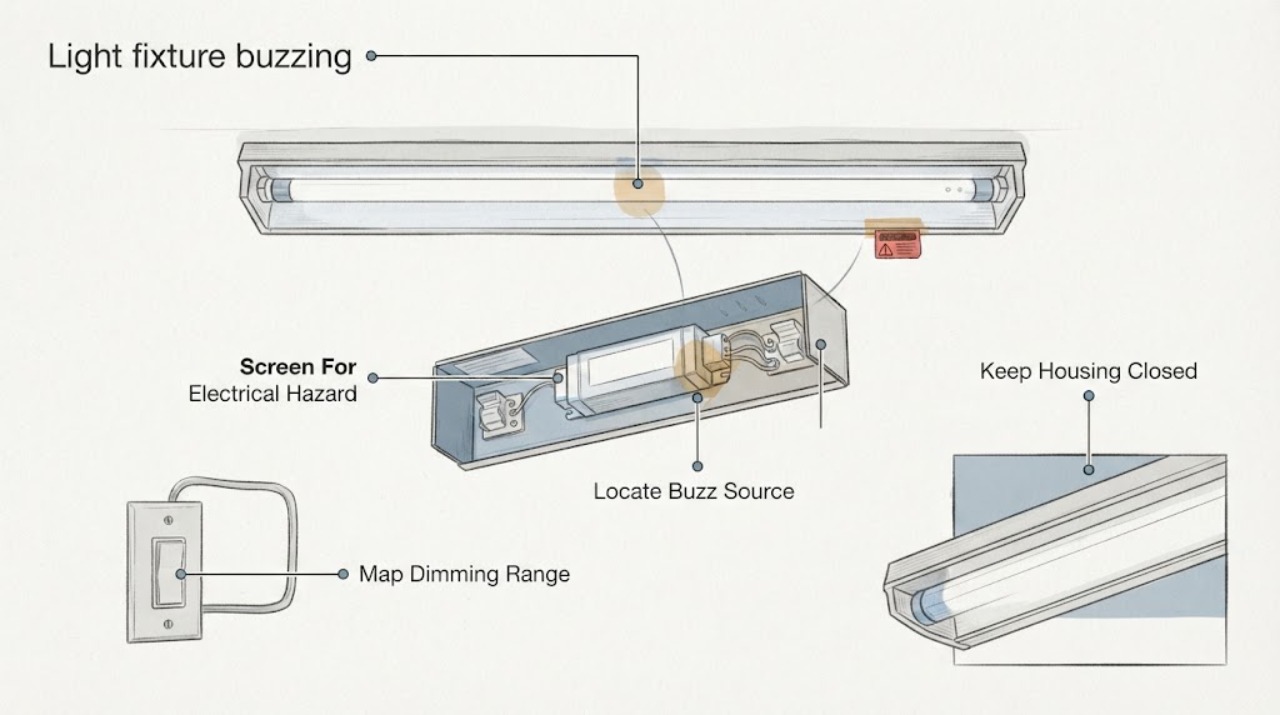
Work through in order
Diagnostic checks
Use only checks that match the exact appliance or system and its official guide.
-
Check 1
From a safe distance, observe the Lutron dimmer and light fixture for heat, smoke, burning odor, visible arcing, damaged insulation, moisture, or a breaker that trips when the light is used.
Expected result: Record whether the sound is accompanied by heat, flicker, flashing, smoke, odor, discoloration, a hot wall plate, or loss of power.
Next step: Turn off power at the accessible breaker when safe, stop using the circuit, and arrange qualified electrical service for any hazardous sign; otherwise continue with ordinary-access sound and model observations.
Stop if: Do not touch a hot wall plate or fixture, reset a tripping breaker repeatedly, or continue operating a smoking, sparking, wet, or heat-damaged circuit.
Why this matters
Why: A buzz with heat, arcing, burning odor, smoke, damage, or breaker activity is an electrical safety issue rather than ordinary lamp noise. A quiet-temperature buzz without those signs still needs diagnosis if it persists, but can be documented without opening the circuit.
-
Check 2
Without touching the energized fixture or wall plate, listen from several safe positions and identify whether the sound is strongest at the bulb or fixture, the Lutron dimmer, the wall box, or a separate ballast or transformer.
Expected result: Record the apparent source, whether the sound follows dimmer movement, whether it stops at OFF, and whether the light output also flickers, pulses, or drops out.
Next step: Save a short recording and the sound pattern, then identify the exact fixture, lamp, and Lutron control models before changing anything.
Stop if: Do not remove a diffuser, pull a bulb from a hot fixture, remove the wall plate, or press exposed parts to silence the sound.
Why this matters
Why: A sound that tracks brightness can involve the lamp, LED driver, ballast, or dimmer-load interaction. A sound that remains with the light off or is strongest in the wall box raises a control or wiring concern; sound location by ear cannot prove which component is defective.
-
Check 3
From normal control access, note whether the buzz appears only at the low end, around mid-range, throughout dimming, at full brightness, or when the Lutron dimmer is OFF; do not repeatedly cycle a hot or noisy control.
Expected result: Record the brightness position, whether flicker or drop-out occurs with the buzz, and whether a second fixture on the same control behaves the same way.
Next step: Compare the pattern with the Lutron control instructions and compatibility information; have a qualified electrician adjust a permitted trim or change the control only after model compatibility is established.
Stop if: Do not open the control, adjust internal trim hardware, or keep operating if buzzing is accompanied by heat, arcing, smoke, or a burning smell.
Why this matters
Why: Low-end-only noise can indicate an unsuitable minimum range or LED load behavior. Mid-range noise can fit certain lamp and dimmer interactions, while full-range or OFF-state noise makes broader incompatibility, driver, control, or wiring causes more likely.
-
Check 4
Read the Lutron dimmer model and the light fixture or lamp model from visible labels, packaging, or documentation, and determine whether the load is a screw-in LED, integrated LED fixture, incandescent or halogen lamp, or fluorescent ballast.
Expected result: Record dimmer model, lamp or fixture model, dimmable marking, number of lamps or drivers on the control, load type, and any manufacturer compatibility or phase guidance.
Next step: Use the exact Lutron compatibility tool or product documentation and the fixture manufacturer's instructions; ask an electrician when a model or load type is unknown.
Stop if: Do not infer compatibility from wattage, brand, or the word dimmable alone, and do not access hidden labels by opening an energized fixture or wall box.
Why this matters
Why: Compatibility depends on the specific load, driver, ballast, control type, and connected quantity. An integrated LED driver is not interchangeable with a bulb, and a fluorescent ballast or low-voltage transformer can require a different control design.
-
Check 5
Have a qualified electrician compare the fixture with a model-approved compatible lamp or control, or temporarily isolate the dimming function using the exact manufacturer's procedure; do not bypass or rewire the dimmer yourself.
Expected result: Record whether the buzz disappears with the compatible load or control, remains in the fixture, remains in the dimmer, or cannot be safely compared.
Next step: Use the comparison result to choose a model-approved replacement or service path, keeping the original parts and compatibility records for the electrician.
Stop if: Do not connect the fixture directly, change phase settings, install a coil, or handle conductors without circuit isolation and qualified electrical work.
Why this matters
Why: A change only when the compatible load or control is used supports a compatibility or load interaction. A buzz that remains in one fixture suggests its lamp, driver, ballast, mounting, or wiring; a buzz that remains at the control suggests the dimmer or circuit needs diagnosis.
-
Check 6
Prepare a service record with the Lutron control model, fixture or lamp model, load type and quantity, buzz location, dimmer position, flicker or drop-out behavior, temperature or odor observations, and any recent installation or lamp change.
Expected result: Confirm whether the buzz affects one fixture or several, whether it is new or gradually worsening, whether it occurs with the dimmer OFF, and whether a compatible comparison changed it.
Next step: Leave the circuit off for hazardous or persistent noise and give the record, videos, labels, and compatibility information to a qualified electrician or Lutron-trained professional.
Stop if: Do not keep operating a circuit that is hot, damaged, wet, arcing, smoking, or repeatedly tripping, and do not discard the original lamp or dimmer before diagnosis.
Why this matters
Why: One fixture with an otherwise stable control points toward that fixture's lamp, driver, ballast, mount, or local connection. Several loads buzzing together points toward the dimmer, load range, phase, shared wiring, or control compatibility; worsening or safety symptoms raise urgency.
Use your observations
Decision map
Find the observation that best matches what you see, then follow the next safe action.
-
PATH 01Safety boundary
What you see
The buzz appears only near the lowest dimming level, the fixture and wall plate are cool, and there is no odor, arcing, or breaker activity.
Do this next
Confirm the exact Lutron control and load compatibility, then have a qualified electrician use the approved low-end adjustment or a listed compatible load.
Why this path and its safety boundary
Why it matters: A low-end trim or minimum-level interaction between the Lutron control and the specific LED load is more likely than a general wiring failure.
Safety stop: Do not open the dimmer or adjust an internal control while energized.
-
PATH 02Safety boundary
What you see
The sound is strongest around the middle of the dimming range and follows the lamp output, while the control remains cool and stable.
Do this next
Identify the lamp or fixture and dimmer models, then use the manufacturer's compatibility information or a qualified electrician to select a compatible replacement.
Why this path and its safety boundary
Why it matters: A lamp and dimmer interaction is plausible; Lutron notes that some conventional lamp filaments buzz more at mid-range, while LED systems require exact driver and control compatibility.
Safety stop: Do not substitute an unapproved lamp type, exceed the control's load, or install a debuzzing device without professional selection.
-
PATH 03Safety boundary
What you see
Buzzing continues throughout the dimming range, at full brightness, or while the Lutron dimmer is OFF.
Do this next
Stop repeated adjustments, document the sound source and model numbers, and arrange qualified electrical diagnosis of the load, dimmer, and circuit.
Why this path and its safety boundary
Why it matters: Broader incompatibility, LED driver or ballast noise, a control fault, leakage behavior, or wiring issue is more likely than a simple low-end adjustment.
Safety stop: Do not leave a noisy control in service if it is warm, and do not open the wall box or fixture.
-
PATH 04Safety boundary
What you see
Several fixtures share one Lutron control, but only one light fixture buzzes and the compatible load information is otherwise confirmed.
Do this next
Keep the affected fixture out of use if the noise persists and have a qualified electrician inspect the fixture and local connection without opening it yourself.
Why this path and its safety boundary
Why it matters: The individual lamp, integrated driver, ballast, mounting, or local connection is more likely than the shared dimmer alone.
Safety stop: Do not open an integrated LED fixture or swap an unknown driver based only on the sound.
-
PATH 05Safety boundary
What you see
Multiple lamps or fixtures on the same Lutron control buzz together, especially after a lamp, fixture, or dimmer change.
Do this next
Have a qualified electrician verify the Lutron model, load type and quantity, compatible list, phase requirements, and wiring before selecting a replacement dimmer or load.
Why this path and its safety boundary
Why it matters: The control's load, phase, compatibility, wiring, or connected quantity is more likely than simultaneous failures of each fixture.
Safety stop: Do not add or remove loads, alter phase, or rewire the control to suppress the sound.
-
PATH 06Safety boundary
What you see
Buzzing is accompanied by a hot wall plate or fixture, burning odor, smoke, arcing, visible damage, moisture, or a repeated breaker trip.
Do this next
Turn off power at the breaker when safe, stop using the circuit, and arrange qualified electrical service; do not restore power until the fault is assessed.
Why this path and its safety boundary
Why it matters: The immediate issue is an electrical safety fault, regardless of whether the original cause was compatibility, a driver, a ballast, a dimmer, or wiring.
Safety stop: Do not touch damaged parts, reset the breaker repeatedly, or continue listening under power.
Helpful context
Understand the symptom
Locate the sound before choosing a part
A buzz heard near a light fixture may come from the lamp or its driver, the Lutron dimmer, a ballast, a loose diffuser or mounting part, or wiring in the electrical box. Stand at a safe distance and compare the sound at different dimmer positions without touching the fixture or wall plate. If the sound follows the light level, dimmer-load compatibility rises on the list; if it continues with the light off, a powered control or wiring issue needs professional attention.
LED driver and dimmer compatibility is model-specific
Lutron's LED white paper describes the LED fixture as a system: the LED module, driver, and control must work together. The same wattage or an LED label does not prove that a lamp or integrated fixture will be quiet on a particular dimmer. Use the exact Lutron control model and the exact lamp or fixture model in the applicable compatibility information, and do not assume another Lutron control has identical results.
Low-end and full-range buzzing mean different things
A buzz only near the bottom of the dimming range may be related to the control's low-end range or the LED's minimum operating level. Buzzing throughout the range points more toward a lamp, driver, ballast, dimmer, or compatibility problem. Lutron also notes that conventional lamp buzz can be loudest near mid-range, while LED-driver noise and dimmer noise require a different compatibility diagnosis.
A debuzzing coil is not a universal DIY fix
Lutron documents lamp debuzzing coils for specific solid-state dimmer and lamp situations, but the device is wired into the lighting circuit and has load and phase restrictions. It may itself make audible noise. Do not install one in a wall box or fixture based only on the sound; a qualified electrician must confirm whether the lamp, driver, dimmer, wiring, and load are suitable first.
Safety boundary
Stop conditions
- Turn off power at the accessible breaker when the dimmer or fixture is hot, smoking, arcing, wet, visibly damaged, or associated with a burning odor or repeated breaker trip.
- Do not open the wall box, fixture housing, diffuser, ballast compartment, or LED driver enclosure, and do not handle conductors without qualified electrical isolation and work.
- Do not infer compatibility from wattage, brand, or an LED or dimmable label alone; use the exact Lutron control and lamp or fixture information.
- Do not install a debuzzing coil, substitute a driver or ballast, alter phase, change circuit wiring, or exceed the dimmer's load without qualified professional selection and installation.
- Do not keep operating a buzzing circuit when noise is worsening or paired with heat, smoke, arcing, burning smell, moisture, damage, flicker, or breaker activity.
Only after diagnosis
Potential parts
- LED bulb
Consider this class only when the fixture uses a replaceable bulb, the fixture is rated for dimming, and compatibility information identifies a suitable lamp for the exact Lutron control.
Match the exact socket, voltage, dimmability, enclosure and temperature rating, lumen or wattage limits, and Lutron compatibility result; do not assume two dimmable LEDs behave alike. - LED dimmer
Consider this class only after the exact light or LED driver is identified and a qualified electrician confirms that a different Lutron-compatible control is the appropriate remedy.
Match the exact fixture or lamp, control topology, load type and quantity, phase, neutral and multi-location requirements, low-end range, and local electrical rules. - fluorescent ballast
Consider this class only when the buzzing fixture is fluorescent and model-specific diagnosis confirms a ballast fault or an incompatible ballast-control pairing rather than a dimmer or wiring issue.
Match the exact fixture, lamp type, ballast technology, control method, electrical ratings, and manufacturer approval; ballast replacement requires qualified service and power isolation.
When checks do not resolve it
Need a professional?
Arrange qualified electrical service for buzzing that continues throughout the dimming range, occurs with the Lutron control OFF, remains with a model-approved compatible load, affects several fixtures, comes from the dimmer or wall box, or requires a trim adjustment, debuzzing coil, driver or ballast work, wiring access, or control replacement. Stop using the circuit and isolate it safely for heat, smoke, arcing, burning odor, moisture, visible damage, or repeated breaker trips.
Safety scope: This article supports ordinary-access sound, label, and symptom observation only. Do not open the wall box or fixture, handle conductors, alter phase, install a debuzzing coil, or replace a driver, ballast, or dimmer without qualified electrical work.
Common questions
FAQ
Why is my Lutron light fixture buzzing?
The sound can come from the lamp, LED driver, dimmer, ballast, transformer, loose mounting, or wiring. If the buzz follows the dimmer position, compatibility or load behavior is more likely. Identify the sound location and exact models, and stop using the circuit for heat, odor, arcing, smoke, damage, or breaker activity.
Is a buzz at the lowest dimmer setting normal?
It is not automatically safe or normal. Low-end buzzing can reflect the interaction between the Lutron control and the specific LED load, and may improve only with a model-approved trim or compatible load. Do not open the dimmer; have a qualified electrician confirm the setting and compatibility.
Can any LED bulb be used with a Lutron dimmer?
No. Even bulbs marked dimmable can perform differently with different controls. Use the exact Lutron control model and lamp or fixture model in the compatibility information, including the load quantity and fixture requirements.
Can a debuzzing coil fix a buzzing LED fixture?
Do not assume so. Lutron's documented debuzzing-coil application concerns specific solid-state dimmer and lamp conditions, and the coil is a wired circuit component with load and phase restrictions. A qualified electrician must determine whether it is applicable; it is not a universal LED fix.
When should I call an electrician for a buzzing light?
Call when the buzz continues at full brightness or OFF, affects several fixtures, comes from the dimmer or wall box, remains with a compatible load, or requires trim, wiring, driver, ballast, coil, or control work. Stop using the circuit for heat, smoke, arcing, burning odor, moisture, visible damage, or repeated breaker trips.
Read the exact guide
Official sources
- Lutron Lamp Buzz With Solid State Incandescent/Halogen Dimmers Application Note Part #048476dLutron · Lutron application note focused on solid-state incandescent and halogen dimmers; it does not establish that an LED fixture or driver can use the same remedy.
- Dimming performance and expectationsLutron · Lutron technical white paper for LED lighting and controls; exact fixture and control instructions govern a particular installation.
- LED CEILING LIGHT WITH SELECTABLE COLOR TEMPERATURE Use and Care GuideHampton Bay / The Home Depot · Hampton Bay LED fixture manual used only for general fixture-access safety; Lutron and the exact fixture manual control the installed system.
Community feedback
Share a repair observation
Share a plain-text repair observation. Accepted observations are published automatically; this page may take a moment to update.