
On this page
Start here
Quick answer
First confirm that the window unit actually supports heating. Some room air conditioners are cooling-only; heat-capable models may use a heat pump, supplemental electric heat, or both, and the controls differ by model. If the label/manual confirms heat, select Heat, set the temperature above room temperature, clean the accessible filter with power disconnected, and clear indoor and outdoor airflow. If the unit still blows cool air, trips power, smells hot, or the heating type cannot be verified, stop and use the model-specific service route instead of opening the cabinet.
Before you begin
Safety first
- Keep the unit installed and cabinet closed. Unplug before filter cleaning, do not touch exposed wiring or refrigerant lines, do not bypass thermal/electrical protection and stop using the unit if it trips, smells hot or is loose in the window.
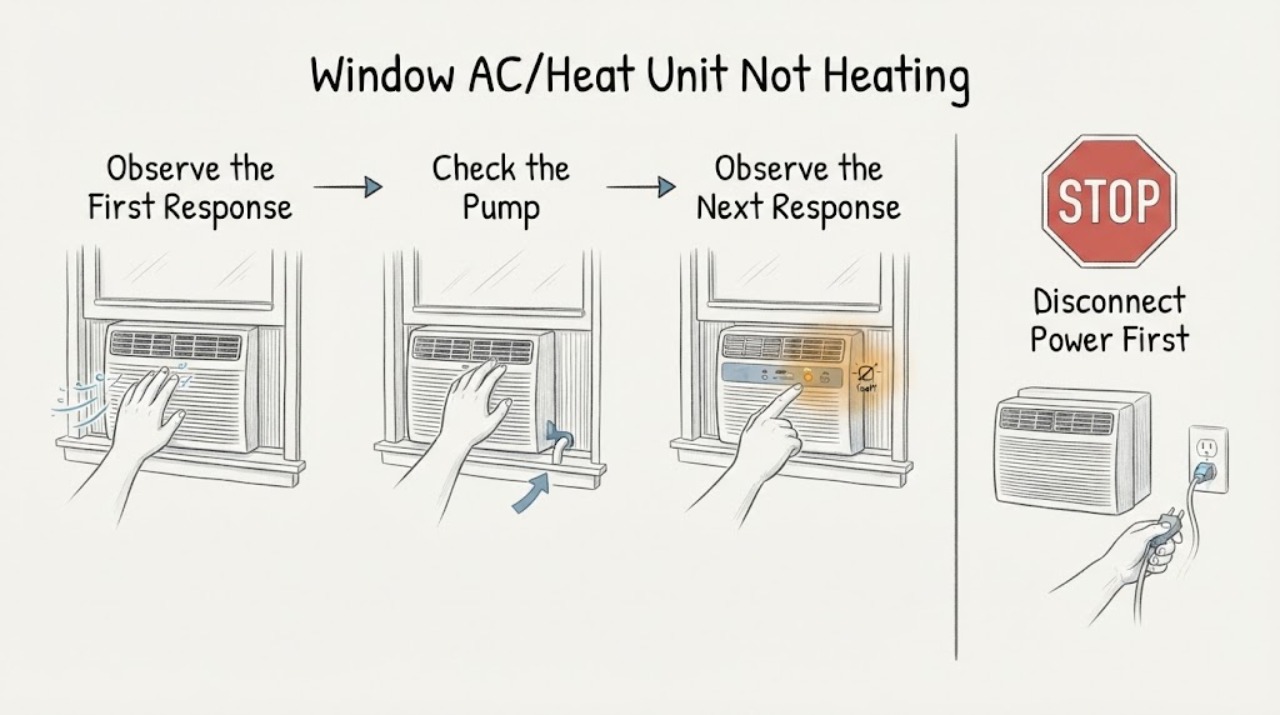
Work through in order
Diagnostic checks
Use only checks that match the exact appliance or system and its official guide.
-
Check 1
Read the model label and manual and confirm whether the unit lists Heat, Heat Pump, Heat/Cool or Electric Heat; do not infer heating capability from the word AC or from a fan that runs.
Expected result: The manual explicitly lists a heating mode or electric-heater option, or it lists only Cool/Fan/Dry and no heating function.
Next step: If heating is not listed, use a separate approved heat source for the room and do not treat the AC as failed heating equipment. If heating is listed, continue with the model-specific settings check.
Why this matters
Why: A cooling-only window AC cannot produce room heat; a heat-capable unit requires the model's documented heating path and controls.
-
Check 2
With the exact manual in hand, select Heat or the documented heat setting and set the target above the current room temperature; if the model offers Electric Heat, verify whether that separate option is enabled rather than assuming the heat pump is running.
Expected result: The unit displays the documented heat mode and eventually produces warmer discharge air, or it remains in Fan/Cool, produces room-temperature/cool air, or shows an error.
Next step: If the correct mode cannot be selected or the unit reports an error, stop repeated testing and use the manufacturer's service route. Do not force a switch or open the control panel.
Why this matters
Why: A wrong mode or a model-specific supplemental/electric-heat selection can explain no heat; persistent cool air after a confirmed heat command is not enough to identify the failed component.
-
Check 3
Turn the unit off and unplug it before cleaning the accessible air filter; then check for blocked indoor discharge, curtains or furniture at the front, and leaves or other obstruction at the outdoor rear grille. Keep the grille and filter installed as the model manual requires.
Expected result: The filter is dirty, the indoor airflow is blocked, the rear grille is obstructed, or airflow is clear.
Next step: Clean and dry the filter exactly as the manual directs and clear only accessible obstructions. If airflow is clear but heat remains absent, stop before cabinet disassembly and request service.
Why this matters
Why: GE identifies restricted indoor or rear airflow as a heating-performance problem and warns that restricted rear airflow can cause compressor overload; Midea's manual links dirty filters to coil frost and requires unplugging before cleaning.
-
Check 4
Check the room and installation externally: close obvious window/door gaps, confirm the louvers direct air into the room, and look for visible mounting or power-cord damage without moving the window unit or touching exposed electrical parts.
Expected result: Drafts or blocked louvers are present, the installation is visibly loose/damaged, or the room and unit appear sealed and intact.
Next step: Correct only a safe, visible room-side obstruction or louver position. If the unit trips, smells hot, has a damaged cord, or is loose in the window, stop using it and obtain qualified service.
Why this matters
Why: Heat loss and poor air distribution can make a working heater feel ineffective; visible damage or electrical symptoms require a service boundary rather than a DIY repair.
Use your observations
Decision map
Find the observation that best matches what you see, then follow the next safe action.
-
PATH 01Next step
What you see
The exact label/manual lists only Cool, Fan or Dry and does not list Heat, Heat Pump or Electric Heat.
Do this next
Do not modify the unit. Use a separately approved heater if needed and follow its safety instructions.
Why this path and its safety boundary
Why it matters: The unit is a cooling-only design, so the lack of warm air is an equipment-capability issue rather than a heating failure.
-
PATH 02Next step
What you see
Heating is listed, the correct heat mode is selected, but airflow is weak or the filter/front/rear grille is visibly restricted.
Do this next
Unplug, clean and dry the accessible filter and clear safe obstructions as the manual permits. If heat remains absent, request service.
Why this path and its safety boundary
Why it matters: Restricted airflow is a supported external explanation for poor heating performance and can also trigger protective cycling on some heat-and-cool designs.
-
PATH 03Next step
What you see
The unit is a heat pump and outdoor conditions are cold, or it is a supplemental-heat model that is being expected to replace the room's primary heat source.
Do this next
Check the exact manual's operating limits and intended heating role. If the unit cannot maintain heat within that documented scope, use the manufacturer's service route and an appropriate primary heat source.
Why this path and its safety boundary
Why it matters: Heat-pump output depends on outdoor heat availability, while supplemental heat may be designed only to assist another heat source; neither condition proves an internal defect.
-
PATH 04Next step
What you see
Heating capability and settings are confirmed, but the unit still blows cool air, trips protection, smells hot, shows an error or has a damaged cord/mount.
Do this next
Turn the unit off, unplug it if safe to do so, leave the cabinet closed and arrange qualified HVAC/appliance service. Do not test live wiring, refrigerant, heater elements or the compressor.
Why this path and its safety boundary
Why it matters: The remaining possibilities are inside the unit or involve an electrical/refrigeration safety boundary that cannot be diagnosed from external observations.
Helpful context
Understand the symptom
The heating method matters
A Heat/Cool window unit is not one standard design. GE's guidance describes heat-and-cool models that may have a heat pump and, on some models, a separate Electric Heat option. Frigidaire says some room air conditioners provide only supplemental heat, while heat-pump models gather heat from outdoors. Midea's MAW08HV1CWT product page is an example of a window unit explicitly sold as Heat/Cool. Use the nameplate and manual for the actual unit before choosing a diagnostic path.
Keep checks external and de-energized
Settings, room airflow, filter condition, window sealing and visible outdoor obstructions are reasonable first observations. Midea's window-unit manual says to unplug before cleaning and not to operate without the filter. Do not remove the cabinet, test live wiring, handle refrigerant or bypass a thermal or electrical protection device.
When checks do not resolve it
Need a professional?
Use qualified HVAC or appliance service when the heating mode is confirmed but the unit still blows cool air after the external checks, when the unit trips a breaker, smells hot, shows an error, has a damaged cord or is unstable in the window. Do not open the cabinet, bypass protections, test live wiring, handle refrigerant or replace a heater, compressor or control part from this symptom alone.
Safety scope: Keep the unit installed and cabinet closed. Unplug before filter cleaning, do not touch exposed wiring or refrigerant lines, do not bypass thermal/electrical protection and stop using the unit if it trips, smells hot or is loose in the window.
Have this ready
- Provide the complete model number, the manual's stated heating type, selected mode/temperature, outdoor conditions, filter/airflow observations, any error, odor, trip or cord/mount damage and whether the fan or compressor runs.
Common questions
FAQ
Can every window air conditioner provide heat?
No. Some units are cooling-only. Heat-capable models may use a heat pump, supplemental heat or a separate electric-heat option, so confirm the exact model label and manual before diagnosing no heat.
Does cool air from a heat-pump window unit prove that the compressor or refrigerant is bad?
No. First confirm Heat mode, the unit's intended outdoor operating range, filter and airflow condition, and whether it is supplemental heat. A persistent fault after those checks needs qualified service rather than cabinet or refrigerant work.
Read the exact guide
Official sources
- Midea Window Unit AC with HeatMidea · Midea MAW08HV1CWT window-unit model identity and explicit Heat/Cool capability
- Midea 8,000 BTU Smart Window Air Conditioner with ComfortSense RemoteMidea · Midea window-unit external power, filter, airflow, window-seal and service boundaries; model-specific support example
- Air Conditioner - Heat and Cool Unit Not Heating ProperlyGE Appliances · GE heat-and-cool room/window air-conditioner heating settings, filter/airflow checks and Electric Heat versus heat-pump distinction
- MAW05R1WBL-T User ManualMidea · Midea window-air-conditioner cleaning and external safety guidance; model-specific example only
- Room Air Conditioners - No HeatFrigidaire · Frigidaire room-air-conditioner distinction between supplemental heat and heat-pump heating
Community feedback
Share a repair observation
Share a plain-text repair observation. Accepted observations are published automatically; this page may take a moment to update.