
On this page
Start here
Quick answer
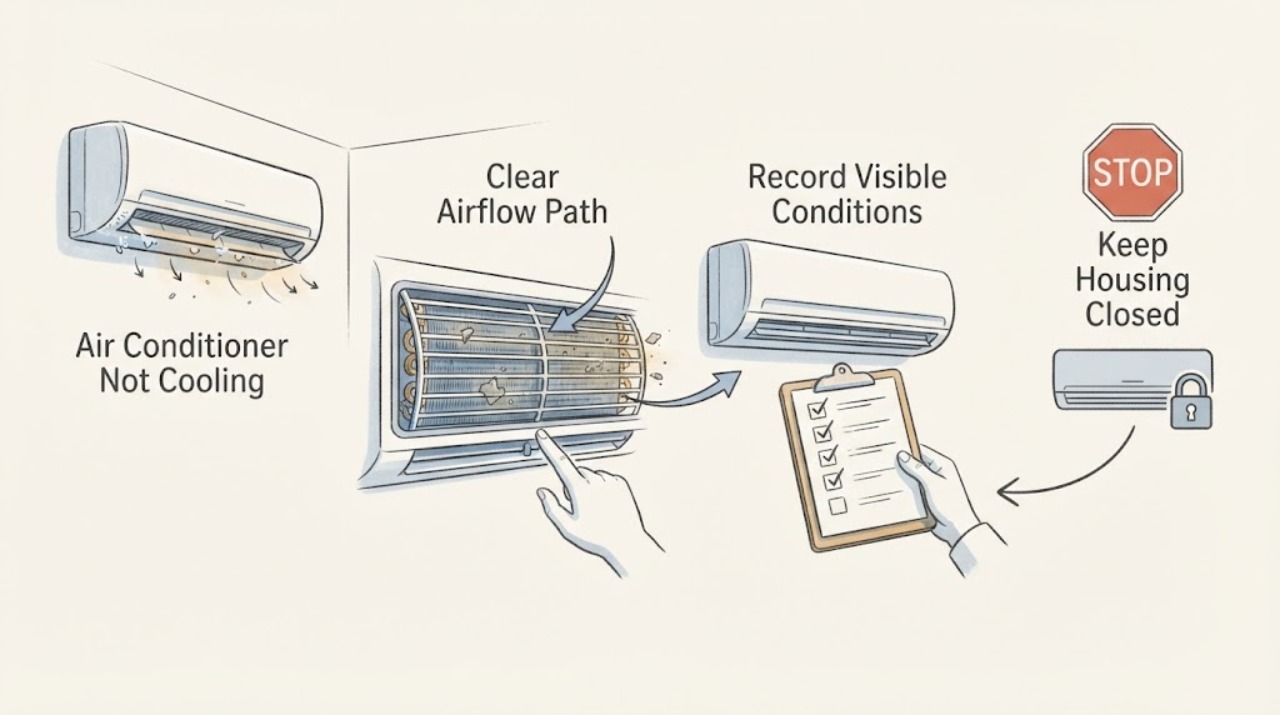
If an air conditioner is not cooling, first confirm the thermostat's cooling mode and inspect the accessible filter and airflow. Look for frost or ice on visible tubing, the indoor coil area, or the outdoor unit, and look for condensate water near the air handler. A frozen evaporator coil can follow restricted airflow, a dirty coil, a fan problem, or low refrigerant; continued cooling can damage the system. Turn cooling off for ice or water and allow natural thawing, but do not open the coil cabinet, chip ice, apply heat, add refrigerant, or handle high-voltage parts. If the coil freezes again, airflow stays weak, water appears, or the outdoor unit behaves abnormally, arrange qualified HVAC service.
Before you begin
Safety first
- This article supports normal thermostat controls, accessible filter and airflow observations, and visible ice or condensate checks only. Evaporator-coil access, refrigerant, compressor, fan, capacitor, wiring, panel, disconnect, and safety-switch work requires a qualified HVAC professional.
Work through in order
Diagnostic checks
Use only checks that match the exact appliance or system and its official guide.
-
Check 1
Use the thermostat's normal controls to confirm cooling mode, the intended setpoint, schedule or hold state, and fan setting. Compare airflow at several registers without removing grilles, opening equipment, or changing wiring.
Expected result: The thermostat is not calling for cooling, the fan runs without cooling, airflow is weak throughout the home, airflow is weak at one register, or airflow is normal but warm.
Next step: Correct only an obvious thermostat setting and inspect the accessible filter. If the call and airflow are normal but cooling remains poor, continue to the external coil and water observations.
Stop if: Stop for smoke, burning odor, sparks, a hot control or connection, water near electricity, or a thermostat that is wet, cracked, or behaving unpredictably.
Why this matters
Why: A mode or schedule issue can mimic a coil fault. Weak airflow supports a filter, return, blower, duct, or frozen-coil path; normal airflow with warm air shifts attention toward outdoor operation, refrigerant, coil, or controls.
-
Check 2
Turn cooling off at the thermostat and inspect the user-accessible filter and visible return or supply openings as the equipment instructions allow. Record whether the filter is clean, heavily loaded, wet, damaged, or the wrong size; do not open the air-handler cabinet.
Expected result: The filter is blocked or wet, a return or register is visibly obstructed, the filter location is unknown, or the filter and visible openings appear clear.
Next step: Clean or replace the filter only with the size and type specified by the equipment instructions. Leave cooling off if ice or water is present and arrange service if airflow remains weak or the filter becomes wet again.
Stop if: Do not run without the required filter, force a filter into place, open the blower cabinet, or use a wet system near electrical equipment.
Why this matters
Why: A dirty filter or blocked return can starve the evaporator coil of airflow and contribute to icing and weak cooling. A wet filter indicates moisture or leak trouble; a clear filter does not rule out a dirty coil, blower, duct, or refrigerant fault.
-
Check 3
With cooling off, look from ordinary safe access for frost or ice on visible refrigerant tubing, the indoor coil area, or the outdoor unit, and record whether airflow dropped before the ice appeared. Do not remove an access panel or touch the coil or tubing.
Expected result: Ice is present on tubing or around the coil, ice has thawed but water is collecting, airflow is weak with no visible ice, or no ice or water is visible.
Next step: Leave cooling off and allow natural thawing. Protect surfaces from water without approaching electrical equipment, then arrange HVAC service for recurring ice, water, or inaccessible coil access.
Stop if: Do not chip ice, apply a flame, hair dryer, or other heat source, pour hot water, open the coil cabinet, or keep the system running while frozen.
Why this matters
Why: Ice with poor airflow supports a restriction or frozen-coil path; ice with normal airflow keeps low refrigerant or another system fault in focus. Thaw water can overflow or damage the home. No visible ice does not rule out an inaccessible coil problem.
-
Check 4
From a dry, safe position, inspect for condensate water in or around the accessible pan, on the floor or ceiling near the air handler, or at the visible drain outlet. Note any wet switch or shutdown indication without opening the unit or pouring a product into the drain.
Expected result: Water is standing, the drain outlet is dry while the pan is wet, a float or wet switch may have stopped the system, water damage is visible, or the area is dry.
Next step: Leave cooling off for standing water or overflow, keep water away from electricity, and arrange HVAC service to assess the pan, drain, float protection, airflow, and coil.
Stop if: Do not enter the air handler, bridge a wet or float switch, pour unknown chemicals into the drain, or use electrical equipment in standing water.
Why this matters
Why: A blocked drain or thawing coil can create water and may stop the system through a safety switch. A dry area does not rule out a hidden pan or drain problem, but it makes an active condensate event less likely at that moment.
-
Check 5
After the indoor area is dry and the coil path is free of ice, observe one normal cooling call from a safe distance outside. Note whether the outdoor fan and compressor start, the unit hums or clicks, it stops quickly, or a breaker or disconnect operates; do not remove the outdoor cover or reach through the grille.
Expected result: The outdoor unit runs but supply air stays warm, the fan does not run, a hum occurs without normal startup, the unit short cycles, or protection operates.
Next step: Record the sequence and turn cooling off for abnormal startup, short cycling, or a trip. Arrange qualified HVAC diagnosis rather than repeating the start.
Stop if: Stop for smoke, burning odor, sparks, arcing, a hot disconnect or cable, exposed damage, repeated protection operation, or unpredictable fan movement.
Why this matters
Why: A running outdoor unit with warm air can still have coil, airflow, refrigerant, or compressor issues. Humming or failed startup can involve a capacitor, fan, compressor, or control. Protection operation is an electrical stop condition.
-
Check 6
Prepare a service report with the equipment model, thermostat state, filter condition, airflow pattern, ice location and thaw result, condensate evidence, outdoor sequence, cycle timing, and any recent maintenance. Photograph only cool, dry, accessible surfaces and labels.
Expected result: The record points mainly to filter or airflow, recurring ice, condensate drainage, outdoor startup, low refrigerant suspicion, or remains ambiguous.
Next step: Leave the system off for ice, water, abnormal startup, or electrical symptoms and arrange qualified HVAC service. State clearly whether the coil was visible or only the tubing and water symptoms were visible.
Stop if: Do not open panels, handle refrigerant, touch high-voltage parts, perform live electrical measurements, or repeatedly restart the system.
Why this matters
Why: A structured record helps the technician choose between airflow, coil, drain, fan, compressor, control, and refrigerant diagnosis without asking the homeowner to open the system or restart an abnormal unit.
Use your observations
Decision map
Find the observation that best matches what you see, then follow the next safe action.
-
PATH 01Safety boundary
What you see
The thermostat is not calling for cooling, airflow is weak, or the accessible filter is dirty or wet.
Do this next
Correct only the normal thermostat setting and replace the filter as instructed. Arrange service if airflow stays weak, the filter becomes wet, or cooling remains poor.
Why this path and its safety boundary
Why it matters: A control or airflow restriction may be preventing the evaporator coil from operating correctly; a compressor fault is not established.
Safety stop: Do not run without the required filter, open the air handler, or continue through ice or water.
-
PATH 02Safety boundary
What you see
Frost or ice is visible on tubing or around the evaporator-coil area, with weak airflow or inadequate cooling.
Do this next
Turn cooling off, allow natural thawing, watch for condensate overflow, and arrange HVAC service for the cause before normal operation resumes.
Why this path and its safety boundary
Why it matters: Restricted airflow, low refrigerant, dirty coil, fan trouble, or another mechanical issue may be causing the coil to freeze.
Safety stop: Do not chip ice, apply heat, add refrigerant, open the coil cabinet, or keep running a frozen system.
-
PATH 03Safety boundary
What you see
Water is standing near the air handler, the drain outlet is not flowing as expected, or a float or wet switch may have stopped cooling.
Do this next
Leave cooling off, keep water away from electricity, and arrange HVAC service for the pan, drain, safety switch, airflow, and coil.
Why this path and its safety boundary
Why it matters: A plugged condensate drain, full pan, or thawing coil may be affecting safe operation and can damage the home.
Safety stop: Do not bridge the safety switch, pour unknown products into the line, enter the air handler, or run electrical equipment in standing water.
-
PATH 04Safety boundary
What you see
The outdoor fan or compressor fails to start, hums, clicks, short cycles, or operates the breaker or disconnect.
Do this next
Turn cooling off and request qualified HVAC service. Provide the outdoor sequence, sound, model, and protection behavior.
Why this path and its safety boundary
Why it matters: A capacitor, fan, compressor, control, or electrical fault may be present; external observation cannot select the failed part.
Safety stop: Do not remove the cover, touch the capacitor or fan, force a start, or repeat the cycle.
-
PATH 05Safety boundary
What you see
Airflow and outdoor startup appear normal, but supply air stays warm and no visible ice or water is present.
Do this next
Arrange HVAC diagnosis and provide the filter, airflow, thermostat, cycle, and outdoor observations. Do not add refrigerant or open the system.
Why this path and its safety boundary
Why it matters: Refrigerant, coil cleanliness, duct or airflow, controls, or compressor performance may be involved.
Safety stop: Turn cooling off for ice, water, smoke, burning odor, unusual noise, a hot connection, or repeated protection operation.
-
PATH 06Safety boundary
What you see
Smoke, arcing, burning or chemical odor, severe heat, exposed conductors, suspected refrigerant release, or water near electrical equipment is present.
Do this next
Keep clear, leave the system off if power can be isolated without approaching the hazard, and use local emergency or qualified HVAC guidance.
Why this path and its safety boundary
Why it matters: This is an immediate safety boundary, not an evaporator-coil inspection.
Safety stop: Do not touch the equipment, open panels, handle refrigerant, use water near electricity, or attempt another start.
Helpful context
Understand the symptom
The evaporator coil is usually inside the air handler
In a typical split system, the evaporator coil absorbs heat and moisture from indoor air inside or near the air handler. A problem at the coil can look like weak airflow, warm supply air, ice on tubing, water after thawing, or a unit that runs without lowering the room temperature. The coil cabinet is not an ordinary-access area, so external clues and a clear service report are more useful than improvised access.
Ice is a stop signal, not a reason to turn the system colder
Ice can form when too little warm air reaches the coil or when refrigerant pressure is abnormal. A dirty filter and blocked registers are accessible possibilities; refrigerant, coil, fan, and control faults are not. Turn cooling off, let the ice thaw naturally, watch for condensate overflow, and do not use a heat source or keep operating a frozen system.
A thawed coil still needs a cause, not just a restart
Replacing a dirty filter may restore airflow, but it does not prove the coil is clean or the sealed system is sound. If ice returns after the system is dry and airflow is normal, low refrigerant, a blower or fan problem, coil dirt, or another mechanical fault needs qualified diagnosis. Do not add refrigerant or open the cabinet based on frost alone.
Safety boundary
Stop conditions
- Turn cooling off for visible ice, water near the air handler, abnormal outdoor startup, short cycling, or repeated protection operation; allow ice to thaw naturally and arrange HVAC service.
- Do not open an indoor or outdoor panel, touch high-voltage parts, handle refrigerant, make live electrical measurements, or open the sealed system.
- Do not chip ice, apply a flame or heat source, pour hot water, add refrigerant, bridge a float or safety switch, or bypass a breaker or disconnect.
- Stop immediately for smoke, arcing, burning or chemical odor, a hot connection, exposed conductors, water near electricity, or repeated electrical trips; keep clear and use appropriate emergency help.
- Do not keep restarting a system that freezes, hums, fails to start, runs without cooling, or has a suspected coil, compressor, fan, control, or refrigerant fault.
Only after diagnosis
Potential parts
- air-conditioner evaporator coil
Consider this category only after qualified diagnosis confirms a leaking, corroded, blocked, or failed evaporator coil and rules out airflow, drain, control, compressor, and refrigerant causes.
Confirm the exact system design, coil dimensions, refrigerant, capacity, metering arrangement, cabinet fit, and installation requirements with a qualified HVAC professional. - air filter
Consider this category only if the accessible filter is dirty, damaged, wet, or due for replacement under the equipment instructions and the cause of any moisture is addressed.
Confirm exact dimensions, airflow direction, filter type, and equipment instructions; a filter change does not authorize coil-cabinet access.
When checks do not resolve it
Need a professional?
Arrange qualified HVAC service when the filter and thermostat checks do not restore cooling, airflow remains weak, ice forms on the evaporator-coil path, condensate water appears, the coil is inaccessible, the outdoor unit hums or fails to start, the system short cycles, or refrigerant, coil, compressor, fan, control, or electrical work may be needed. Turn the system off and seek urgent help for smoke, arcing, burning or chemical odor, severe heat, exposed conductors, water near electricity, or repeated trips.
Safety scope: This article supports normal thermostat controls, accessible filter and airflow observations, and visible ice or condensate checks only. Evaporator-coil access, refrigerant, compressor, fan, capacitor, wiring, panel, disconnect, and safety-switch work requires a qualified HVAC professional.
Common questions
FAQ
What does ice on an air-conditioner evaporator coil mean?
Ice can follow restricted airflow, a dirty coil, fan trouble, or low refrigerant. Turn cooling off and allow natural thawing, then inspect only the accessible filter and airflow. If ice returns or the coil is inaccessible, arrange qualified HVAC diagnosis.
Can a dirty filter cause an evaporator coil to freeze?
Yes. A dirty filter can restrict airflow across the coil and contribute to icing and weak cooling. Replace it only with the type and size specified by the equipment instructions; a clean filter does not rule out low refrigerant, coil dirt, fan, or control faults.
Should I use a hair dryer or hot water to thaw the coil?
No. Turn cooling off and let the ice thaw naturally. Do not apply a flame, heat source, or hot water, chip the ice, or open the coil cabinet. Protect surfaces from thaw water and arrange service if the cause is not clear.
Why is my AC running but the air is still warm after the coil thaws?
Airflow, coil condition, refrigerant, compressor, fan, or control problems may remain. Record the thermostat, filter, airflow, ice, water, and outdoor-unit behavior and have a qualified HVAC technician diagnose the system.
When is an evaporator-coil problem an emergency?
Stop immediately for smoke, arcing, burning or chemical odor, severe heat, exposed conductors, water near electrical equipment, or repeated electrical trips. Keep clear, leave the system off if safe, and use local emergency or qualified HVAC guidance.
Read the exact guide
Official sources
- Common Thermostat Issues and How to TroubleshootCarrier · Carrier thermostat guidance used for general control-state triage; installed thermostat and HVAC instructions control a particular system.
- Maintenance ChecklistENERGY STAR · General central air-conditioner maintenance guidance; the installed equipment instructions control a particular system.
- Will Frozen AC Fix Itself? A Guide To Frozen AC CoilsCarrier · Carrier homeowner guidance for residential air-conditioning systems; system design and the installed manufacturer's instructions control a particular unit.
- How to Clean AC Drain LineCarrier · Carrier guidance for common central AC condensate-drain symptoms; actual drain design and manufacturer instructions control safe access.
- Troubleshooting an AC Not WorkingCarrier · Carrier homeowner guidance describing common central AC patterns; exact system design and manufacturer instructions control a particular unit.
Community feedback
Share a repair observation
Share a plain-text repair observation. Accepted observations are published automatically; this page may take a moment to update.