
On this page
Start here
Quick answer
Direct sun can make a room or a sun-facing outdoor condenser work harder, but it should not by itself make a correctly operating air conditioner stop cooling. First determine whether this is a room AC, window unit, mini-split, or central split system, then compare thermostat readings, supply-air temperature by feel, run time, and whether the outdoor unit is operating. Keep windows, doors, and strong solar gain under control with safe shading, keep the thermostat away from direct sunlight, and keep the outdoor unit's airflow clear without opening its cabinet. Check the filter only as the model instructions allow. If you see ice, leaking, damaged wiring, smoke, burning odor, a fan or compressor that will not start, or a system that runs continuously without cooling, turn it off and call a qualified HVAC professional. Do not add refrigerant, open electrical panels, or use a hose or shade structure that blocks airflow.
Before you begin
Safety first
- User checks are limited to normal controls, safe window shading, model-approved filter access, and non-contact inspection of visible airflow obstructions. Do not open panels, relocate or rewire the thermostat, make live measurements, handle refrigerant, replace electrical parts, cover the condenser, or operate wet or damaged equipment.
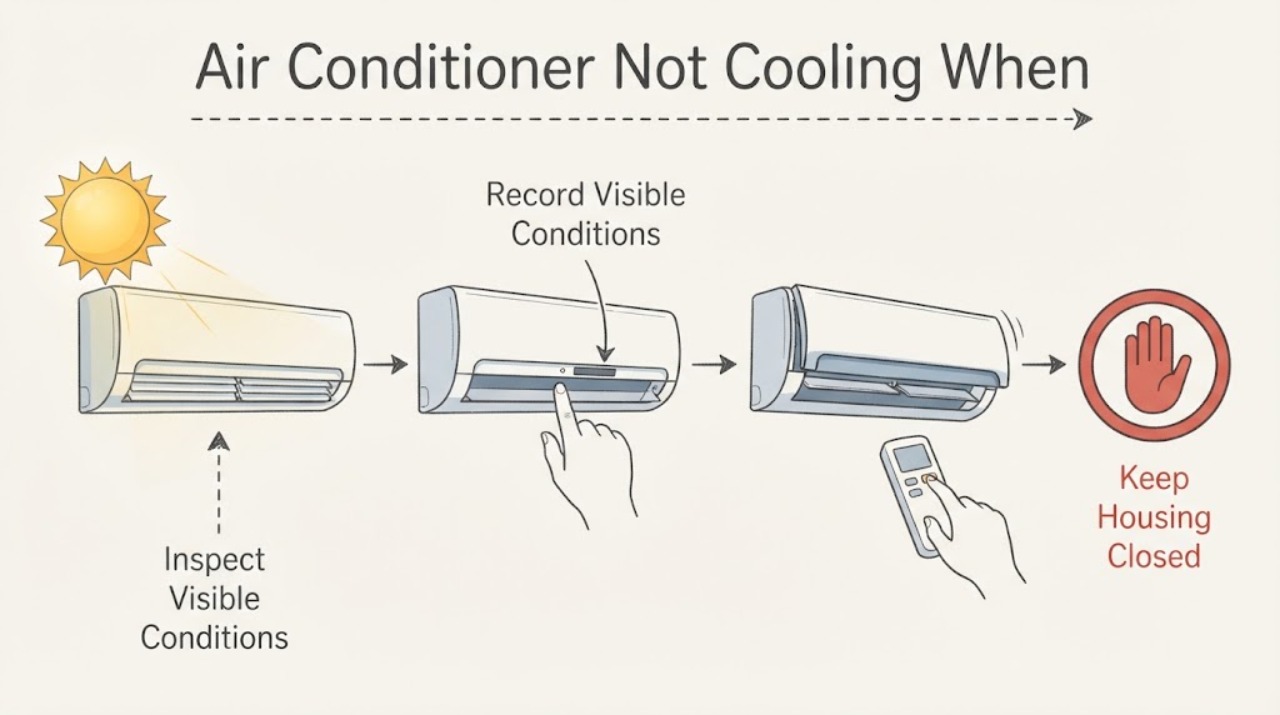
Work through in order
Diagnostic checks
Use only checks that match the exact appliance or system and its official guide.
-
Check 1
Start with a safe hazard check while the air conditioner is off or viewed from a safe distance: look for smoke, burning odor, exposed or damaged wiring, melted insulation, arcing, water near electrical parts, an icing cabinet, or an outdoor fan that is scraping or not moving when it should. Do not touch the unit, cabinet, refrigerant lines, or wiring.
Expected result: No hazard is visible, or ice, water, smoke, odor, heat, electrical damage, arcing, unusual noise, or a non-running outdoor unit is present.
Next step: Turn cooling off and arrange qualified HVAC service for ice, a non-running outdoor unit, electrical symptoms, or a refrigerant concern. Seek emergency help for fire or smoke; continue only with non-contact checks when no hazard is present.
Stop if: Stop immediately for smoke, fire, burning odor, arcing, exposed wiring, water near electrical equipment, severe ice, hot components, or a fan making destructive contact.
Why this matters
Why: The second result is not a sun-load adjustment problem. Ice can indicate airflow or refrigerant trouble, while smoke, heat, water, or electrical damage requires immediate escalation.
-
Check 2
Identify the equipment type and record the pattern: window or room unit, mini-split, packaged unit, or central split system; room temperature and setpoint; whether supply air feels cooler; whether the problem is one sunny room or the whole home; and whether it improves after shade arrives.
Expected result: Only a sun-facing room is warm, the entire home remains warm, cooling is normal after the sun moves, or cooling never improves even in shade.
Next step: Keep the record and move to the matching low-risk checks. Do not keep lowering the setpoint or run the unit continuously to force a diagnosis.
Stop if: Stop for worsening heat affecting vulnerable occupants, a system that runs continuously without cooling, ice, water, smoke, or electrical symptoms.
Why this matters
Why: A single sunny room or shade-dependent pattern raises solar-gain, thermostat-location, insulation, or room-airflow questions. Whole-home failure or no improvement in shade points more strongly toward equipment, airflow, electrical, or sealed-system diagnosis.
-
Check 3
Check the thermostat or room-unit controls without changing wiring: confirm cooling mode, a reasonable setpoint below room temperature, fan behavior, schedule or hold settings, and whether the thermostat display is in direct sun or beside a window, lamp, vent, or other heat source.
Expected result: The unit is not in cooling mode, the setpoint or schedule is wrong, the thermostat is sun-heated, or the settings are correct and the system still runs warm.
Next step: Correct only the user controls and reduce direct solar gain with curtains or blinds that do not block equipment airflow. Do not relocate the thermostat, remove its cover, or open the unit to change controls.
Stop if: Stop for a blank or damaged display, hot wiring, a burning odor, sparks, water, or a control that calls for cooling but cannot be stopped normally.
Why this matters
Why: A mode or setpoint error can mimic a cooling failure. Direct sun can bias the local sensor and extend operation. Correct settings with warm air move the investigation toward airflow, outdoor heat rejection, coil, refrigerant, or compressor service.
-
Check 4
Reduce room solar gain without obstructing the equipment: close curtains, blinds, or exterior shading that is designed for the window, keep doors and windows closed, and note whether the sunny room or whole home responds. Do not cover a window unit's intake or discharge and do not place a tarp, umbrella, or solid screen over an outdoor condenser.
Expected result: Comfort improves with safe window shading, only one room remains warm, or there is no meaningful change and the system continues to run.
Next step: Keep the safe shading in place and document the temperature pattern. Arrange an HVAC assessment for persistent or whole-home symptoms; do not block condenser airflow to create shade.
Stop if: Stop for a window-unit cord or plug becoming hot, water entering the unit, smoke, unusual noise, electrical damage, or any need to climb or attach an unsafe shade.
Why this matters
Why: Improvement with shading supports a heat-gain or room-airflow contribution, not necessarily a failed AC. No change, whole-home warmth, or continuous run time points toward an equipment or system problem that shading cannot fix.
-
Check 5
With the system off and only if the filter is user-accessible under the model instructions, inspect the filter and visible return/supply openings for heavy dust, blocked grilles, closed registers, or a damaged filter. Do not remove panels, reach into a blower, or disturb a frozen coil.
Expected result: The filter or grille is visibly blocked, the filter is clean and airflow is still weak, or ice is visible at the indoor coil or refrigerant line.
Next step: Use only the exact model's approved filter replacement or grille cleaning method. If airflow remains weak or any ice is visible, leave cooling off and call a qualified HVAC technician.
Stop if: Stop for ice, water leakage, a damaged filter housing, exposed moving parts, a burning odor, or any need to access the blower, coil, wiring, or refrigerant circuit.
Why this matters
Why: A restricted filter or opening can reduce airflow and cooling. Ice moves the problem beyond a routine filter check; continued operation can worsen the condition, and the cause may be airflow or refrigerant related.
-
Check 6
From outside the service boundary, inspect the central outdoor unit or room-unit exterior for leaves, snow, lint, weeds, a blocked grille, a temporary cover, or furniture restricting airflow. Keep a safe clearance around intake and discharge paths, but do not open the cabinet, bend fins, spray electrical components, or wash an operating unit.
Expected result: The airflow path is clear, or debris, a cover, fence, snow, vegetation, or other obstruction is visibly close to the unit.
Next step: Remove only loose debris that is safely outside the unit and follow the equipment manual. If the unit remains warm, noisy, iced, or nonfunctional, turn cooling off and request HVAC service.
Stop if: Stop for a damaged grille, bent or sharp fins, water near electrical components, a non-running or scraping fan, smoke, odor, or any need to remove a panel or use a hose near energized parts.
Why this matters
Why: A blocked condenser coil or discharge path can reduce heat rejection and make the system struggle more in sun. Clear external debris only if it can be removed without contact with the unit or electrical parts; a clear exterior does not rule out a coil, fan, capacitor, compressor, or refrigerant fault.
-
Check 7
Prepare a service record without opening the equipment: model and system type, setpoint and room temperature, sun-facing room or whole-home pattern, shade response, run time, supply-air result, filter and airflow observations, outdoor fan behavior, ice or water, noises, and any recent installation or repair.
Expected result: The symptom is shade-dependent, persists in shade, affects one zone, affects the whole system, or includes ice, low airflow, noise, leakage, or outdoor-unit failure.
Next step: Request a qualified HVAC professional to inspect the equipment, airflow, electrical components, refrigerant circuit, thermostat placement, and capacity for the actual load. Restore normal operation only after the cause is corrected and the system is cleared.
Stop if: Stop for continuous operation without cooling, ice, water, smoke, burning odor, electrical damage, severe noise, or any request to add refrigerant or make live measurements.
Why this matters
Why: This separates solar heat gain and sensing from restricted airflow, heat-rejection failure, coil or refrigerant problems, compressor/fan issues, or sizing and distribution concerns without hazardous internal work.
Use your observations
Decision map
Find the observation that best matches what you see, then follow the next safe action.
-
PATH 01Next step
What you see
Smoke, burning odor, arcing, hot or damaged wiring, water near electrical parts, severe ice, or destructive fan noise is present.
Do this next
Turn cooling off if it can be done safely from the normal control, keep clear, and request urgent qualified HVAC/electrical service. Seek emergency help for fire or smoke.
Why this path and its safety boundary
Why it matters: Treat this as an electrical, fire, water, mechanical, or sealed-system hazard rather than a sun-load issue.
-
PATH 02Next step
What you see
Only the sun-facing room is warm and comfort improves when curtains or safe exterior shading reduce solar gain.
Do this next
Keep safe window shading and closed openings, verify the thermostat is not in direct sun, and ask an HVAC professional to evaluate room airflow, insulation, and sizing if the pattern persists.
Why this path and its safety boundary
Why it matters: Solar heat gain, room insulation, thermostat location, or local air distribution may be contributing; the equipment may still be cooling normally.
-
PATH 03Next step
What you see
The whole home or room remains warm in both sun and shade, or the system runs continuously without reaching the setpoint.
Do this next
Turn cooling off if it is not cooling or if ice appears and request qualified HVAC diagnosis. Do not keep lowering the setpoint or add refrigerant yourself.
Why this path and its safety boundary
Why it matters: A system-level fault, restricted airflow, condenser heat-rejection problem, refrigerant issue, compressor/fan problem, or capacity issue is more likely than sunlight alone.
-
PATH 04Next step
What you see
The thermostat is in direct sunlight or beside a hot window, lamp, vent, or other local heat source.
Do this next
Reduce the direct heat with safe shading and arrange professional thermostat relocation or control assessment if the placement cannot be corrected without opening or rewiring it.
Why this path and its safety boundary
Why it matters: The sensor can read a hot spot and call for longer cooling; this can exaggerate the sunny-room complaint but does not explain ice, electrical damage, or warm air everywhere.
-
PATH 05Next step
What you see
The filter or return/supply path is blocked, airflow is weak, or ice is visible.
Do this next
Follow only the model-approved filter or grille service. Leave cooling off for visible ice or persistent weak airflow and call a qualified HVAC professional.
Why this path and its safety boundary
Why it matters: Restricted airflow can reduce cooling; ice requires the system to stop and be professionally assessed for airflow or refrigerant causes.
-
PATH 06Next step
What you see
The outdoor condenser is in direct sun and its intake or discharge is also obstructed by debris, a cover, fence, or vegetation.
Do this next
Remove only loose external debris without contacting the cabinet or wiring and follow the manual's clearance instructions. Request service if cooling remains weak or the fan/compressor behavior is abnormal.
Why this path and its safety boundary
Why it matters: The problem is likely impaired heat rejection or insufficient clearance, which can become more apparent during sunny conditions; a solid shade cover can worsen airflow.
-
PATH 07Next step
What you see
Safe settings, shading, filter, and visible airflow checks are normal, but cooling remains inadequate in sun or shade.
Do this next
Keep the equipment within safe operation limits and request qualified HVAC service. Do not open panels, make live measurements, handle refrigerant, or substitute components.
Why this path and its safety boundary
Why it matters: A coil, fan, capacitor, compressor, refrigerant, duct, control, sizing, or installation issue needs professional diagnosis; the sun condition is useful history, not a repair diagnosis.
Helpful context
Understand the symptom
Sun can expose a capacity or control problem
A sunny room gains heat through windows and walls, so it may warm faster even while the air conditioner is working. A thermostat in a sun patch can also sense a local hot spot and call for cooling longer. If the system cools normally when shade arrives but cannot hold the setpoint in peak sun, solar load, insulation, sizing, or airflow deserves attention. If one room stays warm while other rooms cool, look at that room's gain and airflow rather than assuming the compressor has failed.
The outdoor unit still needs open airflow
A central system's outdoor condenser rejects heat to outdoor air, and its fan needs clear airflow around the coil. Temporary shade can reduce radiant heat on some installations, but a cover, fence, tarp, or umbrella that blocks intake or discharge can make performance worse. Keep the cabinet and service clear, and leave electrical, refrigerant, capacitor, compressor, and sealed-system work to a qualified technician.
Safety boundary
Stop conditions
- Stop immediately for smoke, fire, burning odor, arcing, hot or damaged wiring, water near electrical parts, severe ice, exposed refrigerant damage, or destructive fan/compressor noise.
- Turn cooling off when the system runs continuously without cooling, ice is visible, airflow is severely restricted, the outdoor fan will not run, or a component becomes unusually hot. Do not keep restarting it to collect evidence.
- Do not open electrical panels, condenser or air-handler cabinets, blower or coil covers, or thermostat wiring. Do not make live measurements, handle refrigerant, add charge, bypass controls, or replace capacitors or compressors.
- Do not cover an outdoor condenser, block a window-unit intake or discharge, spray water into an energized unit, bend coil fins, climb unsafely for shade, or use an improvised screen that restricts airflow.
- Stop user troubleshooting when the symptom persists in shade, affects the whole home, recurs after a filter or airflow check, or requires thermostat relocation, sealed-system work, electrical diagnosis, or capacity assessment.
When checks do not resolve it
Need a professional?
Call a qualified HVAC professional when cooling remains inadequate in sun or shade, the system runs continuously, ice appears, airflow remains weak, the outdoor fan or compressor behaves abnormally, refrigerant or electrical work may be involved, or a thermostat must be relocated. Seek urgent help for smoke, burning odor, arcing, hot wiring, water near electrical equipment, severe mechanical noise, or fire. Safe window shading and user-accessible filter checks are the only routine adjustments here; sunlight alone is not a reason to install a cover over the condenser.
Safety scope: User checks are limited to normal controls, safe window shading, model-approved filter access, and non-contact inspection of visible airflow obstructions. Do not open panels, relocate or rewire the thermostat, make live measurements, handle refrigerant, replace electrical parts, cover the condenser, or operate wet or damaged equipment.
Common questions
FAQ
Can direct sunlight make an air conditioner stop cooling?
Sun can increase the room's heat gain and make a sun-facing condenser work harder, but a system that never cools or runs continuously in shade has another problem to investigate. Use safe window shading and record whether the symptom changes as the sun moves.
Should I cover or shade the outdoor AC unit?
Do not use a tarp, solid screen, or cover that blocks the condenser's air intake or discharge. Keep loose debris and vegetation away according to the unit instructions; have an HVAC professional assess persistent heat or poor cooling rather than improvising a cover.
Why is only the sunny room hot?
That pattern can come from solar heat gain, windows, insulation, room airflow, or a thermostat exposed to direct sun. Shade the window safely, verify the thermostat is away from direct sunlight, and have room airflow or capacity assessed if the room remains warm.
What if I see ice while the AC is not cooling?
Turn cooling off and do not keep restarting it. Ice can accompany restricted airflow or a refrigerant problem; inspect only the user-accessible filter as the model permits and call a qualified HVAC professional if ice or weak airflow persists.
Read the exact guide
Official sources
- THERMO CONSUMERENERGY STAR · General ENERGY STAR thermostat guidance; the exact thermostat and HVAC installation manual controls.
- Why Is My AC Not Blowing Cold Air? 7 Common CausesCarrier · Carrier residential guidance used for general split and room-AC mechanisms; exact model instructions and system type control.
- Understanding Your AC Condenser UnitCarrier · General residential condenser explanation; exact system design, clearances, and model instructions control.
- Room Air ConditionersENERGY STAR · General room air-conditioner guidance; model instructions and installation conditions control.
Community feedback
Share a repair observation
Share a plain-text repair observation. Accepted observations are published automatically; this page may take a moment to update.