
On this page
Start here
Quick answer
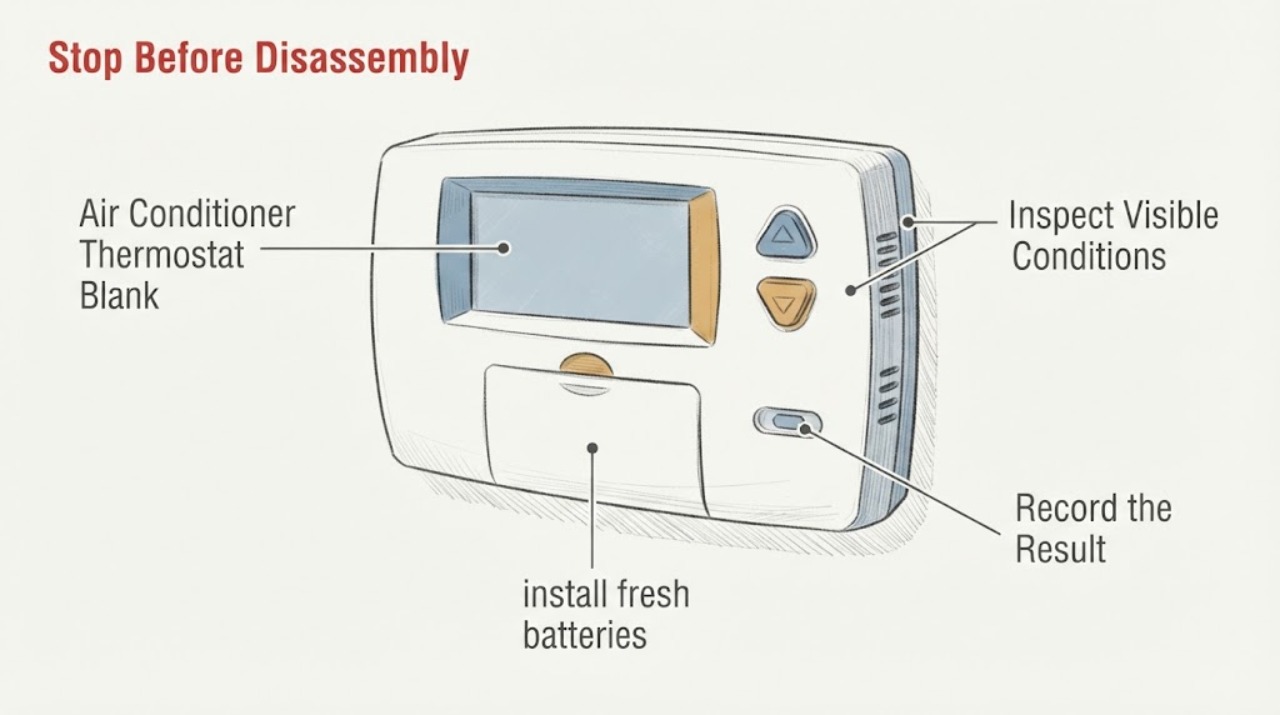
A completely blank air-conditioner thermostat usually means the control has lost its power source, not that a transformer has been proven bad. Depending on the model, check only the user-accessible battery compartment, the visible position of the HVAC breaker, and an accessible system power switch. A closed equipment door can also be part of the safety circuit. Do not remove thermostat wiring, open an electrical or equipment panel, measure live voltage, or inspect a transformer internally. If the display stays blank after the model-appropriate battery and external power checks, or if the HVAC system has a burning smell, water near electrical parts, buzzing, damaged wiring, or repeated trips, stop and arrange HVAC service.
Work through in order
Diagnostic checks
Use only checks that match the exact appliance or system and its official guide.
-
Check 1
Look at the thermostat from a dry, safe position and press the normal wake or display control once. Note whether the screen is fully dark, faint, showing a battery symbol, showing an alert, or waking briefly.
Expected result: A screen that wakes or shows a low-battery indication is different from a display that remains completely dark. Record the exact symbol or message and the thermostat model if visible without removing anything.
Next step: Continue to the battery check only if the model has a user-accessible battery compartment; otherwise continue to the external HVAC power checks.
Why this matters
Why: A fully dark display points first to a power-source or control fault; a wake-up, low-battery icon, or sleep behavior may instead be a user setting or battery condition.
-
Check 2
If the manufacturer identifies the thermostat as battery-powered and the compartment is safely accessible without exposing wiring, install fresh batteries of the exact type specified by the model instructions. Do not pull the wall plate or disturb terminals.
Expected result: If the display returns, record whether it stays on and whether the air conditioner responds normally. If it remains blank, record that the battery change did not restore the display.
Next step: If the screen remains blank or only operates on batteries, stop at external observations and arrange HVAC service; do not connect, relabel, or test wires.
Why this matters
Why: Restoration after the correct battery change supports a battery or battery-contact issue. A common-wired thermostat that works on batteries but not from its normal power path points toward equipment power, C-wire, fuse, transformer, wiring, or thermostat diagnosis rather than proving one part.
-
Check 3
Without removing an electrical-panel cover, read the visible handle or indicator for the air conditioner, furnace, air handler, or heat-pump circuit. Also look for a clearly labeled, user-accessible HVAC service switch near the equipment, but do not open the equipment cabinet.
Expected result: Record whether the breaker is on, off, or in a tripped-looking middle position, and whether the labeled service switch appears on or off. Do not touch wet equipment or a panel with damage, heat, odor, arcing, or exposed parts.
Next step: Only when the area is dry and free of warning signs, perform no more than the manufacturer-appropriate single reset of the visible breaker or switch. If it trips again or the display remains blank, leave it off and call HVAC service.
Why this matters
Why: A clearly tripped breaker or off service switch can explain a blank thermostat. A breaker that trips again, will not stay on, or looks damaged indicates an unresolved fault; it is not evidence that the transformer alone failed.
-
Check 4
From outside the cabinet, check whether the accessible furnace or air-handler door is visibly closed and seated, and look around the condensate drain or pan for standing water without touching wiring or opening covers.
Expected result: A visibly open equipment door or water around the equipment is a meaningful finding. If the door is closed and the area is dry but the thermostat is still blank, record that result rather than bypassing a door switch or condensate safety.
Next step: If water is present, stop using the system and arrange service after keeping people away from wet electrical areas. Do not reset a float, drain a pan through the cabinet, or defeat an interlock unless the exact manual gives a safe user procedure.
Why this matters
Why: Many systems use an equipment-door interlock or condensate safety to remove control power. Water, a safety lockout, or an uncertain door condition can interrupt the thermostat power path, but the underlying cause still needs model-specific diagnosis.
-
Check 5
Use the model label, owner manual, or app documentation to identify whether the thermostat is battery-only, common-wired, or a smart control requiring continuous C-wire power. Do this from visible documentation; do not remove the faceplate or inspect terminals.
Expected result: Record the model, whether a battery is specified, whether the display works only on batteries, and whether the same outage affects the indoor fan, outdoor unit, or another thermostat-controlled function.
Next step: Give the model and these observations to the HVAC technician. Do not infer a transformer failure from the symptom and do not attempt a C-wire connection or wiring repair.
Why this matters
Why: A battery-only control and a common-wired control have different power paths. If other HVAC functions are also dead, the system-side supply, safety circuit, low-voltage fuse, or transformer becomes a service hypothesis; if only the thermostat is dead, the control or its local connection remains possible.
-
Check 6
From a safe distance, note when the blank display began and what preceded it: a storm or outage, equipment cleaning, condensate event, breaker trip, battery warning, or a change of thermostat. Do not deliberately recreate a trip or start the system repeatedly.
Expected result: A broad outage, a repeatable equipment-start event, a wet-area event, or an isolated thermostat failure creates different service clues. Record any burning smell, buzzing, warmth, discoloration, smoke, or visible damage without touching the source.
Next step: If any electrical warning sign is present, stop observing at close range and follow the stop conditions below; otherwise include the timeline in the service request.
Why this matters
Why: Timing can separate a utility or system-power event from a thermostat or low-voltage fault, but it cannot identify a transformer safely. Warning signs change this from troubleshooting to immediate isolation and professional help.
-
Check 7
Prepare a service note with the thermostat model, exact screen behavior, battery result if applicable, visible breaker and switch state, affected HVAC functions, condensate or moisture observations, timing, and whether one safe reset changed anything.
Expected result: A complete note lets the technician distinguish a thermostat-only failure from loss of low-voltage power and check the transformer, fuse, safety circuit, wiring, and control using proper procedures.
Next step: Request HVAC service for a blank thermostat with suspected low-voltage/transformer path; keep the system off when a hazard or water condition is present.
Why this matters
Why: If the display remains blank after the safe checks, the next useful step is professional diagnosis, not more resets or a guessed replacement part.
Use your observations
Decision map
Find the observation that best matches what you see, then follow the next safe action.
-
PATH 01Safety boundary
What you see
Do this next
Treat the battery or its contact as the leading explanation, then monitor whether the display stays on and the air conditioner responds. Do not replace or alter wiring based only on this result.
Why this path and its safety boundary
Safety stop: Continue with external HVAC power observations.
-
PATH 02Safety boundary
What you see
Do this next
Only if dry and free of warning signs, perform one normal user reset. If it trips again, will not stay on, or the thermostat remains blank, leave it alone and arrange HVAC/electrical service.
Why this path and its safety boundary
Safety stop: Do not keep resetting; a normal-looking handle does not prove the low-voltage supply or transformer is healthy.
-
PATH 03Safety boundary
What you see
Do this next
Report a system-side power or safety-path symptom. A breaker, disconnect, fuse, safety switch, transformer, wiring, or control fault may be involved and requires professional testing.
Why this path and its safety boundary
Safety stop: A thermostat-only failure remains possible; provide the model and battery/C-wire behavior to the HVAC technician.
-
PATH 04Safety boundary
What you see
Do this next
Stop using the system and keep clear of wet electrical areas. Arrange HVAC service; do not touch wiring, reset an unknown float, or open the cabinet.
Why this path and its safety boundary
Safety stop: Continue only with dry, external observations and the service note.
-
PATH 05Safety boundary
What you see
Do this next
Stop immediately. If safe without approaching the hazard, turn the HVAC control off and keep people away; do not operate electrical switches near a suspected gas or electrical hazard. Use emergency services appropriate to an active fire or immediate danger, and arrange qualified HVAC/electrical service.
Why this path and its safety boundary
Safety stop: If the display is still blank after safe checks, schedule professional diagnosis rather than opening the transformer or panel.
Helpful context
Understand the symptom
Why a blank thermostat does not identify the transformer
The assigned component is the thermostat, while the suspected transformer may be an HVAC low-voltage transformer or another model-specific power component. A dark screen can result from a depleted battery, a system breaker or switch, a closed-door safety circuit, a C-wire or other low-voltage power-path problem, or a failed thermostat. The same symptom can also affect the air handler or furnace control circuit. Without the exact model and safe electrical measurements by a professional, a blank display cannot prove which component failed.
Keep transformer work out of the homeowner checks
A transformer can have energized input even when the thermostat is dark. Do not remove the thermostat from its wiring, open the thermostat or equipment panel, expose a control board, touch terminals, test voltage, replace a fuse, or bridge a safety circuit. The safe goal is to map what lost power and record visible symptoms so an HVAC technician can test the transformer, low-voltage fuse, wiring, safety switches, and thermostat with the correct equipment.
Safety boundary
Stop conditions
- Stop immediately for smoke, sparks, arcing, burning smell, hot or discolored equipment, exposed or damaged wiring, shock, or a breaker that trips again.
- Stop if water or condensation is near electrical equipment, the thermostat, the air handler, or an open service area; do not touch wet equipment.
- Do not remove thermostat wiring, open the electrical or HVAC equipment panel, expose a transformer or control board, test live voltage, replace an internal fuse, or repair/replace a transformer as a homeowner check.
- Do not bypass a door interlock, condensate float, fuse, or other safety device, and do not repeatedly reset a breaker or deliberately recreate the failure.
When checks do not resolve it
Need a professional?
Call a qualified HVAC technician when the display remains blank after the model-appropriate battery and external power checks, when it works only on batteries, when the HVAC system is also dead, or when a safety circuit, low-voltage fuse, wiring, transformer, or thermostat fault is suspected.
Common questions
FAQ
Why is my air-conditioner thermostat blank when the breaker looks on?
The visible breaker position does not prove that low-voltage power reaches the thermostat. A battery, system switch, equipment-door safety, condensate safety, fuse, C-wire path, thermostat, wiring, or transformer-related fault may be involved. Record the model and affected HVAC functions, but do not open the panel or measure voltage.
Does a blank thermostat prove the transformer failed?
No. A blank screen is a symptom shared by several power and control faults. The transformer is only one service hypothesis, and testing it requires model-specific electrical procedures that are not a safe homeowner check.
Can I reset the air-conditioner breaker for a blank thermostat?
Only if the area is dry and there are no warning signs, and only as one normal user reset of a clearly identified visible breaker. If it trips again, will not stay on, or the display remains blank, stop resetting and arrange HVAC service.
When is a blank thermostat an urgent safety issue?
Stop immediately for smoke, sparks, arcing, burning smell, hot or discolored equipment, exposed wiring, shock, water near electrical equipment, or repeated breaker trips. Keep people away and obtain qualified HVAC or electrical help; do not open the transformer or equipment panel.
Read the exact guide
Official sources
- What is a C-Wire? How It Works on Your ThermostatHoneywell Home · Honeywell Home explanation of continuous C-wire power and the boundary between user documentation and HVAC wiring support.
- Common Thermostat Issues and How to TroubleshootCarrier · Carrier residential thermostat and air-conditioning troubleshooting, including blank displays, breakers, system switches, and professional safety boundaries.
- How do I fix a blank display on my TH6320ZW thermostat?Honeywell Home · Honeywell Home TH6320ZW thermostat blank-display support and model-specific battery/system-power checks.
- Honeywell Lyric Round Thermostat Not WorkingHoneywell Home · Honeywell Home Lyric Round thermostat startup and blank/partial-display support.
Community feedback
Share a repair observation
Share a plain-text repair observation. Accepted observations are published automatically; this page may take a moment to update.