
On this page
Start here
Quick answer
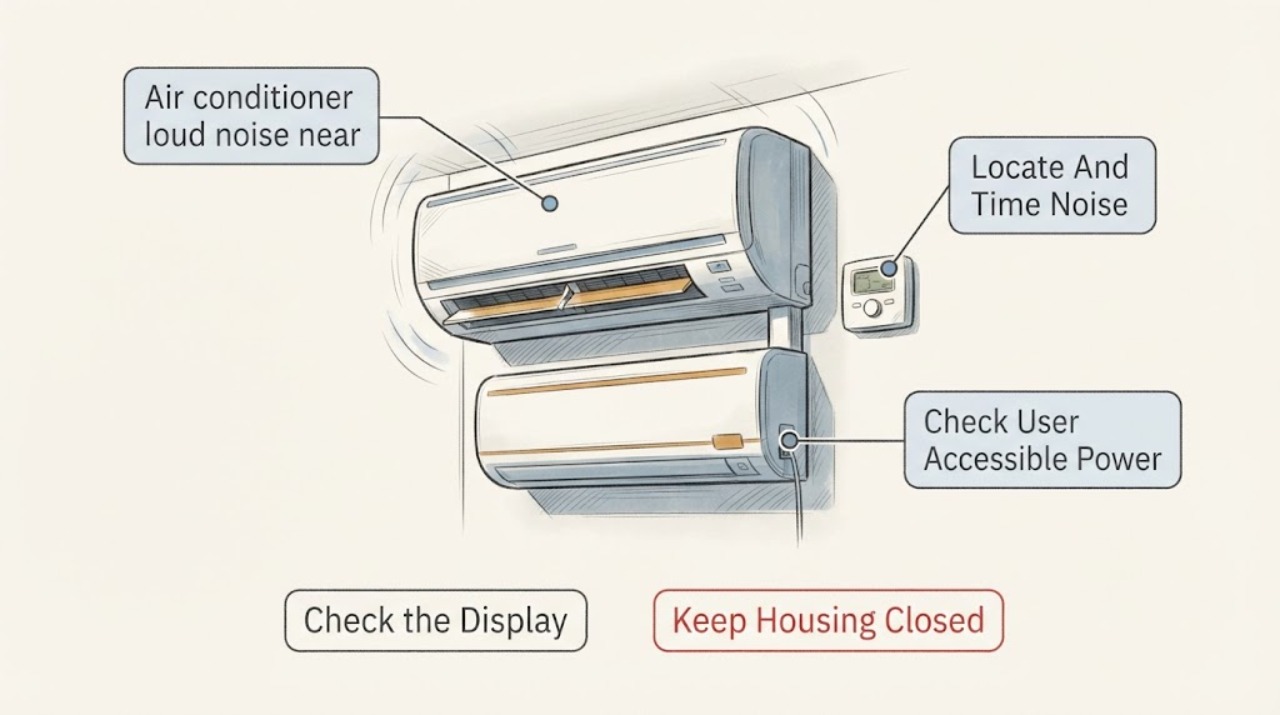
A brief click when a thermostat starts or stops a cooling call can be the control making contact, but a new loud click, buzz, crackle, vibration, or repeated clicking is not proof that the thermostat itself is bad. First stand safely near the wall control and record whether the sound is truly at the thermostat or is the outdoor unit starting at the same moment. Check the displayed mode, setpoint, fan setting, time-delay message, batteries if the exact thermostat uses them, and the air conditioner's response. Do not remove the wallplate, expose thermostat wiring, bridge terminals, or perform live electrical testing. If the thermostat is hot, smells burned, shows damaged wiring, the HVAC system cycles rapidly, a breaker trips, or the outdoor unit makes a harsh noise, stop the system and arrange HVAC or electrical service.
Work through in order
Diagnostic checks
Use only checks that match the exact appliance or system and its official guide.
-
Check 1
From a dry, stable position, listen briefly at the thermostat and then from a safe distance toward the indoor and outdoor units without touching equipment; note whether the sound is a click, buzz, crackle, rattle, hum, or vibration and whether it occurs when a cooling call starts, ends, or continues.
Expected result: Record the apparent source, sound character, duration, and whether the outdoor fan, indoor blower, or airflow changes at the same instant as the wall-control sound.
Next step: Keep the timing record for HVAC service and use the corresponding branch below; stop listening if the wall control is hot, smells burned, sparks, or the system is making a harsh mechanical sound.
Stop if: Do not remove the thermostat cover or base, reach into a grille, touch wiring, or deliberately repeat a dangerous start or stop event.
Why this matters
Why: A single brief click at a normal call boundary may be a control contact, while a loud or continuous sound at the outdoor unit can be a separate fan, contactor, capacitor, compressor, or mechanical issue. A sound that is truly inside the thermostat needs a control or wiring assessment rather than a replacement guessed from noise alone.
-
Check 2
Read the thermostat display without opening it and verify that the system is set to Cool, the setpoint is below room temperature when cooling is intended, and the fan setting is understood; note any Cool On, Starting Soon, Wait, error, or blank-display indication.
Expected result: Record whether the thermostat shows an active cooling call, a normal startup delay, no call because of the setpoint or mode, a persistent error, or no display at all, and whether the air conditioner responds.
Next step: Correct only an obvious user setting and allow the documented delay to pass once. If the noise remains, the call is not acted on, or the display is abnormal, leave the system alone and arrange HVAC service.
Stop if: Do not pry off the wall control, bridge terminals, enter an installer menu without the model guide, or continue if there is smoke, burning odor, heat, or exposed wiring.
Why this matters
Why: A startup-delay message can be a compressor-protection feature, while a wrong mode or setpoint can make a user interpret normal silence as a fault. An active call with no HVAC response, persistent error, or a loud sound that continues outside the call needs professional diagnosis of the thermostat and system.
-
Check 3
If the exact thermostat is designed for user-replaceable batteries, inspect the battery compartment through its normal user access; otherwise, simply record whether the display is powered and whether a known HVAC power interruption preceded the noise.
Expected result: Record a stable display, low or missing batteries, a blank display, a recent power loss, or a display that resets or clicks repeatedly.
Next step: Install only the battery type and orientation specified by the exact thermostat instructions, if applicable. If the display remains abnormal or the HVAC response and sound do not normalize, request professional service.
Stop if: Do not remove the baseplate, pull wires, touch terminals, use a jumper, or inspect a battery compartment that is wet, scorched, swollen, or damaged.
Why this matters
Why: Battery or power symptoms can prevent a proper cooling call, but they do not prove that the thermostat is the source of a loud sound. Repeated resets, a blank screen after the normal battery or power check, or system behavior that does not match the display can involve wiring, controls, safety switches, or the HVAC equipment.
-
Check 4
During one ordinary cooling call, observe from safe locations whether the indoor airflow starts, the outdoor fan starts, the thermostat click is followed by cooling, and the equipment stops when the call ends; do not cycle the setpoint repeatedly to reproduce the sound.
Expected result: Record thermostat click with normal cooling, click with no indoor or outdoor response, repeated starts and stops, warm air, weak airflow, a stationary outdoor fan, or a loud sound that continues after the call ends.
Next step: Leave the system off and arrange HVAC service when the response is abnormal, the sound is persistent or worsening, or the outdoor equipment is loud or fails to start.
Stop if: Stop immediately for smoke, burning smell, arcing, a hot wall control or enclosure, gas odor, water near electrical equipment, or a breaker trip.
Why this matters
Why: A normal call response makes a brief control click more likely to be incidental. A call with no equipment response, rapid cycling, weak airflow, or a stationary fan can indicate a thermostat signal, safety, airflow, motor, compressor, or electrical problem and cannot be isolated to the thermostat by sound alone.
-
Check 5
From a dry, safe position, note whether the known air-conditioner circuit appears off or has tripped; do not open the electrical panel, perform live circuit checks, or repeatedly reset a protective device.
Expected result: Record a normal circuit, one known trip without heat or damage, or a repeated trip, hot panel, buzzing enclosure, scorch mark, moisture, smoke, or burning odor.
Next step: Leave a repeatedly tripping circuit off and request qualified electrical or HVAC service as appropriate; provide the sound and display timeline instead of testing the circuit yourself.
Stop if: Do not open covers, touch exposed conductors, measure live voltage, bypass protection, or reset the circuit again after an immediate repeat trip.
Why this matters
Why: A circuit problem can remove power from the thermostat or equipment and can make a control click occur without cooling. A repeated trip or any heat, smell, buzzing, damage, or moisture is an unresolved electrical fault, not evidence for changing the thermostat.
-
Check 6
Prepare the HVAC service request with the thermostat brand and model if visible without removal, sound location and recording, display text, mode and setpoint, battery or power observations, call timing, indoor and outdoor response, airflow, cooling change, and breaker history.
Expected result: Confirm that the handoff describes external observations only and that no wallplate, terminal, wiring, HVAC panel, fan, or refrigerant component was disturbed.
Next step: Request qualified HVAC diagnosis and tell the technician that the assigned concern is an air-conditioner loud noise with a possible thermostat source; let the technician verify wiring, controls, equipment, and compatibility.
Stop if: Stop all user troubleshooting when the next step requires opening the thermostat or HVAC cabinet, electrical measurements, wiring changes, or work on moving, refrigerant, or high-voltage components.
Why this matters
Why: A precise timeline lets a technician determine whether a thermostat contact, control or safety circuit, blower, outdoor contactor, capacitor, motor, compressor, or power fault is responsible. It avoids treating a trigger sound as proof of a particular replacement part.
Use your observations
Decision map
Find the observation that best matches what you see, then follow the next safe action.
-
PATH 01Next step
What you see
There is one brief click exactly at a normal cooling start or stop, the thermostat stays cool and intact, cooling and airflow are normal, and there is no repeated sound.
Do this next
Document it and mention it during routine HVAC maintenance; request service if it becomes louder, longer, continuous, or is joined by a performance change.
-
PATH 02Next step
What you see
The loud click, buzz, crackle, or vibration is clearly inside the thermostat or repeats while the system is idle or running.
Do this next
Leave the cooling call off and arrange HVAC service. Do not remove the wallplate, tighten terminals, bridge contacts, or assume a thermostat replacement is compatible.
-
PATH 03Next step
What you see
The wall control clicks once but the loud noise is at the outdoor unit, the fan does not start, cooling is poor, or the noise is harsh or new.
Do this next
Turn cooling off and request HVAC service. A contactor, capacitor, fan motor, compressor, or another fault may be involved; the thermostat click is not a diagnosis.
-
PATH 04Next step
What you see
The display shows a normal startup-delay message or the mode, fan, schedule, or setpoint does not call for cooling, with no hazard and no abnormal mechanical sound.
Do this next
Follow the exact thermostat guide and allow the documented delay once. If the message persists, the system does not respond, or the sound is abnormal, arrange HVAC service.
-
PATH 05Next step
What you see
The display is blank or unstable, batteries are depleted on a battery model, the circuit has tripped, or a power event preceded the noise.
Do this next
Use only the normal battery or accessible power check. Leave a repeatedly tripping circuit off and request qualified HVAC or electrical service if the display or sound does not normalize.
-
PATH 06Next step
What you see
There is smoke, burning odor, arcing, a hot thermostat or electrical enclosure, exposed wiring, water near electrical equipment, gas odor, or a repeated breaker trip.
Do this next
Stop using the system, keep clear, and use the appropriate emergency, electrical, gas-safety, or HVAC response from a safe location. Do not restart it to reproduce the noise.
Helpful context
Understand the symptom
The thermostat may be the trigger, not the noise source
A wall thermostat tells the air conditioner when to begin and end a cooling cycle, so a click at the wall can occur at the same moment that the indoor blower or outdoor equipment starts. Trane notes that clicking can be associated with a thermostat, but also with a control board, loose connection, safety switch, capacitor, or contactor depending on the location. A sound that is loud, continuous, or new needs a location and timing check before anyone calls it a thermostat failure.
Normal delay messages are different from abnormal noise
Some thermostats delay an air-conditioner restart after a shutdown or power loss to protect the compressor. Trane describes indicators such as Cool On or Starting Soon as possible startup-delay messages, with the exact display varying by thermostat. A delay message without a harsh sound may be normal, but it does not explain a hot, buzzing, crackling, or repeatedly clicking wall control. Record the exact display and follow the owner's guide for that model rather than guessing from another thermostat's behavior.
Keep thermostat checks at the user-control boundary
Safe checks include the displayed mode and setpoint, a fan setting, a user-accessible battery compartment when the model is designed for batteries, and the audible timing of the system response. Carrier identifies batteries, power interruption, settings, filters, and wiring or control faults as different thermostat issue paths, and recommends professional help for exposed wiring, persistent errors, burning smells, or high-voltage work. Do not remove the thermostat base, loosen a terminal, or use a wire as a test jumper.
Safety boundary
Stop conditions
- Stop immediately for smoke, fire, burning odor, arcing, a hot thermostat or electrical enclosure, exposed wiring, gas odor, water near electrical equipment, or a repeated breaker trip.
- Stop and leave the system off for a loud or worsening outdoor-unit noise, a stationary fan, rapid cycling, a strong hiss, ice, or loss of cooling.
- Never remove the thermostat wallplate, bridge terminals, test live circuits, open an HVAC cabinet, reach through a grille, or change wiring as a homeowner.
Only after diagnosis
Potential parts
- thermostat
Consider a thermostat only if a qualified technician confirms the thermostat or its switching function is faulty and verifies the HVAC system requirements; a click or buzz alone is not enough.
Confirm the exact thermostat model, system type, wiring, power requirements, and manufacturer-approved compatibility before selecting a replacement.
When checks do not resolve it
Need a professional?
Call a qualified HVAC technician for a persistent or new loud thermostat-area sound, a thermostat that calls without equipment response, rapid cycling, failed cooling, a loud outdoor-unit sound, or any diagnosis requiring wiring or cabinet access. Use electrical or emergency help for smoke, burning odor, arcing, a hot enclosure, exposed wiring, moisture near electrical equipment, gas odor, or repeated breaker trips.
Have this ready
- Give the technician the thermostat model if safely visible, sound location and timing, display messages, settings, battery or power observations, indoor and outdoor response, airflow, cooling change, and breaker history.
Common questions
FAQ
Is one click from the thermostat normal when the air conditioner starts?
It can be. A brief click at a normal cooling start or stop may be a control contact, but a new loud, continuous, crackling, or repeated sound needs service, especially if cooling or equipment response changes.
Why does the air conditioner sound loud when the thermostat clicks?
The thermostat starts the call, but the loud sound may come from the indoor blower, outdoor fan, contactor, capacitor, compressor, or another system component. Identify the location and leave the system off for a new or harsh sound rather than blaming the thermostat.
Can I remove the thermostat to check its wiring?
Do not remove the wallplate, expose terminals, bridge contacts, or perform live electrical checks as a homeowner. A qualified HVAC technician can safely inspect thermostat wiring and the equipment it controls.
Read the exact guide
Official sources
- Common Thermostat Issues and How to TroubleshootCarrier · Carrier residential thermostat guidance used for general user-control checks; exact thermostat model instructions govern access and settings.
- Why Is My Thermostat Blinking with Cool On?Trane · Trane thermostat guidance used for general delay-message interpretation; indicators and delay behavior vary by thermostat model.
- Troubleshoot an Air Conditioner: 6 Steps to Fix an AC Not WorkingCarrier · Carrier residential air-conditioning troubleshooting guidance used for general symptom triage and safety, not model-specific repair.
- Is This Normal? HVAC Smells and Sounds, ExplainedTrane · Trane residential HVAC sound guidance used for general diagnosis and escalation, not a brand-specific thermostat repair procedure.
Community feedback
Share a repair observation
Share a plain-text repair observation. Accepted observations are published automatically; this page may take a moment to update.