
On this page
Start here
Quick answer
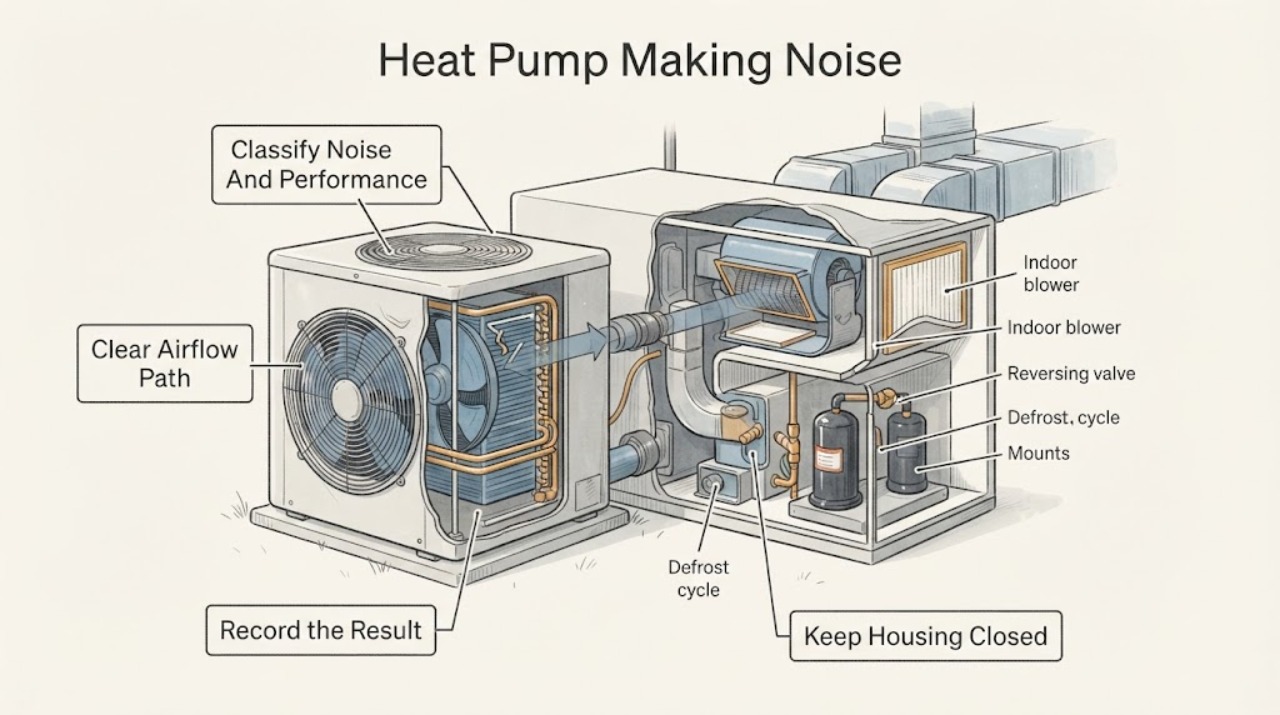
A Carrier heat pump can make brief operating sounds when a fan, compressor, or defrost cycle starts, but a new, very loud, grinding, rattling, buzzing, screeching, or persistent hissing sound deserves attention. First note whether the sound comes from the indoor air handler, outdoor unit, ducts, or refrigerant lines, and whether it occurs at startup, shutdown, heating, cooling, or defrost. With power left on only for safe observation, look from outside for leaves, snow, ice, or another visible obstruction around the outdoor unit; do not open the cabinet or touch wiring. Check that the indoor filter and supply or return registers are not obviously blocked, following the model instructions. Carrier identifies unusual rattling, grinding, or hissing, restricted airflow, dirty coils, electrical connections, capacitors, reversing-valve operation, and defrost operation as items that may need professional inspection. Some hissing, gurgling, steam, or a temporary change in fan sound can occur during defrost, but loud or continuous noise, burning odor, smoke, a tripped breaker, exposed wiring, hard ice, loss of heating or cooling, or water damage is a stop condition: turn the system off at the thermostat and arrange qualified HVAC service.
Work through in order
Diagnostic checks
Use only checks that match the exact appliance or system and its official guide.
-
Check 1
From a safe distance, record the Carrier heat pump noise type, location, duration, and operating mode. Note whether the sound occurs only at startup or shutdown, during heating, during cooling, during a possible defrost event, or continuously. Also note weak airflow, uneven temperature, long runtime, ice, odor, or a recent change from the usual sound.
Expected result: The sound is brief and cycle-linked; it is loud or continuous; it is a rattle or vibration; it is grinding or screeching; it is hissing or gurgling with steam or defrost water; or comfort has changed at the same time.
Next step: Use the symptom pattern to choose the next safe visual check. Turn the system off at the thermostat and arrange service for loud, worsening, continuous, or safety-related noise.
Stop if: Stop operation for smoke, burning odor, exposed wiring, a tripped breaker, grinding, a fan striking ice or housing, uncontrolled vibration, refrigerant-line damage, or loss of heating or cooling during severe conditions.
Why this matters
Why: A short cycle-linked sound may be normal equipment operation, while a new, prolonged, or mechanical-sounding noise is more concerning. Noise paired with weak airflow, ice, odor, or lost comfort increases the likelihood of a system fault rather than an acoustic nuisance.
-
Check 2
With the outdoor unit left closed, look around its accessible perimeter for leaves, snow, branches, accumulated debris, or hard ice blocking the coil or fan discharge. Clear only loose material that can be removed without tools and without touching the coil, fan, wiring, or cabinet. Do not chip ice, hose a running unit, or remove a panel.
Expected result: Airflow is visibly restricted by loose debris; snow or ice surrounds the unit; the coil is visibly dirty but accessible cleaning is not clear from the manual; or the perimeter is clear and the noise remains.
Next step: After clearing only safe loose debris, monitor one normal cycle without opening the cabinet. If the noise remains, ice returns, or the outdoor fan behaves abnormally, leave the system off and arrange HVAC service.
Stop if: Stop for hard ice, a fan that is not turning or is striking something, a bent grille or blade, exposed wiring, oil or refrigerant-line damage, water near electrical parts, or any need to open the unit.
Why this matters
Why: A blocked outdoor unit can strain airflow and change fan or compressor sound. Hard ice or a clear perimeter with persistent noise makes a defrost, fan, motor, compressor, mounting, or control issue more likely and cannot be diagnosed safely by looking alone.
-
Check 3
If the noise seems to come from the indoor air handler or registers, check the accessible air filter and visible supply and return openings. Replace or clean the filter only as the Carrier model instructions specify, and remove only obvious furniture or household items blocking a register. Do not remove blower panels or reach into the air handler.
Expected result: The filter is visibly loaded; a register or return is blocked; airflow is weak at several registers; the indoor unit rattles while airflow is restricted; or the filter and air path are clear.
Next step: Restore the filter and airflow path correctly and observe whether the sound and airflow improve. Escalate if the noise persists, the filter loads unusually fast, or cooling or heating performance remains poor.
Stop if: Stop for a wet or damaged filter, ice at the indoor coil, water near electrical equipment, a burning smell, a blower that is scraping or striking, or any need to remove an air-handler panel.
Why this matters
Why: A loaded filter or blocked airflow can make the blower work harder and may contribute to noise or reduced comfort. If the filter and registers are clear but the blower rattles, hums loudly, or changes speed abnormally, the blower assembly, mounting, motor, or another internal component needs professional diagnosis.
-
Check 4
If the noise occurs in cold weather at the outdoor unit, observe one cycle from a safe distance for a brief change in fan sound, steam, or defrost water, without forcing the thermostat or interrupting the unit. Note whether the sound settles and the system returns to normal, and whether hard ice remains on the coil afterward.
Expected result: A short hiss or gurgle accompanies steam or water and then normal operation resumes; the fan stops briefly and restarts; the noise continues beyond the event; the outdoor coil is covered in hard ice; or defrost repeats without recovery.
Next step: Do not chip ice or apply heat. Keep the system off if the noise is severe or ice remains substantial, and arrange qualified HVAC service with the timing and weather conditions recorded.
Stop if: Stop for hard ice, steam or water entering electrical components, a fan that does not restart, a repeated failed defrost, smoke, burning odor, or any attempt to use a heat source or sharp tool.
Why this matters
Why: A short-lived defrost pattern can be normal. A persistent noise, hard ice, or failure to return to normal suggests a defrost-control, airflow, drainage, refrigerant, fan, or coil problem that requires professional testing.
-
Check 5
Record the full Carrier model, indoor or outdoor noise location, sound description, cycle and mode, outdoor temperature or weather, filter and airflow condition, obstruction or ice pattern, thermostat behavior, comfort change, odors, breaker events, and whether the sound changed after a safe visible cleanup. Photograph only labels and visible conditions with power equipment closed.
Expected result: The noise is new, worsening, continuous, accompanied by weak airflow or comfort loss, associated with a visible mechanical or electrical concern, or unchanged after safe checks.
Next step: Turn the system off at the thermostat for severe or safety-related noise and arrange qualified HVAC diagnosis. Provide the model, recording or description, timing, and all safe observations; do not open the cabinet or handle refrigerant or electrical components.
Stop if: Do not remove panels, test voltage, discharge or inspect a capacitor, add refrigerant, adjust a reversing valve, bend fan blades, or continue operation when safety or equipment-damage symptoms are present.
Why this matters
Why: Persistent or combined symptoms make a fan, blower, compressor, capacitor, electrical connection, reversing valve, defrost system, coil, mount, or duct issue more likely. These possibilities overlap and cannot be identified reliably from sound alone.
Use your observations
Decision map
Find the observation that best matches what you see, then follow the next safe action.
-
PATH 01Next step
What you see
Do this next
Record the pattern and monitor without opening the unit. Arrange service if the sound becomes louder, longer, continuous, or is joined by weak airflow, ice, or comfort loss.
Why this path and its safety boundary
Why it matters: Normal fan, compressor, refrigerant-flow, or defrost behavior is more likely than a developing mechanical fault, although a sound that changes over time still matters.
-
PATH 02Next step
What you see
Do this next
Clear only loose exterior debris without tools, never chip ice or open the cabinet, and arrange service when ice, fan contact, abnormal motion, or persistent noise remains.
Why this path and its safety boundary
Why it matters: Restricted airflow, ice, fan damage, defrost trouble, or an outdoor mechanical issue is more likely than an indoor duct sound.
-
PATH 03Next step
What you see
Do this next
Restore the filter and registers according to the model instructions. Arrange HVAC service for persistent rattling, scraping, weak airflow, ice, water, or any need to remove panels.
Why this path and its safety boundary
Why it matters: Airflow restriction, blower mounting, blower motor, duct vibration, or another indoor component is more likely. A clear filter does not rule out an internal blower or coil problem.
-
PATH 04Next step
What you see
Do this next
Turn the heat pump off at the thermostat, keep clear of the outdoor and indoor cabinets, and arrange qualified HVAC service. Seek urgent help for smoke, active electrical damage, uncontrolled water, or dangerous indoor conditions.
Why this path and its safety boundary
Why it matters: A fan, motor, compressor, capacitor, electrical connection, reversing valve, refrigerant circuit, or control fault is possible. These are professional diagnostic boundaries, not safe part-identification clues for a homeowner.
Helpful context
Understand the symptom
Identify the sound before guessing at a part
Write down whether the noise is a low hum, click, whoosh, hissing, gurgle, rattle, vibration, grinding, or high-pitched sound. Locate it by listening from a safe distance at the indoor unit, outdoor unit, registers, and exposed lines without removing panels. A brief change during startup, shutdown, or defrost has a different meaning from a sound that continues through the whole cycle. The sound alone does not identify a failed Carrier part, so pair it with airflow, ice, temperature, odor, and runtime changes.
Keep homeowner checks outside the electrical and refrigerant boundary
The safe homeowner checks are visual: clear loose leaves or snow that are outside the unit, confirm registers and the return path are not blocked, inspect the accessible filter, and verify the thermostat mode. Do not remove an outdoor-unit panel, probe a capacitor, handle refrigerant lines, straighten a fan blade, or reach near a moving fan. Carrier's service checklist includes electrical, refrigerant, compressor-related, reversing-valve, defrost, coil, blower, and drainage checks that require appropriate tools and training.
Defrost sounds can be temporary, but hard ice is not a normal endpoint
In cold weather, a heat pump may defrost its outdoor coil. The outdoor fan can stop or change sound, and a short-lived hiss, gurgle, steam cloud, or dripping water can accompany that cycle. A return to normal operation is reassuring; a prolonged loud sound, repeated failed defrost, or significant hard ice suggests a problem with airflow, drainage, controls, or defrost operation. Do not chip ice or use a heat source to accelerate defrosting.
Safety boundary
Stop conditions
- Turn the heat pump off at the thermostat for smoke, burning odor, exposed wiring, a tripped breaker, grinding, fan contact, uncontrolled vibration, refrigerant-line damage, water near electrical equipment, or loss of heating or cooling.
- Do not open an indoor or outdoor cabinet, test voltage, inspect or discharge a capacitor, handle refrigerant, adjust a reversing valve, or bypass a control.
- Do not chip outdoor ice, apply a heat source, straighten a fan blade, hose a running unit, or reach near a moving fan.
- Do not infer a replacement part from the Carrier name or sound alone; confirm the complete model and qualified diagnosis before selecting any part.
- Arrange qualified HVAC service when noise persists after safe airflow and obstruction checks, when defrost does not recover, or when any electrical, refrigerant, compressor, motor, fan, duct, or control work is implicated.
Only after diagnosis
Potential parts
- Outdoor fan blade, motor, or mounting hardware
Consider this part class only when qualified diagnosis confirms that the noise is from the outdoor fan or its mount after airflow obstructions and ice have been ruled out.
Fan geometry, motor ratings, mounts, connectors, and model revisions vary; confirm the complete Carrier model and technician diagnosis before selecting a part. - Indoor blower motor, wheel, or filter and airflow components
Consider this part class only when the filter and registers are clear but qualified inspection finds a noisy, damaged, or improperly supported blower assembly or related airflow component.
Blower wheel size, motor type, control method, filter dimensions, and air-handler configuration vary; use the exact model documentation and service diagnosis. - Heat pump capacitor, reversing valve, or defrost control
Consider this part class only after a qualified technician links the noise and operating pattern to an electrical, mode-switching, or defrost-control fault.
Electrical ratings, refrigerant circuit design, controls, and model-specific revisions vary; these are not homeowner-identifiable replacements from sound alone.
When checks do not resolve it
Need a professional?
Arrange service for new, loud, grinding, screeching, buzzing, rattling, or continuous noise; weak airflow; hard or recurring ice; a failed defrost event; a tripped breaker; burning odor; exposed wiring; refrigerant-line damage; water damage; loss of heating or cooling; or any need to open the cabinet or work on electrical, refrigerant, fan, compressor, reversing-valve, or defrost components.
Have this ready
- Complete Carrier heat-pump model and indoor or outdoor unit location
- Sound description, recording if available, exact location, and when it occurs in the cycle
- Thermostat mode, outdoor weather, airflow, temperature comfort, frost, steam, and defrost observations
- Filter and register condition, visible outdoor obstruction, ice pattern, odor, breaker event, and recent service
- Any safe cleanup performed without opening or touching the HVAC cabinet
Common questions
FAQ
Is it normal for a Carrier heat pump to make noise?
Brief startup, shutdown, fan, refrigerant-flow, or defrost sounds can be normal, especially when the unit promptly returns to normal heating or cooling. A new, very loud, grinding, screeching, rattling, buzzing, or continuous sound is not something to diagnose by sound alone; note the timing and arrange qualified service if it persists or comes with ice, weak airflow, odor, or comfort loss.
Why does my Carrier heat pump hiss or gurgle outside?
A short hiss or gurgle with steam or defrost water can occur while an air-source heat pump defrosts its outdoor coil. The sound should settle and the system should return to normal. Continuous or worsening hissing, hard ice, repeated failed defrost, refrigerant-line damage, or lost heating or cooling requires the system to be turned off and professionally inspected.
What should I check if my Carrier heat pump is rattling?
First note whether the rattle is indoors or outdoors and whether a filter, register, loose exterior debris, snow, or ice is visibly affecting airflow. Clear only loose material without opening the unit or touching moving parts. If the rattle remains, is accompanied by vibration or weak airflow, or seems to come from a fan, blower, motor, compressor, or cabinet, arrange qualified HVAC service.
Can a dirty filter cause a noisy Carrier heat pump?
A dirty filter can restrict airflow and make the system work harder, which may contribute to airflow or blower symptoms. Check and clean or replace the accessible filter only as the exact model instructions specify. If noise or weak airflow continues with a correct filter and clear registers, the indoor coil, blower, ductwork, controls, or another component needs professional diagnosis.
When should I turn off a noisy Carrier heat pump?
Turn it off at the thermostat for smoke, burning odor, exposed wiring, a tripped breaker, grinding, a fan striking ice or housing, uncontrolled vibration, hard ice that does not clear, refrigerant-line damage, water near electrical equipment, or loss of heating or cooling. Keep the cabinets closed and arrange qualified HVAC service rather than testing electrical, refrigerant, compressor, fan, reversing-valve, or defrost parts yourself.
Read the exact guide
Official sources
- Heat Pump Service & Maintenance TipsCarrier Residential · Official Carrier residential guidance used for homeowner-safe visual checks and the professional boundary for Carrier heat pumps; exact service procedures remain model-specific.
- Midwest Weatherization Best Practices Field GuideU.S. Department of Energy · Official DOE field guide used narrowly for normal defrost-related hissing, gurgling, steam, frost, and hard-ice escalation; climate and equipment-specific instructions still apply.
- Heat Pump Troubleshooting | Heat Pump Problems | CarrierCarrier · Official Carrier troubleshooting guidance used for symptom-led escalation; it is a general Carrier page and does not authorize internal electrical or refrigerant work.
- You Installed an Air Source Heat Pump. Now What?U.S. Department of Energy Building Science Education Solution Center · Official DOE-supported homeowner maintenance guide used for filter, outdoor obstruction, excessive-noise, frost, and service boundaries; model-specific manuals supersede generic steps.
Community feedback
Share a repair observation
Share a plain-text repair observation. Accepted observations are published automatically; this page may take a moment to update.