
On this page
Start here
Quick answer
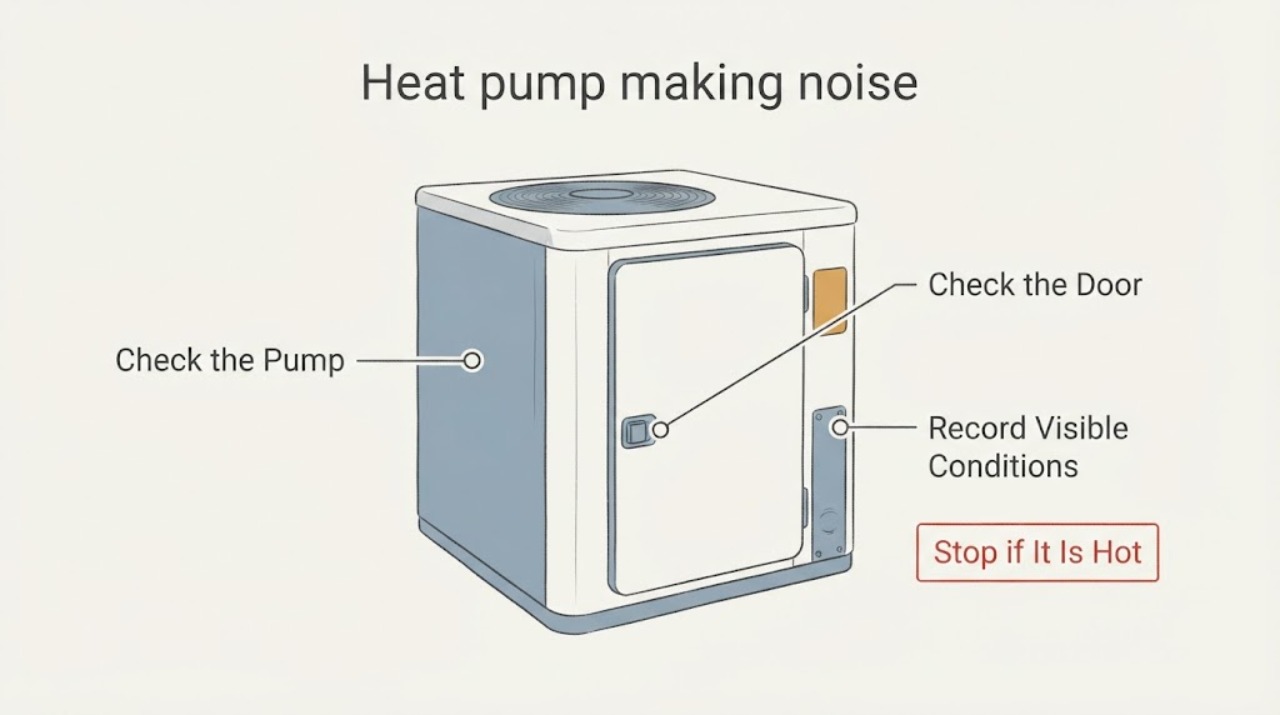
A heat pump can make ordinary startup, shutdown, airflow, or defrost sounds, but a new or worsening grinding, rattling, screeching, hissing, burning, or violently vibrating sound needs professional attention. From a safe distance, record the sound type, where it seems to come from, when it occurs, the operating mode, and whether weather, frost, ice, or an indoor comfort change is present. Do not open the equipment, touch a fan or coil, handle refrigerant or electrical parts, or keep operating a unit with a grinding sound, burning smell, smoke, sparks, ice striking the fan, severe vibration, or repeated breaker trips.
Work through in order
Diagnostic checks
Use only checks that match the exact appliance or system and its official guide.
-
Check 1
From a safe distance, listen to the heat pump once during the existing normal operation and classify the sound as a hum, whoosh, click, rattle, buzz, grinding, screech, hiss, or another description; do not approach moving parts.
Expected result: Note whether the sound is brief and associated with startup, shutdown, or a mode change, or whether it is new, loud, prolonged, metallic, or accompanied by vibration.
Next step: Record the description and timing and arrange HVAC service for a new or persistent abnormal sound. Do not run additional cycles to confirm it.
Stop if: Stop use immediately for grinding, scraping, smoke, sparks, a burning smell, violent vibration, or repeated breaker trips.
Why this matters
Why: A brief operating transition can be normal for some models, while a new or persistent grinding, screeching, rattling, or severe vibration is not a routine homeowner adjustment and may indicate a mechanical or electrical problem.
-
Check 2
Determine whether the sound is loudest at an indoor air handler, an outdoor unit, a duct or register, or a nearby wall or panel, using only normal room or yard access.
Expected result: Record whether the indoor sound follows airflow, the outdoor sound follows fan or compressor operation, the ductwork pops or pings briefly, or the sound is transmitted through the building without a clear unit source.
Next step: Give the location and the related comfort or airflow change to an HVAC technician. Do not remove an access panel, reach into a register, or touch the outdoor unit.
Stop if: Stop if the sound is accompanied by burning odor, smoke, sparking, exposed wiring, severe vibration, or an unsafe indoor air-handler condition.
Why this matters
Why: Indoor blower or duct clues, outdoor fan or compressor clues, and building-transmitted noise lead to different professional checks. Location alone cannot identify a failed part.
-
Check 3
Record the operating mode and weather context at the time of the sound: note heating or cooling, startup or shutdown, outdoor cold or wet conditions, and whether a defrost indication or temporary frost is visible from a safe distance.
Expected result: A temporary hum or airflow change during a documented defrost event may settle as the system returns to its mode. Ice that keeps growing, ice striking a fan, or noise that continues outside the expected transition is a different pattern.
Next step: Keep the observation with the weather and thermostat mode and contact HVAC service if the noise persists or the ice does not clear in the system's normal operation. Do not touch or chip ice.
Stop if: Stop use for ice contacting the fan, a grinding or scraping sound, smoke, burning odor, sparks, severe vibration, or any condition that makes the outdoor unit unsafe to approach.
Why this matters
Why: Mode and weather can explain some short-lived sounds, but persistent loud noise, worsening ice, or a change in comfort suggests service rather than a homeowner reset or refrigerant action.
-
Check 4
From a safe distance, visually inspect the outdoor unit and its surrounding area without touching it, moving it, or removing a cover.
Expected result: Note visible leaves, snow, debris, standing water, shifted panels, damaged guards, ice buildup, or a unit that visibly shakes while operating. Also note whether the indoor temperature or airflow changed.
Next step: Keep people away from the unit and provide the visual observations to an HVAC professional. Do not reach through a guard, clear ice by hand, or open the cabinet.
Stop if: Stop immediately for a damaged guard, exposed wiring, ice contacting moving parts, smoke, sparks, burning smell, or strong movement.
Why this matters
Why: Obvious external blockage or a damaged guard may contribute to noise or airflow trouble, while visible ice or movement can indicate a condition that needs professional evaluation. A clear exterior does not rule out an internal fault.
-
Check 5
Check the thermostat display and accessible indoor filter status without opening equipment: note any alert, unusual cycling, weak airflow, blocked register, or filter reminder.
Expected result: Record whether the home is maintaining the requested mode, whether airflow is weaker than usual, and whether the filter or register appears visibly blocked without disturbing it.
Next step: Follow only the owner's normal filter-care guidance if it can be done safely without equipment access; otherwise leave it in place and give the observation to a professional. Do not change wiring or settings repeatedly.
Stop if: Stop if the system has a burning smell, smoke, sparks, repeated breaker trips, severe vibration, or a noise that is getting worse.
Why this matters
Why: Airflow or control symptoms can make normal equipment noise more noticeable and may point to a maintenance or HVAC diagnosis. They do not prove that a blower wheel, capacitor, or other part has failed.
Use your observations
Decision map
Find the observation that best matches what you see, then follow the next safe action.
-
PATH 01Next step
What you see
The sound is brief, familiar, and occurs only during a normal startup, shutdown, or defrost transition with no other symptom.
Do this next
Record the operating context and monitor without approaching the equipment. Ask a technician if the sound changes, persists, or affects comfort.
-
PATH 02Next step
What you see
A new or persistent hum, buzz, rattle, screech, grinding, or hiss comes from the indoor or outdoor unit.
Do this next
Stop repeated testing and schedule HVAC service. Provide the location, timing, sound description, mode, and any comfort change; do not open the equipment.
-
PATH 03Next step
What you see
Noise occurs with visible ice, ice contacting the fan, or a worsening loss of airflow or comfort.
Do this next
Stop use and arrange professional HVAC evaluation. Do not chip ice, touch a fan, or handle refrigerant.
-
PATH 04Next step
What you see
The outdoor unit is visibly shaking, a guard or panel is damaged, or debris is near moving parts.
Do this next
Keep people clear and request service. Do not reach through the guard, move debris near the fan, or remove a panel.
-
PATH 05Next step
What you see
There is a burning smell, smoke, a spark, exposed wiring, or a breaker repeatedly trips.
Do this next
Stop use immediately and arrange qualified HVAC or electrical help as appropriate. Use emergency services for an immediate fire or life-safety threat.
Helpful context
Understand the symptom
Not every heat-pump sound means failure
The normal sound depends on the system and its operating state. A gentle whoosh during a mode change or a temporary hum during a defrost event may be normal for some systems. A sound that is new, unusually loud, prolonged, or paired with poor heating or cooling is a service clue. Record the change instead of judging it with a sound-meter number that may not apply to your model.
Observe, do not access the equipment
Listen and look from a safe standing position. Do not remove covers, reach toward the indoor blower or outdoor fan, clear ice by hand, inspect live wiring, open refrigerant circuits, or use repeated cycles to reproduce a dangerous sound. If the equipment must be shut down, use the normal thermostat control only when doing so is safe; leave technical isolation and repair to an HVAC professional.
What a technician needs to know
Provide the brand and model if known, the noise description, indoor or outdoor location, startup or shutdown timing, heating or cooling mode, weather or defrost context, visible ice or debris, vibration, filter or airflow changes, and any odor or breaker event. That history helps separate a normal operating transition from a fan, blower, compressor, capacitor, control, or refrigerant diagnosis.
Only after diagnosis
Potential parts
- condenser fan motor
Consider this category only if professional diagnosis links an outdoor-unit noise and movement pattern to a failed condenser fan motor.
Confirm the exact heat-pump model, motor specifications, electrical configuration, and manufacturer fitment with a qualified technician. - HVAC blower wheel
Consider this category only if a technician confirms that an indoor airflow-related sound originates from the blower wheel or its assembly.
Match the exact air-handler or fan-coil model and approved part information; do not infer fit from appearance. - fan capacitor
Consider this category only after professional testing identifies the capacitor as the cause of an outdoor fan or startup symptom.
Capacitor selection is model- and system-specific and involves hazardous electrical energy; have a qualified professional confirm and replace it.
When checks do not resolve it
Need a professional?
Arrange HVAC service for a new, persistent, loud, or worsening heat-pump noise, especially when it comes from the indoor or outdoor unit, follows a mode change, accompanies weak airflow or comfort loss, or appears with ice. Treat grinding, burning odor, smoke, sparks, severe vibration, ice striking a fan, and repeated breaker trips as immediate stop-use conditions.
Have this ready
- Provide the model if known, sound type, apparent source, startup or shutdown timing, heating or cooling mode, weather or defrost context, visible ice or debris, vibration, airflow or thermostat changes, and any odor or power event. Do not provide a guessed component diagnosis in place of those observations.
Common questions
FAQ
Is a humming or whooshing heat-pump sound always a problem?
No. Some systems make a temporary hum or whoosh during startup, mode changes, or defrost. A sound that is new, loud, prolonged, or paired with poor comfort, ice, vibration, or an odor should be treated as a service clue.
What does a grinding or rattling heat-pump sound mean?
It can involve an outdoor fan, indoor blower, compressor, loose or damaged hardware, or another mechanical or electrical condition. Do not open or touch the equipment; stop use for grinding, severe vibration, burning odor, smoke, sparks, or repeated breaker trips and arrange professional service.
Can ice on the outdoor heat-pump unit cause noise?
A little frost can occur in some heating conditions, but growing ice, ice contacting the fan, persistent noise, or reduced comfort needs professional evaluation. Do not chip or remove ice by hand.
Should I replace the fan motor or capacitor because the heat pump is noisy?
Not from noise alone. A qualified HVAC technician should identify the sound source and test the system before selecting a condenser fan motor, blower wheel, capacitor, or another part.
Read the exact guide
Official sources
- Heat Pump TroubleshootingCarrier · Manufacturer guidance on reversing-valve sound, outdoor-unit blockage or ice, unusual-noise clues, and expert service
- Is This Normal? HVAC Smells and Sounds, ExplainedTrane · Manufacturer explanation of normal versus changed heat-pump sounds, defrost hum, indoor/outdoor sound clues, and stop-service warnings
- Heat Pump Troubleshooting: Diagnosing Common IssuesTrane · Manufacturer guidance on unusual heat-pump noises, frost and ice observations, safe homeowner boundaries, and professional escalation
- Heat Pump Service and Maintenance TipsCarrier · Manufacturer distinction between homeowner visual observations and professional inspection of fans, coils, controls, capacitors, and defrost operation
Community feedback
Share a repair observation
Share a plain-text repair observation. Accepted observations are published automatically; this page may take a moment to update.