
On this page
Start here
Quick answer
If a central air conditioner starts and stops before completing a normal cooling cycle, first determine whether the thermostat is cancelling the cooling call or the equipment is stopping while the thermostat still calls for cooling. Check the mode, schedule, display power, thermostat location, accessible air filter, and airflow without opening the HVAC cabinet. A thermostat in direct sun or a strong supply-air stream can misread room temperature, but short cycling can also come from restricted airflow, a frozen coil, refrigerant trouble, electrical controls, or an oversized system. If the cycle remains rapid after the safe checks, if ice or water appears, or if a breaker trips, stop repeated testing and call a qualified HVAC professional.
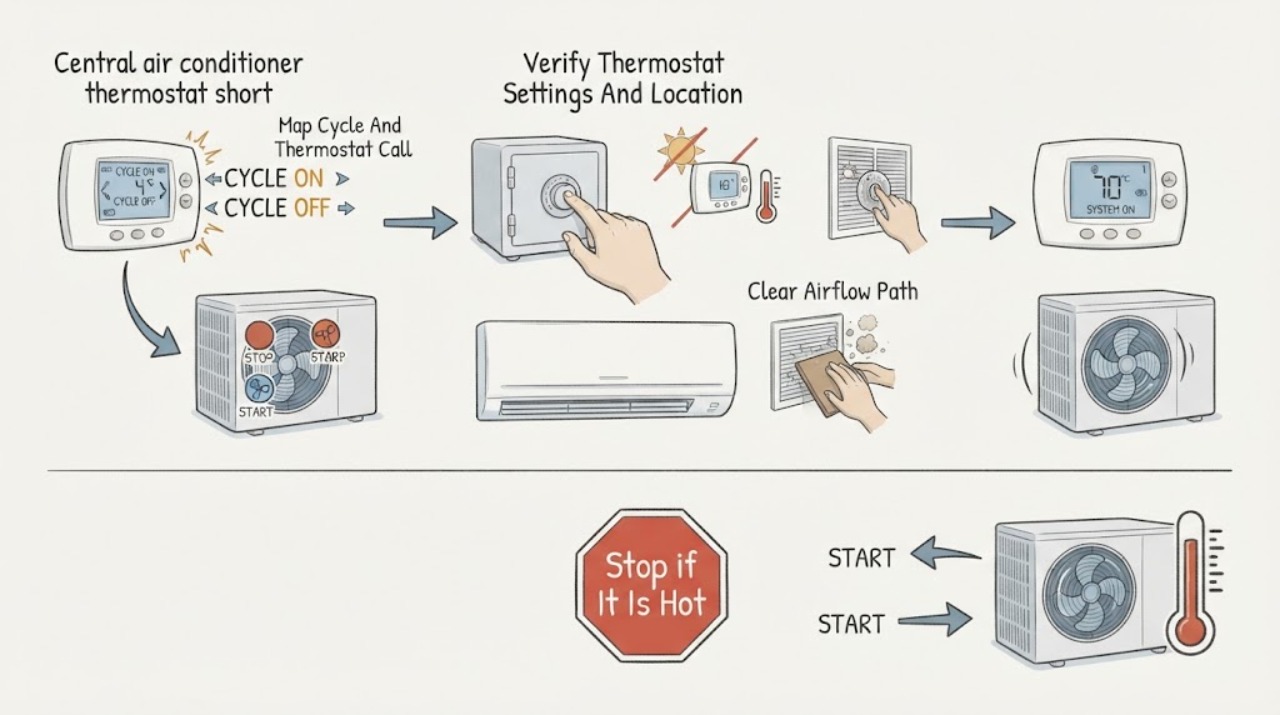
Work through in order
Diagnostic checks
Use only checks that match the exact appliance or system and its official guide.
-
Check 1
From a safe position, start one cooling call and record the thermostat setpoint, displayed room temperature, time the system starts, time it stops, and whether the thermostat still shows a call for cooling when the equipment stops. Do not repeatedly force the system to restart.
Expected result: The thermostat reaches the setpoint and cancels the call, the displayed temperature changes abruptly, or the equipment stops while the thermostat still calls for cooling; note whether the pattern repeats.
Next step: Use the observed pattern to choose the next check. If the system stops with an active cooling call repeatedly, arrange HVAC diagnosis instead of replacing the thermostat by guesswork.
Stop if: Stop immediately for smoke, burning odor, arcing, unusual loud noise, water near electrical equipment, or uncontrolled equipment behavior.
Why this matters
Why: A cancelled call or abrupt display change keeps the thermostat, schedule, or sensor location in focus. Equipment stopping while the call remains points more toward an HVAC protection, airflow, refrigerant, electrical, or control problem than a simple thermostat setting.
-
Check 2
Check the thermostat's mode, cooling setpoint, fan setting, schedule or hold state, and visible battery or power status. Look at its location without removing it: it should not be in direct sun, beside a supply register, in a draft, or next to a heat-producing appliance. Do not move the thermostat or touch its wiring as a first test.
Expected result: The control is in heat, off, or an unexpected schedule; the display is blank or rebooting; or the thermostat is exposed to a local heat or air stream. Alternatively, settings and location appear stable while the short cycling continues.
Next step: Correct only an obvious mode, schedule, or battery issue described by the thermostat manual, then observe one controlled cycle. Leave wiring, calibration, relocation, and replacement to a qualified technician if the symptom remains.
Stop if: Stop if the display is damaged, wiring is exposed, the thermostat is wet or hot, or correction would require removing the base or cover beyond the owner's instructions.
Why this matters
Why: An incorrect mode or schedule can create an apparent cycling problem, and a local temperature bias can make the thermostat end or restart cooling at the wrong time. Stable settings and a neutral location make a broader system cause more likely.
-
Check 3
With the system off as directed by the owner's manual, inspect the filter only at its normal user-accessible location and replace or clean it if the manual allows and it is visibly loaded. Confirm that return grilles and supply registers are open and that the outdoor unit has clear space from obvious leaves or debris; do not open the indoor or outdoor cabinet.
Expected result: The filter is visibly clogged, airflow is weak, a register is closed, or ice or water is visible; or the filter and accessible airflow look normal with no ice or water.
Next step: Make only the documented filter or register correction, then allow the system to stabilize and observe one cycle. If ice, water, weak airflow, or rapid cycling remains, turn the system off and call an HVAC professional.
Stop if: Stop for ice on tubing or coils, active condensate leakage, wet electrical equipment, a blocked return, or any need to remove an HVAC panel.
Why this matters
Why: Restricted airflow can make the system run abnormally and may contribute to short cycling or coil icing. A clean filter and normal accessible airflow do not rule out refrigerant, electrical, sizing, or internal control faults.
-
Check 4
If the thermostat display or system power is intermittent, check only the accessible thermostat batteries and the labeled electrical panel from a dry, safe position. Confirm whether a breaker is visibly tripped; do not repeatedly reset it and do not open the outdoor disconnect or equipment cabinet.
Expected result: The thermostat is blank, repeatedly reboots, or a labeled HVAC breaker is tripped; or the display and breaker remain stable while the equipment continues short cycling.
Next step: Replace batteries only when the manual identifies them as user-replaceable. If a breaker trips again or will not stay on, leave it off and call service; if power is stable, proceed to the controlled result rather than resetting more components.
Stop if: Stop for a burning smell, heat, buzzing, exposed wiring, a wet panel, or any breaker that trips again.
Why this matters
Why: Loss of thermostat power can interrupt a cooling call, while a tripped breaker can indicate an electrical or equipment fault. Stable power shifts attention back to the cooling call, airflow, refrigerant, sizing, or controls.
-
Check 5
After one permitted low-risk correction, run one normal cooling call from a clear position and record whether the thermostat call and equipment operation remain synchronized. Do not lower the setpoint repeatedly or use a reset as a substitute for diagnosis.
Expected result: The system completes a stable call and the symptom does not return, or it starts and stops rapidly again, fails to cool, leaves the thermostat calling, or produces ice, water, noise, or an odor.
Next step: If the symptom returns, turn cooling off as appropriate, preserve the timing and display observations, and schedule qualified HVAC service to check airflow, refrigerant, controls, compressor protection, and system sizing.
Stop if: Stop testing after one repeat of rapid cycling or any new hazard; do not continue operating a system that is icing, leaking, arcing, or overheating.
Why this matters
Why: A single stable result supports monitoring but does not prove a hidden defect is gone. A repeated mismatch or new physical symptom makes professional diagnosis more important than a thermostat replacement.
Use your observations
Decision map
Find the observation that best matches what you see, then follow the next safe action.
-
PATH 01Safety boundary
What you see
The display changes or cancels the cooling call as the system stops, especially when the thermostat is exposed to sun, a register, a draft, or a heat source.
Do this next
Verify mode and schedule, document the location and timing, and ask a qualified technician to check placement, calibration, wiring, or thermostat compatibility before replacing it.
Why this path and its safety boundary
Why it matters: A sensing, location, schedule, or thermostat-control issue is more likely than a compressor fault, although the equipment still needs evaluation if the pattern continues.
Safety stop: Do not move the thermostat or alter low-voltage wiring without model-specific instructions and appropriate training.
-
PATH 02Safety boundary
What you see
The thermostat continues to call for cooling, but the indoor or outdoor equipment stops, especially with weak airflow, ice, water, unusual noise, or inadequate cooling.
Do this next
Turn the system off if ice, water, overheating, or abnormal noise is present and arrange HVAC service. Do not handle refrigerant or electrical components.
Why this path and its safety boundary
Why it matters: The thermostat is less likely to be the sole cause. Airflow restriction, refrigerant trouble, a protective control, electrical component, or another internal HVAC issue is more likely.
Safety stop: Stop immediately for smoke, burning odor, arcing, exposed live parts, active flooding, or a breaker that trips again.
-
PATH 03Safety boundary
What you see
A clogged accessible filter or blocked register is found, but there is no ice, water, electrical hazard, or repeated breaker trip.
Do this next
Correct only the filter or register condition permitted by the manual, allow the system to stabilize, and stop for service if rapid cycling returns.
Why this path and its safety boundary
Why it matters: An airflow restriction is a plausible contributor and a limited maintenance correction may be appropriate; it does not establish that the thermostat is defective.
Safety stop: Do not open cabinets or continue running the system if ice or condensate leakage appears.
-
PATH 04Safety boundary
What you see
The thermostat settings and location, accessible filter and airflow, and safe power checks are normal, yet short cycling repeats.
Do this next
Stop repeated testing and book a qualified HVAC assessment; provide cycle timing, thermostat call state, filter condition, airflow, ice or water observations, and system history.
Why this path and its safety boundary
Why it matters: A hidden control, refrigerant, electrical, coil, compressor-protection, or sizing issue remains possible. Replacing the thermostat without a diagnosis could leave the cause unresolved.
Safety stop: Keep the system off when operation creates a hazard or damage risk.
Helpful context
Understand the symptom
What short cycling tells you
Short cycling is not simply any brief run. It is a repeated start-and-stop pattern in which cooling ends before the system completes a useful cycle. The thermostat may be sending an incorrect stop signal, or the air conditioner may be stopping because of airflow, refrigerant, electrical, sizing, or another equipment condition. Humid or unevenly cooled rooms are useful clues because very short runs may not remove enough moisture.
Separate thermostat evidence from HVAC evidence
The most useful observation is what the thermostat is asking for at the moment the outdoor or indoor equipment stops. If the displayed temperature reaches the setpoint or the cooling call disappears, focus first on settings, schedule, sensor location, or thermostat behavior. If the thermostat still calls for cooling while the equipment stops, the thermostat is less likely to be the sole cause and the HVAC system needs professional diagnosis.
Keep the checks homeowner-safe
A homeowner can observe the display, check an accessible filter, and confirm that vents and the outdoor unit are not blocked by obvious debris. Refrigerant, capacitors, contactors, control wiring, live electrical panels, coils, and load-sizing calculations are technician work. Do not remove HVAC covers or keep resetting a breaker to make a short-cycling system run.
Safety boundary
Stop conditions
- Stop for smoke, burning odor, arcing, exposed live parts, active flooding, wet electrical equipment, or uncontrolled equipment behavior.
- Do not remove HVAC panels, handle refrigerant, alter control wiring, bypass a safety, open an outdoor disconnect, or repeatedly reset a tripped breaker.
- After one permitted filter, setting, or battery correction and one controlled cycle, stop testing if rapid cycling returns or the system develops ice, water, noise, or inadequate cooling.
Only after diagnosis
Potential parts
- air filter
Consider this category only when the accessible filter is visibly loaded and the owner's manual permits homeowner replacement; a filter will not fix refrigerant, control, sizing, or electrical faults.
Confirm the exact filter dimensions, type, airflow direction, and equipment instructions before selecting one. - thermostat
Consider this only after a qualified diagnosis finds incorrect sensing, failed controls, or incompatibility rather than airflow, refrigerant, electrical, or equipment-sizing trouble.
Confirm system type, stages, wiring, power requirements, and manufacturer compatibility; do not select by appearance alone.
When checks do not resolve it
Need a professional?
Call a qualified HVAC professional when rapid cycling repeats after the safe checks, when the equipment stops while the thermostat still calls, or when ice, water, weak airflow, unusual noise, burning odor, electrical symptoms, or a tripped breaker appears.
Have this ready
- Cycle start and stop times and whether the thermostat still calls for cooling
- Thermostat mode, setpoint, displayed temperature, schedule, power, and location
- Filter condition, accessible airflow, ice or water observations
- Any breaker, noise, odor, cooling, humidity, or uneven-temperature change
- System and thermostat model information and recent repairs or installation history
Common questions
FAQ
How can I tell whether the thermostat is causing short cycling?
Watch the thermostat call when the equipment stops. If the display reaches the setpoint or cancels cooling, settings, schedule, sensing, or location deserve attention. If the thermostat still calls while the equipment stops, the HVAC system is less likely to be a simple thermostat problem.
Can a dirty filter cause the air conditioner to short cycle?
A loaded filter can restrict airflow and contribute to abnormal operation, but it is not proof that the thermostat is defective. Replace or clean it only at the normal user-accessible location and as the equipment manual permits; escalate if the symptom or icing remains.
Should I replace the thermostat first?
Not without diagnosis. A thermostat can misread temperature or send an incorrect signal, but short cycling also has airflow, refrigerant, electrical, protection, and sizing causes. A technician should verify the cause and compatibility before replacement.
Is short cycling damaging the air conditioner?
Repeated abnormal starts can increase wear, energy use, and comfort or humidity problems. Stop operating the system when it is icing, leaking, overheating, making a burning smell, or repeatedly tripping a breaker, and arrange qualified service.
What should I tell the HVAC technician?
Give the cycle timing, whether the thermostat still called for cooling, settings and location, filter and airflow observations, ice or water, noises or odors, breaker behavior, system age or model, and recent repairs or installation changes.
Read the exact guide
Official sources
- Thermostat Troubleshooting: Solutions for Common IssuesTrane · Manufacturer thermostat guidance used for low-risk display, battery, power, cleaning, and temperature-observation checks; it does not replace model-specific instructions.
- Maintenance ChecklistENERGY STAR · Government-backed efficiency guidance for maintenance boundaries; it is not a substitute for the installed system's manual or a diagnostic service call.
- AC Short Cycling? Learn Why and What to DoTrane · Manufacturer guidance used for general symptom and cause patterns; exact equipment behavior and repair method vary by system.
- Troubleshoot an Air Conditioner | AC TroubleshootingCarrier · Manufacturer guidance used for common central-air symptoms and homeowner-safe filter/settings checks; refrigerant and electrical work require qualified service.
Community feedback
Share a repair observation
Share a plain-text repair observation. Accepted observations are published automatically; this page may take a moment to update.