
On this page
Start here
Quick answer
A condenser that is not cooling can have a thermostat, indoor-airflow, outdoor-airflow, fan, compressor, refrigerant, or capacitor-related problem. First compare thermostat demand, indoor airflow, outdoor fan behavior, ice, and visible obstructions from safe positions. A condenser that hums or clicks without starting can be consistent with a capacitor or motor-start fault, but it is not proof. Do not open the cabinet, test live wiring, handle or discharge a capacitor, or work on refrigerant. Capacitors can retain dangerous electrical charge after power is removed; leave the system off for smoke, burning odor, arcing, unusual heat, repeated breaker operation, severe vibration, or returning ice and arrange qualified HVAC service.
Before you begin
Safety first
- Do not open the condenser cabinet, handle or discharge the capacitor, touch wiring or moving parts, test live circuits, enter the refrigerant circuit, or use a generic replacement part.
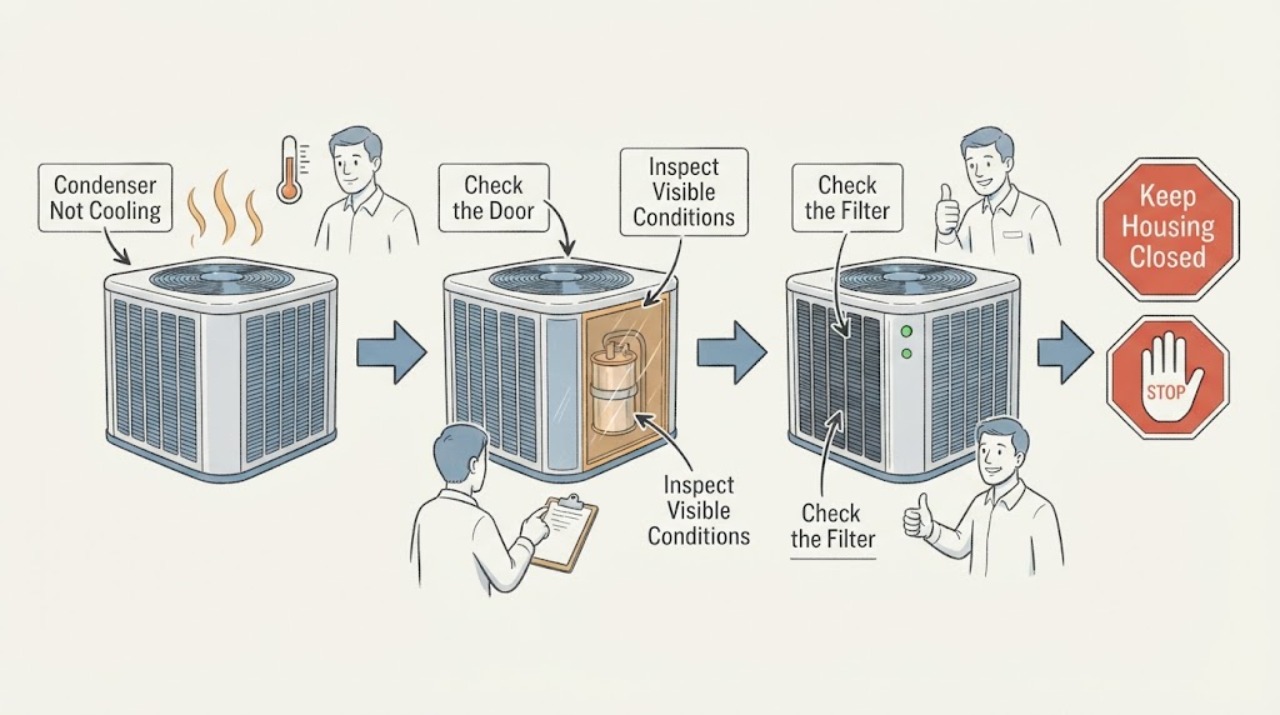
Work through in order
Diagnostic checks
Use only checks that match the exact appliance or system and its official guide.
-
Check 1
From a safe position, check the symptom at the registers and thermostat without opening equipment. Note whether the thermostat is calling for cooling, whether air is moving indoors, and whether that air feels cool, neutral, or warm.
Expected result: The thermostat is not calling, airflow is weak or absent, or airflow is normal but warm.
Next step: Record the result and continue only with the matching safe branch. Do not assume a capacitor is at fault from warm air alone.
Stop if: Stop if there is smoke, burning odor, arcing, a hot outlet or cabinet, or a protection-device trip.
Why this matters
Why: No call points toward a control or setting issue; weak airflow points toward the indoor filter, blower, duct, or frozen-coil path; normal airflow with warm air keeps the outdoor condenser, refrigerant, compressor, fan, and capacitor paths open.
-
Check 2
Use the normal thermostat controls to confirm cooling mode, the intended setpoint, and an automatic fan setting when applicable. Make one normal call for cooling and observe the response without rapid repeated switching.
Expected result: The system starts and produces cool air, the thermostat display or mode is wrong, or the system does not respond despite a clear cooling call.
Next step: If the setting was wrong, monitor the next normal cycle. If a valid call produces no response, leave the unit off and give the sequence to an HVAC technician.
Stop if: Stop for an electrical smell, smoke, spark, repeated breaker operation, or a condenser that becomes unusually hot.
Why this matters
Why: Correct settings with restored cooling point to a control-setting cause. A valid call with no response leaves power, controls, fan, compressor, and capacitor causes open and is not a reason to open the condenser.
-
Check 3
Inspect the accessible return filter and supply registers without touching internal wiring. Compare the filter with the equipment manual, replace it only when the model and filter type are known, and make sure registers are not intentionally closed or blocked.
Expected result: The filter is visibly loaded, registers have poor airflow, or airflow is normal despite a warm room.
Next step: Correct only the accessible filter or register issue allowed by the manual, then observe one normal cycle. If airflow stays weak, cooling stays warm, or ice appears, stop and request HVAC diagnosis.
Stop if: Stop if the filter area is wet, there is standing water near electrical equipment, ice is extensive, or access requires removing a panel.
Why this matters
Why: A restricted filter or blocked distribution path can reduce cooling and can contribute to a frozen indoor coil. Normal airflow makes an outdoor-unit, refrigerant, compressor, fan, or capacitor path more plausible but still does not prove one.
-
Check 4
Observe the condenser from outside the cabinet during one normal cooling call. Note whether the outdoor fan turns, whether warm air is discharged upward, whether the unit is silent, or whether it hums, clicks, starts and stops, or makes a harsh mechanical sound.
Expected result: The fan runs and warm air leaves the top, the fan does not start, or a hum or repeated click occurs without a normal start.
Next step: Leave the system off when the fan will not start, a compressor repeatedly attempts to start, or cooling is lost. Give the technician the sound and fan sequence instead of forcing another cycle.
Stop if: Stop immediately for grinding, scraping, severe vibration, smoke, burning odor, visible arcing, or a hot cabinet.
Why this matters
Why: A running fan confirms only that part of the outdoor sequence is operating; it does not rule out compressor, refrigerant, or airflow problems. A stalled fan with a hum or click is consistent with a capacitor or motor-start issue, but it can also involve a motor or control fault.
-
Check 5
Inspect only the space around the condenser from a safe position. Look for leaves, grass, a fence or shrub blocking airflow, a loose object, a shifted pad, bent fins, visible oil-like residue, or damaged refrigerant tubing; do not reach through the grille or move the unit.
Expected result: Airflow is obstructed outside the cabinet, the unit is unstable, fins are damaged, or residue or tubing damage is visible.
Next step: Only remove loose material that is well away from the unit and can be picked up without contact with the cabinet. Leave fins, tubing, residue, guards, and an unstable pad for HVAC service.
Stop if: Stop if clearing the area would require touching the cabinet, grille, wiring, tubing, sharp metal, or unstable equipment.
Why this matters
Why: External debris and blocked discharge can reduce heat rejection. A shifted unit, damaged tubing, or oil-like residue can indicate a mechanical or refrigerant issue that cannot be confirmed by wiping or probing it.
-
Check 6
Look from a safe distance for frost or ice on accessible refrigerant lines, the outdoor unit, or the indoor coil area, and note whether the symptom follows a long run or weak airflow. Do not chip ice or apply heat to melt it.
Expected result: There is no ice, ice is present and clears after the cooling call is stopped, or ice returns after airflow is restored.
Next step: Use the normal thermostat control to stop cooling and allow a safe, natural defrost, then arrange HVAC service if ice returns, cooling remains poor, or the coil cannot be safely observed.
Stop if: Stop for returning ice, water near electrical equipment, a leak, damaged tubing, or any need to open the coil or handle refrigerant.
Why this matters
Why: Ice can accompany restricted airflow, a frozen evaporator coil, or refrigerant trouble. Returning ice means the underlying condition remains and continued operation can stress the system; it is not evidence that the capacitor is the only cause.
-
Check 7
If the unit hums, clicks, fails to start, short cycles, or the fan turns slowly, treat the capacitor as a conditional professional diagnosis. Read the model label only from a safe, accessible position and do not open the service panel or infer a replacement from appearance.
Expected result: A motor-start symptom repeats, the model is available, or there is no reliable start symptom and only poor cooling is present.
Next step: Leave the system off and ask a qualified HVAC technician to assess the capacitor, fan, compressor, controls, airflow, and refrigerant path as indicated. Do not order a generic capacitor or try to make the motor start.
Stop if: Stop before any cabinet opening, live electrical work, capacitor handling or discharge, refrigerant work, or moving-part access.
Why this matters
Why: Humming, clicking, repeated cycling, and weak cooling can be associated with a failing capacitor, but the same pattern can result from a fan motor, compressor, control, power, airflow, or refrigerant problem. A model is needed before compatibility can be assessed.
-
Check 8
Prepare a service handoff with the equipment brand and model, thermostat response, indoor airflow, outdoor fan behavior, sound pattern, ice or residue, airflow obstruction, recent power or weather event, and any odor, heat, smoke, vibration, or trip.
Expected result: The sequence is documented, or the unit cannot be safely approached because of a warning sign.
Next step: Request qualified HVAC service and keep the condenser off when the symptom is abnormal or the system is not cooling. Use emergency help for fire, active smoke, or immediate electrical danger.
Stop if: Do not restart after smoke, burning odor, arcing, repeated protection trips, severe vibration, or a stalled fan.
Why this matters
Why: A clear sequence helps the technician separate settings, airflow, outdoor fan, capacitor-start, compressor, control, and refrigerant possibilities without exposing the reader to stored charge or refrigerant hazards.
Use your observations
Decision map
Find the observation that best matches what you see, then follow the next safe action.
-
PATH 01Next step
What you see
The thermostat setting was wrong and normal cool airflow returns after one normal correction.
Do this next
Arrange qualified service and follow the exact model guidance.
Why this path and its safety boundary
Why it matters: Monitor the next ordinary cycle. If the problem returns, document the setting and symptom sequence and request HVAC service.
-
PATH 02Next step
What you see
Airflow is weak and the filter or registers are visibly restricted.
Do this next
Arrange qualified service and follow the exact model guidance.
Why this path and its safety boundary
Why it matters: Correct only the accessible restriction allowed by the manual. If airflow remains weak or ice appears, leave cooling off and arrange service.
-
PATH 03Next step
What you see
The outdoor fan does not start, or the unit hums or clicks without a normal start.
Do this next
Arrange qualified service and follow the exact model guidance.
Why this path and its safety boundary
Why it matters: Leave the condenser off and request HVAC diagnosis. A capacitor or motor-start fault is possible, but it is not confirmed without professional testing.
-
PATH 04Next step
What you see
The fan runs but cooling is poor, the condenser is blocked, or visible ice, residue, or tubing damage is present.
Do this next
Arrange qualified service and follow the exact model guidance.
Why this path and its safety boundary
Why it matters: Stop continued operation and arrange HVAC diagnosis for airflow, refrigerant, compressor, fan, and control causes; do not open the circuit or investigate residue.
-
PATH 05Next step
What you see
Smoke, burning odor, arcing, unusual heat, severe vibration, or repeated protective-device operation is present.
Do this next
Arrange qualified service and follow the exact model guidance.
Why this path and its safety boundary
Why it matters: Keep clear and leave the system off. Obtain urgent HVAC or electrical help from a safe location, using emergency services for fire or immediate danger.
Helpful context
Understand the symptom
The outdoor condenser rejects heat from the home through its coil, fan, compressor, and refrigerant circuit. If the indoor air is warm, the condenser is silent, or the outdoor fan does not run, the symptom does not identify one failed part. A thermostat call, indoor airflow, outdoor fan response, ice, and the condition of the air around the outdoor unit provide safer clues than opening the cabinet.
The capacitor supplies starting energy and helps the compressor and fan motors run. A weak capacitor may be associated with humming, clicking, failed starts, short cycling, or weak cooling, but a motor, control, power, airflow, or compressor fault can look similar. It can retain stored electrical energy after power is disconnected, so capacitor inspection, testing, discharge, and replacement belong to a qualified HVAC professional.
Keep homeowner checks non-contact and outside the condenser cabinet. Use the thermostat and other normal controls, look at the accessible filter and registers, and observe the outdoor unit from a safe distance. Do not chip ice, open panels, touch wiring or moving parts, enter the refrigerant circuit, or repeatedly cycle a unit that is failing to start.
Only after diagnosis
Potential parts
- Condenser run or start capacitor
Consider this only after a qualified HVAC technician confirms a capacitor fault and identifies the correct device for the specific compressor and fan arrangement.
Do not infer electrical specifications from appearance, sound, or a generic listing; capacitor work and compatibility checks require professional service. - Condenser fan motor
A stalled or slow fan can have a motor, capacitor, control, or mechanical cause. A technician should identify the failed component before any replacement.
Confirm the exact equipment model and manufacturer requirements; do not reach through the grille or test the motor yourself. - Compressor or refrigerant-system service
Consider this path only after the technician evaluates airflow, fan, capacitor, controls, and refrigerant evidence and confirms the cause.
Compressor selection and refrigerant recovery, leak repair, or charging require qualified HVAC service and exact equipment information.
When checks do not resolve it
Need a professional?
Safety scope: Do not open the condenser cabinet, handle or discharge the capacitor, touch wiring or moving parts, test live circuits, enter the refrigerant circuit, or use a generic replacement part.
Common questions
FAQ
Does a condenser that is not cooling always need a new capacitor?
No. Thermostat settings, indoor or outdoor airflow, ice, the fan, compressor, controls, and refrigerant problems can produce the same warm-air symptom. A humming or clicking failed start can make a capacitor a possibility, but a qualified technician must confirm the cause.
Can I check or replace the condenser capacitor myself?
No. An HVAC capacitor can retain dangerous electrical energy after power is removed. Do not open the cabinet, test, discharge, or replace it; arrange qualified HVAC service.
What should I do if the outdoor fan hums but does not start?
Leave the condenser off and record the hum or click, fan response, thermostat call, and cooling result for a technician. A capacitor or motor-start issue is possible, but repeated cycling can stress the system and does not safely diagnose it.
Should I keep running the AC when I see ice?
No. Stop cooling from the normal thermostat control and arrange service if the ice returns or cooling remains poor. Ice can accompany restricted airflow, a frozen indoor coil, or refrigerant trouble, and it should not be chipped or heated.
When is a condenser not cooling an urgent stop?
Stop immediately for smoke, burning odor, arcing, unusual heat, severe vibration, repeated breaker operation, a stalled fan with failed starts, returning ice, visible tubing damage, or water near electrical equipment. Keep clear and request qualified HVAC or emergency help as appropriate.
Read the exact guide
Official sources
- What is an AC Capacitor? | Cost, Signs of Failure & ReplacementCarrier · Residential AC capacitor symptoms, stored-energy warning, compatibility, and qualified replacement guidance
- 1910.333 - Selection and use of work practices.Occupational Safety and Health Administration · Electrical de-energizing, stored-energy, and qualified-person work boundaries
- All About Heat Pump Capacitors and Signs of TroubleTrane · Residential HVAC capacitor function, start symptoms, and professional service boundary
- What is an AC Condenser Unit? | Function, Cost & RepairCarrier · Residential AC condenser function, outdoor airflow, common condenser faults, and professional refrigerant guidance
- Why Is My AC Not Blowing Cold Air? 7 Common Causes | CarrierCarrier · Residential AC no-cooling troubleshooting for thermostat, filter, condenser blockage, ice, refrigerant, and professional escalation
Community feedback
Share a repair observation
Share a plain-text repair observation. Accepted observations are published automatically; this page may take a moment to update.