
On this page
Start here
Quick answer
A blank thermostat may be asleep, out of battery power, disconnected from its base, or not receiving power from the heating and cooling system. Wake the display first, then follow only the battery and model-specific steps in its manual; check the HVAC system switch or breaker from a safe position. If the display stays blank, the HVAC power protection trips again, wiring is exposed, or the equipment has a burning smell, leave the system off and have a qualified HVAC professional diagnose it.
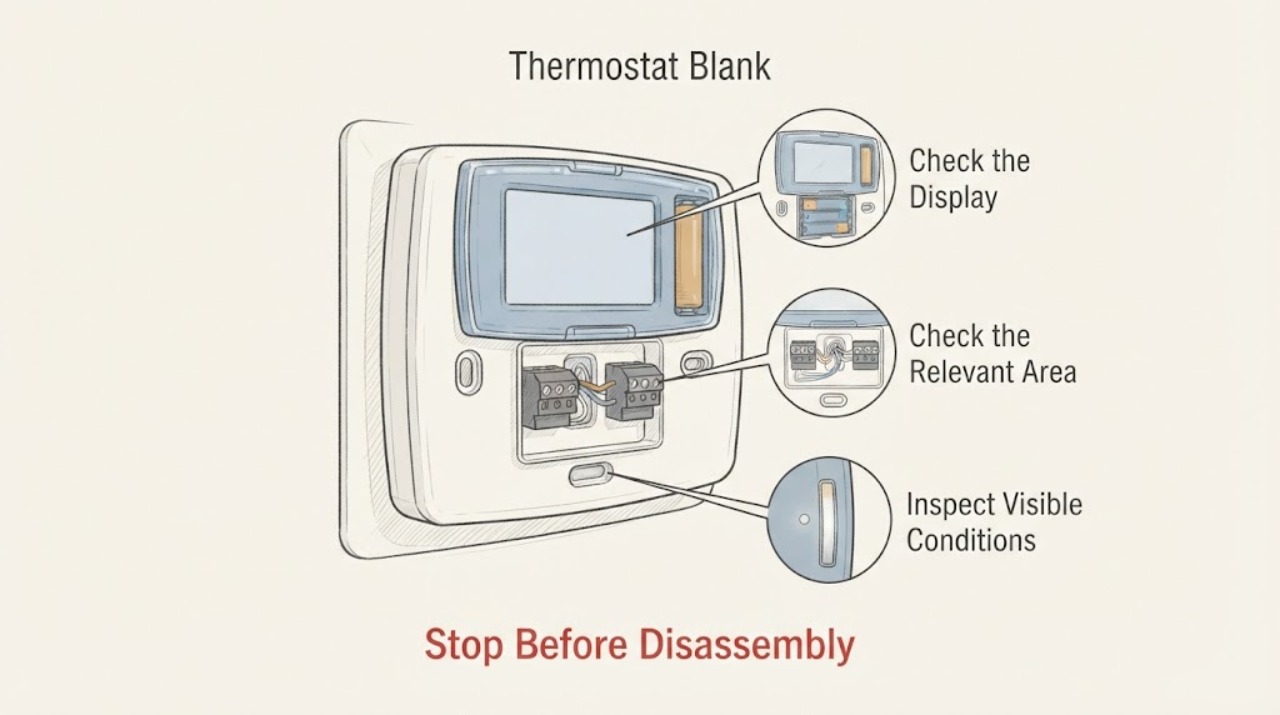
Work through in order
Diagnostic checks
Use only checks that match the exact appliance or system and its official guide.
-
Check 1
Approach the thermostat and use its normal wake control, such as a tap, button, or ring movement described by the model. Check whether the screen is merely dark while the device responds, or whether there is no display, light, sound, or response at all.
Expected result: The display wakes or responds to the normal control, or it remains completely blank and unresponsive.
Next step: If it wakes, check the model's power or battery status and whether it can call for heating or cooling. If it remains blank, continue with the safe battery and system-power checks below; do not pry the display off its base unless the manual permits it.
Why this matters
Why: A display that wakes can be using a sleep feature; a fully unresponsive display needs a power, battery, base connection, or thermostat diagnosis rather than a temperature-setting change.
-
Check 2
Identify whether this thermostat is battery-powered, system-powered, or rechargeable from its label or manual. If it has an accessible user battery compartment, replace or reseat the batteries exactly as the manual shows; if it has a rechargeable display, use only the documented charging method. Do not improvise a charger or touch terminals on an unknown design.
Expected result: The display returns after the documented battery or charging step, or it remains blank despite a known-good, correctly installed battery or charge.
Next step: If the display returns, continue to check whether the HVAC system responds. If it remains blank, leave the thermostat in place and move to the HVAC power check; use a professional for hardwired or rechargeable designs that do not recover.
Why this matters
Why: A recovered display points to depleted, misplaced, or poorly seated battery power. A continued blank display points toward missing system power, a base or wiring issue, or a failed display or control circuit.
-
Check 3
From a dry, safe position, verify that the heating and cooling system has power. Check the clearly labeled HVAC system switch or breaker and look for an outage; do not open the equipment cabinet or electrical panel. If the switch or breaker is off and there are no hazard signs, restore it only according to the equipment and panel instructions.
Expected result: The HVAC system switch or breaker is off, the home has a power outage, or the switch is on but the thermostat and equipment remain without power.
Next step: After a normal power restoration, allow the thermostat to restart according to its manual. If the protective device will not stay on, the system has no power, or the thermostat stays blank, stop resetting and arrange qualified HVAC or electrical service.
Why this matters
Why: The thermostat may be blank because its HVAC system is not sending power. If power is present but the display remains blank, the fault may be in the thermostat wiring, control-board protection, transformer, or thermostat itself.
-
Check 4
Inspect only the outside of the furnace or air-handler area for an obvious service switch that is off and for a cabinet cover that is visibly open or not seated. Do not remove the cover, reach inside, or handle a fuse or control board; many systems use a cover safety switch and system-specific controls.
Expected result: The equipment switch is off, the cabinet cover is open or mis-seated, or the area shows water, burning odor, scorching, or damaged wiring.
Next step: If the area is dry and undamaged, close an obviously loose exterior cover only as the equipment instructions allow and restore the switch once. For water, burning, damage, a cover that will not seat, or a repeat loss of power, keep the system off and call a qualified professional.
Why this matters
Why: An off switch or open cover can interrupt power to the thermostat on some systems. Water, heat, burning, or visible wiring damage indicates a hazard or equipment fault that a thermostat reset cannot solve.
-
Check 5
If the display comes back, test the thermostat's normal controls without opening it: note whether it can show a setpoint, change mode, or call for heat or cooling, and whether the HVAC equipment starts after its normal built-in delay. Do not use an extreme setting or repeatedly cycle the equipment.
Expected result: The display works but the heating or cooling equipment does not respond, or the display loses power again when a call is made.
Next step: Record any message or indicator and arrange HVAC service if the equipment does not respond or the thermostat goes blank again. Do not bridge terminals or bypass an equipment safety switch to force operation.
Why this matters
Why: The thermostat now has some power, so a blank-screen fault may have been temporary; failure under a call can instead involve equipment power, a low-voltage control circuit, a safety switch, or HVAC equipment protection.
-
Check 6
If the thermostat is removable by design, review the model manual before touching it. Only after system power is off as the manual directs may you check that the display is fully seated on its base; do not disconnect or rearrange wall wires on an unidentified installation.
Expected result: The display was not seated, or it is seated but the screen remains blank and the system power is confirmed on.
Next step: Reseat only as the model instructions show and restore power once. If the display remains blank, wires are loose or exposed, the system needs a common-power connection, or the problem began after installation, stop and call a qualified HVAC professional.
Why this matters
Why: A display that is not fully seated can lose charging or contact with the base. A correctly seated blank display with system power suggests a wiring, common-power, control-board, or thermostat fault that needs model-specific diagnosis.
Use your observations
Decision map
Find the observation that best matches what you see, then follow the next safe action.
-
PATH 01Next step
What you see
The screen wakes with the normal tap, button, or ring control.
Do this next
Treat it as a sleep or intermittent-power issue, check the model's power status, and verify that the HVAC system responds normally without repeated cycling.
-
PATH 02Next step
What you see
An accessible documented battery is depleted, incorrectly installed, or the rechargeable display is below charge.
Do this next
Follow the exact model instructions for battery replacement, reseating, or charging. If the screen stays blank, move to system-power and professional diagnosis.
-
PATH 03Next step
What you see
The HVAC system switch or breaker is off, or the home has lost power.
Do this next
Restore power only from a safe dry position and according to the equipment instructions. If protection trips again or the thermostat does not recover, leave the system off and call a professional.
-
PATH 04Next step
What you see
The equipment cabinet is open, the service switch is off, or the area shows water, scorching, burning odor, or damaged wiring.
Do this next
Do not reach inside or keep resetting power. Keep the HVAC system off and arrange qualified HVAC or electrical service.
-
PATH 05Next step
What you see
The thermostat display is on but the HVAC equipment does not heat or cool, or the display goes blank again during a call.
Do this next
Treat this as an equipment-side, control-power, or safety-circuit fault and arrange HVAC service rather than replacing the thermostat blindly.
-
PATH 06Next step
What you see
System power is confirmed, the display is properly seated according to its manual, and the thermostat remains blank.
Do this next
Keep the system out of service as appropriate and have a qualified technician diagnose the thermostat, base, control wiring, protective fuse, transformer, and HVAC equipment.
Helpful context
Understand the symptom
Because the thermostat brand and model are not identified, do not assume it uses replaceable batteries, a common wire, a removable display, or a particular voltage. Use the model label and its manual to determine which checks apply. A thermostat that is blank may also be reporting that the furnace or air handler has lost its own power.
Keep the heating and cooling system off if you see scorching, smell burning, hear arcing, see exposed conductors, or find water near electrical equipment. Thermostat wiring is not a safe place for trial-and-error reconnection, especially when the equipment or system type is unknown.
Only after diagnosis
Potential parts
- thermostat batteries
Consider only when the exact thermostat manual specifies user-replaceable batteries and the display recovers or battery testing confirms depletion.
Battery chemistry, size, orientation, and whether the model is rechargeable are model-specific. - thermostat display or base
Consider only after the display is correctly seated, system power is confirmed, and a qualified diagnosis identifies a failed display or base contact.
Display and base pairing and wiring differ by model; confirm the complete thermostat documentation before replacement. - low-voltage fuse or protective device
Consider only if a qualified technician confirms a failed system-side protective device; a blown fuse can be a symptom of another wiring or equipment fault.
Protection type and rating are system-specific. Do not replace or up-rate it based only on a blank screen. - thermostat transformer or common-power component
Consider only when qualified testing finds missing or unstable control power and confirms the transformer or common-power component as the cause.
System type, wiring, and approved component ratings must be verified by a qualified HVAC professional.
When checks do not resolve it
Need a professional?
Stop and obtain professional help for burning odor, smoke, water near equipment, exposed or damaged wires, a hot cabinet or switch, repeated breaker or fuse operation, a blank display after confirmed system power, or a thermostat that loses power again. Do not open the HVAC cabinet or electrical panel, bridge thermostat terminals, bypass a cover or safety switch, or install a common wire on an unknown system.
Common questions
FAQ
Could a blank thermostat simply be asleep?
Yes. Some thermostats turn off the display when they do not sense activity and wake when approached or operated. If the normal wake control produces no response, check model-appropriate power and battery causes instead.
Why is the thermostat blank after a power outage?
The HVAC system may still be off at its breaker, fuse box, or system switch, or the thermostat battery may have drained while system power was unavailable. Restore power only from a safe position and call a professional if it does not recover.
Can I reconnect thermostat wires to fix a blank screen?
Do not rearrange unidentified wires. Manufacturer guidance requires system power to be off before wiring is exposed or adjusted, and a new common-power connection generally requires a professional. Use the model manual or qualified HVAC service.
What if the thermostat screen works but the HVAC does not run?
That is no longer a simple blank-screen problem. Check for a system power or equipment message without opening the cabinet, then arrange HVAC service if the equipment does not respond or the display loses power again.
Read the exact guide
Official sources
- Troubleshoot a "No power" alert on a Nest thermostat (E298, E448 or M20 help code)Google Home and Nest Help · Nest thermostat system power, HVAC switch or breaker, cover safety switch, wiring, common-power, and pro boundary
- How to turn the power off to your systemGoogle Home and Nest Help · Safe HVAC system power isolation before thermostat wiring or base work
- 69-2680EF_E.pdfResideo · Resideo thermostat blank-screen behavior and power-loss conditions for the documented model
- Troubleshoot when your thermostat won’t turn onGoogle Home and Nest Help · Google Nest thermostat blank display, battery, base seating, system power, and professional-help guidance
Community feedback
Share a repair observation
Share a plain-text repair observation. Accepted observations are published automatically; this page may take a moment to update.