
On this page
Start here
Quick answer
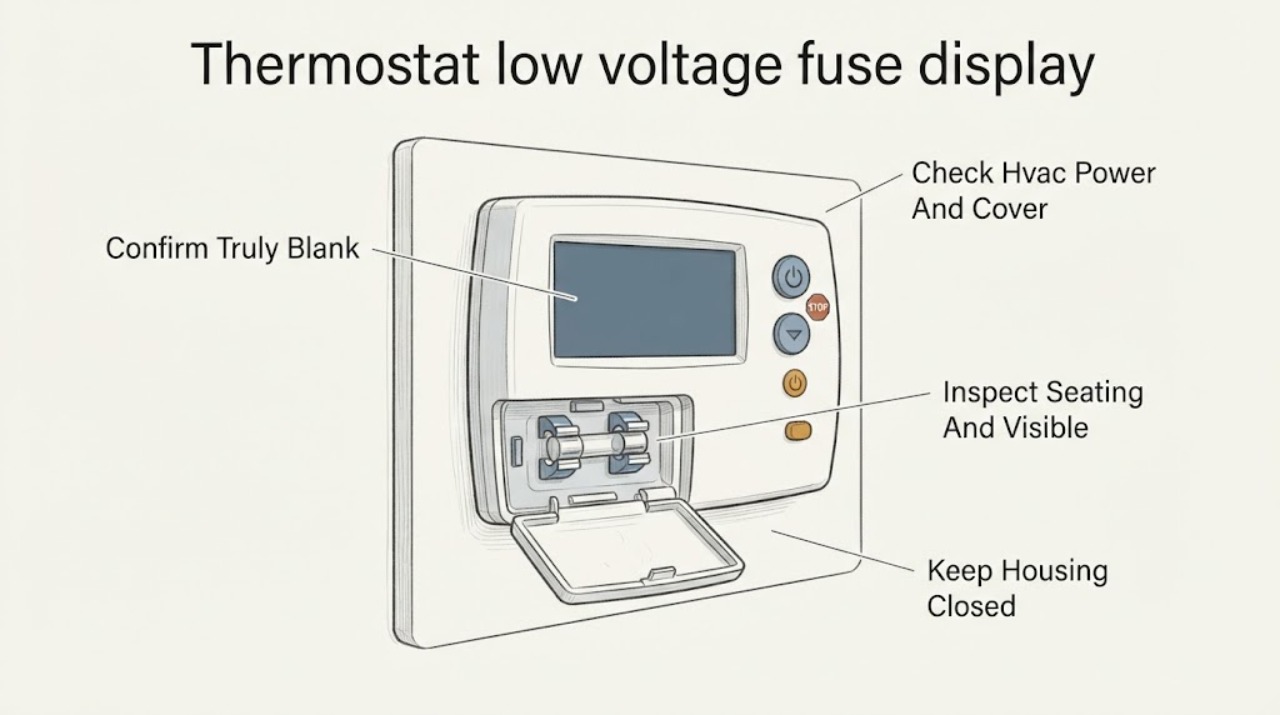
A completely blank ecobee display usually means the thermostat has lost its low-voltage power path, not that the screen alone has failed. First wake the display normally, then check the HVAC breaker, nearby system switch, and whether the furnace or air-handler cover is fully closed. If the screen remains dark, a blown low-voltage fuse is one possible cause, along with a missing or loose C-wire, an incorrect Power Extender Kit connection, a transformer, wiring, condensate safety, or the ecobee itself. Do not open an energized HVAC cabinet, pull or bridge a fuse, install a different fuse, or move thermostat wires as a test. If the breaker trips again, the fuse is suspected or repeatedly fails, wiring is loose, water is present, or the system will not power the thermostat after the safe checks, stop and have a qualified HVAC technician diagnose the low-voltage circuit.
Before you begin
Safety first
- This article covers ordinary-access observation only: waking the display, checking external power controls, confirming a cover is seated, and preserving installation history. It does not authorize cabinet opening, live voltage measurement, fuse removal or substitution, wiring changes, safety bypass, or sealed HVAC work.
Work through in order
Diagnostic checks
Use only checks that match the exact appliance or system and its official guide.
-
Check 1
Approach the ecobee and use one normal touch or control interaction to see whether the display wakes. Do not remove the thermostat or press exposed terminals just to test it.
Expected result: The display wakes and responds, remains completely dark, shows a partial or frozen image, or the ecobee application reports a different status than the wall unit.
Next step: Record the exact symptom and whether heating or cooling equipment is running, then continue to the safe HVAC power checks only if the screen is genuinely unresponsive.
Stop if: Stop for a hot, cracked, wet, smoking, sparking, or burning-smelling thermostat or wall area.
Why this matters
Why: A display that wakes is not a total power-loss case. A dark, unresponsive display points toward lost low-voltage power, a seating or wiring issue, or an internal thermostat fault; a partial or frozen image may need model-specific support rather than fuse work.
-
Check 2
From a dry, safe position, check whether the HVAC breaker is in its normal ON position, the nearby furnace or air-handler service switch is on, and the equipment cover or access door is fully seated. Do not repeatedly reset a breaker that trips.
Expected result: The breaker or switch is off, the equipment cover is not seated, the breaker trips again, or the system power and cover appear normal while the ecobee remains blank.
Next step: Correct only an accidentally off switch or clearly unseated cover without opening the cabinet. If the breaker trips again, leave it off and arrange HVAC service; otherwise continue with non-invasive thermostat observations.
Stop if: Do not reset a tripping breaker repeatedly, open the furnace or air-handler cabinet, or reach near line-voltage wiring.
Why this matters
Why: An off switch or open equipment cover can remove thermostat power. A breaker that trips again indicates an unresolved electrical or equipment fault; normal visible power shifts attention to the low-voltage fuse, transformer, wiring, safety circuit, or thermostat.
-
Check 3
If the system is safely powered down at its master switch or breaker and the model instructions allow ordinary access, verify that the ecobee face is fully seated on its backplate and visually note whether the accessible wire ends and terminal levers appear secure; do not pull, move, or re-route a wire.
Expected result: The face is not flush or does not click into place, a wire appears loose or not fully inserted, the thermostat was recently installed or removed, or the face and visible terminals appear correctly seated.
Next step: If the model instructions describe reseating the face, restore it gently with power off and then restore power once. If a wire appears loose, the arrangement is unknown, or the blank screen began after wiring work, stop and provide the photos and history to a qualified technician.
Stop if: Do not touch bare conductors, move wires between terminals, remove the wall plate, or open the HVAC control board as part of this check.
Why this matters
Why: A poorly seated face or visible terminal issue can interrupt the thermostat's power path, especially after installation. A correctly seated assembly makes an upstream fuse, transformer, C-wire or PEK, safety switch, wiring, or thermostat fault more likely.
-
Check 4
Review the ecobee model, installation guide, prior thermostat photo, and any recent C-wire, Power Extender Kit, furnace, air-handler, or accessory work without changing the wiring. Note whether the blank display started immediately after that work or a power event.
Expected result: The installation has a C-wire, uses a PEK, has no known common-wire path, was recently rewired, or has no recent installation or wiring change.
Next step: Use ecobee's compatibility and model-specific documentation to identify the intended arrangement, then have a qualified technician verify it if the screen remains blank. Do not install a PEK or rewire the board as a trial.
Stop if: Do not access the equipment control board, bridge a terminal, or make a wiring change without the exact instructions, power isolation, and appropriate training.
Why this matters
Why: A blank display after installation or PEK work raises the likelihood of an incorrect terminal arrangement, missing power return, loose connection, or a protective fuse opening. No recent work keeps a breaker, switch, transformer, fuse, safety circuit, wiring, or thermostat fault in play.
-
Check 5
Without opening the equipment cabinet, record whether the blank display coincides with a condensate overflow or water near the indoor unit, a recent storm or power surge, an accessory installation, unusual HVAC behavior, or a fuse indication visible through an already-provided external status window.
Expected result: There is water or a drain alarm, a recent electrical event, a repeated blank screen after power restoration, an abnormal HVAC sound or odor, or no related event and no visible status indication.
Next step: Keep the system off for water, odor, smoke, sparking, or repeated failure and arrange service. Have the technician test the low-voltage fuse and trace its cause rather than replacing or bypassing it as a homeowner experiment.
Stop if: Do not remove a fuse, open a panel, test live voltage, bypass a condensate or door safety, or install a higher-rated fuse.
Why this matters
Why: A condensate safety, electrical event, accessory or wiring fault can interrupt low-voltage power and may open the protective fuse. An abnormal sound or odor is a stop-use clue. No visible clue does not rule out a fuse, transformer, control-board, field-wiring, or thermostat fault.
-
Check 6
After one safe correction of an accidentally off switch, a fully seated equipment cover, or a model-approved thermostat reseating step, restore system power once and observe the ecobee and HVAC response without starting repeated resets.
Expected result: The ecobee boots and stays on, the display returns briefly then goes blank, the breaker or fuse protection opens again, or the display remains blank while the equipment behaves abnormally.
Next step: Leave the system in the safest power state and arrange qualified HVAC service for recurrence, suspected fuse failure, wiring uncertainty, water, or abnormal operation. Give the technician the model, photos, timing, and exact power-restoration result.
Stop if: Do not keep cycling power, substitute a fuse, bypass a safety, or continue if the system smells hot, sparks, trips, leaks, or exposes wiring.
Why this matters
Why: Stable recovery supports an interrupted visible power or seating condition. A returning blank screen or repeated protective opening indicates an unresolved low-voltage, transformer, wiring, safety, control, or thermostat fault; abnormal equipment behavior adds an HVAC service issue.
Use your observations
Decision map
Find the observation that best matches what you see, then follow the next safe action.
-
PATH 01Next step
What you see
The ecobee wakes and responds to a normal touch or control interaction, even if it had appeared dark at first.
Do this next
Record when the display sleeps or returns, check for recurring HVAC interruptions, and use ecobee model-specific support if the behavior persists.
Why this path and its safety boundary
Why it matters: The symptom is not established as a blown low-voltage fuse; a display timeout, software state, or intermittent power issue remains possible.
-
PATH 02Next step
What you see
The HVAC breaker or switch is off, the equipment cover was open, or a breaker trips again after one safe reset.
Do this next
Leave a repeatedly tripping breaker off and arrange qualified HVAC service; have the equipment power path and low-voltage protection checked.
Why this path and its safety boundary
Why it matters: The thermostat may be losing power upstream. A repeat trip is evidence of an unresolved electrical or equipment fault, not permission to keep resetting it.
-
PATH 03Next step
What you see
The blank screen began after ecobee installation, C-wire or PEK work, an equipment replacement, or a terminal change.
Do this next
Keep power off before any professional inspection, preserve the old wiring photo and model documentation, and have a qualified technician verify the exact ecobee and HVAC wiring arrangement.
Why this path and its safety boundary
Why it matters: A terminal, common-wire, PEK, seating, or wiring configuration issue is more likely than an unexplained thermostat failure, and an incorrectly protected circuit may have opened its fuse.
-
PATH 04Next step
What you see
The blank display accompanies condensate water, a drain alarm, a float-safety symptom, or an indoor-unit cover that is not seated.
Do this next
Do not bypass the safety or open the cabinet. Correct only an obvious external water hazard if safe, then arrange HVAC service to inspect the drain, safety, power path, and fuse cause.
Why this path and its safety boundary
Why it matters: A safety circuit may be withholding low-voltage power to limit water damage, or the equipment interlock may be open; the low-voltage fuse is not proven to be the cause.
-
PATH 05Next step
What you see
The ecobee stays blank with normal visible HVAC power, a correctly seated thermostat, and no simple installation explanation, or the protective fuse indication is known to have opened.
Do this next
Stop user troubleshooting and arrange qualified HVAC service. Request that the technician identify and correct the reason for the fuse opening before restoring normal operation.
Why this path and its safety boundary
Why it matters: A low-voltage fuse, transformer, control board, field wiring, accessory, safety circuit, or thermostat fault is plausible, but the fuse itself is a symptom and needs circuit diagnosis.
Helpful context
Understand the symptom
A blank ecobee is first a power-path symptom
If the display is dark and does not respond to a normal touch, the useful first question is whether low-voltage power is reaching the thermostat. The path can include the HVAC disconnect or breaker, a system switch, an equipment-door interlock, the transformer, the low-voltage fuse, field wiring, the C-wire, and—on applicable installations—the ecobee Power Extender Kit. A fuse may open to protect that circuit, so replacing it without finding the cause can leave the fault unresolved or make the failure recur.
Check the simple, visible conditions before the fuse
Ecobee's installation instructions specifically call out secure thermostat terminal connections, a closed HVAC cover panel, the correct R-terminal arrangement, and correct PEK terminals when a PEK is installed. A homeowner can record visible symptoms and confirm a cover is closed, but should not expose a control board or rearrange wires merely to chase a blank screen. The exact ecobee model and HVAC configuration determine which wiring arrangement is valid.
Why a low-voltage fuse needs professional diagnosis
A blown low-voltage fuse can be the result of a short, damaged thermostat or accessory wiring, a PEK or terminal error, a control-board fault, or another equipment problem. The fuse is a protective component, not a reset button. Do not bridge it, substitute a different rating, or keep restoring power after it opens. A technician can de-energize the equipment, identify the correct fuse from the exact system documentation, trace the low-voltage circuit, and verify the repair without bypassing a safety device.
C-wire and PEK symptoms are configuration-specific
Ecobee smart thermostats use a continuous low-voltage power arrangement. Depending on the model and installation, that can be a C-wire or an ecobee PEK. Ecobee says to use its compatibility guidance and its model-specific instructions; a PEK is not a universal substitute and its installation requires power to be turned off before the equipment control board is accessed. Treat a blank display after installation, wiring changes, or an equipment replacement as a configuration and circuit diagnosis, not as proof that the thermostat needs replacement.
Safety boundary
Stop conditions
- Stop immediately for smoke, burning odor, sparking, hot or damaged wiring, water near electrical parts, repeated breaker trips, or an uncontrolled HVAC behavior.
- Do not remove, bridge, bypass, or substitute a low-voltage fuse; never install a different fuse or keep resetting protection to see whether the ecobee returns.
- Do not open an energized furnace or air-handler cabinet, test live terminals, move thermostat wires, or access a control board as an ordinary display check.
- Do not bypass a condensate float switch, equipment-door interlock, or other safety device to restore thermostat power.
- Stop and arrange qualified HVAC service when the display stays blank after the safe visible checks, the blank screen follows wiring or PEK work, the fuse is suspected, or the system is not heating or cooling normally.
Only after diagnosis
Potential parts
- low-voltage HVAC fuse
Consider this category only if a technician confirms that the installed low-voltage fuse is open and identifies the correct protection after tracing the underlying circuit fault.
Confirm the exact HVAC equipment documentation and required protection; never choose a fuse by appearance, substitute a different rating, or install one before the short or fault is diagnosed. - HVAC transformer
Consider this category only when qualified testing shows the transformer is not supplying the thermostat circuit after upstream power, fuse, wiring, and safety conditions are evaluated.
Confirm the exact equipment requirements and qualified installation procedure; low-voltage appearance does not make transformer work a safe live test. - ecobee Power Extender Kit
Consider this category only when the exact ecobee model and HVAC wiring lack the required common-wire arrangement and ecobee's compatibility guidance identifies the PEK as suitable.
Use ecobee's compatibility checker and model instructions; confirm the HVAC system type and wire arrangement before installation, with power isolated first. - ecobee thermostat or backplate
Consider this category only after qualified diagnosis confirms stable low-voltage power and correct wiring while the ecobee remains blank or its display hardware fails.
Confirm the exact ecobee model, backplate, HVAC compatibility, and installation requirements; a replacement does not correct an upstream fuse or wiring fault.
When checks do not resolve it
Need a professional?
Arrange qualified HVAC service when the ecobee display remains blank after one safe check of the system switch, breaker, equipment cover, and model-approved thermostat seating; when a low-voltage fuse is suspected or opens again; when wiring, C-wire, PEK, transformer, control-board, condensate safety, or thermostat faults are possible; or when the equipment trips, leaks, smells hot, sparks, or behaves abnormally. A technician should trace and correct the cause before restoring fuse protection. This article does not authorize live electrical testing, fuse replacement, safety bypass, or control-board rewiring.
Safety scope: This article covers ordinary-access observation only: waking the display, checking external power controls, confirming a cover is seated, and preserving installation history. It does not authorize cabinet opening, live voltage measurement, fuse removal or substitution, wiring changes, safety bypass, or sealed HVAC work.
Common questions
FAQ
Does a blank ecobee display prove that the low-voltage fuse is blown?
No. A blank display indicates a power or device problem, but the cause can also be the HVAC breaker or switch, an open equipment cover, C-wire or PEK arrangement, wiring, transformer, condensate safety, control board, or the ecobee itself. A fuse is a protective component and needs professional circuit diagnosis.
What can I safely check before calling about a blank ecobee?
Wake the display normally, check the external HVAC breaker and system switch from a dry safe position, confirm the equipment cover is seated, and preserve the model and wiring history. If the model instructions allow it with system power isolated, confirm the thermostat face is seated. Do not open the HVAC cabinet or move wires.
Should I replace the low-voltage fuse to see if the ecobee comes back on?
Do not treat fuse replacement as a homeowner test. A fuse may have opened because of a wiring short, PEK or accessory issue, transformer, control board, or another fault. Do not bridge it, use a different fuse, or keep resetting protection; have a qualified HVAC technician identify the cause first.
Can a missing C-wire or incorrect PEK connection leave an ecobee screen blank?
It can interrupt the power arrangement, especially after installation or rewiring, but the exact result depends on the ecobee model and HVAC system. Use ecobee's compatibility and model instructions, preserve the old wiring photo, and have a technician verify the arrangement instead of moving terminals as a trial.
When is a blank ecobee an urgent HVAC service issue?
Stop and arrange service for a repeated breaker or fuse opening, water near the equipment, smoke, burning odor, sparking, exposed wiring, abnormal HVAC operation, a warming or unsafe home, or a display that stays blank after the safe visible checks. Do not bypass equipment or condensate safety devices.
Read the exact guide
Official sources
- Installing your Smart Thermostat Essentialecobee · Official ecobee installation guidance used for model-specific power and terminal checks; the Essential guide is not a universal wiring diagram for every ecobee or HVAC system.
- No Power to Thermostat? Find Solutions HereLennox · Manufacturer HVAC guidance used for generic no-power mechanisms and the distinction between a blown fuse and its underlying cause; it does not establish an ecobee-specific fuse location or rating.
- Common Thermostat Issues and How to TroubleshootCarrier · Manufacturer HVAC guidance used for generic blank-display power symptoms and escalation; Carrier-specific details do not replace ecobee or equipment documentation.
- Power Extender Kitecobee · Official ecobee product and installation guidance used to explain that PEK suitability is model- and system-dependent and that HVAC power must be off before control-board access.
Community feedback
Share a repair observation
Share a plain-text repair observation. Accepted observations are published automatically; this page may take a moment to update.