
On this page
Start here
Quick answer
If a thermostat stays blank immediately after new batteries are installed, first stop and identify the exact model and whether it is battery-only, wired with battery backup, or a smart thermostat that also depends on HVAC power. With the system safe and the display removed only as the manual permits, verify the batteries are the correct type, fresh, firmly seated, and aligned to the compartment's positive and negative markings; inspect only for visible corrosion or a bent contact. Reseat a removable display or faceplate squarely on its base. A wired thermostat can remain blank when the furnace or air-handler switch, breaker, low-voltage fuse, C-wire connection, or access-panel interlock has lost power, so do not touch exposed wires or repeatedly reset a tripped breaker. If the display remains blank after the model's documented battery and power checks, or if wiring is damaged, the HVAC system will not run, or the breaker trips again, leave the system in a safe state and arrange qualified HVAC service.
Before you begin
Safety first
- Keep the system in a safe state for repeated breaker trips, burning odor, smoke, arcing, shock, damaged wiring, an open or damaged equipment panel, or uncontrolled heating or cooling. Do not open the HVAC cabinet, touch low-voltage conductors, or bypass an interlock.
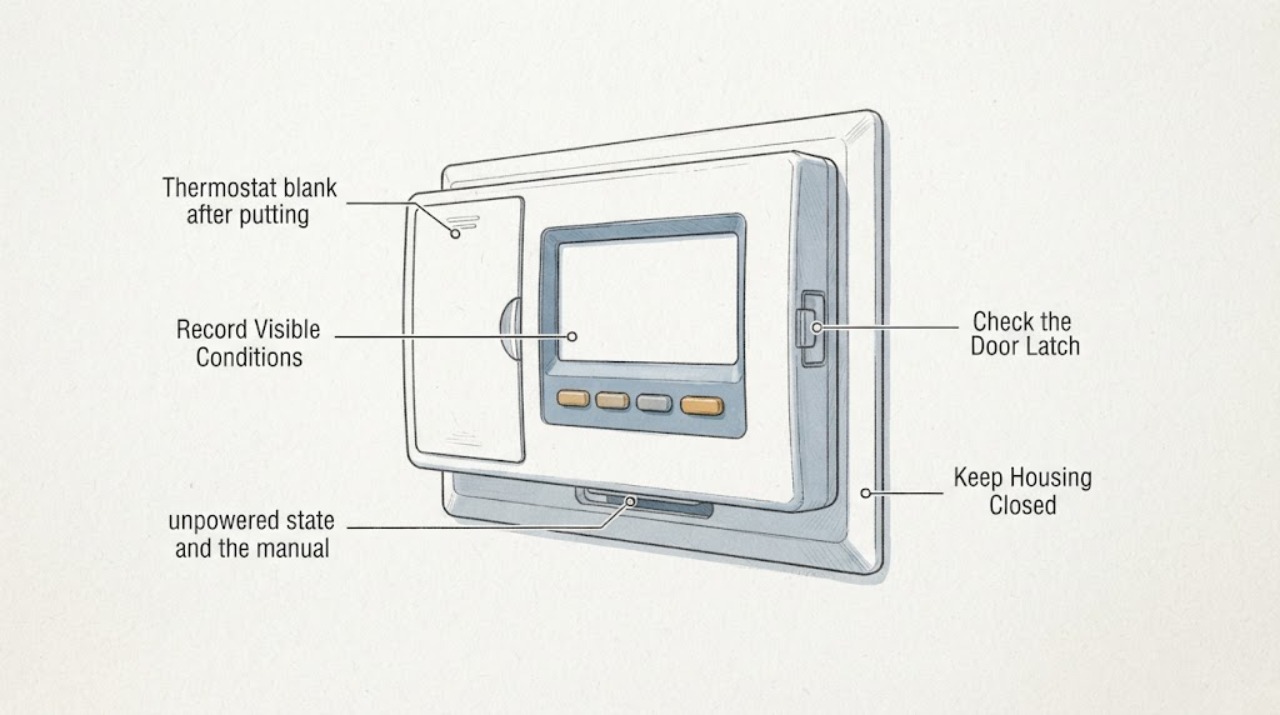
Work through in order
Diagnostic checks
Use only checks that match the exact appliance or system and its official guide.
-
Check 1
Record the exact thermostat model, whether it is battery-only, wired, or smart, whether the display is completely blank or shows a light, and whether the furnace, air handler, heating, or cooling operated before the battery change. Do not remove a cover until the manual identifies the safe access method.
Expected result: The thermostat is battery-only, has system wires or a C-wire connection, shows a light but no screen, or the HVAC system is also without power.
Next step: Use the matching manual and follow the battery branch or wired-power branch below. Keep the system off if wires are exposed, a panel is damaged, or a breaker has tripped repeatedly.
Why this matters
Why: Battery-only and wired models have different power paths, while a light or system response can distinguish a display issue from complete loss of thermostat or HVAC power. The exact model controls battery type, base removal, and reset behavior.
-
Check 2
With the thermostat in a safe, unpowered state and the manual available, remove the old batteries and verify that the new cells match the specified type, are not damaged or leaking, and are aligned to every positive and negative marking. Check only for visible dirt, corrosion, a bent contact, or an object preventing contact; do not scrape or bridge terminals.
Expected result: A battery is reversed, the type is wrong, a cell is damaged or weak, a contact is corroded or bent, or the compartment appears clean and the cells are correctly oriented.
Next step: Correct only the battery type or orientation specified by the manual and reinstall the compartment without force. If a contact is damaged or the screen remains blank, stop and continue to the model-specific seating and power checks rather than modifying the contact.
Why this matters
Why: Incorrect type, polarity, weak cells, or poor contact can leave the display without usable power. A clean, correct compartment makes the display seating or HVAC power path more likely.
-
Check 3
For a removable faceplate or smart display, align it with the wall plate or base and press it straight on until the model's documented latch or click occurs. Look only for a cable or wall obstruction preventing seating; do not pull or rearrange conductors while system power is on.
Expected result: The display was tilted or not fully seated, a cable prevents the faceplate from sitting flat, the display seats correctly but remains blank, or the base has no indicator where the model normally provides one.
Next step: Reseat only as the exact model instructions show. If a cable is in the way, a connector is loose or corroded, or the display still stays blank, turn off system power at the prescribed switch or breaker and arrange professional diagnosis; do not force the base.
Why this matters
Why: A display that is not fully seated may not make battery or low-voltage contact. A clear, correctly seated display with no response makes battery contact, system power, fuse, wiring, or thermostat failure more likely.
-
Check 4
For a wired thermostat, inspect only accessible external power controls: whether the HVAC breaker is fully on, the furnace or air-handler service switch is on, and the equipment access panel is closed and seated. Do not reset a breaker that is hot, damaged, wet, or tripping, and do not touch thermostat wires or a fuse.
Expected result: The breaker or service switch is off, the access panel is open or misaligned, the breaker trips again, the system is powered but the display remains blank, or the visible controls are normal.
Next step: Restore only a clearly off external switch or breaker once, if the area is dry and safe and no damage is visible. If it trips again, the panel or wiring is damaged, or the display remains blank, leave power off and call a qualified HVAC professional.
Why this matters
Why: A wired thermostat can lose its display when the HVAC equipment loses low-voltage power or a panel interlock is open. A repeated trip or normal external power with a blank display needs professional electrical or HVAC diagnosis.
-
Check 5
Test the display only with the model's normal wake action—tap the screen, press a button, turn the ring, or use the documented control—and note whether the HVAC responds despite a blank display. Do not start heating or cooling repeatedly, short terminals, or make electrical measurements; keep system conductors untouched unless qualified and the system is safely isolated.
Expected result: The display wakes, the display stays blank but the HVAC runs, neither thermostat nor HVAC responds, or the HVAC runs continuously or unpredictably.
Next step: If the display remains blank or the system behaves unexpectedly, set the system to a safe state if possible and arrange qualified service. Do not rely on an HVAC call made by a blank thermostat or leave uncontrolled heating or cooling running.
Why this matters
Why: A display-only failure, a thermostat power or communication failure, and an HVAC equipment fault are different service paths. Uncontrolled operation or a system that ignores the thermostat is not a battery problem to keep testing.
-
Check 6
After the battery, seating, and external power checks, use at most one reset or restart procedure that the exact manual authorizes. Record whether the screen returns, asks for setup, shows a low-power indicator, or stays blank; do not apply a factory reset, remove wiring, or repeat a breaker cycle as a substitute for diagnosis.
Expected result: The thermostat restarts normally, displays a low-power or system-power message, returns to blank after a short time, or remains blank with confirmed batteries and system power.
Next step: Save the exact message and stop user-level troubleshooting when the screen remains blank, the system loses power again, or wiring or fuse work is needed. Arrange qualified HVAC service and provide the model, battery change, power observations, and reset result.
Why this matters
Why: A restart can clear a temporary state, but a recurring blank screen or low-voltage message points to power delivery, base or wiring, fuse, or thermostat hardware. A model-specific message is more useful than a guessed fault code.
Use your observations
Decision map
Find the observation that best matches what you see, then follow the next safe action.
-
PATH 01Next step
What you see
The thermostat is battery-only, a battery is reversed or the wrong type, or a cell is damaged or not contacting its terminal.
Do this next
Install the exact fresh battery type in the marked orientation and seat the compartment without force. If the contacts are corroded, bent, wet, or damaged, stop and arrange service.
Why this path and its safety boundary
Why it matters: The new-battery event has not yet established a valid power connection at the thermostat.
-
PATH 02Next step
What you see
The batteries are correct and the removable display or faceplate is not fully seated on its base.
Do this next
Reseat the display straight onto the base using the exact model instructions. Do not pull wires or force the latch; arrange service if the base or connector is damaged or the screen stays blank.
Why this path and its safety boundary
Why it matters: The thermostat may have battery power but no contact with the display or wall-plate connectors.
-
PATH 03Next step
What you see
A wired thermostat remains blank after correct batteries, while the HVAC breaker, system switch, or furnace or air-handler access panel is off or misaligned.
Do this next
Correct only a clearly off external switch or properly close an accessible panel if the area is dry and safe. If the breaker trips, the panel is damaged, or the display remains blank, leave power off and call a qualified professional.
Why this path and its safety boundary
Why it matters: The thermostat may be missing low-voltage power from the HVAC equipment even though new batteries were installed.
-
PATH 04Next step
What you see
The thermostat stays blank after fresh, correctly installed batteries and confirmed external HVAC power, or the screen returns blank after a restart.
Do this next
Stop at external observations and arrange qualified HVAC service. Provide the exact model, battery type, seating result, breaker or switch state, system response, and any low-power message.
Why this path and its safety boundary
Why it matters: A wall-plate connection, low-voltage fuse, C-wire or wiring issue, base, or thermostat electronics may be involved; battery replacement is no longer a sufficient check.
-
PATH 05Next step
What you see
The screen is blank but the furnace or air conditioner runs continuously, will not stop, or responds unpredictably.
Do this next
Set the system to a safe state if possible without opening equipment or touching wires, then arrange qualified HVAC service. Do not keep changing batteries or leave the equipment running unattended.
Why this path and its safety boundary
Why it matters: The system may have a thermostat wiring, relay, control, or equipment fault; a blank screen does not make uncontrolled operation safe.
-
PATH 06Next step
What you see
A breaker trips again, wires are loose or damaged, a fuse or panel is damaged, there is a burning odor, or anyone feels shock or sees arcing.
Do this next
Stop immediately, keep clear, do not reset the breaker again or touch the thermostat wiring, and obtain qualified HVAC or electrical help. Seek emergency help for smoke or fire.
Why this path and its safety boundary
Why it matters: This is an electrical or equipment safety event, not a thermostat battery adjustment.
Helpful context
Understand the symptom
New batteries do not prove the thermostat has power
A battery-only thermostat depends on correct cells and contacts. A wired or smart thermostat may also depend on low-voltage power from the furnace or air handler, a wall-plate connection, a C wire, or a fuse. The condition after putting in new batteries is therefore a useful clue, not a complete diagnosis. Record the exact model and whether heating or cooling still responds before moving any wires.
Use the model instructions for the battery compartment
Battery sizes, tray locations, polarity markings, removable faceplates, and restart behavior vary. Use fresh batteries of the type specified by the manual, do not mix old and new cells, and do not force a tray or battery. If contacts are corroded, bent, wet, or loose, stop at visual documentation and arrange service rather than scraping or bridging them.
A wired thermostat adds an HVAC power branch
If the display remains blank after a correct battery installation, check only accessible external controls: the HVAC breaker, system switch, and a firmly closed furnace or air-handler access panel. A tripped breaker, open safety interlock, blown low-voltage fuse, loose wall plate, or damaged conductor can remove thermostat power. Do not pull wires, short terminals, bypass a panel switch, or repeatedly reset a breaker.
Do not replace the thermostat before separating power from failure
A thermostat that works on batteries but not from the HVAC system has a different path from one that remains blank with known-good batteries. If the old thermostat or the HVAC system also fails, system power or wiring is more likely. If the HVAC system works with a correctly installed known-good control while this display stays blank, the thermostat or base may need model-specific replacement. A qualified technician should confirm compatibility and wiring before replacement.
Safety boundary
Stop conditions
- Stop immediately for burning odor, smoke, arcing, a hot panel, visible wire damage, shock, or a breaker that trips again. Do not reset repeatedly or touch wiring; keep clear and obtain qualified HVAC or electrical help.
- Do not pull, short, rearrange, or test thermostat wires, bridge a fuse, bypass a furnace or air-handler door switch, or open the equipment cabinet unless qualified and the exact procedure requires safe isolation.
- Do not force a battery tray or faceplate, scrape or bridge corroded contacts, use damaged or leaking batteries, or mix battery types or old and new cells.
- Stop for uncontrolled heating or cooling, a system that runs continuously, a blank display with no reliable way to set the system safely, or an HVAC system that also has no power. Arrange prompt qualified service.
- Keep the thermostat and HVAC system in a safe state when the display remains blank after the exact battery, seating, external-power, and one documented restart check. Do not keep testing to force a diagnosis.
Only after diagnosis
Potential parts
- thermostat battery set or battery tray
Consider this category only when the exact manual identifies the battery type or a qualified inspection confirms a damaged tray or contact after correct installation.
Battery size, chemistry, tray, and contact design vary by thermostat. Confirm the exact model and use only the specified cells. - thermostat display, base, or wall plate
Consider this category only when correct batteries and system power are confirmed but the display, base, or wall-plate connection fails qualified diagnosis.
Displays and bases are not universal and compatibility depends on the thermostat model and HVAC wiring. Confirm fit and service diagnosis before replacement. - low-voltage fuse, C-wire accessory, or wiring repair
Consider this category only after qualified diagnosis identifies missing low-voltage power, a blown fuse, a required common-wire accessory, or damaged wiring.
HVAC low-voltage work can damage controls or create unsafe operation. Use the exact system documentation and qualified installation; do not choose a generic fuse or bridge a circuit.
When checks do not resolve it
Need a professional?
Arrange qualified HVAC service when the display stays blank after correct new batteries and model-appropriate seating and power checks, when the HVAC system also lacks power, when a low-voltage fuse, C-wire, wall plate, base, or wiring may be involved, or when the thermostat cannot control heating or cooling. Treat repeated breaker trips, burning odor, smoke, arcing, shock, damaged wiring, or uncontrolled HVAC operation as immediate safety issues.
Safety scope: Keep the system in a safe state for repeated breaker trips, burning odor, smoke, arcing, shock, damaged wiring, an open or damaged equipment panel, or uncontrolled heating or cooling. Do not open the HVAC cabinet, touch low-voltage conductors, or bypass an interlock.
Common questions
FAQ
Why is my thermostat still blank after I put in new batteries?
The batteries may be reversed, the wrong type, weak, or not contacting the terminals; a removable display may not be seated; or a wired thermostat may have lost HVAC power through a breaker, system switch, fuse, C-wire, panel interlock, or wiring fault. Use the exact model checks before assuming the thermostat itself failed.
How do I check thermostat battery polarity?
With the thermostat accessed only as the manual permits, compare each battery's positive and negative end with the markings in the compartment. Use the specified fresh type, do not force the tray, and stop for corrosion, wetness, a bent contact, or a damaged battery.
Can a wired thermostat stay blank even after new batteries?
Yes. Some wired thermostats use batteries only as backup or may still need power from the furnace or air handler. Check only the accessible system switch, breaker, and properly closed equipment panel as the model instructions allow. Do not touch thermostat wires, fuses, or the HVAC cabinet.
Should I keep resetting the breaker if the thermostat stays blank?
No. A single reset may be appropriate only when the area is dry, no damage or odor is present, and the model guidance permits it. If the breaker trips again or the display stays blank, leave the system off and arrange qualified HVAC service; repeated resets can worsen an unresolved fault.
Could the thermostat be damaged rather than the batteries being bad?
Possibly, but confirm correct batteries, contacts, display seating, and HVAC power first. A blank screen with confirmed power, a damaged base or wiring, a display that works only intermittently, or an HVAC system that behaves unpredictably needs qualified diagnosis before replacement.
When should I call an HVAC professional for a blank thermostat?
Call when the screen remains blank after the exact battery and seating checks, the HVAC system also lacks power, the breaker trips again, a fuse or C-wire may be involved, wires or the equipment panel are damaged, or heating or cooling runs uncontrollably. Stop immediately for smoke, burning odor, arcing, or shock.
Read the exact guide
Official sources
- Top 7 Signs of a Bad ThermostatTrane · Trane general thermostat guidance used for cross-model diagnostic distinctions; exact thermostat and HVAC manual controls.
- How do I fix a blank display on my TH1100DH/TH1110DH/TH1210DH thermostat?Honeywell Home · Honeywell model-specific guidance used to illustrate battery-only versus common-wired power paths; do not generalize its model details.
- Troubleshoot when your thermostat won't turn onGoogle Home and Nest Help · Google Nest-specific guidance used for battery and display-contact examples; other thermostat models require their own manual.
Community feedback
Share a repair observation
Share a plain-text repair observation. Accepted observations are published automatically; this page may take a moment to update.