
On this page
Start here
Quick answer
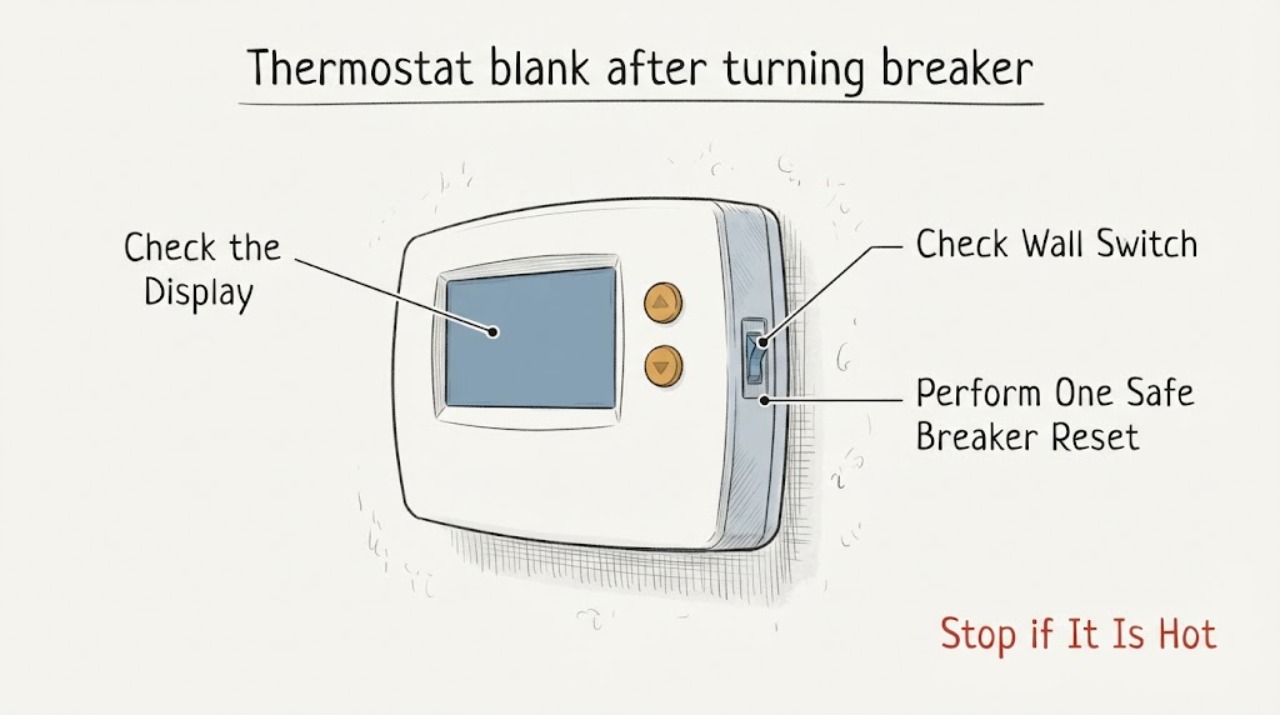
If the thermostat is blank after turning the HVAC breaker back on, first check whether the screen is merely asleep, then confirm the HVAC breaker is fully on and the nearby system switch or access panel is in its normal operating position. A single reset is reasonable only from a dry, safe location when there is no smoke, burning odor, water, heat, or visible damage; wait through the system's normal startup delay before judging the result. If the breaker trips again, do not keep resetting it. If the breaker stays on but the display remains blank, the thermostat may not be receiving low-voltage control power, may have a drained or missing battery, or may not be seated correctly; those causes are model- and system-specific. Do not remove thermostat wires or test live terminals unless the exact manual and safe power-isolation procedure support it. Arrange qualified HVAC service for a repeated trip, a blank display after one safe reset, a blown low-voltage fuse or suspected transformer/control-board issue, or any electrical hazard.
Work through in order
Diagnostic checks
Use only checks that match the exact appliance or system and its official guide.
-
Check 1
From a dry position, try the normal wake or menu control without changing wiring. Note whether the screen is dim or asleep, completely blank and unresponsive, showing a low-battery symbol, or showing an error. At the same time, look and listen for smoke, burning odor, buzzing, sparking, water, a hot switch or cord, or a breaker that will not stay on.
Expected result: The screen wakes, a low-battery or error message appears, the screen remains completely blank, or an electrical or equipment hazard is present.
Next step: For smoke, burning odor, sparking, heat, water near electrical equipment, exposed conductors, or an actively tripping breaker, stop and keep clear; isolate power only from a safe dry location and obtain qualified or emergency help. Otherwise continue with one controlled power check.
Why this matters
Why: A sleeping display is not the same as loss of control power. A low-battery message points to the thermostat's model-specific battery path; a completely blank screen after a power event points toward system power, thermostat seating, wiring, or display failure. A hazard changes the task to stop-use rather than troubleshooting.
-
Check 2
Only when there is no hazard and the HVAC breaker can be reached from a dry, safe position, identify the breaker or system switch that supplies the HVAC equipment. If the breaker is tripped or its position is unclear, move it fully to Off and then to On once; do not force it or reset it repeatedly. Wait through the equipment's normal startup delay before checking the thermostat.
Expected result: The breaker stays on and the thermostat wakes, the breaker trips immediately or will not latch, or the breaker stays on but the thermostat remains blank.
Next step: If the breaker trips or will not stay on, leave it off and arrange qualified HVAC or electrical service. If it stays on, continue with external switch, panel, battery, and display-seating checks; do not open the HVAC cabinet.
Why this matters
Why: A display that returns and remains on after one reset is consistent with a temporary power interruption, but it does not prove the underlying cause is gone. A repeat trip indicates an unresolved electrical or equipment fault. A stable breaker with a blank display means the thermostat may still lack low-voltage power or have a model-specific display or battery issue.
-
Check 3
With power left on and no hazard, inspect only the accessible HVAC service switch and equipment access panel. Confirm the switch has not been turned off and the panel is fully closed and seated; do not remove the panel or reach into the furnace, air handler, or control compartment.
Expected result: The service switch is off, the access panel is ajar, the switch and panel appear normal, or the equipment shows a fault light or unusual sound.
Next step: If the switch was off or the panel was not seated, restore only the normal external position and allow the system to start once. If the thermostat remains blank or the equipment shows a fault, stop and arrange service; do not bypass a panel switch or open the cabinet.
Why this matters
Why: A separate service switch or panel safety interlock can leave the HVAC system without normal control power even when the main breaker is on. A fault light or unusual equipment behavior points to an equipment-side problem rather than proving the wall thermostat failed.
-
Check 4
Use the exact thermostat manual to determine whether the display can be removed safely and whether the model uses replaceable batteries, a rechargeable battery, or system-supplied power. If the manual permits it, confirm the display is fully seated and replace or charge the battery using the specified method; do not pull wires or touch terminals.
Expected result: The display was not seated, the battery is depleted or missing, the model has no user battery path, or the display and battery arrangement appear correct but the screen remains blank.
Next step: Follow only the matching manual procedure. If the screen stays blank after the permitted battery or seating check, leave wiring untouched and arrange qualified service for low-voltage and equipment diagnosis.
Why this matters
Why: A display connection or battery issue can make a thermostat appear dead without a breaker fault. If the model depends on HVAC low-voltage power, a blank screen with a stable breaker shifts suspicion to the system fuse, transformer, control board, safety circuit, or wiring. A correct display and battery do not rule out equipment-side power loss.
-
Check 5
Once the thermostat display is restored, observe whether the HVAC equipment responds to a normal temperature call using the thermostat's ordinary controls. Record whether the display is stable, whether the equipment starts, and whether the breaker, system switch, or thermostat goes blank again.
Expected result: The display is stable and the equipment responds, the display works but the equipment does not respond, or the display or breaker fails again during a call.
Next step: For a stable system, monitor it and record the event. For no equipment response, a repeat blank display, or a new trip, stop repeated testing and arrange qualified HVAC service; do not bridge terminals or bypass safeties.
Why this matters
Why: A stable display with normal equipment response makes a temporary power interruption more likely. A working display with no equipment response points toward an HVAC equipment, control, safety, or wiring problem. A repeat blank screen or breaker failure points toward an unresolved power fault rather than a simple reset.
-
Check 6
Record the thermostat make and model, exact display behavior, breaker position and reset result, service-switch and panel observations, battery or display result, equipment status light or code, and whether the problem followed a storm, installation, wiring change, or recent HVAC work. Do not test live voltage or replace a fuse unless a qualified person directs it under the exact procedure.
Expected result: The thermostat remains blank after one safe reset and model-approved external checks, the breaker repeatedly trips, a low-voltage fuse or transformer is suspected, or the problem returns after seeming to recover.
Next step: Leave a repeatedly tripping or hazardous circuit off and arrange qualified HVAC or electrical service. Provide the recorded pattern so the technician can check the system power path, low-voltage protection, transformer, control board, wiring, and thermostat compatibility safely.
Why this matters
Why: These patterns are consistent with an unresolved low-voltage or HVAC equipment fault, but the blank screen alone cannot identify the failed component. Recent wiring or installation work raises the need for model- and system-specific verification.
Use your observations
Decision map
Find the observation that best matches what you see, then follow the next safe action.
-
PATH 01Next step
What you see
Do this next
Monitor the thermostat and record the breaker event. If the display goes blank, the equipment stops, or the breaker trips again, stop resetting and arrange qualified service.
-
PATH 02Next step
What you see
Do this next
Leave the breaker or switch off, do not hold it on or replace it with a larger rating, and arrange qualified HVAC or electrical service. Do not open the equipment cabinet.
-
PATH 03Next step
What you see
Do this next
Keep wiring and live terminals untouched and arrange qualified HVAC service to diagnose the power path and thermostat compatibility. Do not assume a replacement thermostat is the fix.
-
PATH 04Next step
What you see
Do this next
Stop repeated calls and arrange qualified HVAC diagnosis. Record the equipment indication and do not bypass a door switch, safety control, or thermostat terminal.
-
PATH 05Next step
What you see
Do this next
Keep clear, do not touch wet or exposed electrical parts, isolate power only from a safe dry location if possible, and obtain qualified or emergency help. Do not reset the breaker again.
Helpful context
Understand the symptom
A blank screen after a breaker reset is a power symptom, not a diagnosis
The breaker may have restored power to the HVAC equipment without restoring the low-voltage power the thermostat needs. A thermostat can also have a depleted battery, a display that is not seated, a separate service switch that remains off, or a system fault that prevents control power from reaching the wall. Manufacturer procedures differ, so use the exact thermostat and HVAC equipment manual before touching wiring or removing a display.
Reset once, then treat a repeat trip as a fault
A breaker that trips again is protecting a circuit from a condition that has not cleared. Do not hold it on, repeatedly cycle it, replace it with a larger breaker, or open the equipment cabinet to search for a fuse. Keep clear of smoke, burning odor, heat, sparking, water, or damaged wiring and arrange qualified electrical or HVAC help.
Do not assume a thermostat replacement will fix low-voltage loss
If the breaker remains on but the thermostat stays blank, the cause may be a system fuse, transformer, control board, safety switch, wire, battery, or display connection. A thermostat-specific screen or battery check can be appropriate when the manual allows it, but live-terminal testing and control-board work belong to a qualified technician.
When checks do not resolve it
Need a professional?
Arrange qualified HVAC service if the thermostat stays blank after one safe reset and model-approved battery or display checks, if the breaker or service switch trips again, if the equipment does not respond while the display is on, or if a low-voltage fuse, transformer, control board, wiring, or compatibility issue is suspected. Use qualified electrical or emergency help for smoke, burning odor, sparking, water near electrics, hot or damaged wiring, or uncontrolled trips.
Common questions
FAQ
Why is my thermostat blank after turning the breaker back on?
The breaker may be on while the thermostat still lacks low-voltage control power. Other possibilities include a separate HVAC switch, an unseated display, a drained battery, a system fuse or transformer issue, wiring, or a thermostat fault. Use the exact model procedure rather than assuming the thermostat itself failed.
Should I reset the HVAC breaker again if the thermostat is still blank?
Only one controlled reset is reasonable when there is no hazard and the breaker can be reached from a dry, safe location. If it trips again, will not latch, or the display stays blank after the reset, leave it off and arrange qualified service instead of repeating the reset.
What if the breaker stays on but the thermostat has no display?
Check only the accessible HVAC switch and closed equipment panel, then use the exact thermostat manual for a permitted display-seating or battery check. If it remains blank, low-voltage power, a system fuse, transformer, control board, safety circuit, wiring, or display fault needs qualified diagnosis.
Can a separate furnace or air-handler switch make the thermostat blank?
Yes. Some HVAC equipment has a service switch separate from the breaker, and model manuals may also require the equipment access panel to be seated. Check only the normal external positions; do not bypass the panel switch or open the cabinet.
Should I remove the thermostat wires to see whether power is present?
No, not as a generic check. Manufacturer guidance requires the HVAC system power to be turned off and verified before thermostat wiring work. Leave live terminals and wiring to a qualified person unless the exact manual and safe isolation procedure support the work.
Could a low-voltage fuse or transformer cause a blank thermostat?
Yes, a system-side fuse, transformer, control board, safety circuit, or wiring problem can prevent power from reaching a thermostat. The blank screen alone cannot identify which part failed, so do not replace a fuse or test live voltage without qualified direction.
What if the thermostat display comes back but the HVAC system does not run?
A working display with no equipment response points toward an HVAC equipment, control, safety, or wiring problem rather than proving the thermostat is fixed. Record any equipment indication and arrange qualified HVAC service; do not bridge terminals or bypass safeties.
When is a blank thermostat an emergency?
Treat smoke, burning odor, sparking, water near electrical equipment, exposed or hot wiring, a damaged switch or cord, active overheating, or a breaker that repeatedly trips as an immediate stop-use condition. Keep clear, isolate power only from a safe dry location, and obtain qualified or emergency help.
Read the exact guide
Official sources
- Troubleshoot when your thermostat won’t turn onGoogle Home and Nest Help · Google Nest blank or unresponsive display, display seating, power reset, battery, fuse, and service checks
- 69-2404EFS-03 - TH9000 SeriesResideo · Resideo TH9000 thermostat model-specific blank-display checks and equipment service indications
- How to turn the power off to your systemGoogle Home and Nest Help · HVAC system power isolation and verification before thermostat wiring work
- Troubleshoot a "No power" alert on a Nest thermostat (E298, E448 or M20 help code)Google Home and Nest Help · Google Nest thermostat no-power causes, breaker or system switch checks, wiring power indications, and professional-service boundary
Community feedback
Share a repair observation
Share a plain-text repair observation. Accepted observations are published automatically; this page may take a moment to update.