
On this page
Start here
Quick answer
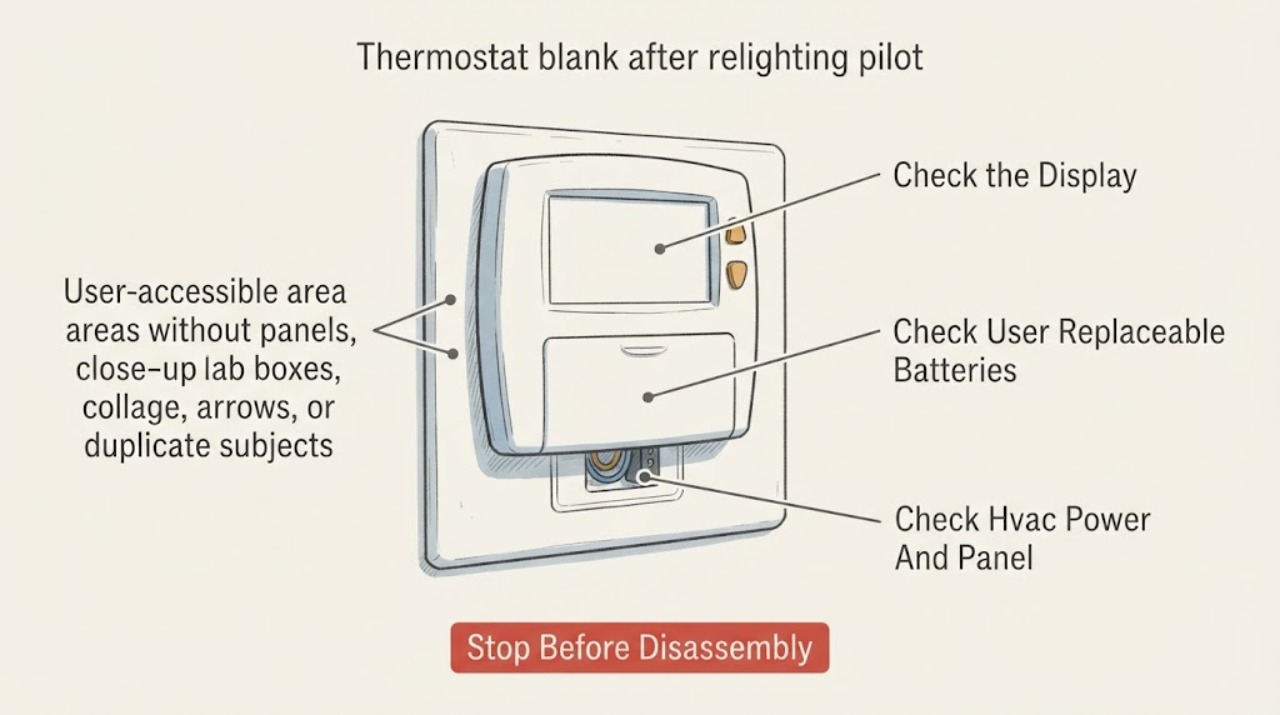
Relighting a standing pilot does not by itself restore power to a blank thermostat. Treat the two symptoms separately: confirm whether the thermostat uses batteries, then look from a safe position for a tripped HVAC breaker, an off furnace service switch, or a furnace access panel that is not seated. Do not remove the thermostat from its wall plate or touch wiring to test the cause. If the display remains blank after the safe power checks, or if the pilot will not stay lit, the furnace repeatedly shuts down, gas is smelled, a carbon-monoxide alarm sounds, or anyone has symptoms, leave the fuel-burning system off and arrange qualified HVAC service or emergency help as appropriate.
Work through in order
Diagnostic checks
Use only checks that match the exact appliance or system and its official guide.
-
Check 1
Without opening the thermostat or furnace, record what changed after the pilot was relit: whether the thermostat is completely dark, whether any backlight or indicator remains, whether the furnace blower or heat responds, and whether a gas or carbon-monoxide warning is present.
Expected result: Classify the pattern as a blank display with otherwise normal heat, a blank display and no furnace response, a display that intermittently returns, a pilot that will not remain lit, a gas odor, or a CO alarm or symptoms.
Next step: For gas odor, a CO alarm, or symptoms, leave immediately and use the emergency boundary. Otherwise continue with only the ordinary-access thermostat battery and HVAC power checks.
Stop if: Do not keep relighting the pilot, run the furnace, or operate electrical switches when gas is smelled or a CO alarm sounds.
Why this matters
Why: A dark display points first to thermostat or HVAC power, while a relit pilot that will not sustain or a furnace that shuts down points to an appliance ignition or safety issue. Gas odor and CO warnings override routine troubleshooting.
-
Check 2
If the exact thermostat manual identifies a user-accessible battery compartment, inspect the battery indication and replace batteries with the specified type and orientation; do not remove the wall plate or disturb terminals.
Expected result: Note whether the display returns immediately, remains blank, flashes briefly, or shows a low-battery or setup prompt; also note whether the thermostat is battery-only, battery-assisted, or hardwired according to its manual.
Next step: If the display stays blank, leave the thermostat undisturbed and check the HVAC breaker and service switch from ordinary access; do not bridge, jumper, or probe terminals.
Stop if: Stop if the battery compartment is damaged or wet, batteries are hot or leaking, the manual is unavailable for the model, or access requires removing wiring or the wall plate.
Why this matters
Why: A display that returns with correctly installed batteries supports a depleted battery as the immediate cause. No response, a brief flash, or a hardwired configuration keeps the HVAC power, fuse, wiring, or thermostat fault in consideration.
-
Check 3
From a dry, safe position, check whether the breaker serving the heating and cooling system is visibly tripped, whether the nearby furnace service switch is on, and whether the furnace access door is fully seated; do not remove panels or reset a breaker that trips again.
Expected result: Record an unchanged breaker and switch, a breaker that was tripped and stays on, a switch that was off, a door that was not seated, or a breaker that trips immediately again.
Next step: If the manual and local safety conditions permit, restore only an obviously off switch or a single visibly tripped breaker; if the display remains blank or the breaker trips again, leave the system off and arrange HVAC service.
Stop if: Do not reset repeatedly, remove the furnace door, open an electrical panel, touch exposed conductors, or work on high-voltage equipment.
Why this matters
Why: Carrier and Resideo both identify HVAC power, the service switch, and a secure furnace door as relevant to a blank thermostat or unresponsive heating system. A breaker that will not stay set suggests a fault, not a reason to keep resetting it.
-
Check 4
After a safe battery or ordinary-access power correction, observe the thermostat and furnace without opening either unit: note whether the display stays on, whether the setpoint can be changed, whether the thermostat calls for heat, and whether the furnace begins or stops a normal sequence.
Expected result: Record a stable display with heat response, a stable display with no heat, a display that goes blank again, a pilot that goes out again, or an error or lockout indication.
Next step: Keep the exact model, sequence, and any code for the technician; do not bypass a safety control or attempt gas-valve, flame-sensor, pilot-safety, or control-board work.
Stop if: Stop for repeated ignition attempts, unusual flame, soot, combustion noise, burning smell, gas odor, or any exposed electrical part.
Why this matters
Why: A stable display but no heat separates thermostat power from the furnace's ignition, gas-supply, control, or safety path. A display that goes blank again suggests an intermittent supply, fuse, connection, or thermostat fault; a pilot that repeatedly goes out needs fuel-burning-appliance service.
-
Check 5
Before requesting service, photograph the thermostat display and model label from ordinary access and write down the pilot-relight timing, battery or power checks, breaker behavior, furnace response, and any warning or error message.
Expected result: Confirm whether the thermostat is still blank, whether power was restored only briefly, whether the pilot stayed lit, and whether any gas or CO warning occurred.
Next step: Leave the affected fuel-burning system off when the cause is unresolved and arrange qualified HVAC service; use emergency services for gas or CO danger rather than routine scheduling.
Stop if: Do not continue testing when the display remains blank after safe checks, the pilot will not stay lit, the breaker trips again, or any safety warning appears.
Why this matters
Why: This record helps the technician distinguish a thermostat power loss from a furnace ignition or safety failure without asking the homeowner to open the appliance. A recurring blank display after power restoration is not resolved by repeated resets.
Use your observations
Decision map
Find the observation that best matches what you see, then follow the next safe action.
-
PATH 01Safety boundary
What you see
The thermostat is battery-powered and the display returns after the exact manual's battery replacement procedure.
Do this next
Confirm the display remains stable and the furnace responds normally; if the pilot goes out again or heat fails, arrange fuel-burning-appliance service.
Why this path and its safety boundary
Why it matters: Battery depletion is the leading explanation for the blank display; the pilot-relight event may have been coincidental or may still leave a separate furnace issue.
Safety stop: Stop for leaking or hot batteries, abnormal flame, gas odor, or a CO warning.
-
PATH 02Safety boundary
What you see
The display returns after an obviously off furnace switch, a securely seated furnace door, or one permitted breaker correction.
Do this next
Observe one normal heating request without opening the furnace; schedule service if the breaker trips, the display drops out, or the furnace does not complete its sequence.
Why this path and its safety boundary
Why it matters: Loss of HVAC power or an access-panel safety interlock is more likely than a failed thermostat, but the reason power was lost still matters.
Safety stop: Do not repeatedly reset a breaker or defeat a panel interlock.
-
PATH 03Safety boundary
What you see
Batteries are correct or the thermostat is hardwired, but the display remains blank after the HVAC breaker, switch, and furnace-door checks.
Do this next
Leave the thermostat and furnace wiring untouched and request HVAC service for electrical and control diagnosis.
Why this path and its safety boundary
Why it matters: A blown low-voltage fuse, open safety control, wiring or common-wire issue, or thermostat failure is more likely; relighting the pilot did not restore the thermostat circuit.
Safety stop: Do not remove the thermostat, jumper terminals, measure voltage, or open panels as a homeowner test.
-
PATH 04Safety boundary
What you see
The thermostat display is stable and can call for heat, but the furnace does not start or the pilot will not remain lit.
Do this next
Keep the exact pilot and furnace behavior and arrange qualified HVAC service; follow only the model manual's safe user instructions.
Why this path and its safety boundary
Why it matters: The thermostat has power; the remaining fault is more likely in the furnace ignition, gas supply, flame-safety, control, or another appliance path.
Safety stop: Do not bypass safeties, adjust gas controls, repeatedly relight, or operate the furnace with combustion or gas warnings.
-
PATH 05Safety boundary
What you see
Gas is smelled, a CO alarm sounds, or anyone has possible CO symptoms after working around the pilot or furnace.
Do this next
Leave the building for fresh air, call emergency services or the gas utility from outside or a neighbor's location, and do not reenter or operate the appliance until authorities and trained personnel allow it.
Why this path and its safety boundary
Why it matters: This is an immediate fuel-burning-appliance safety event, not a thermostat troubleshooting branch.
Safety stop: Never search for the source, relight the pilot, operate switches, or silence and ignore the alarm from inside.
-
PATH 06Safety boundary
What you see
The display returns briefly then goes blank, or the HVAC breaker trips again after one permitted correction.
Do this next
Leave the system off and provide the timing and breaker behavior to a qualified HVAC technician; do not keep resetting or cycling the furnace.
Why this path and its safety boundary
Why it matters: An intermittent power, low-voltage, wiring, control, or equipment fault is more likely than a depleted battery or a simple pilot condition.
Safety stop: Stop immediately for burning smell, smoke, exposed wiring, gas odor, or a CO warning.
Helpful context
Understand the symptom
A relit pilot and a blank display are separate clues
A standing pilot is part of the fuel-burning appliance's ignition path; the thermostat display is powered by its own batteries or by the heating and cooling system's low-voltage supply. Carrier's troubleshooting lists pilot status separately from thermostat power, so a pilot that was relit can coexist with a display that remains dark. Start by recording whether only the display is blank or whether the furnace also fails to respond.
Check only ordinary-access power points
A blank digital thermostat commonly means lost power. Depending on the thermostat, the safe homeowner checks are fresh batteries when the manual says they are user-replaceable, the HVAC breaker position, the furnace service switch, and whether the furnace door or access panel is securely closed. A hardwired thermostat may lose its common-wire supply when the furnace power is off or a safety control has opened; that requires diagnosis rather than a guessed wire repair.
Gas and carbon-monoxide boundaries come first
Never use a blank thermostat as a reason to keep relighting a pilot or to open a gas appliance. If gas is smelled, do not operate switches; leave and contact the gas utility or emergency services from a safe location. If a carbon-monoxide alarm sounds or anyone has headache, dizziness, nausea, confusion, or unusual weakness, move outside and call emergency services. CPSC says not to reenter or operate a malfunctioning fuel-burning appliance until responders and trained personnel allow it.
Safety boundary
Stop conditions
- If gas is smelled, do not operate switches or relight the pilot; leave immediately and contact the gas utility or emergency services from a safe location.
- If a carbon-monoxide alarm sounds or anyone has symptoms, move outside, call emergency services, and do not reenter or operate the fuel-burning appliance until responders and trained personnel allow it.
- Do not remove the thermostat, open furnace panels, touch wiring, jumper terminals, bypass safety controls, adjust gas controls, or repeatedly reset a tripping breaker.
- Keep the furnace off for a pilot that will not stay lit, repeated ignition attempts, unusual flame or combustion noise, soot, burning smell, or a recurring lockout.
- Stop routine troubleshooting when the thermostat remains blank after the model-approved battery and ordinary-access power checks; arrange qualified HVAC service.
Only after diagnosis
Potential parts
- thermostat batteries
Consider only when the exact thermostat manual identifies user-replaceable batteries and the display behavior supports depletion.
Match the battery type and orientation specified for the exact thermostat; do not substitute or modify wiring. - thermostat
Consider only after qualified diagnosis confirms thermostat failure and compatibility with the heating system.
Thermostat compatibility, power requirements, and system configuration are model-specific; do not replace based only on a blank display. - furnace low-voltage fuse or control component
Consider only after a qualified technician identifies an open fuse or failed control as the cause of lost thermostat power.
The correct part and any electrical work are equipment-specific; do not install a substitute or bypass a safety device.
When checks do not resolve it
Need a professional?
Arrange qualified HVAC service when the display stays blank after correct battery and ordinary-access power checks, the display repeatedly goes blank, the breaker trips again, the pilot will not remain lit, the furnace fails to respond with a powered thermostat, or any wiring, control, gas, or safety diagnosis is needed. Use emergency services or the gas utility for gas odor, a CO alarm, or possible CO symptoms.
Common questions
FAQ
Can relighting the pilot make the thermostat display go blank?
Relighting the pilot does not by itself establish that the thermostat has power. Treat the pilot and display as separate clues: check user-replaceable batteries and ordinary-access HVAC power, while treating a pilot that goes out again as a furnace safety or ignition issue.
What is the first safe check for a blank thermostat?
If the exact manual allows it, check the thermostat's user-replaceable batteries. Then check the HVAC breaker, furnace service switch, and securely seated furnace door from a dry, ordinary-access position. Do not remove the thermostat or touch wiring.
When is a blank thermostat an emergency?
Gas odor, a sounding carbon-monoxide alarm, or possible CO symptoms makes it an emergency. Leave for fresh air, call emergency services or the gas utility from outside, and do not reenter or operate the fuel-burning appliance until responders and trained personnel allow it.
Read the exact guide
Official sources
- 33-00269ES—07 - Smart Color Touchscreen Programmable ThermostatResideo · Honeywell Home and Resideo thermostat blank-display troubleshooting
- Common Thermostat Issues and How to TroubleshootCarrier · Thermostat blank-screen causes, furnace power checks, and professional stop conditions
- Heater Not Working? Try Our Furnace Troubleshooting GuideCarrier · Gas-furnace power, thermostat response, pilot-light, gas-odor, and service troubleshooting
- Carbon Monoxide Fact SheetU.S. Consumer Product Safety Commission · Carbon-monoxide hazards, alarm response, fuel-burning appliance servicing, and reentry boundary
Community feedback
Share a repair observation
Share a plain-text repair observation. Accepted observations are published automatically; this page may take a moment to update.