
On this page
Start here
Quick answer
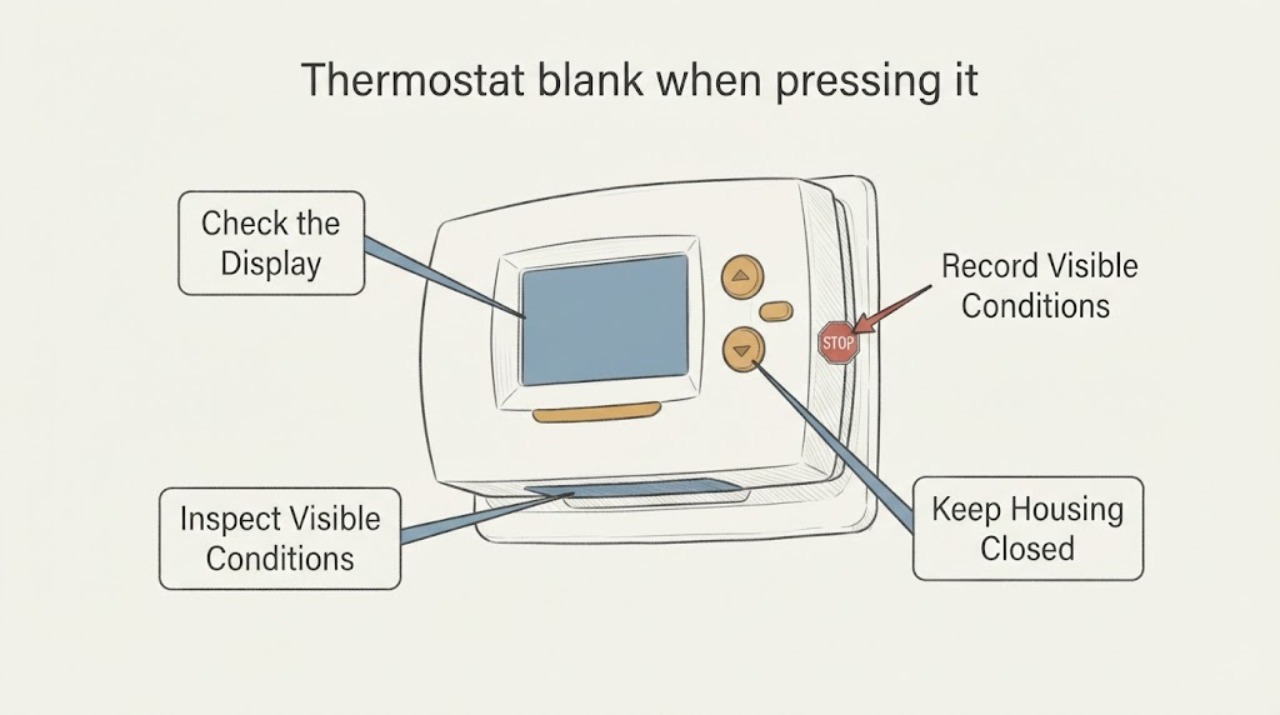
If a thermostat goes blank when you press the display back onto its base, the display may not be fully seated, the base pins or connector may not align, wires may be preventing a flush fit, or the thermostat may be losing its system or battery power as the connection changes. First stop pressing it repeatedly and note whether the blank screen occurs only when the display is attached, whether any light or message appears when it is removed, and whether heating or cooling also stops. From a dry, safe position, turn off HVAC power before removing a display or inspecting only the visible base fit; never push wires deeper, loosen energized terminals, or open the equipment cabinet as a routine check. Follow the exact thermostat maker's seating and power guidance. Stop for a damaged base, exposed conductors, burning odor, smoke, sparks, water near electrical parts, or a system that cannot be shut down safely. If the screen remains blank after a correct, firm seating check and safe power restoration, leave the system in a safe state and arrange qualified HVAC service.
Before you begin
Safety first
- Do not open HVAC equipment or thermostat wiring, probe energized terminals, force the display onto its base, or continue operation with exposed conductors, water, smoke, arcing, overheating, or unstable HVAC behavior.
Work through in order
Diagnostic checks
Use only checks that match the exact appliance or system and its official guide.
-
Check 1
Stop pressing the thermostat display repeatedly. From a safe position, note whether the screen is blank before attachment, becomes blank only as it is pressed onto the base, lights when removed, shows a status light, or causes the HVAC system to stop responding. Record the maker and model.
Expected result: The display works off the base but blanks when attached, stays blank in both positions, flashes as pressure changes, or the HVAC system also loses operation.
Next step: Stop immediately for sparks, smoke, burning odor, heat, exposed conductors, water, repeated breaker trips, or uncontrolled HVAC operation. Otherwise turn off system power safely before a single seating inspection and do not keep flexing the display.
Why this matters
Why: A pressure-dependent change makes seating, connector alignment, or wire clearance more likely; a display dark in both positions makes battery or system power more likely. HVAC loss or unstable operation expands the issue beyond the display.
-
Check 2
Turn off power to the heating and cooling system from a dry, clearly identified disconnect or breaker before removing the display. With power off, inspect only whether the thermostat display and base meet evenly, the connector or pins appear aligned and undamaged, and the display can sit flush without force.
Expected result: The display is tilted, a connector is visibly misaligned or damaged, the base has shifted, or the display meets the base evenly without pressure.
Next step: Use only the exact manufacturer's seating method to align and press the display once; do not bend pins, change screws, or continue if the connector or base is damaged. Restore power only after the display is safely seated and the area is dry.
Why this matters
Why: An uneven fit or damaged connector can interrupt power as the display is pressed on. An even fit with a persistent blank screen makes battery, system power, wiring, or an internal display fault more likely.
-
Check 3
With system power off, look at the wall opening around the thermostat base for visible wires, cable sheath, or mounting material protruding far enough to hold the display away from the base. Do not push, pull, strip, or disconnect any conductor.
Expected result: A wire bundle or cable is visibly in the way, the base is mounted unevenly, the wall plate is loose, or there is no visible obstruction.
Next step: Use the exact model installation instructions or qualified service for base alignment or wire clearance. Do not force the display against the wall or push conductors into the wall cavity; restore power only after the fit is secure.
Why this matters
Why: Official Nest installation guidance says protruding wires can prevent proper display seating. A loose or tilted base can produce the same pressure-dependent contact change, while no visible obstruction shifts attention to power or an internal fault.
-
Check 4
After the display is safely seated and system power is restored once, observe whether it starts, shows a low-power or charging indication, remains dark, or blanks again when the display is gently supported without repeated pressure. Do not remove covers or perform terminal work to obtain a reading.
Expected result: The display starts normally, shows a low-power indication, remains dark, or cuts out again with a small change in seating.
Next step: Follow the exact model's charging or power guidance only when it is designed for the thermostat. If the screen remains dark or contact is intermittent, leave the system off or in its safest stable state and arrange HVAC service.
Why this matters
Why: A low-power indication points toward battery or system supply; a display that cuts out with seating movement suggests an unresolved base or connector contact issue. A stable dark display after a correct fit suggests a power, wiring, or display fault.
-
Check 5
Check only the household HVAC power indication that is safely visible: whether the thermostat circuit has been intentionally switched off, whether a clearly labeled breaker or service switch is off, and whether the HVAC equipment has a separate obvious fault indication. Do not reset an unknown breaker repeatedly or open equipment panels.
Expected result: The system circuit is off, a power interruption is known, the equipment shows a fault, or visible power status is normal but the thermostat remains blank.
Next step: Restore a known-off switch only once if it is dry, clearly identified, and safe to reach; do not reset after a trip or hazard. Arrange qualified HVAC service for a returning trip, equipment fault, or blank display with normal visible power.
Why this matters
Why: A system power interruption can prevent a wired thermostat from charging or operating. A visible equipment fault or normal supply with a dead display requires model-specific diagnosis rather than more pressure on the base.
-
Check 6
Prepare a service description without opening the thermostat: report the exact model, whether blanking happens only when pressing it back, whether the display works detached, base fit, visible wire clearance, HVAC response, power indications, and any recent installation or wall work.
Expected result: The problem is repeatable only with attachment, remains after a correct seating check, or cannot be inspected safely because the base or wiring is damaged or inaccessible.
Next step: Leave the thermostat and HVAC system in the safest stable state and arrange qualified HVAC service. Do not open the cabinet or apply energized terminal tests as a homeowner workaround.
Why this matters
Why: A repeatable attachment-dependent failure gives a technician a useful mechanical clue; an unresolved blank display after safe checks may involve the base, battery, system wiring, or control equipment.
Use your observations
Decision map
Find the observation that best matches what you see, then follow the next safe action.
-
PATH 01Next step
What you see
Do this next
Stop pressing it and use the exact model instructions or qualified HVAC service for base or connector repair; do not bend pins or force the display.
-
PATH 02Next step
What you see
Do this next
Turn system power off and follow the exact manufacturer's mounting guidance or call a professional; do not push or disconnect conductors.
-
PATH 03Next step
What you see
Do this next
Follow only the exact model's charging or safe power guidance; if it stays dark, arrange qualified HVAC service and do not open wiring.
-
PATH 04Next step
What you see
Do this next
Leave it undisturbed and arrange service; do not use repeated pressure as a temporary repair.
-
PATH 05Next step
What you see
Do this next
Do not open HVAC equipment or probe wiring; arrange qualified HVAC service with the thermostat and equipment observations.
-
PATH 06Next step
What you see
Do this next
Leave the system in a safe stable state and arrange qualified HVAC service; provide the exact model and error information.
-
PATH 07Next step
What you see
Do this next
Keep clear, isolate power only from a dry safe location if possible, and obtain qualified HVAC or electrical service. Do not restart or press the thermostat back into place.
Helpful context
Understand the symptom
The pressing condition is a useful clue
A screen that is blank all the time has a broader power and display diagnosis. A screen that goes blank only as it is pressed onto the wall plate points first to mechanical seating, connector alignment, or wire clearance. That clue does not prove the thermostat is a Nest or identify a terminal fault. Record the exact maker, model, whether the display can be read off the base, and whether the HVAC equipment responds.
Check a flush fit without forcing the base
A display should meet its base evenly and remain secure. A cable or wire bundle protruding from the wall can hold the display away from its connector. Only inspect visible fit after system power is safely off and only use the exact manufacturer's seating method. Do not push wires, bend pins, substitute screws, or keep pressing a display that cuts in and out.
A blank display can be a system-power symptom
Low battery, a switched-off HVAC circuit, a blown system fuse, a loose low-voltage connection, or a base connection problem can all leave a thermostat dark. If the display lights when detached but goes dark when attached, the change in base contact is important evidence. If it remains dark off the base, power or battery becomes more likely. Exact readings and terminal work belong with a qualified technician.
Know when to stop at the thermostat
Do not open the furnace, air handler, disconnect box, or thermostat base wiring as an ordinary homeowner test. Stop for exposed conductors, arcing, smoke, burning odor, a hot wall plate, water, repeated breaker trips, or a system that runs unpredictably. Turn off the HVAC circuit only if the disconnect is dry, accessible, and clearly identified; otherwise leave it alone and obtain professional help.
Safety boundary
Stop conditions
- Stop immediately for exposed conductors, arcing, smoke, burning odor, a hot wall plate, water near electrical parts, repeated breaker trips, a damaged base, or an HVAC system that cannot be safely shut down. Isolate power only from a dry, clearly identified, safe location and arrange qualified service.
- Do not repeatedly press or flex a display that blanks, force it onto the base, bend connector pins, substitute mounting screws, or defeat a thermostat or equipment safety control.
- Do not push, pull, strip, or disconnect thermostat conductors as an ordinary seating check. System power must be off before any model-authorized wiring work, and inaccessible wiring belongs with a qualified technician.
- Do not open the furnace, air handler, disconnect box, or thermostat cabinet, and do not perform energized terminal measurements as a homeowner diagnostic.
- If a correct, firm model-appropriate seating check does not restore a stable display, leave the system in its safest stable state and arrange qualified HVAC service.
Only after diagnosis
Potential parts
- thermostat display or display assembly
Consider only after qualified diagnosis finds the display itself fails or blanks despite a correct base fit and confirmed safe power path.
Confirm the exact thermostat maker, model, generation, and display-to-base design before ordering; displays are not universal. - thermostat wall base or connector
Consider only when qualified diagnosis identifies damaged, loose, or misaligned base contacts or a base that cannot maintain a stable display connection.
Confirm the exact model and wiring arrangement; do not substitute a similar-looking base or change terminal connections without the manual and professional verification. - thermostat power accessory or system fuse
Consider only after a qualified diagnosis confirms an applicable power accessory, fuse, or system-side supply fault rather than a seating problem.
Verify the exact HVAC system and thermostat requirements before any part decision; do not infer the needed power path from a blank screen alone.
When checks do not resolve it
Need a professional?
Arrange qualified HVAC service when the display goes blank only when attached and the base or connector cannot be safely corrected, the screen remains blank after a correct seating and safe power check, the HVAC system also loses operation, wiring or equipment power is suspected, or the display cannot stay seated. Use urgent service for exposed conductors, arcing, smoke, burning odor, water near electrical parts, overheating, or repeated breaker trips.
Safety scope: Do not open HVAC equipment or thermostat wiring, probe energized terminals, force the display onto its base, or continue operation with exposed conductors, water, smoke, arcing, overheating, or unstable HVAC behavior.
Common questions
FAQ
Why does my thermostat go blank when I press it back onto the base?
The pressure-dependent change makes an incomplete display-to-base connection, misaligned connector, protruding wire, or shifted base more likely. Turn system power off safely before a single model-appropriate seating check and do not force or flex the display.
Should a thermostat display sit completely flush on its base?
The exact maker controls the fit, but official Nest guidance says the display connector should align with the base and the display should be pressed into place until it clicks. A display that tilts, cuts out, or cannot seat needs model-specific help.
Can wires behind the thermostat make the screen go blank?
They can prevent the display from seating fully. Official Nest installation guidance calls out wires sticking out from the wall as a seating problem. Do not push or disconnect wires as a casual fix; turn system power off and use the exact manual or a qualified technician.
What if the thermostat is blank both on and off the base?
Battery depletion, system power loss, a base supply issue, or a failed display becomes more likely than pressure-dependent contact alone. Follow only the exact model's safe charging or power guidance, then arrange HVAC service if it remains dark.
Can I check thermostat wires to fix a blank display?
Do not disconnect or probe thermostat wires as an ordinary homeowner check. System power must be off for any model-authorized wiring work, and a recurring blank display or uncertain low-voltage fault should be handled by a qualified HVAC technician.
When should I stop pressing a blank thermostat back into place?
Stop for intermittent blanking, a damaged base, exposed conductors, arcing, smoke, burning odor, water, a hot wall plate, repeated breaker trips, unstable HVAC behavior, or a screen that stays blank after a correct seating check. Leave it safe and arrange qualified service.
Read the exact guide
Official sources
- Troubleshoot when your thermostat won’t turn onGoogle Home and Nest Help · Nest-specific guidance used for display/base mechanics; unidentified thermostats require their own maker's manual.
- Install your Nest thermostatGoogle Home and Nest Help · Nest installation guidance; connector and wiring arrangements are not universal across thermostats.
- Troubleshoot Nest thermostat help codesGoogle Home and Nest Help · Nest help-code guidance used for the wiring and service boundary; exact thermostat maker and model govern the procedure.
Community feedback
Share a repair observation
Share a plain-text repair observation. Accepted observations are published automatically; this page may take a moment to update.