
On this page
Start here
Quick answer
Cold weather can make a partly depleted battery deliver less power, so a keypad lock may beep, respond slowly, or fail to move the latch even though it worked in milder weather. Confirm the warning at the lock, replace the complete battery set with the exact type specified for that lock, and then test the latch with the door open. If the lock still struggles with fresh batteries, the cause is more likely a binding door, damaged contacts, moisture, or a lock fault than cold alone.
Before you begin
Safety first
- A locksmith should handle forced entry, damaged contacts, internal electronics, stuck mechanisms, and model-specific emergency access procedures.
Work through in order
Diagnostic checks
Use only checks that match the exact appliance or system and its official guide.
-
Check 1
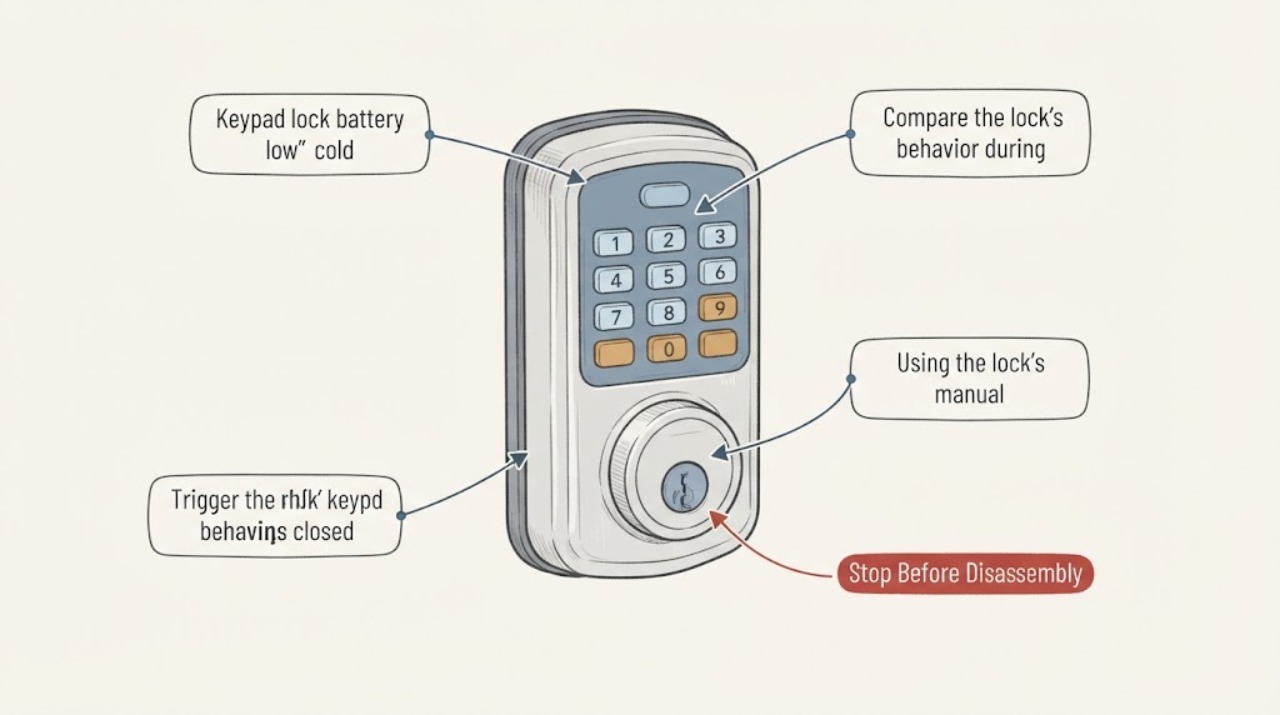
Trigger the lock's keypad once and compare the warning at the lock with any app notification. Note the exact light, beep, delay, or lack of response without repeatedly cycling the lock.
Expected result: The keypad gives the lock's low-battery pattern and the latch is slow or unavailable, or only the app reports low battery while the lock behaves normally.
Next step: If the lock itself warns, replace the batteries promptly using the lock's own instructions. If only the app warns, manually lock or unlock once if the lock is operating normally, then monitor the lock-level indicator.
Why this matters
Why: A matching lock warning makes a depleted battery more likely. An app-only alert can be stale or delayed and should be confirmed at the lock before diagnosing a hardware fault.
-
Check 2
Compare the lock's behavior during the cold period with its behavior after the weather naturally moderates; do not apply concentrated heat to the battery or keypad.
Expected result: The keypad or motor is unreliable only when cold and becomes more responsive as the lock warms naturally, or it remains unreliable at ordinary temperatures.
Next step: Replace the battery set rather than relying on warmer weather as a fix. If the symptom remains with the new set, continue with the contact and door-load checks.
Why this matters
Why: Cold-sensitive behavior is consistent with reduced battery performance under load, especially when the battery was already marginal. Failure at ordinary temperatures points more strongly to the battery, contacts, mechanical load, or electronics.
-
Check 3
Using the lock's manual for guidance, open the battery compartment and install a complete set of fresh batteries of the specified size and chemistry, observing polarity and checking for obvious leakage or corrosion on the contacts.
Expected result: The lock returns to normal after the complete set is replaced, or the warning and weak response continue; contacts may also look clean, corroded, or wet.
Next step: Dispose of depleted or leaking cells according to local rules and keep damaged material away from bare skin. If contacts are corroded, wet, or damaged, stop disassembly and have the lock assessed rather than scraping or bridging the contacts.
Why this matters
Why: Normal operation after the correct replacement points to depleted or cold-weakened batteries. Continued trouble with clean contacts suggests another cause; corrosion, moisture, or leakage can interrupt current and damage the lock.
-
Check 4
With the door open, operate the keypad lock once and watch whether the latch or bolt travels smoothly; then compare that with the same operation while the door is closed, without forcing the mechanism.
Expected result: The lock works with the door open but stalls, strains, or stops when the door is closed, or it fails in both positions.
Next step: Do not keep cycling a motor against resistance. Arrange a locksmith or door professional to correct alignment and inspect the lock if the closed-door test binds; return to battery or electronics diagnosis if it fails with the door open too.
Why this matters
Why: Working open but not closed points to door sag, strike misalignment, weather swelling, ice, or another mechanical load that can drain a battery quickly. Failure in both positions keeps battery contacts or lock electronics in consideration.
-
Check 5
Inspect the exterior keypad, battery-cover seam, and visible lock edges for ice, water, or impact damage, using only a dry, soft cloth on accessible surfaces.
Expected result: Moisture, ice, a loose cover, or physical damage is visible, or the exterior is dry and intact.
Next step: Let ordinary ice thaw without concentrated heat and keep the compartment dry. If moisture has entered, the cover no longer seals, or the warning returns after drying and a correct battery replacement, arrange service before further disassembly.
Why this matters
Why: Moisture or damage can interfere with keypad input or the battery compartment and may cause a repeated warning. A dry, intact exterior makes that explanation less likely but does not rule out an internal contact fault.
Use your observations
Decision map
Find the observation that best matches what you see, then follow the next safe action.
-
PATH 01Next step
What you see
The lock warns and responds slowly only in cold weather, then works normally after naturally warming, with no sign of door binding.
Do this next
Replace the complete battery set with the exact manufacturer-specified type before the next cold period, and keep the backup entry method available.
Why this path and its safety boundary
Why it matters: A marginal battery whose available power falls under cold load is more likely than a permanent keypad failure.
-
PATH 02Next step
What you see
Fresh, correctly installed batteries work with the door open but the bolt strains or stops when the door is closed.
Do this next
Stop repeated lock cycles and have a locksmith or door professional inspect the strike, hinges, weather effects, and lock mounting.
Why this path and its safety boundary
Why it matters: Mechanical resistance or alignment is likely making the motor work harder; replacing batteries again will not correct the load.
-
PATH 03Next step
What you see
The warning or weak response continues with the correct fresh battery set, especially when contacts are corroded, wet, or visibly damaged.
Do this next
Do not bridge, scrape aggressively, or bypass the contacts. Arrange manufacturer support or a locksmith to inspect and repair the lock, and use the mechanical backup method if available.
Why this path and its safety boundary
Why it matters: A contact problem, moisture intrusion, battery-compartment damage, or lock electronics fault is more likely than cold alone.
-
PATH 04Next step
What you see
The keypad is dead, the door is locked, and there is no reliable physical key or documented emergency power method available.
Do this next
Stop forcing the keypad or lock and contact a qualified locksmith or the lock manufacturer's support channel for the model-specific access procedure.
Why this path and its safety boundary
Why it matters: Further battery experiments may leave the occupant locked out or damage the lock; access recovery is now the priority.
Helpful context
Understand the symptom
Why cold weather exposes a weak battery
A battery that is already near the end of its useful charge can show its weakness when the lock motor draws power in cold weather. Cold slows the electrochemical reactions in an alkaline cell and can increase the voltage drop under load. That does not prove the lock electronics have failed. First separate a genuine low-battery warning from a stale app message, then check whether the latch is being forced against the door or strike.
Do not assume every keypad lock uses the same battery
Battery size, quantity, chemistry, access procedure, and emergency power method vary by lock. Use the label inside the battery compartment or the manual for the exact lock. A battery type that fits another brand is not evidence that it is correct for this lock, and rechargeable cells may make some systems report charge inaccurately.
Keep the test safe
Do not heat a battery or keypad with a flame, heat gun, or other concentrated heat, and do not force the thumbturn or motor. If the lock is the only entry and it is already failing, use the physical key or the manufacturer's emergency power method if your model has one; otherwise arrange a locksmith before the battery becomes fully depleted.
Safety boundary
Stop conditions
- Stop cycling the lock if the bolt binds, stalls, or strains; repeated attempts can drain a replacement battery and worsen a mechanical fault.
- Do not heat a battery or keypad with a flame, heat gun, or concentrated heat, and do not short, puncture, or force a leaking cell.
- Arrange a locksmith when the lock remains unreliable with correct fresh batteries, contacts are wet or damaged, or you are locked out without a dependable backup method.
Only after diagnosis
Potential parts
- manufacturer-specified replacement battery set
Only consider this after the lock label or manual identifies the required size and chemistry; a fresh set is relevant when the lock-level warning or cold-sensitive response indicates depleted batteries.
Match the exact size, chemistry, quantity, and polarity specified for this lock. Do not infer compatibility from another brand or model.
When checks do not resolve it
Need a professional?
Safety scope: A locksmith should handle forced entry, damaged contacts, internal electronics, stuck mechanisms, and model-specific emergency access procedures.
Common questions
FAQ
Can cold weather cause a low-battery warning when the battery is not completely empty?
Yes. Cold reduces the power available from an alkaline cell under load, so a marginal battery may trigger a warning or a slow motor in cold weather. Replace it according to the lock's instructions rather than relying on warmer weather to restore dependable access.
Should I replace only the weakest battery?
Use the lock's instructions. When a lock uses a set of batteries, replacing the complete set with the specified type avoids mixing old and new cells and gives the battery monitor a consistent starting point. Do not assume the quantity or chemistry without checking the lock.
Why does the lock work with the door open but not when it is closed?
That pattern points to bolt or latch resistance, strike misalignment, swelling, or ice loading the motor. Stop repeated attempts and have the door and lock alignment checked; another battery may not solve the mechanical load.
Can I warm the keypad or batteries to make the lock work?
Do not use a flame, heat gun, or concentrated heat on the lock or battery. Let ordinary cold pass naturally, replace a marginal battery with the specified type, and arrange service if moisture, damage, or a lockout remains.
Read the exact guide
Official sources
- Keypad Lever and Flair Lever with Auto LockSchlage · Schlage keypad lever example showing model-specific battery and emergency-entry behavior
- Alkaline Manganese Dioxide Handbook and Application ManualEnergizer Brands, LLC · General alkaline battery behavior in cold weather; not a lock-specific compatibility guide
- How does battery level affect the performance of my smart lock?Kwikset · Keypad and smart locks showing a low-battery warning or delayed operation
- Can I use rechargeable batteries for my smart lock?Kwikset · Battery replacement decisions for compatible Kwikset smart locks
Community feedback
Share a repair observation
Share a plain-text repair observation. Accepted observations are published automatically; this page may take a moment to update.